
Category
Tips
-
How to enable ‘Install from unknown sources’ option on Android Oreo
Android has always blocked installation of APKs from unknown sources for better security. It required us enable the installation of APK files first under:…
-
How to get Google Assistant on Android Oreo
Android O is here! To be precise, Android Oreo is here. Unlike last year, Google has bestowed the update to all current (last two…
-
How to Enable Developer options on Android Oreo (8.0)
The Android O developer preview comes packed with a number of new features. And the one that caught our eye the most is the new Settings menu…
-

How to Install Android O on Google Pixel, Pixel XL, Nexus 6P, Nexus 5X, Nexus Player and Pixel C
Google has a bad habit of spoiling us by releasing previews and updates without ever mentioning them in advance. Living in the age of leaks…
-
How to securely save files on cloud with encryption taking place on your own device
When I first downloaded the Cryptomator Beta app, I was skeptical about the app. However, after using it for some time, the app has left…
-
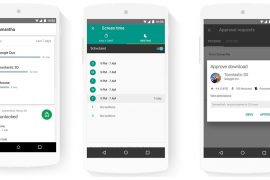
How to keep an eye on your kid’s phone easily
Google, after all these years, has finally come up with a really cool parental control software known as Google Family Link. One wonders what…
-

Create shortcuts from Gaana playlist on your Android home screen
Available on both the web and mobile apps, Gaana is an Indian music streaming service that offers free and unlimited access to music. As…
-

LG G6 Apps APK now available for download
Ever since LG G6’s system dump came out, thanks to Xpirt at XDA, the android community has been buzzing with the thought of tinkering with…
-

How to take a Screenshot on Moto G5 and G5 Plus
If it’s funny sharing conversation between friends or showing them what’s on your smartphone screen, the fastest way to do so is take a…
-
![ZTE Axon 7 Android 7.1.1 Issues and Fixes [AIO]](https://cdn.nerdschalk.com/wp-content/uploads/2017/03/zte-axon-7-Android-7.1.1-issues-270x180.jpg)
ZTE Axon 7 Android 7.1.1 Issues and Fixes [AIO]
With the release of Android 7.1.1 Nougat update, ZTE Axon 7 becomes one of the few devices to receive the latest android version. Although the…
-

Download Galaxy J5 Prime 2017 / On5 2017 Firmware
Firmwares for Galaxy J5 Prime 2017 firmware (or Galaxy On5 2017 in China) have hit the web, you know, so we thought about sharing…
-
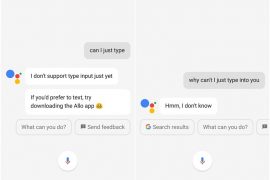
How to type in Google Assistant
Okay. So the Google Assistant is finally available on your device (Marshmallow or Nougat devices in addition to Pixel sets which had it exclusively…
-

Nexus 6 7.0 OTA downgrade: What’s the reason and whether you should take it
While most of the Nexus 6 users were rejoicing receiving the March security patch which came out last week, some users are reporting to have received…
-
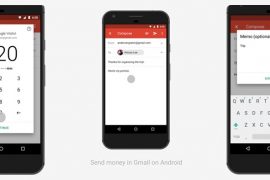
How to Send, Receive and Request money ($$) using Email on Gmail Android app
Google has finally brought its wallet integration to the Gmail Android app, as the same was available in the web since 2013. With the…
-
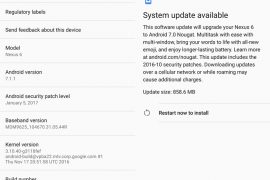
How to Avoid Nexus 6 Android 7.0 OTA update that downgrades your device
Nexus 6 users seem to be going back in time as the latest update hitting them right now takes them back to Android 7.0,…
-

How to downgrade Galaxy S6 and Galaxy S6 Edge from Nougat to Marshmallow
Not really happy with Nougat update on your Galaxy S6? Do you feel like going back to Marshmallow which you were already familiar with?…
-

How to take screenshot on LG G6
Whether it’s beating the final boss or getting the top score, sharing your achievement through screenshot is the best way to convince your friends…
-
Galaxy S9 firmware download: G960FXXU5CSF2 added, gets you Night mode
June 15: Samsung has released a new update for the S9 sets which installs a new feature called Night mode in the camera app. The…
-

Here are top Google Assistant tips and tricks you should know already!
Up until the recent MWC 2017, Google Assistant was officially available only for Google Pixel devices and Google Allo Messenger; however, with the recent…
-
![Enable Google Assistant on Marshmallow on any language with Assistant Enabler Xposed Addon [Root required]](https://cdn.nerdschalk.com/wp-content/uploads/2017/03/assistant-enabler-270x180.png)
Enable Google Assistant on Marshmallow on any language with Assistant Enabler Xposed Addon [Root required]
If you’ve got a rooted and unlocked smartphone that runs Android Marshmallow, and want to try out the Google Assistant, then this is the…