
Category
Tips
-

How to check for water damage on the Galaxy S8 and S8+ using LDI
If you are planning to get your hands on the upcoming flagship, then it would do good to be prepared for the worst case…
-
How to take a screenshot on Galaxy S8 and S8+
The Samsung Galaxy S8 is a lot different from the previous Galaxy S series flagship phones. And one the most significant change on the Galaxy…
-

Facebook Stories: 7 tips and tricks you should use
So, the story begins like this (pun intended), once upon a time, Facebook tried to buy Snapchat, but Snapchat declined the offer (that’s what…
-
What’s the difference between Facebook Stories and Messenger Stories
Now that Facebook has introduced the Story feature in its own app as well, you might be wondering, “Wasn’t there Facebook Messenger stories as…
-
Android O: Icon of notifications below the current view are shown in bottom bar of the shade
Android O has brought in lots of new features, many of which are visible in Settings and notifications shade. While some of the features…
-
Samsung Galaxy J7 V 2017 Specs Review
Update [March 30, 2017]: Here’s some good news that our users who are keen on buying the Samsung’s 3rd Gen of the Galaxy J7 could…
-

How to Downgrade Samsung Galaxy Note 5 from Android 7.0 Nougat to Android 6.0 Marshmallow
After the Samsung Galaxy Note 7 fiasco, the Note series found itself in uncharted waters, with the general public becoming skeptical of the whole…
-
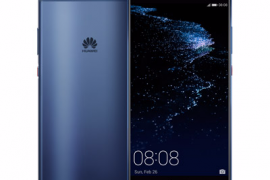
How to take a screenshot on Huawei P10 and P10 Plus
You can use screenshots feature to capture almost any screen on your Huawei P10 and P10 Plus. Whether it’s an interesting conversation or a…
-
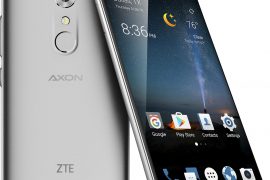
How to downgrade ZTE Axon 7 from Android 7.1.1 to Android 7.0
ZTE recently updated their device to Android 7.1.1 and although the update is a minor shift from 7.0, various users are reporting bugs ranging from…
-
![An issue Nexus 5X and 6P makes camera pics disappear after a while [with fixes]](https://cdn.nerdschalk.com/wp-content/uploads/2017/03/nexus-5x-camera-pics-not-saved-issue-270x180.png)
An issue Nexus 5X and 6P makes camera pics disappear after a while [with fixes]
A weird and extremely annoying bug was found on some Nexus 5X and Nexus 6P devices. When a user takes a picture with the…
-
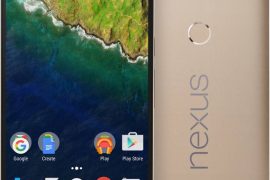
Google cards not loading on some Nexus 5X and 6P devices after March security patch
Of late, the Nexus 5X and the Nexus 6P are experiencing an issue where Google cards have disappeared on their device, right after they…
-

Best Android Oreo features
Android Oreo is out. And we are as excited as you are. The successor of Android Nougat (7) will go down in history as…
-
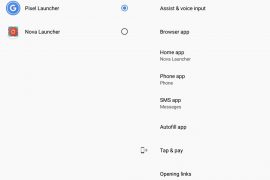
PSA: Android O has issues with Nova Launcher, Home key may not work after restoring backup file
Seems like there’s a compatibility issue with Nova Launcher on the Android O Developer preview. Apparently, if you restore a backup file of your…
-
Can’t download Super Mario Run from Play Store? Get the APK here
The much awaited Super Mario Run game was finally released on the Play Store earlier today. However, if you’re someone like us, you probably won’t…
-

How to Fix Super Mario Force Close error ‘Support Code 804-5100’
After a 3 month wait Super Mario Run finally made to the Google Play Store, but the debut run of Super Mario has already met…
-
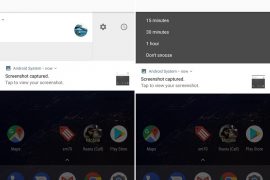
How to snooze notifications on Android Oreo
Android Oreo brings exciting features such as picture-in-picture, customizable lock screen shortcuts, grouping of settings which in turn provides a cleaner view. Over the years,…
-
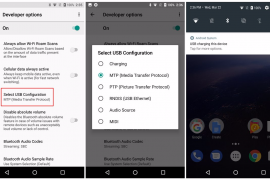
Unable to connect your Pixel or Nexus phone to PC after installing Android Oreo? Here’s a quick fix
Are you unable to connect your Pixel or Nexus phone to the PC after installing the Android Oreo? You’re not alone. There seems to be…
-
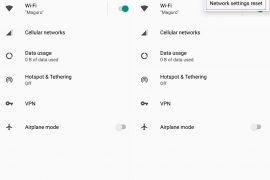
Android Oreo: How to do ‘Network settings Reset’
Prior to Android Marshmallow (6.0), if you had to delete any of the network settings you had to do it manually, one by one.…
-
How to install APK files on Android Oreo
Your friend just shared a few apps to your smartphone and you hit install but you’re greeted with a popup saying that installation from…
-
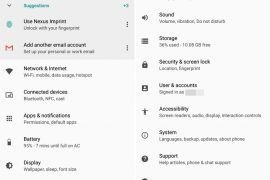
Android Oreo (8.0) Settings guide: Where are your options from Nougat and Marshmallow gone?
Android Oreo, the successor of Android Nougat is out now. If you have it on your device, you might have noticed Settings look somewhat different…