

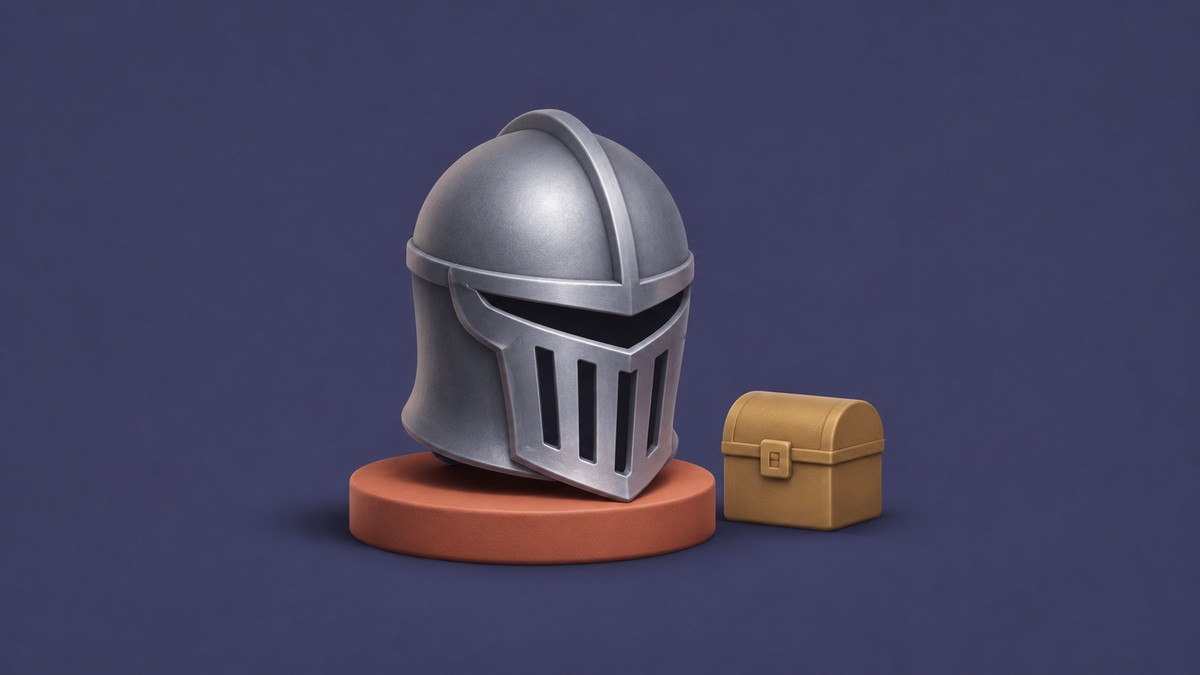
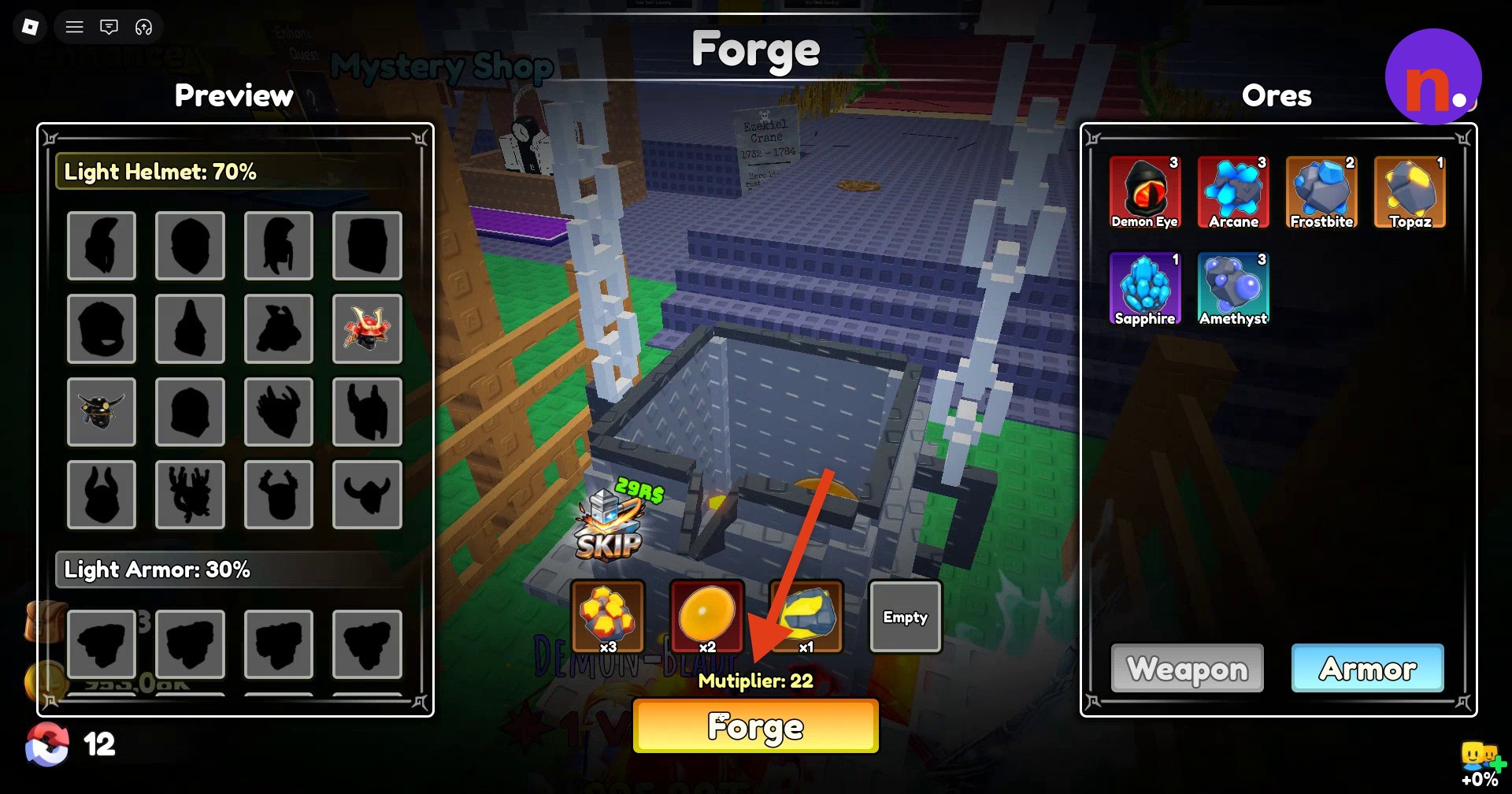
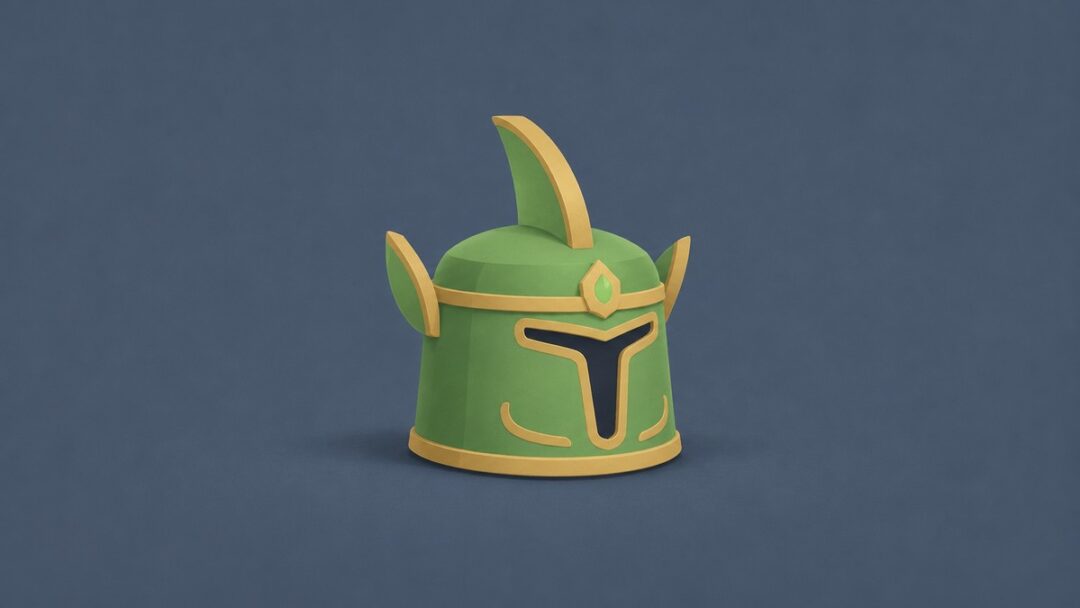
You can get the Silver Knight Helmet by forging three Crimson, two Amber, and one Sunfire Ore at the hub Forge.
The Silver Knight Helmet is a forgeable helmet in Loot To Forge. Getting it starts with an ore mixture, followed by claiming its discovery reward and equipping it. This guide covers the forging process, helmet stats, and optional Poison Rune I enchantment.
How to get the Silver Knight Helmet in Loot To Forge
Approach the Forge
Walk up to the Forge station in the hub.
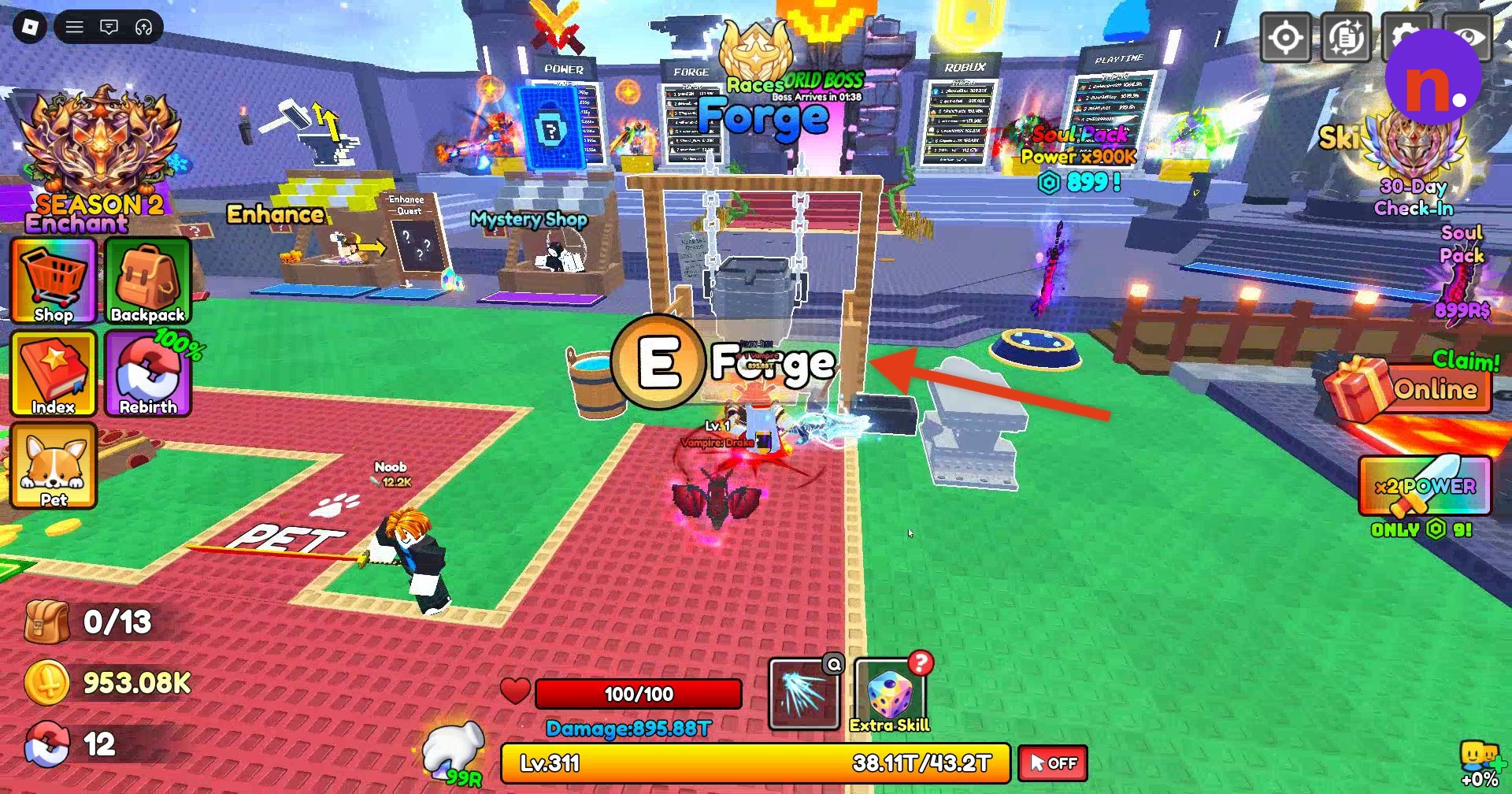
Open the crafting menu
Press E to open the Forge interface.
Add Crimson
Select Crimson from your ore inventory until the pot contains x3.
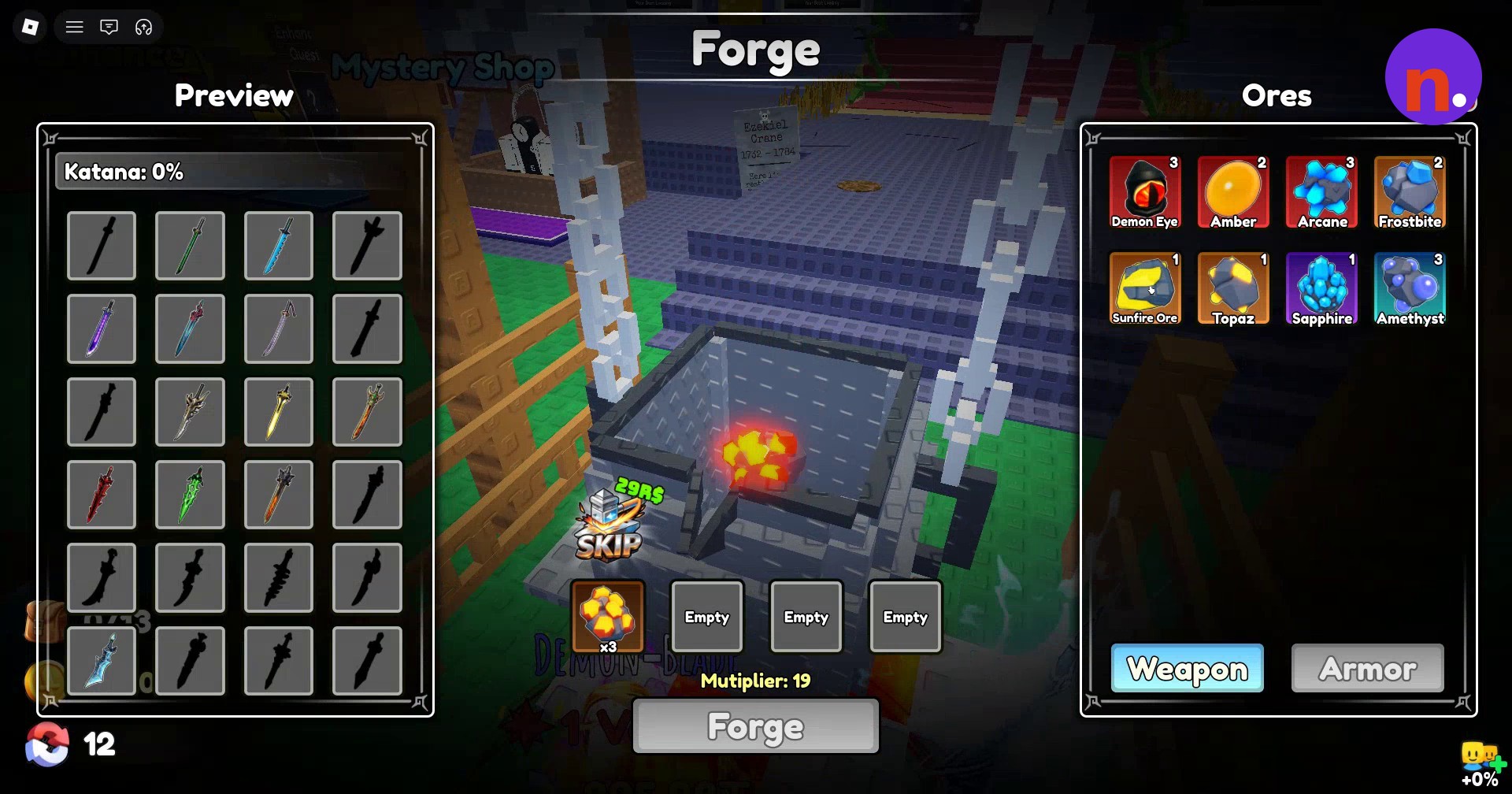
Add Amber
Add two Amber next, bringing its pot quantity to x2.
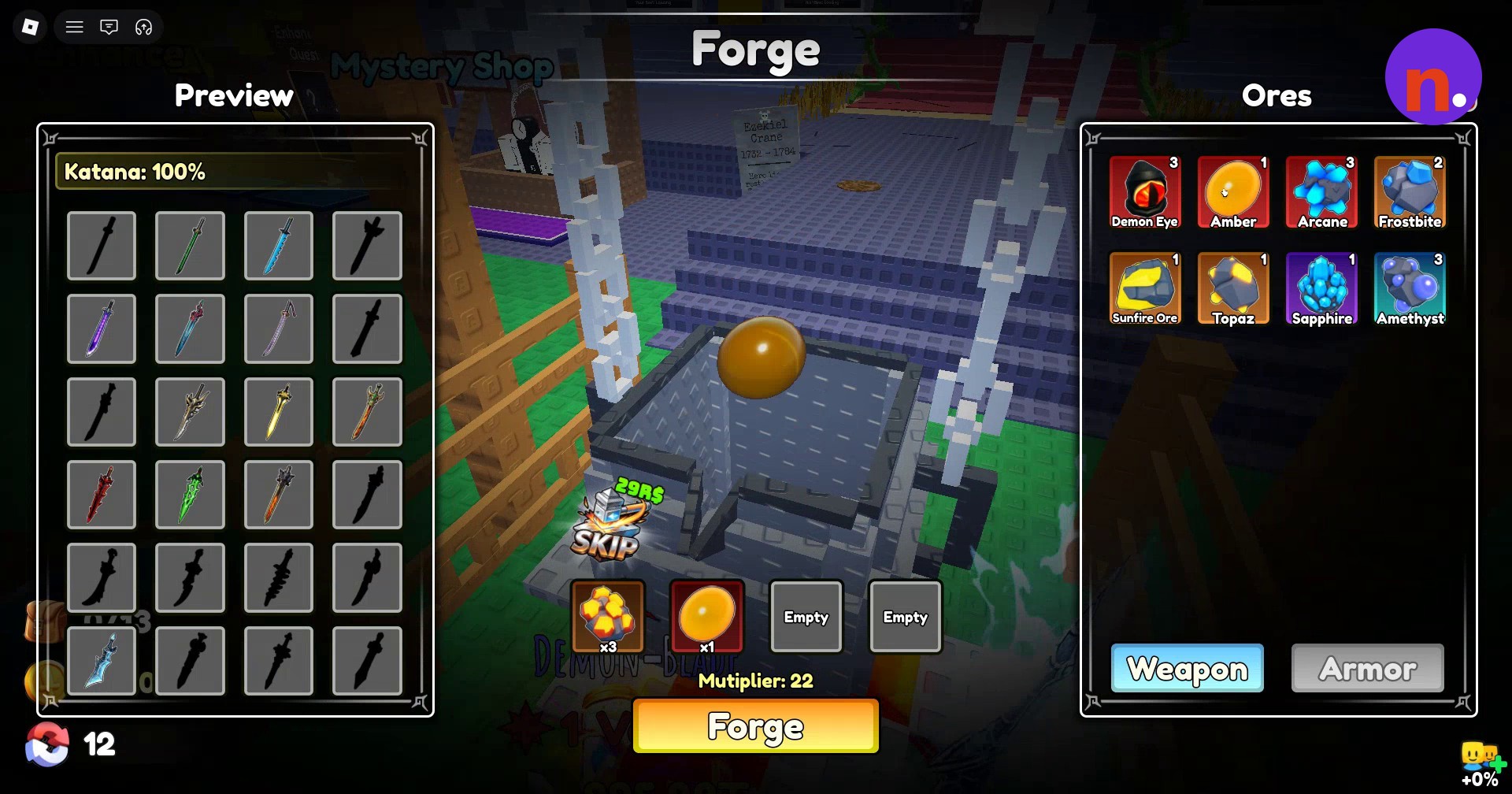
Add Sunfire Ore
Select one Sunfire Ore as the final ingredient.
Start forging
You can switch between the Weapon and Armor preview tabs. With the completed mixture displaying a multiplier of 22, click the Forge button at the bottom of the interface.
Let the forging animation finish
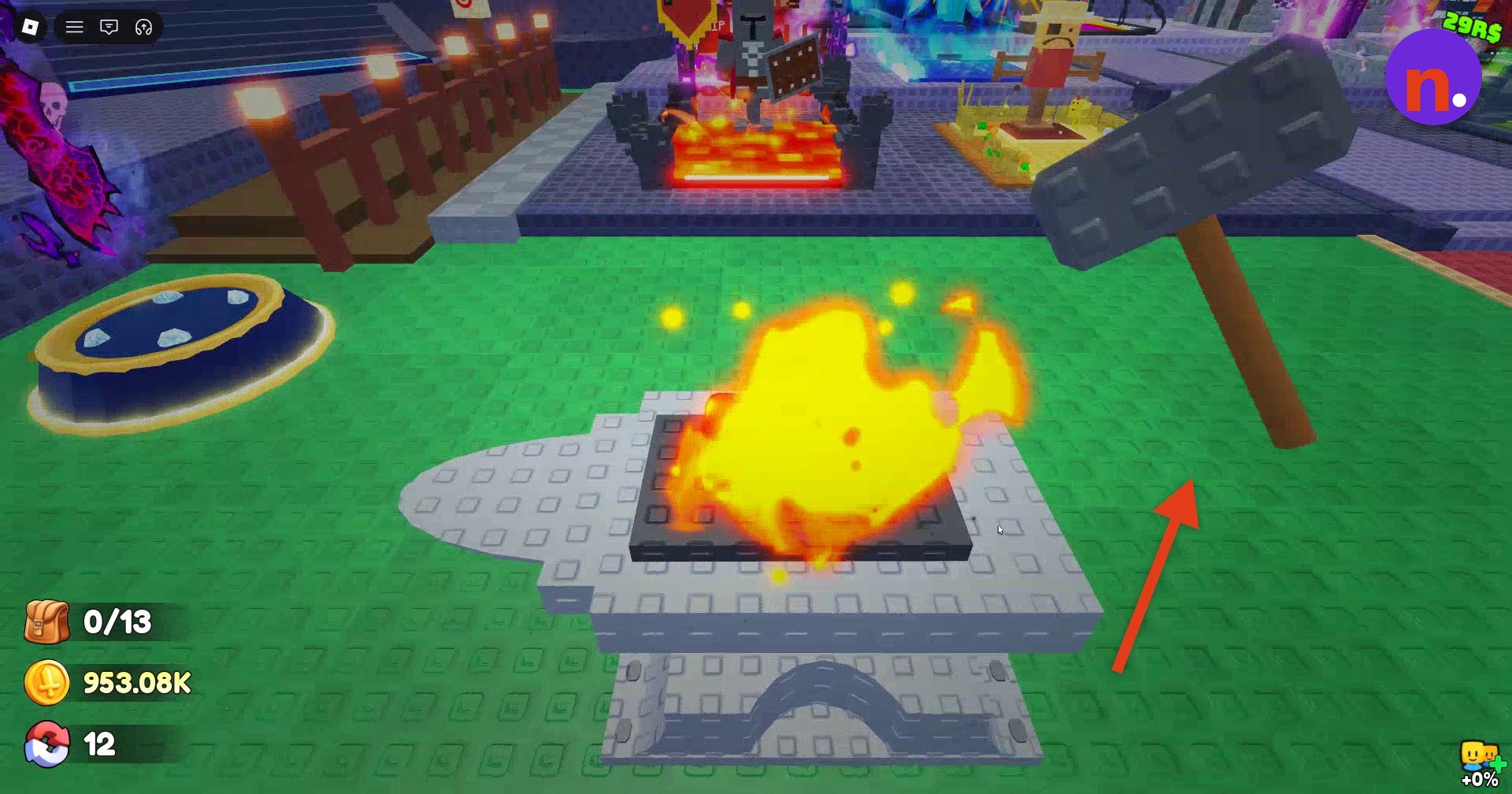
Wait through melting, pouring, hammering on the anvil, and cooling. The final phase quenches the metal in a water barrel.
Collect and equip the helmet
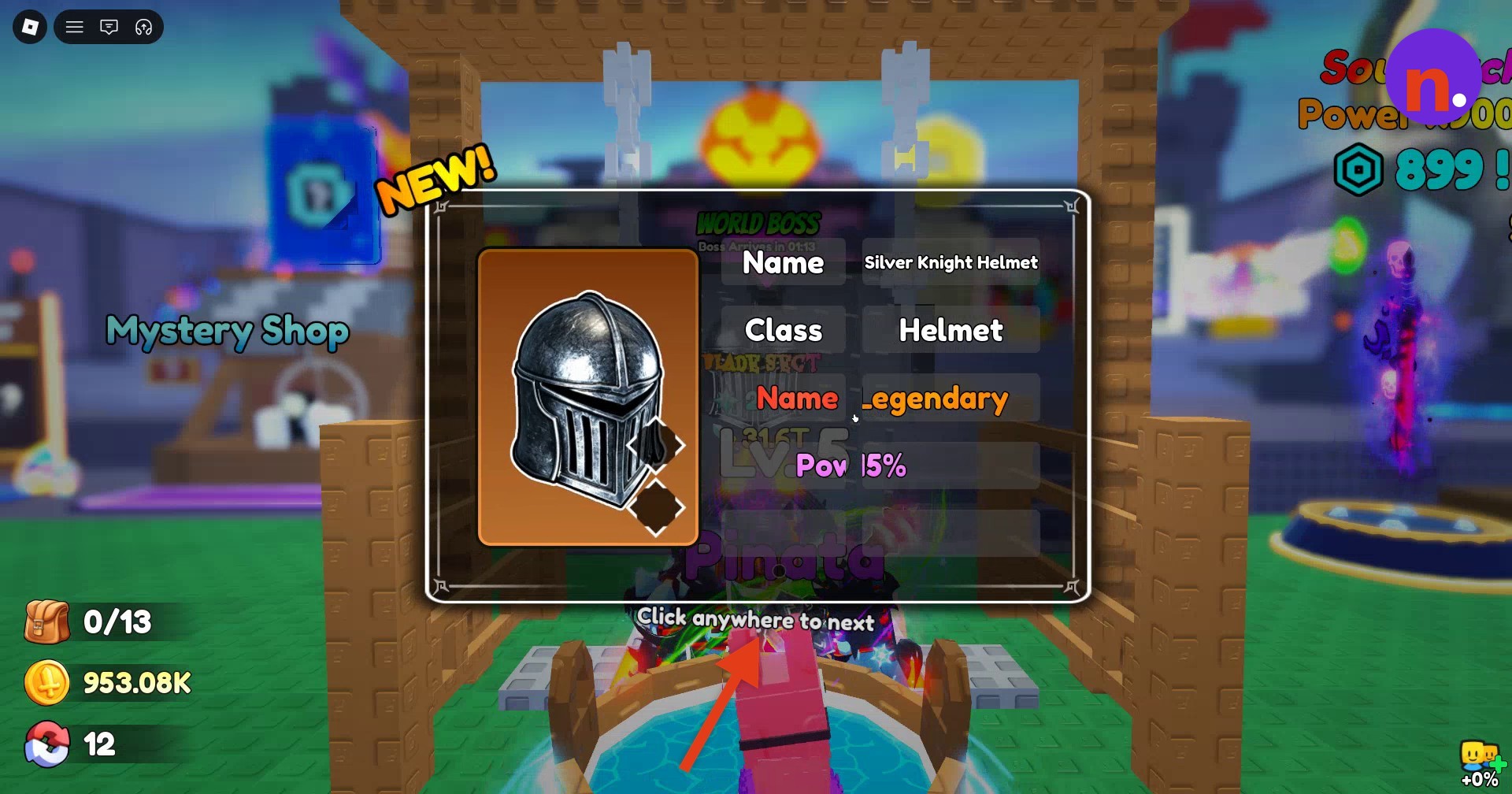
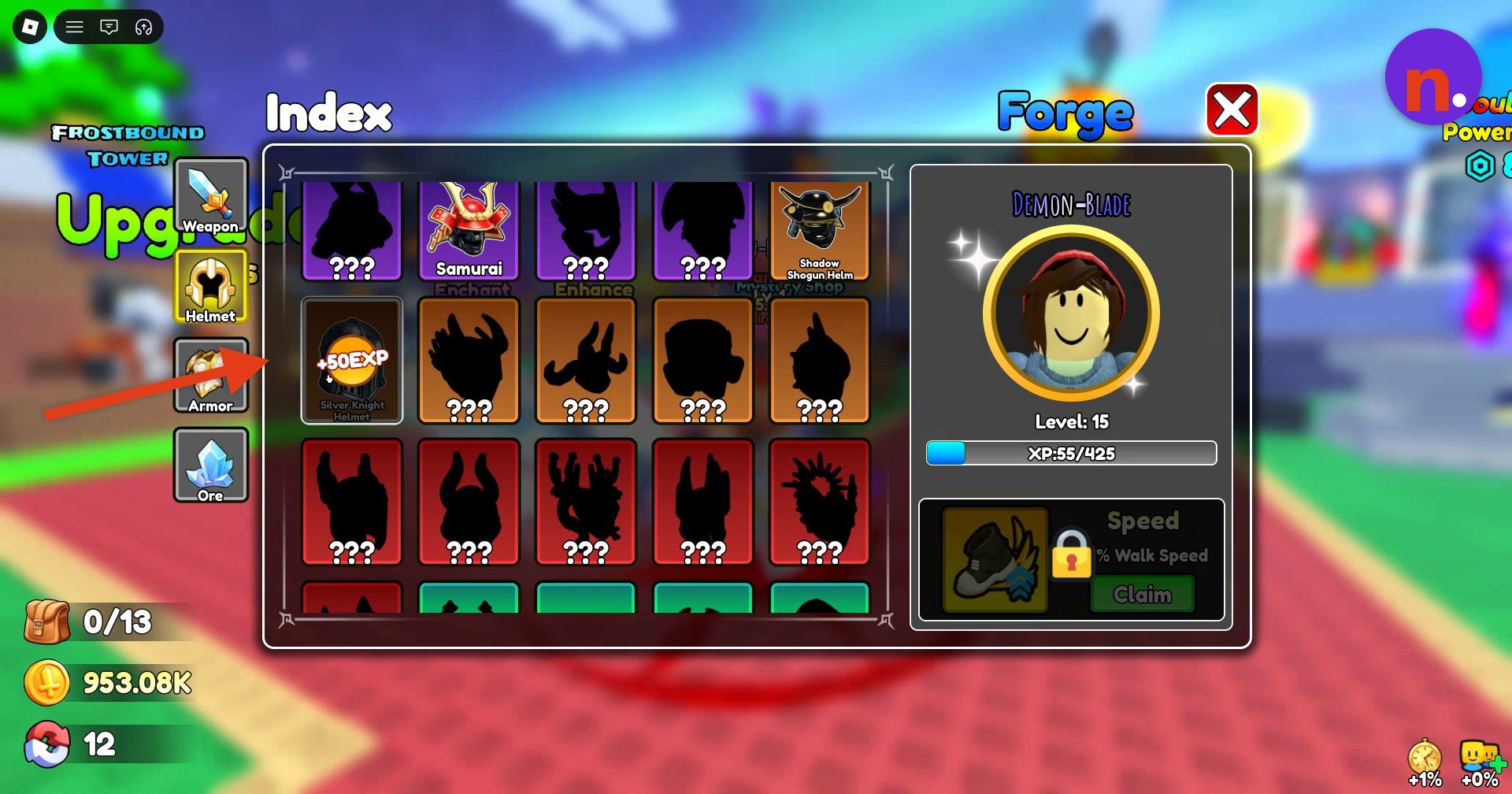
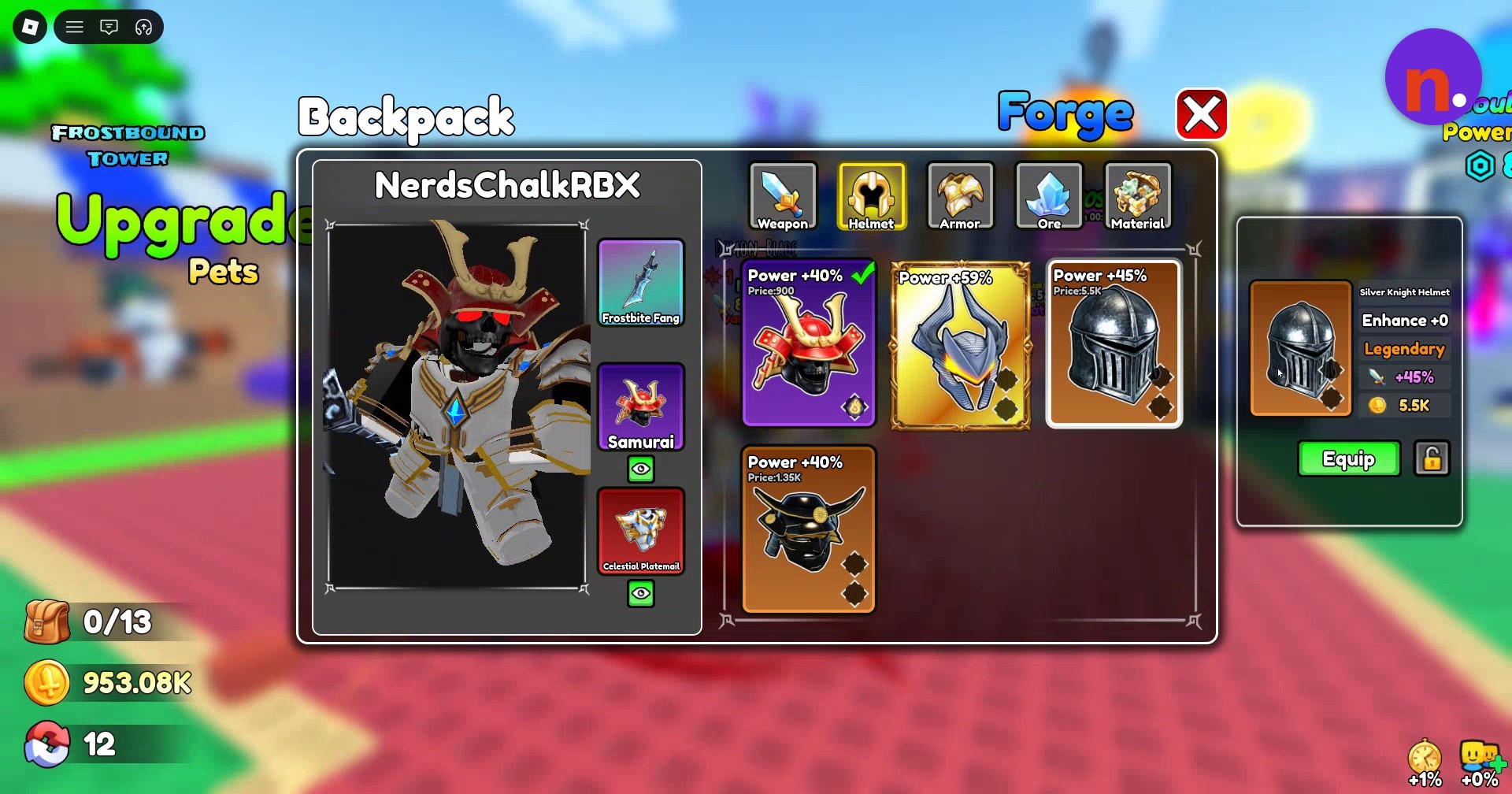
Look for Silver Knight Helmet on the result card. Click to dismiss the card and close the Forge menu. Open Index, select Helmet, and click Claim on its entry for +50EXP. Finish by opening Backpack > Helmet, selecting Silver Knight Helmet, and clicking Equip.
What are the Silver Knight Helmet’s stats?
| Property | Value |
|---|---|
| Enhancement level | Enhance +0 |
| Power bonus | +45% |
| Sell price | 5.5K |
The Index entry lets you claim the helmet’s discovery reward.
Your selected Backpack item card brings the helmet’s enhancement level, Power bonus, and sell price together.
How does Poison Rune I enchant the Silver Knight Helmet?
| Property | Value |
|---|---|
| Rune rarity | UnCommon |
| Enchantment cost | 200 |
| Trigger chance | 3% on hit |
| Damage per tick | 0.3% ATK |
| Tick interval | 0.2 seconds |
| Duration | 2.2 seconds |
After equipping the helmet, you can add an enchantment at the Enchant station. Place Poison Rune I into the helmet’s socket and activate Enchant to apply its on-hit poison effect.
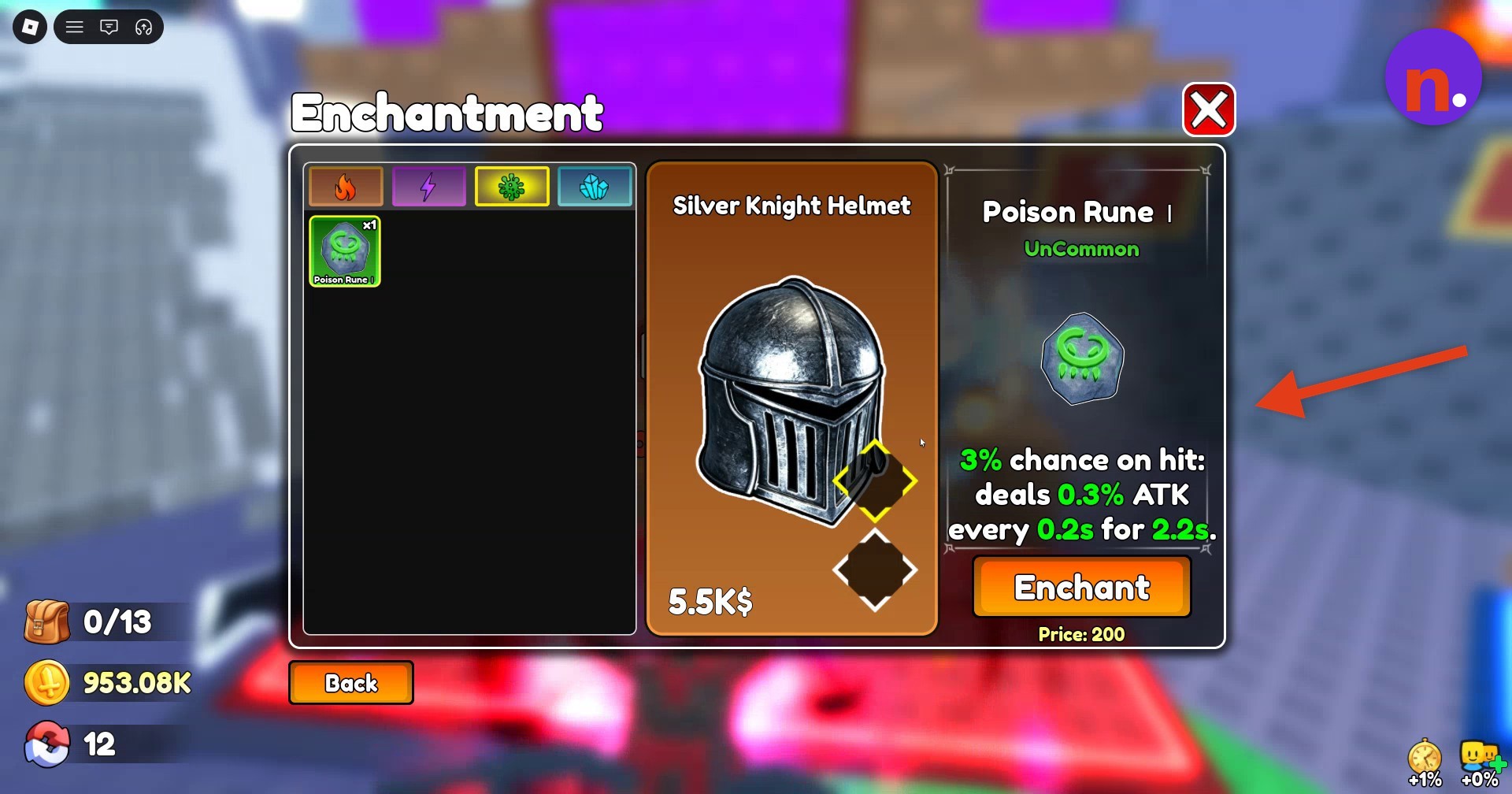
With your helmet equipped, add Poison Rune I at the Enchant station if you want the optional poison effect as your next upgrade.
Related Loot To Forge guides



Leave a Reply