
Category
how to
-

How to Turn off Mouse Acceleration on Windows 10
Input devices like mice are a must-have accessory for any system if you deal with a lot of navigation and pointing in your workflow.…
-

How to check RAM Type in Windows 10: DDR3, DDR4 or DDR5?
In matters concerning computer RAMs, we are wont to think more to be merrier. For someone who’s simply looking to improve their PC’s performance,…
-

How to Send an Email Straight From Chat on Microsoft Teams
Microsoft Teams has become the go-to app for many organizations across the globe. In many ways, Teams is not as easy to use as…
-

How to Try Beauty Products Virtually on Google Before Buying
People around the world have been forced to rely on online shopping this year due to lockdowns in most countries. What can go wrong…
-

How to Turn on Dark Mode in Microsoft Teams
Since the release of Android 10, Dark Mode has become quite a necessity for all applications, across all platforms. While Microsoft Teams isn’t one…
-

How to Tell if Apple Pencil is Charging
While PCs and Macs are the main attraction when it comes to personal computing, mobile devices like iPads and tablets have been slowly creeping…
-

How to Pin a Message on Microsoft Teams
Microsoft Teams has become one of the leading video conferencing applications since the start of the pandemic, especially for educational institutions and large organizations.…
-

How to Play Music Through Mic on Windows 10
With COVID forcing everyone to stay indoors, more and more people have decided to take up streaming, be it on YouTube or Twitch. If…
-

How to Change Mouse Polling Rate on Windows 10
A mouse is an integral device that gamers splurge on and for good reason. No matter what game you enjoy playing, the movement and…
-

How to Delete iTunes Backup on Windows 10
Recovery files come in handy when your precious smartphone decides to have a fit after a botched update. Restoring a recovery file allows you…
-
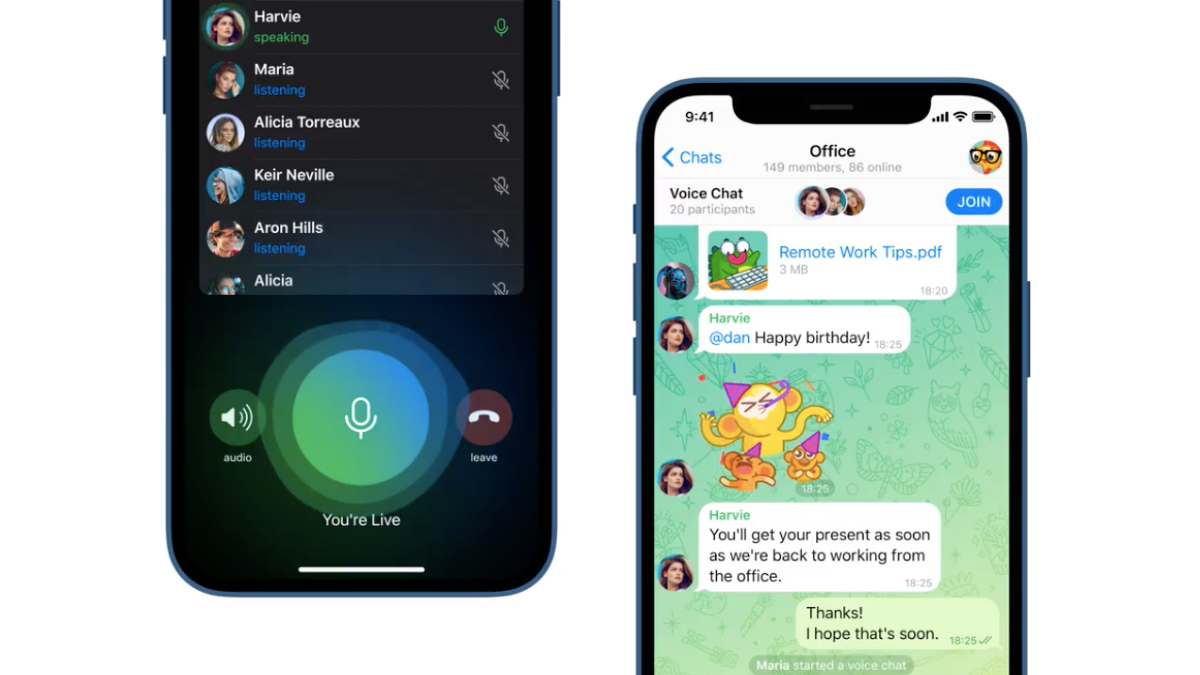
How to Use Live Voice Chat on Telegram
Telegram announced a new Voice Chat functionality for everyone using its instant messaging service, offering them a new way of communicating with each other in…
-

How to Start and Join Live Voice Chat on Telegram
As a means to attract more users towards its cloud-based instant messaging solution, Telegram has now announced a new Voice Chat functionality for members in…
-

How to Turn off Palmcheck on Windows 10
A messed up touchpad or one that is not optimized to suit your needs can be a truly irksome experience. It’s also not as…
-
How to Increase Download Speed Windows 10
Your internet connectivity isn’t always to blame for slow download speeds. There are a variety of reasons why you may not be getting the…
-

How to Update HBO Max App on Samsung TV
For a monthly price of $14.99, HBO Max debuted earlier this year for users in the US. The subscription-based streaming service was launched across…
-

How to Turn Safe Mode Off on Samsung Galaxy Devices
Samsung’s Galaxy lineup has attained an unmatched status in the world of smartphones. From low-end devices to top-tier flagships — there’s a Galaxy for…
-
How to Turn Down Bass on Windows 10
Microsoft Windows has been rolling out one OS after the other since the dawn of time. From the sharp edges of Windows 98 to…
-
How to Delete Bookmarks on a Mac
Bookmarking lets you organize various websites in the order of how frequently you use them, so you can quickly get to the desired webpage…
-

How to Share Screen on Google Meet
Screen sharing is an essential feature in Google Meet. From presentations to brainstorming, varied purposes demand that we become familiar with this useful feature.…
-

How to Stop Zoom From Popping up Window When Someone Starts Sharing Their Screen
Millions of adults and kids have been using Zoom to get their work done since the start of the pandemic in February. One of…