
Category
Tips
-

Is Honor 7X waterproof?
The Huawei Honor 7X has been making headlines thanks to the all-round package it brings to the budget smartphone market. That’s not to say…
-

Face unlock not working? Here’s how to fix it
It took quite some time before fingerprint scanners appeared in the low-end market. But it hasn’t taken long for the face unlock feature to…
-

How to take a screenshot on Honor 9 Lite
If you’ve already purchased the Honor 9 Lite, you are without a doubt looking at one of the best devices in the class. The…
-
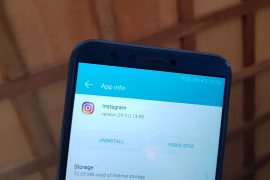
How to add GIF stickers to Instagram Stories
Starting with Instagram version 29, you will be able to add GIF stickers to your Instagram Stories. This is a feature that has been…
-

How to reset the Honor 9 Lite
There’s that inevitable time in the life of an Android user – a time when one cannot run away from resetting their device. If…
-

How to fix T-Mobile WiFi calling issues on Pixel 2
Looks like the problems and issues with Google’s latest Pixel 2 devices aren’t over yet. According to some users who own the T-Mobile variant…
-

How to shut down and force restart Honor 9 Lite
Since its launch in China back in December 2017, the Huawei Honor 9 Lite has been praised (see our review here) for the great value for…
-

Is Honor 9 Lite waterproof?
The Honor 9 Lite is already available for purchase in India at just Rs 10,999 for the 3GB/32GB variant and Rs 14,999 for the…
-

Top 5 reasons to buy the Oculus Go VR headset
At the Google I/O 2017, it was confirmed that the search giant is working with third-party partners to release standalone Daydream VR headsets, but…
-

What are Spectre and Meltdown vulnerabilities and how to stay safe from them
Over the past few days, you might have heard something about Spectre and Meltdown vulnerabilities that are affecting device chipsets, including Qualcomm Snapdragons that…
-

How to force restart Honor 7X when touch is not working (screen not responding)
If you’ve hopped from one smartphone to the next over the last decade, you must have encountered a freezing or non-responsive phone at some…
-

How to force restart Redmi Note 5 and Note 5 Pro
There’s no doubt that the Xiaomi Redmi Note 5 and Redmi Note 5 Pro are among the best in their class, if not the…
-

How to take a screenshot on Xiaomi Redmi 5
Taking a screenshot on the Xiaomi Redmi Note 5 is simple. Whether you want to find out the latest developments surrounding Xiaomi Oreo update for…
-

How to get Google Assistant for cars
With Google Assistant having been recently introduced to Android Auto at this year’s Consumer Electronics Show, you now have no excuse using your smartphone…
-
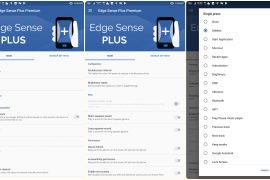
You can fully customize Active Edge on Pixel 2/2 XL with commands of your choice
Both the Pixel 2 and 2 XL were announced in October last year with a rather odd feature on board: Active Edge. Google included…
-

100 Google Assistant commands everyone should know
The journey of Google Assistant has been quite commendable. Launched last year with Google’s messaging app, Allo, the Google Assistant later made its entry…
-

Xiaomi Mi A1 Oreo problems: 10 things you must know
It was never a doubt that the Xiaomi’s Oreo update will start off with the Mi A1. As the end of 2017 came near,…
-

How to download Moto X4 Oreo update
Folks in the U.S. started receiving the update to Android Oreo on their Android One Moto X4 handsets about two weeks ago and were…
-

How to make a slow motion video on Android
As the smartphone camera keeps on becoming more mainstream than ever, some of the best features previously reserved for high-end video cameras are slowly…
-

How to get a dark theme on Android 8.1 Oreo
Google has a sneaky way of reminding the Android fraternity that it owns the software. In recent times, only Google Nexus and Pixel phones…