
Category
Tips
-

WhatsApp QR code for contacts: How to add a contact easily by scanning a code
WhatsApp keeps working towards adding new features to their service, the most recent of which is the ability to add and share contacts using…
-

How to play Bingo on Zoom
Zoom has emerged as the go-to virtual collaboration platform in the past few months. It has also become the go-to choice for friends and…
-

How to delete your SHEIN account
In case you don’t know setting up and account on a social media platform and one on a website could be worlds different. Since…
-

How to play Charades on Zoom
Charades is a fun party game that has been played for generations. The game dates back to the 18th century! Charades is a game…
-

How to share Zoom recording
With the majority of people in isolation, Zoom has taken over as the next best utility to interact with your co-workers and clients. If…
-

4 best ways to zoom in Minecraft
With the coronavirus pandemic dragging on for an indefinite period of time, Minecraft has emerged as an entertaining game for users of all ages.…
-

How to play Jeopardy on Zoom
We all dreamed of going on the show and playing the Jeopardy game but now you actually can, sitting comfortably at home using Jeopardy…
-

How to schedule a Microsoft Teams meeting
Working from home means, you’re in constant contact with your co-workers, your organization, and your clients using different video conference software. If you do,…
-

How to react with emojis on Zoom
Zoom, the most trending video calling platform on the planet, has also enabled emoji reacts to allow participants to give their feedback without hampering…
-

Microsoft Teams profile picture: How to set, change or delete your photo
Microsoft Teams, as you’d expect, has a bunch of really great productivity features, including replying to a message, custom backgrounds, raise hand, and more.…
-

How to disable email address in Google Duo
The latest version of Google Duo brings even more new features to the app, including a family mode, new effects, and the ability to…
-
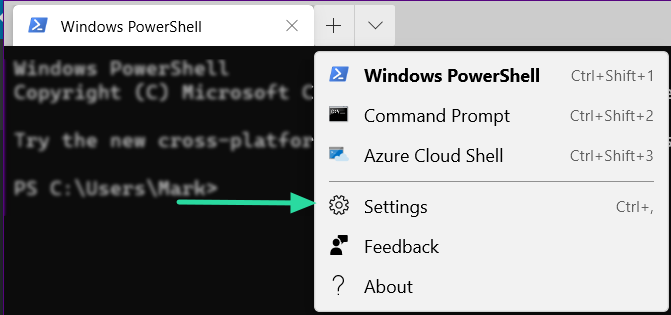
How to change color in ‘Windows Terminal’
Windows Terminal is Microsoft’s new and improved terminal software designed to run command prompt, Powershell, and Azure Cloud Shell all under one roof. Windows…
-

How to show 3×3 video view on Microsoft Teams to see all participants
Organizations around the world have shifted to one collaboration tool or the other during the coronavirus pandemic. While many companies have reserved themselves to…
-

How to reply to a message in Microsoft Teams
Until recently, Teams didn’t have the option to reply to individual texts. But after receiving enough requests, Microsoft has added this highly-anticipated feature. Today,…
-
How to install ‘Windows Terminal’ from Github
The long wait is over. The stable version of Windows Terminal is now available for download from Github! In this article, we will learn how…
-

Getting ‘You are not eligible’ error in Houseparty? Here’s why and how to avoid it
In this day and age of the pandemic, users around the world have taken up Houseparty to help them catch up with their friends…
-

How to host more than 100 people on Zoom
If you are a Zoom Basic or Pro user, you will only be able to host a total of 100 participants, including yourself in…
-

What to know before deleting Instagram and how to do it
Seeing the perfect portrayal of life can be a bit challenging at times, especially when things in your own life aren’t going according to…
-

Zoom meeting vs Zoom personal meeting: ID, link, duration, and purpose
You may have heard the term ‘Zoom Personal Meeting’ and may be wondering what is its use and how does it compare the regular…
-

10 basic tips for Facebook Messenger Rooms on Windows PC and Mac
Facebook has been the latest giant to step into the market of remote working and video conferencing services with its latest iteration of Facebook…