
Category
how to
-
How to install updates on OnePlus 7 Pro
OnePlus works very closely with Google to ensure that your phone gets the latest updates as quickly as possible. The OnePlus 7 Pro is…
-
How to fix the ‘tap to wake’ feature on OnePlus 7 Pro
The OnePlus 7 Pro’s features are quite impressive, to say in the least. The Fluid AMOLED Display with its 90Hz refresh rate still remains…
-

How to fix ‘ghost touches’ issue on OnePlus 7 Pro
OnePlus 7 Pro users have taken to Twitter, Reddit and other social media platforms to highlight the issue of ‘ghost touch’ that a few…
-

How to register your OnePlus 7 Pro with Verizon via ‘activate on existing line’
OnePlus 7 Pro is the company’s second device to sell through a U.S. carrier – T-Mobile. Like its counterpart, the device can also be…
-

How to get Google Now feed on OnePlus 7 Pro (swipe right on home screen)
OnePlus’s Oxygen OS is probably one of the cleanest and most uncluttered implementations of Android. While it comes with some great features like quick…
-

OnePlus releases Android Q beta for OnePlus 7 Pro and OnePlus 7
Staying true to their word, the software team at OnePlus just released the Android Q beta for their latest devices, the OnePlus 7 Pro…
-

How to get the OnePlus 7 Camera app, Zen Mode, Live Wallpapers and Screen Recorder on OnePlus 6T and OnePlus 6
Update: The Zen Mode and Screen Recorder features are now part of the latest Open Beta updates for OnePlus 6 and 6T, so there’s no…
-

How to make OnePlus 7 Pro faster
OnePlus finally launched the much-awaited top-of-the-line flagship standard phone to the world on May 14. This particular phone will not give you any performance…
-

How to enable dark mode in Google Keep
If you’re on the lookout for a perfect note taking app then here’s the one for you: Google Keep. Be sure to check out some…
-

How to fix OnePlus 7 Pro won’t turn on problem
Few feelings in the world will match up to the dread of realizing your super expensive phone just. won’t. start. If you own a OnePlus…
-

How to reset OnePlus 7 and OnePlus 7 Pro
There could be many reasons why you want to reset your OnePlus 7 Pro (or OnePlus 7). Whether you are experiencing issues with the…
-

How to force restart OnePlus 7 and OnePlus 7 Pro
We must admit, OnePlus is leaving no stone unturned with the OnePlus 7 and OnePlus 7 Pro. The OnePlus 7 Pro particularly is an…
-

How to take a screenshot on OnePlus 7 and OnePlus 7 Pro
It’s that time of the year. Yes! OnePlus has launched OnePlus 7 series with the Pro variant gathering the most of the highlight, quite…
-

How to add tasks directly from Gmail to Google Tasks
This year, Google kept using the term ‘human’ for a lot of its application and tech developments. These announcements include the introduction of the…
-

How to make Pixel 3a faster
The Pixel 3a and Pixel 3a XL are packed with a fairly decent amount of features for just $399 and $479 respectively. From the…
-
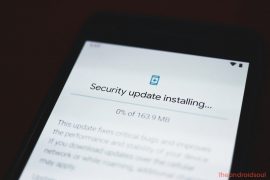
How to update Google Pixel 3a (and 3a XL)
One cannot deny that having the phone from an OEM who has also designed the very operating system of an entire generation of phones…
-

How to reset Pixel 3a and Pixel 3a XL
It’s highly unlikely that your freshly acquired Pixel 3a/3a XL is going to run into any kind of trouble soon. But don’t wage on…
-
How to force restart Google Pixel 3a and Pixel 3a XL
It seems like the Pixel 3a/3a XL wave is taking the world by storm and this storm is not going to settle anytime soon.…
-
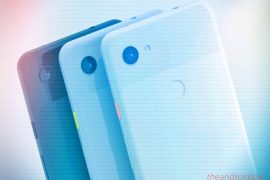
How to fix a Pixel 3a that won’t turn on problem
The Pixel 3a is a strong forerunner for most of us who want to get a mid-range smartphone right now. Google has truly extended…
-

How to make a group video call on Google Duo
Update 7th July 2020: A new update to the Google Duo app now lets you add up to 31 participants in a single video…