
What to know
- Pause game and open up menu. Select Residents.
- Select Mii and choose Delete Mii option.
- Pay $33 moving fee; belongings and relationships vanish permanently.
- Deleting helps manage island limits and fix demo glitches like house arrest.
Removing residents keeps your island vibrant and tailored to your playstyle in Tomodachi Life: Living The Dream. Whether you’re hitting the Mii limit or tweaking dynamics, this process is straightforward on Nintendo Switch.
| Aspect | Details |
|---|---|
| Cost | $33 per resident (moving fees) |
| Locations | Residents List (Y button), direct talk (Y menu) |
| Consequences | Permanent deletion, no recovery, items lost |
| Best for | Managing limits, demo extension, unwanted Miis |
How to remove residents step by step
To remove a resident in Tomodachi Life: Living the Dream, you must go through the Resident menu. The option is straightforward and applies uniformly to every Mii, whether they are single, part of a couple, or living in a shared house.
Step 1 – Open the Resident menu
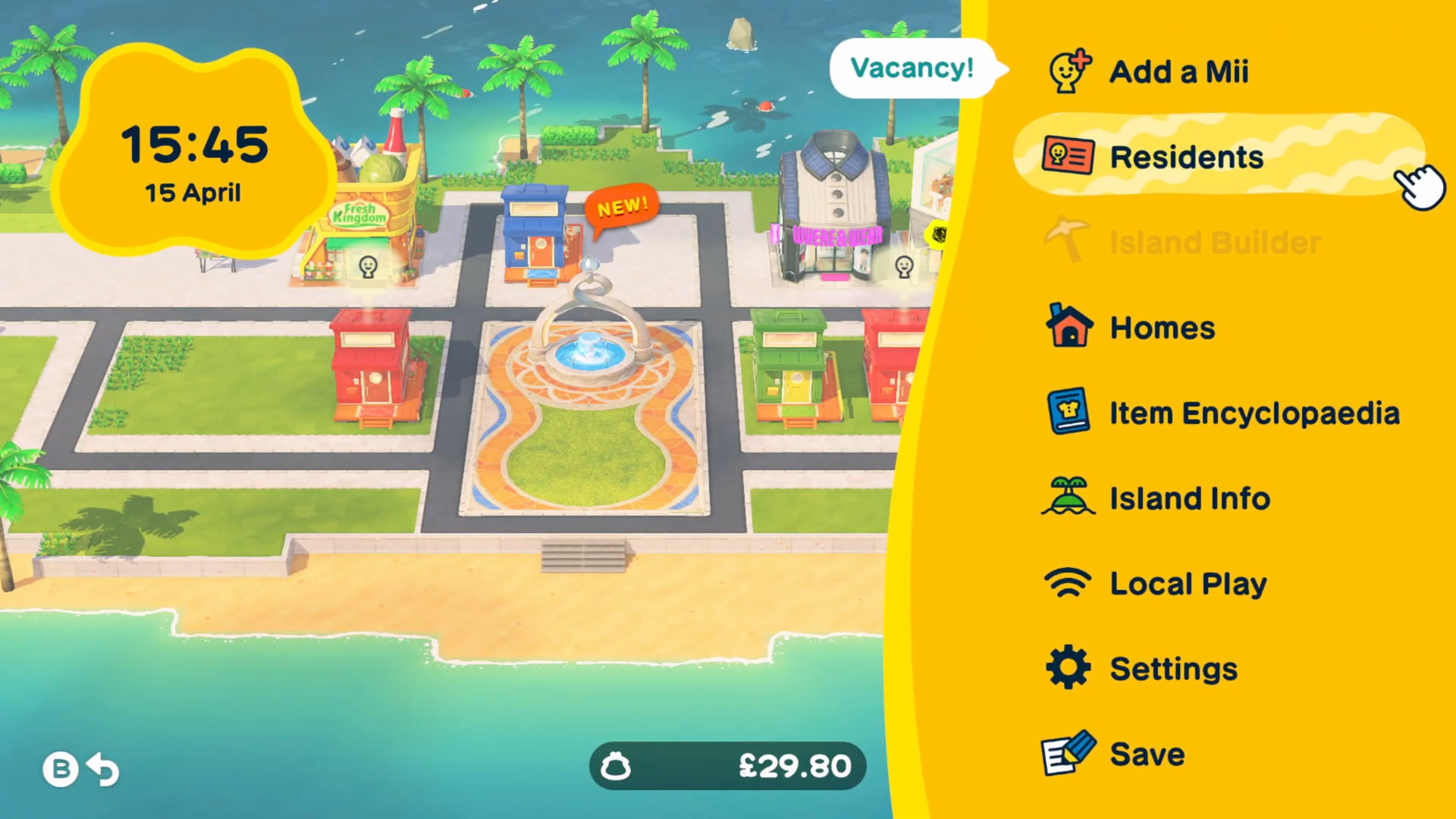
From the main island view, pause the game and bring up the menu and select Residents.
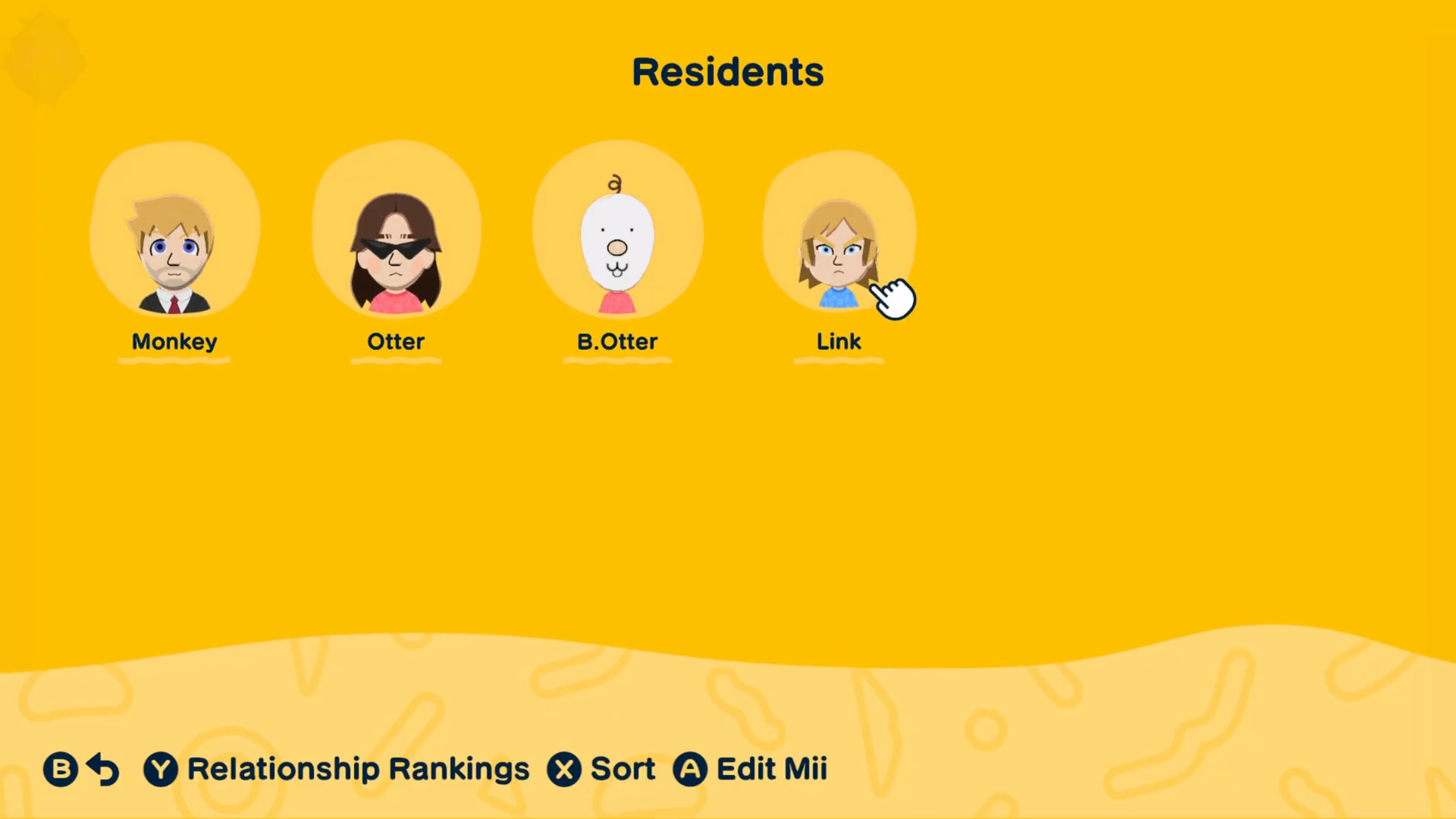
This will show all currently living residents on your island, including their names, traits, and relationship status.
Step 2 – Enter the Edit screen for a resident
Scroll through the list until you find and select the resident you want to remove.
This edit screen lets you manage basic details such as nickname, appearance tweaks, and—in this context—removal.
Step 3 – Select the Remove Mii option
On the Edit screen, select Remove Mii in the upper‑right section of the interface.
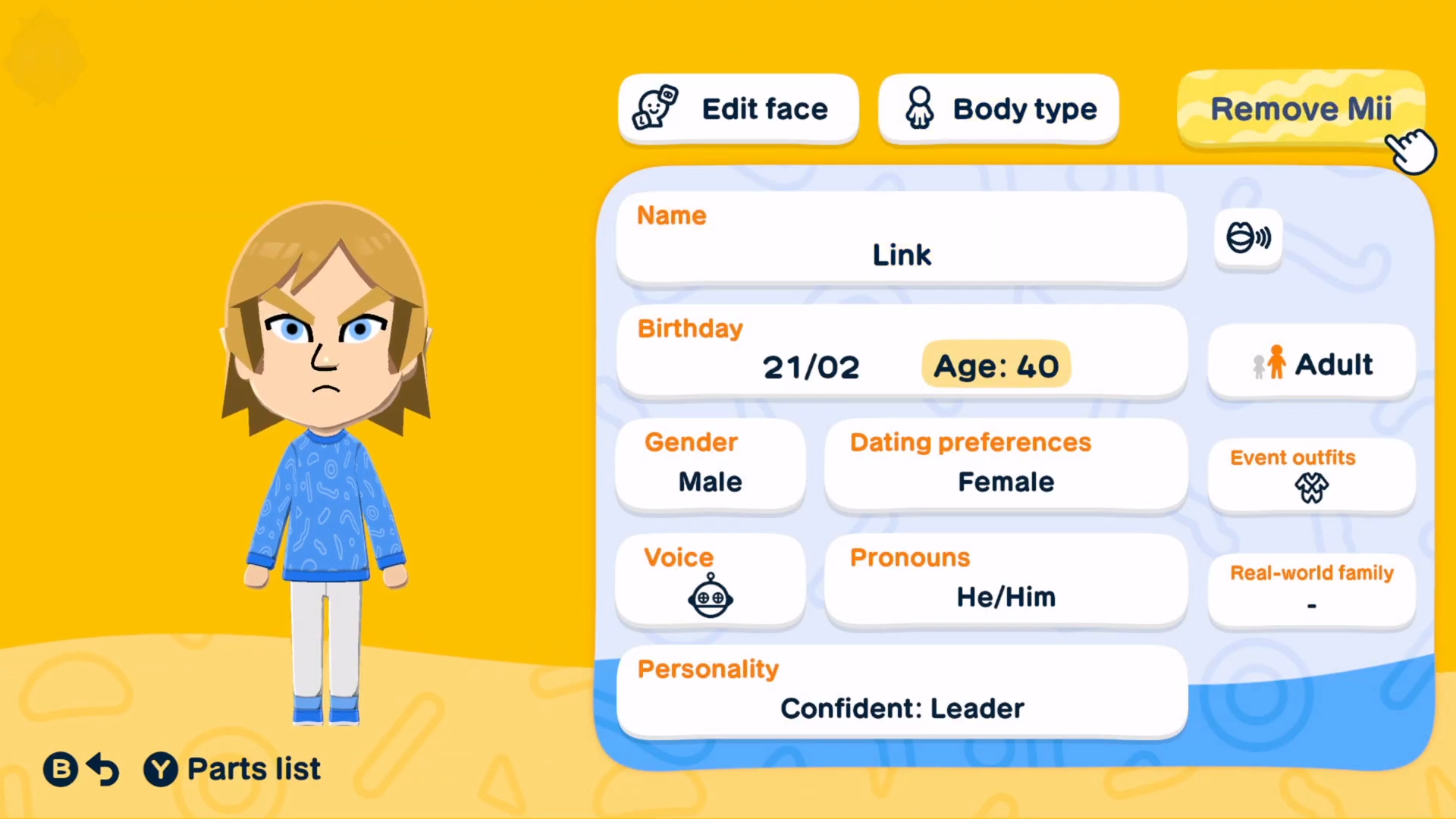
Selecting this will bring up a confirmation prompt, because the game makes clear that this deletion is permanent and cannot be undone.
Step 4 – Confirm the removal
The game will ask you to confirm the removal and display how much money will be deducted as the deletion fee.
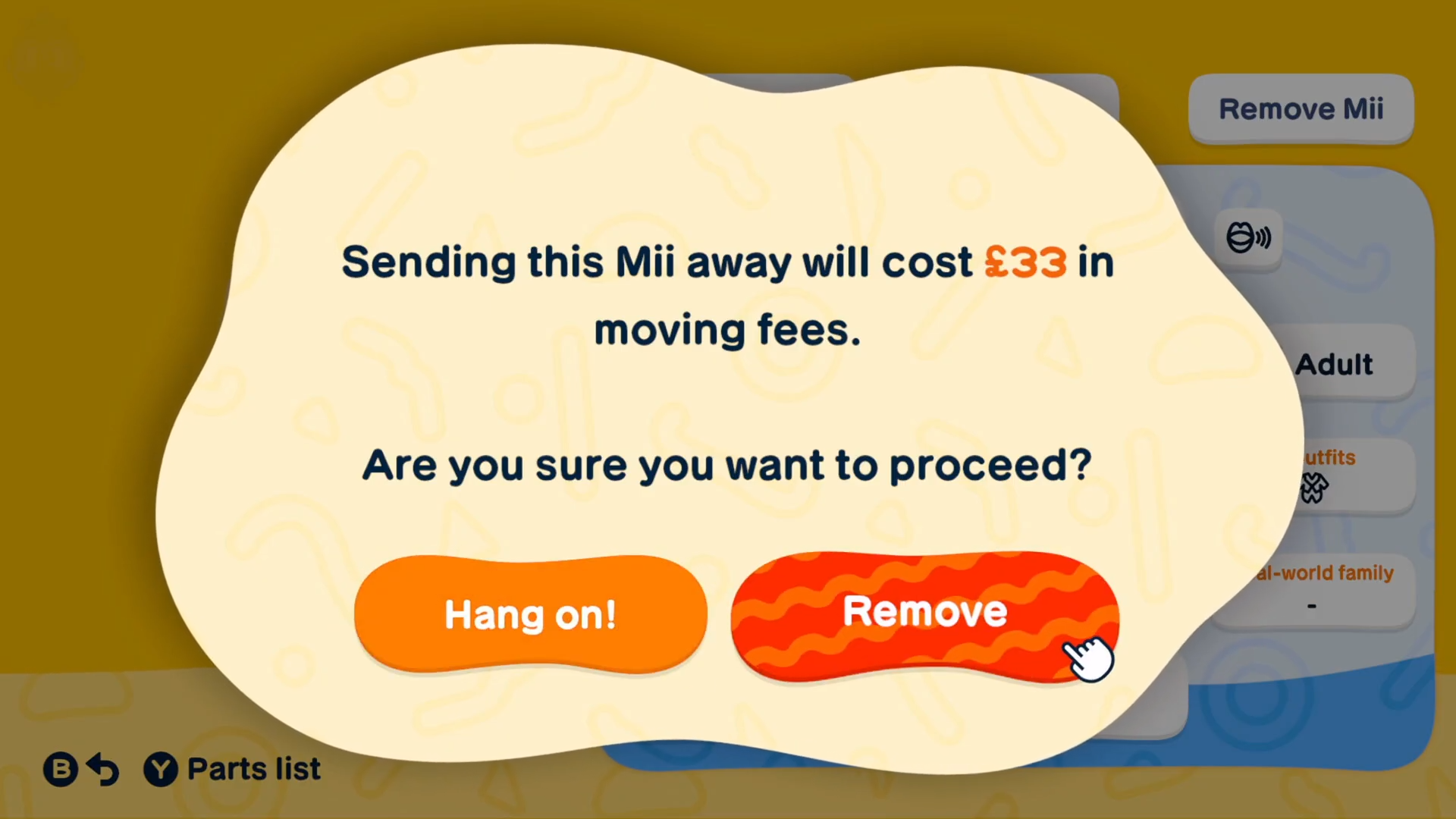
Once you confirm, the resident vanishes from your island, their relationships break, and their house or shared space becomes available for other Miis or new residents.
Step 5 – Repeat if needed
If you want to remove multiple residents, repeat steps 1–4 for each one. Remember that each deletion costs the same flat fee, so plan accordingly if you are working with limited in‑game funds.
What happens when a resident is removed
When you delete a resident, they are completely erased from your current island save and do not appear in events, dialogues, or relationship webs anymore. Couples or families that include that resident will no longer track that Mii, and any shared house they occupied may adjust to fit the remaining occupants.
Removing residents also slightly streamlines your island’s “population load,” which can make it easier to manage interactions and relationships if you have a large cast. However, because the game encourages building many residents and relationships, you may want to keep some Miis even if they are not central to your main storylines.
Alternatives to permanent removal
If you do not want to permanently lose a Mii, you can also create a new island or user profile on the same console to start fresh while preserving your original island. Multiple islands can coexist under a single account, so you can keep a “backup” island with popular residents and experiment with removing or reshaping others on a separate save.
Another option is to simply leave certain residents alone instead of deleting them. Over time, less‑active residents may fade into the background while others become your focus, which is often enough if you mainly want to tidy up your island’s social circle rather than literally erase Miis.






Leave a Reply