
Topic
Midjourney
-

Midjourney unveils new AI video generator for creators
Midjourney has launched an AI video generator, expanding its creative tools beyond images. The new feature lets users create short videos from text prompts,…
-

Midjourney AI Generator Now Lets Anyone Generate up to 25 Images With Free Trial
What to know Midjourney AI now offers a free trial for all users. Users can generate up to 25 images without charge. The service…
-

Midjourney Now Lets You Create Consistent Characters!
What to know Midjourney has deployed the ability to create consistent characters across images and styles. Type –cref URL after your prompt with a…
-

How to Use Style Tuner in Midjourney
What to know Midjourney offers a Style Tuner tool that lets you create a custom visual style to influence the colors and character details…
-

How to Do 2X or 4X Upscale on Midjourney to Increase Image Size (And Comparisons)
What to know Midjourney offers two new upscaling options – Upscale (2x) and Upscale (4x), that can increase the size of the original image…
-

How to Regenerate Specific Parts of an Image Using Vary Region on Midjourney
What to know Vary (Region) is Midjourney’s in-painting tool that allows users to remove unwanted elements from their creations and replace them with something…
-
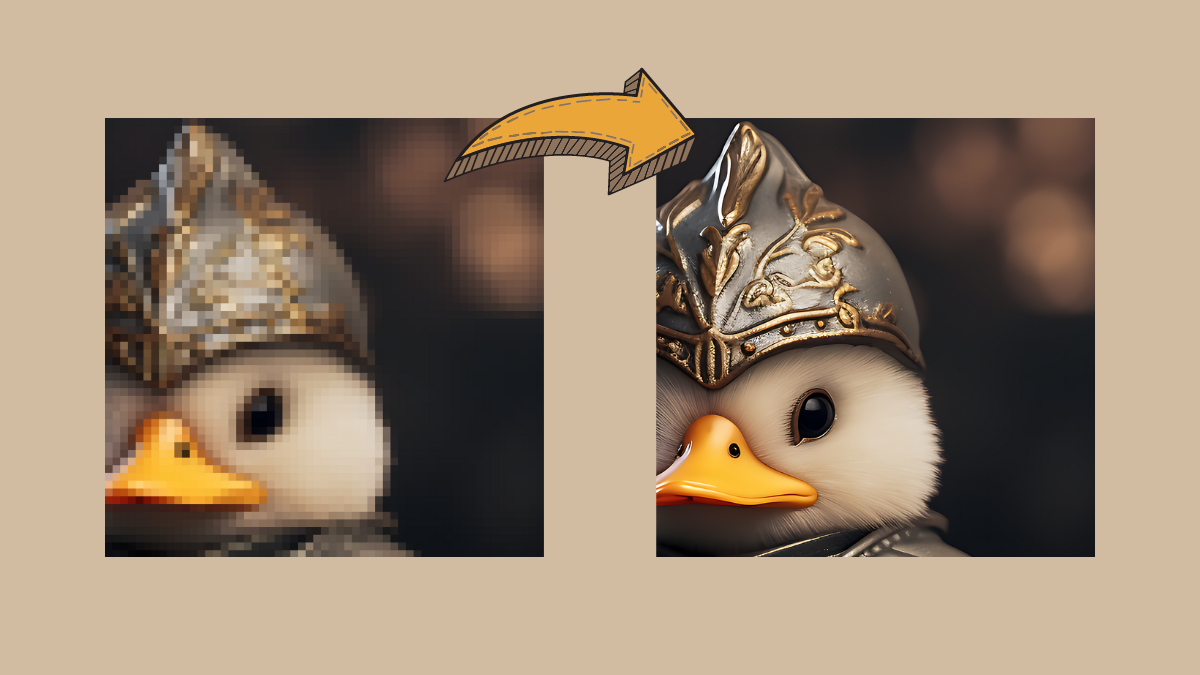
How to Upscale AI-Generated Images for High Quality Prints
What to know Most AI image generators produce images at a maximum resolution of 1024 x 1024 pixels or somewhere around it. If you…
-
How to Use Negative Prompts on Midjourney
What to know Negative prompts are things you want Midjourney to NOT consider when generating images from your description. You can use negative prompts…
-
How to Get Prompt Ideas for Generating Images on Midjourney
What to know Midjourney’s Community Showcase is the easiest way to access the top creations that are shared by its users for public viewing.…
-

How to Use Prompt Weights to Assign Relative Importance to Parts of a Prompt on Midjourney
What to know Prompt Weights on Midjourney can be used to split your description into multiple segments and prioritize each of these segments by…
-

How to Create Anime and Illustrations Using Niji Model V5 on Midjourney
What to know Niji Model v5 is the latest version of Midjourney’s anime-centric art generator developed in collaboration with Spellbrush. You can activate the…
-

How to Split a Prompt Into Multiple Portions Using Multi Prompts on Midjourney
What to know Multi Prompts on Midjourney can be used to consider two or more ideas independently within a single prompt. To separate parts…
-

What Is the Repeat Parameter on Midjourney and How to Use It
What to know You can process the same prompt on Midjourney multiple times using the Repeat parameter. To generate more than one image grid,…
-

How to Use the Style Parameter to Fine-Tune Images Generated on Midjourney
What to know The Style parameter on Midjourney lets you fine-tune the aesthetic of images you generate on the AI tool. On versions 5.1…
-

How to Generate Multiple Image Creations Using Permutation Prompts on Midjourney
What to know Permutation prompts allow you to enter variations of a prompt that you can use to create multiple image grids from a…
-

How to Create Seamless Repeating Patterns Using Tile Parameter on Midjourney
What to know The Tile parameter on Midjourney can help you create seamless patterns by turning your prompt into a repeatable tiled image. When…
-
What Is Quality Parameter on Midjourney and How to Use It
What to know Midjourney’s Quality parameter lets you control how fast your images are generated as well as how detailed these images look based…
-

How to Recreate Previously Generated Images Using Seed on Midjourney
What to know Midjourney’s Seed parameter can be used to generate images that are identical to your earlier creations. To recreate previously generated images…
-

How to Create Identical Images and Modify Them Using Seed on Midjourney
What to know Midjourney allows you to generate identical images on its platform using the Seed parameter. The –seed parameter lets you recreate similar-looking…