
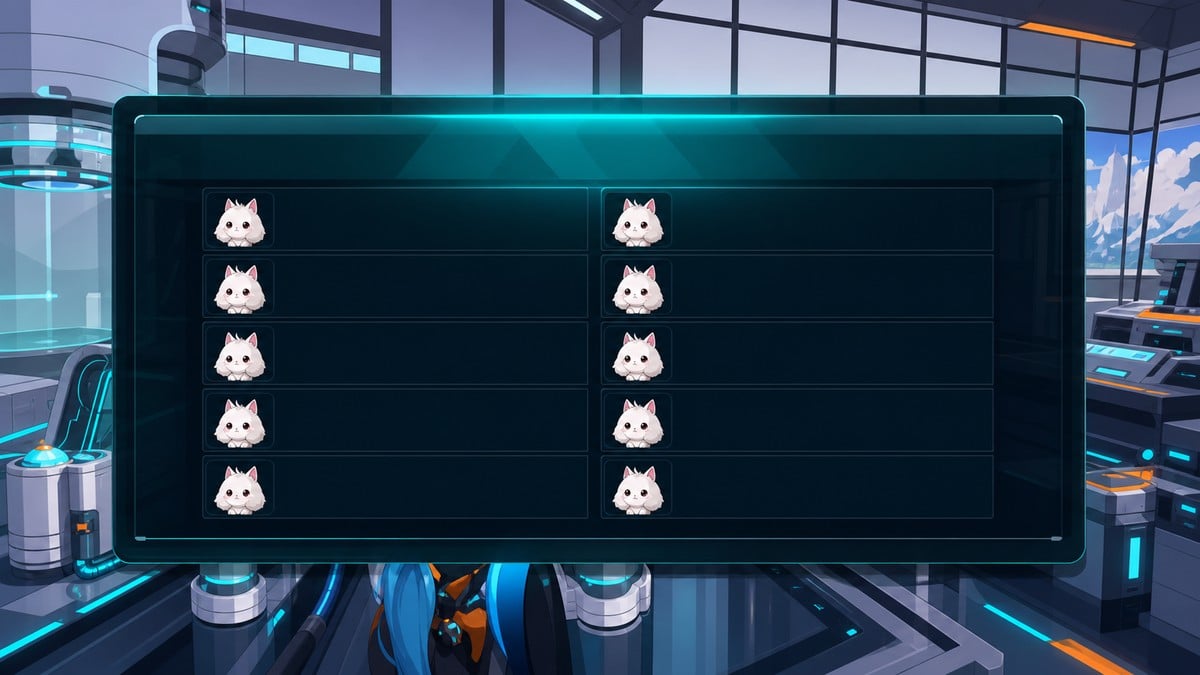
The version 1.0.3 Pal duplication method uses a local-world autosave rollback with the Global Palbox: save before hatching, hatch the desired baby Pal, move it to the Global Palbox, force-close the game, then reload and hatch the same eggs again.
This is a newly hatched Pal dupe, not a general “copy anything in your Palbox” trick. The narrow caveat is that it has a working local-world showcase after v1.0.3, while platform and server behavior across PC, Xbox, PlayStation, multiplayer, and dedicated servers is not established.
- Does the hatch dupe still work after v1.0.3?
- What the Pal hatch loop duplicates
- Requirements before saving the egg batch
- How to duplicate newly hatched Pals in Palworld
- When the saved egg batch misses the target Pal
- Older dupe methods are separate glitches
- Save and server risks before using the hatch dupe
- Frequently Asked Questions
Does the hatch dupe still work after v1.0.3?
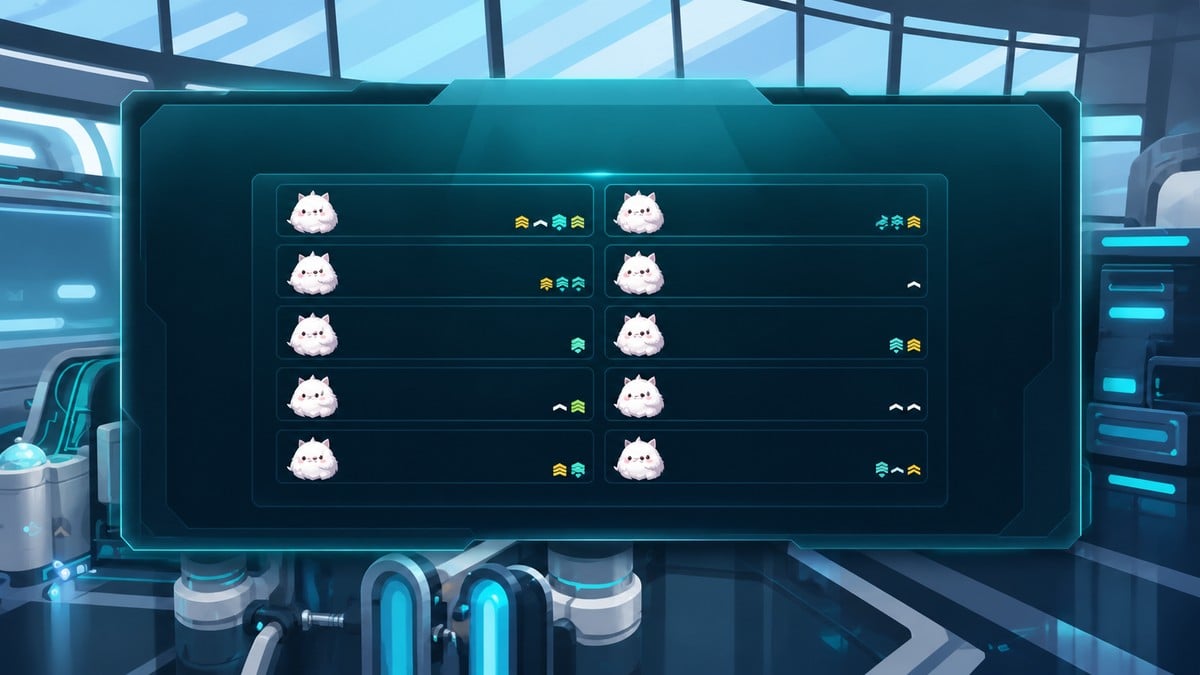
Yes, the local-world hatch loop is the version to try after v1.0.3: make a save before hatching, open the saved egg batch, place the target baby in the Global Palbox, then force-close before the local world records the eggs as opened.
Key That is different from older duplication routes. It is not the structure-refund item dupe, not a combat or teleport desync, and not a partner-Pal spawn bug. This one is built around breeding eggs, autosave timing, and the Global Palbox.
The v1.0.3 notes include a fix for items duplicating during certain actions. They do not specifically name a breeding, Hatchery, or Global Palbox Pal loop, so the item-dupe fix should not be treated as a direct patch for this exact hatch method.
What the Pal hatch loop duplicates
This method duplicates the outcome of a saved egg batch. You are not choosing an existing Pal from storage and cloning it; you are repeatedly reopening the same saved eggs after one of those eggs has already produced the baby you wanted.
That is why breeding matters. The target has to be a Pal your chosen parents can produce, and the loop becomes useful once the saved batch contains a baby with the passive mix you want. For example, a Solenne baby with Artisan, Work Slave, Remarkable Craftsmanship, and Demon’s Hand is exactly the kind of perfect-passive result this setup is made for.
Use cases include base-work Pals, raid Pals, ranch Pals, or any bred baby where having several copies of the same passive setup saves more time than restarting the breeding grind.
Requirements before saving the egg batch
| Requirement | Use |
|---|---|
| Own local world | Lets you control custom world settings and save timing. |
| Custom World Settings access | Used to change Auto save interval before hatching. |
| Breeding Farm | Produces eggs from the chosen parents; unlocked at level 19. |
| Ancient Hatchery | Holds and hatches prepared eggs; unlocked at level 76. |
| Global Palbox | Holds the hatched baby while the local world rolls back; unlocked at level 4. |
| Cakes | Keeps breeding parents producing eggs. |
| Breeding parents | Must be able to produce the baby Pal and passive mix you want. |
| Full unopened egg batch | Gives you a saved batch to test and repeat. |
Set up everything before you make the pre-hatch autosave. The saved state needs to contain a full, unopened batch of eggs and the world settings needed to stop an autosave from overwriting it mid-loop.
If the eggs are in a Breeding Farm, leave them on the floor. If they are in the Ancient Hatchery, leave them inside the machine. Do not pick up or hatch the eggs before the save point.
Do your hatching and Global Palbox moves inside the autosave window; the setup uses 30 minutes because a local autosave during the loop ends the rollback.
How to duplicate newly hatched Pals in Palworld
This procedure saves an unopened egg batch, extracts the desired baby into the Global Palbox, then reloads the same eggs for another copy.
STEP 1/13
Keep the eggs unopened

Fill the Hatchery or let the Breeding Farm produce its egg batch, then leave the eggs uncollected and unopened.
STEP 2/13
Create the pre-hatch save
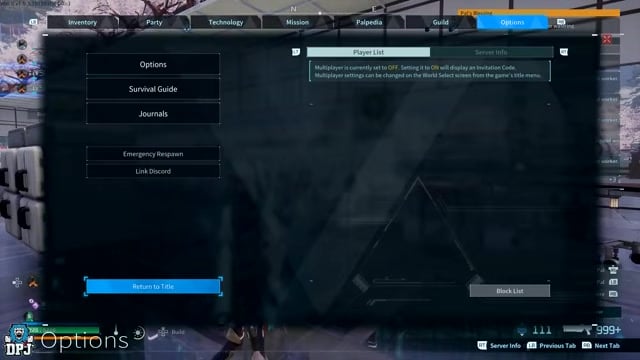
Open the pause menu and return to the main menu so the world autosaves before any egg is hatched.
STEP 3/13
Open custom world settings

From Start Game, choose your world, open Change World Settings, then Custom Settings.
STEP 4/13
Raise the Auto save interval
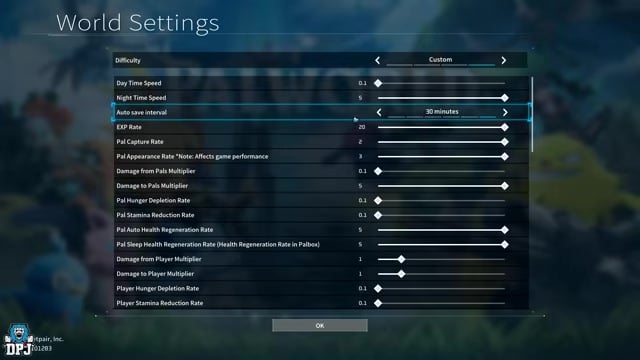
Set Auto save interval to 30 minutes so the local world does not autosave during the hatch loop.
STEP 5/13
Load back into the world

Save the settings and return to the same local world with the egg batch still waiting.
STEP 6/13
Hatch the prepared eggs
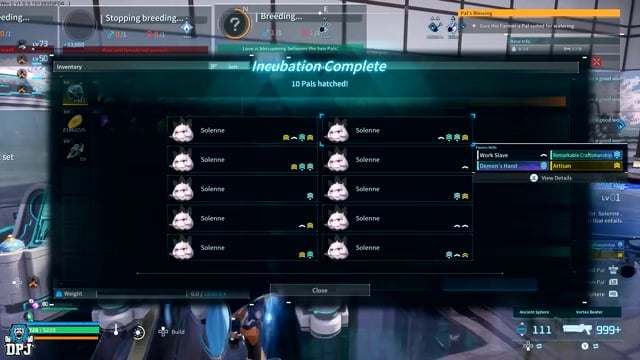
Open the Hatchery eggs and look for the baby Pal with the passive set you want to duplicate.
STEP 7/13
Replace a failed egg batch
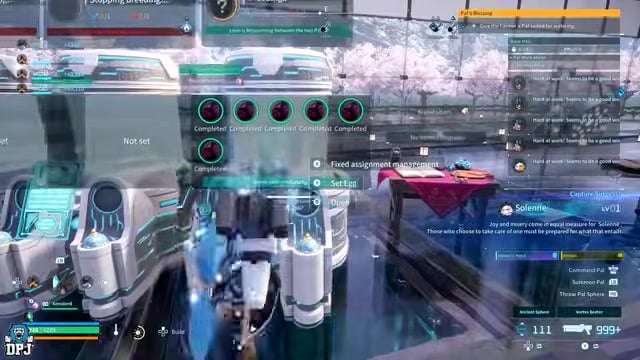
If that saved batch does not hatch the target baby, let the setup produce a fresh full batch, return to the main menu to make a new autosave, then test the new batch.
STEP 8/13
Open the Global Palbox
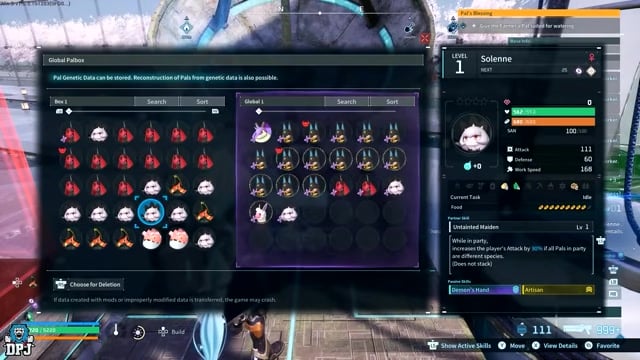
Once the target baby appears, go to the Global Palbox before leaving or saving.
STEP 9/13
Move the baby into the Global Palbox

Put the newly hatched target Pal into the Global tab so it is kept outside the local egg rollback.
STEP 10/13
Force-close the game

Close the app without returning to the main menu; on PC, use Alt+F4, and on console, quit from the system dashboard.
STEP 11/13
Reload the local world
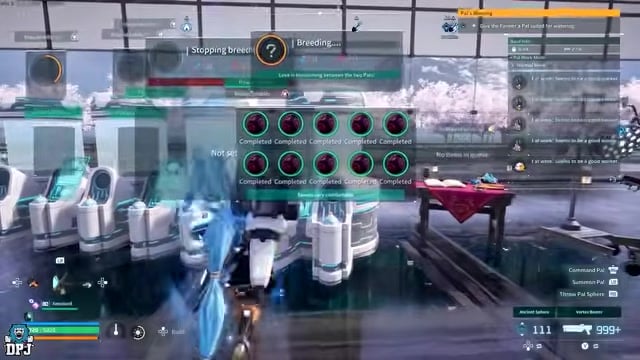
Start the game again and load the world; the same egg batch returns in the Hatchery.
STEP 12/13
Hatch the same eggs again
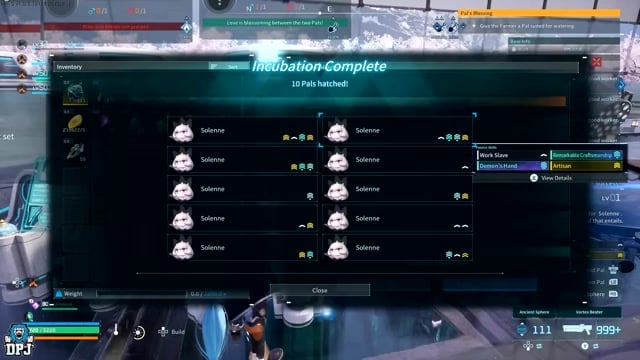
Hatch the reloaded eggs to get the same baby Pal outcome from that saved batch.
STEP 13/13
Store the new copy and repeat

Move the new baby into the Global Palbox, force-close again, and keep looping until the autosave window is over.
Video help
When the saved egg batch misses the target Pal

Key A failed batch is not worth looping. The same saved eggs produce the same hatch results after each rollback, so if the baby you want is not in that batch, repeating force-closes on those eggs only repeats the miss.
Let the Breeding Farm or Ancient Hatchery build a fresh full set, return to the main menu to make a new autosave, then hatch that new set. Once the desired baby appears, move only that baby into the Global Palbox and start the force-close loop.
Older dupe methods are separate glitches
| Method | What it affects |
|---|---|
| Structure or item duplication | Crafting materials through unfinished structures, build placement, and refunds. |
| Combat or teleport desync | Pal Box state during fights or forced teleports. |
| Partner-Pal spawn duplication | Active partner summon behavior, not breeding eggs. |
| Kill-capture loot duplication | Drops created when a Pal is killed and captured at the same time. |
Do not mix the hatch loop with older duplication tricks. Those methods affect different game systems, and following their setup will not reproduce the newly hatched Pal method.
The hatch loop does not require Wooden Pillars, a shaking build UI, selected blueprints, dismantled unfinished structures, or boss-teleport timing. If a method starts there, it is not this Pal duplication route.
Save and server risks before using the hatch dupe
Force-closing a live game is the risky part. If the game writes data while you are closing it, a local save can land in an awkward state, so use this only on a world you are comfortable experimenting with.
Multiplayer and dedicated servers are a separate issue. This procedure depends on custom world settings and local quit-reload behavior, while server owners may save differently or treat duplication as rule-breaking.
Older combat and teleport Pal-dupe reports also raised ghost-copy and shared internal-ID concerns, where changing or releasing one copy could affect another. That concern belongs to those older desync cases; it is not established behavior for the hatch-and-Global Palbox loop above.
Related Palworld guides
Frequently Asked Questions
Can this duplicate an existing Pal already in my Palbox?
No. This loop starts from a saved egg batch and the newly hatched baby inside it. If the Pal you want is already sitting in storage, you need breeding parents that can produce that same baby and passive setup first.
Does this work on multiplayer or dedicated servers?
The usable setup is for an own local world where you can change Custom World Settings. Dedicated servers and multiplayer sessions may save differently, block setting changes, or enforce rules against duplication.
Why should I not exit to the main menu after hatching the target Pal?
Returning to the main menu creates the local autosave after the eggs are opened. The loop needs the baby placed in the Global Palbox while the local world still remembers the eggs as unopened, so force-close only after the Global Palbox move.





Leave a Reply