

The Global Palbox in Palworld lets you take a snapshot of a Pal from one save file and withdraw it in another, letting you keep your favorite creatures when starting a new world.
If you want to roll a brand-new world in Palworld but cannot bear to leave your top-tier Pals behind, the Global Palbox is the cross-save feature designed exactly for that scenario. It bridges your separate save files by acting as a shared creature bank, letting you pack up a Pal from an old run and drag it straight into a fresh one.
What the Global Palbox does
The Global Palbox functions as a cross-save creature bank. When you deposit a creature, the game takes a snapshot of that Pal’s current state rather than physically uprooting it from your active roster. This means the Pal’s stats and condition are captured at the moment of deposit, and that frozen data is what gets carried over to your new world.
How to store and retrieve a Pal using the Global Pal Box
STEP 1/4
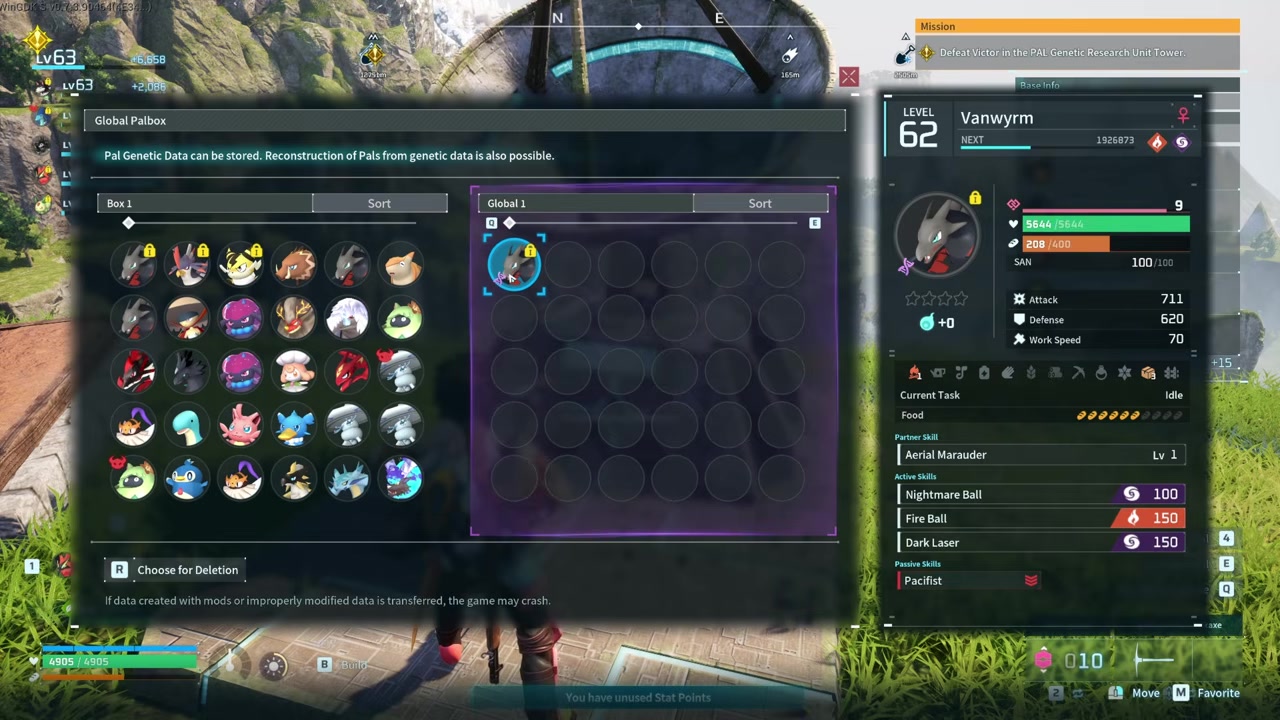
Drag Pal into the Global Pal Box
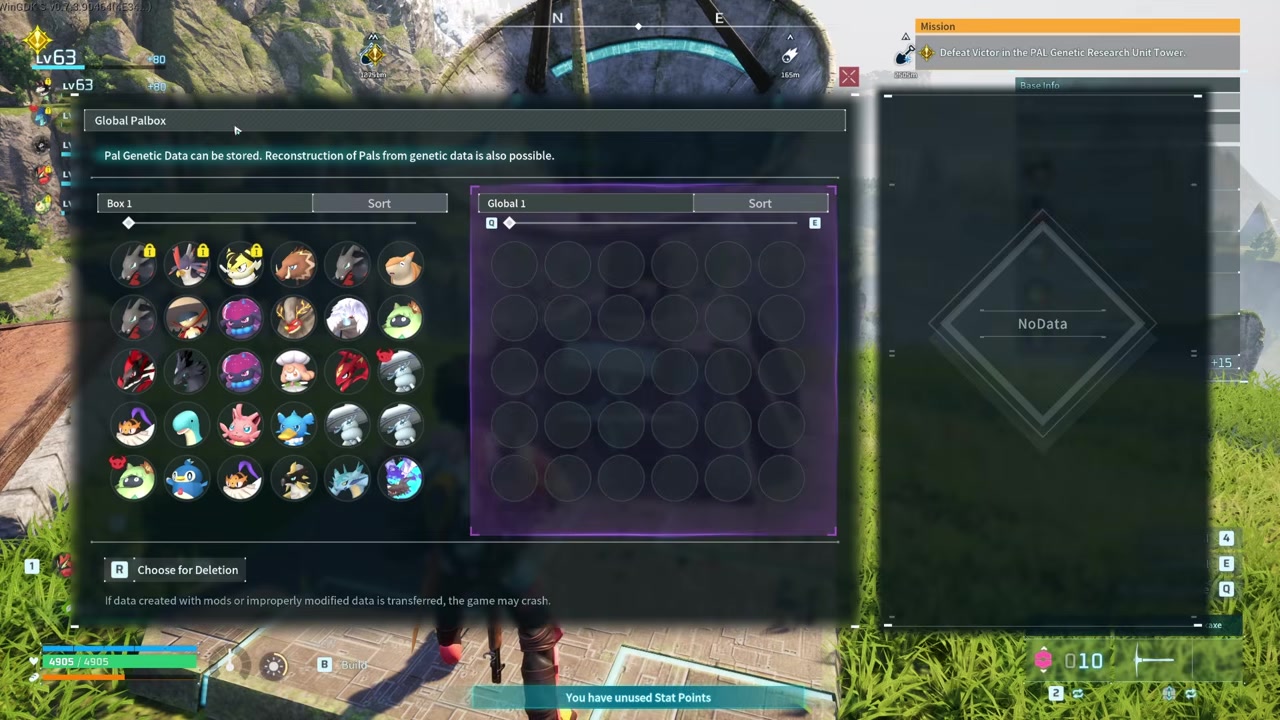
Open the box and drag your Pal over to create a snapshot that can be accessed by other save files.
STEP 2/4
Update the snapshot periodically
STEP 3/4
Build a Global Pal Box in the new world
Construct the Global Pal Box in your target save file so you can access the cross-save storage.
STEP 4/4
Drag the Pal out
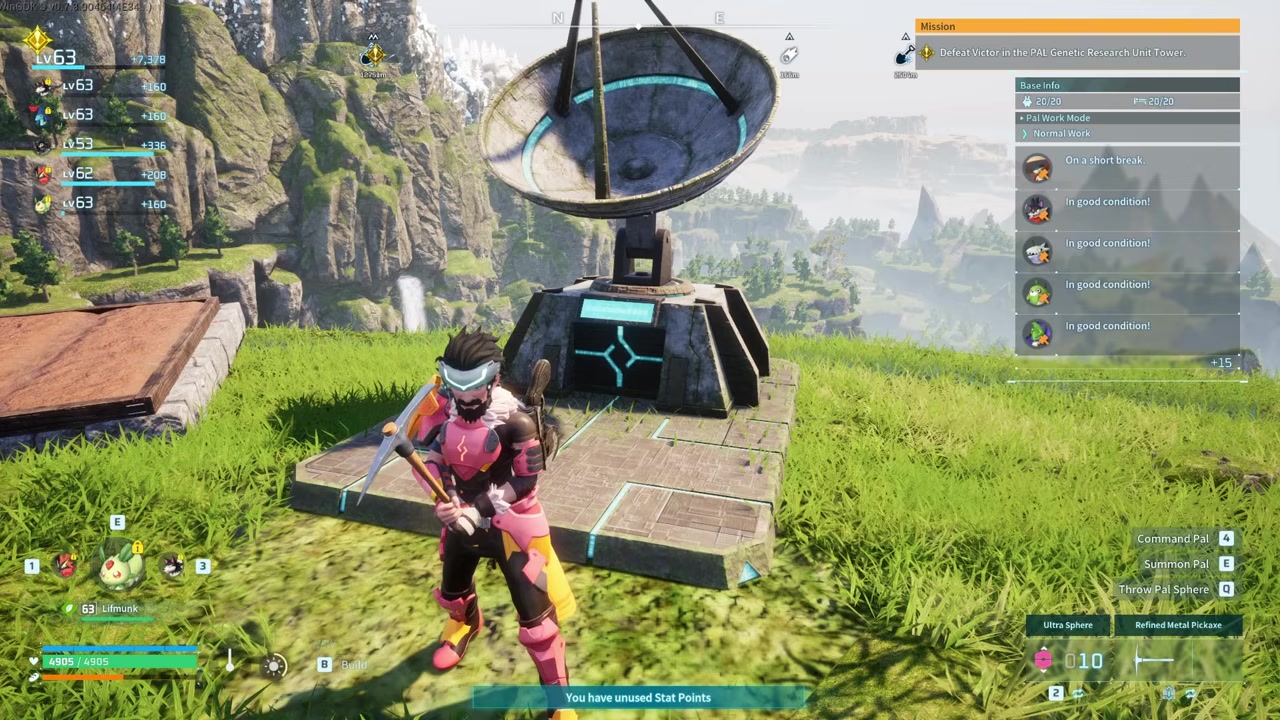
Open the newly built box, locate your Pal, and drag it out to have your favorite Pal friend with you in the new world.
If you have been using a Pal for a long time, the game automatically marks it as a favorite and blocks deletion. Press M in the standard Palbox to unfavorite it first.
Video help
How to delete a Pal from the Global Palbox
- Press R to delete — Select the Pal you no longer need inside the Global Pal Box and press R to delete them.
- Check for a favorite marking — If deletion is blocked, it is because the Pal was automatically favorited from extended use, which does not change its stats.
- Press M in the standard Palbox — Go to your standard Palbox, click on the Pal, and press M to change its favorite marking and remove it.
- Update and delete — Head back to the Global Palbox, open it up, update the snapshot so it is no longer favorited, and choose it for deletion.
What the Global Palbox cannot do
Players also mistakenly treat the Global Palbox as a standard, local Palbox. Standard Palboxes are bound to a single world, while the Global system is explicitly shared across your saves. It will not move your bases, inventories, or building pieces, so any structural progress stays locked to its original save file.
Frequently Asked Questions
Does the Global Palbox duplicate or move my Pal?
It moves the Pal. The system takes a snapshot of your creature to carry its data into a new save file, but it does not clone the Pal or leave a functioning copy behind in the original world.
Can I transfer items, structures, or base layouts with the Global Palbox?
No. The Global Palbox is strictly a creature bank. It only moves Pals, meaning any items, building materials, or base layouts you have created remain tied to their original save file.
Why can’t I delete a Pal from the Global Palbox?
If the game blocks you from deleting a Pal, it is because the creature has been automatically marked as a favorite. This happens when you use a Pal for a long time. Go to your standard Palbox, click the Pal, press M to unfavorite it, then return to the Global Palbox to update and delete it.
Do I need to update the snapshot before moving to a new world?
Yes, if you have continued playing the original save file. You reportedly have to come back to the Global Palbox every once in a while to update the snapshot so the stored data reflects the Pal’s current stats before you drag it into a new world.
Is there a cost or material requirement to use the Global Palbox?
No source explicitly verifies any Gold cost, material requirement, or time delay for using the Global Palbox. Using it appears to be free and instantaneous, but this is not fully confirmed.






Leave a Reply