


What to know
- You can rename pets and horses unlimited times with no cooldown or cost.
- Pet renaming is done directly from your inventory menu.
- Horse renaming requires visiting a stable NPC like Merin.
- Both processes are fast and take only a few seconds once you know where to go.
The 1.04.00 update for Crimson Desert didn’t just tweak systems—it quietly expanded how you interact with companions. One of the most noticeable changes is that you can now freely rename both pets and horses, something that wasn’t available before and wasn’t clearly explained when introduced. As a result, players initially reported conflicting methods, but with more gameplay confirmation, the system is now much clearer.
Crimson Desert’s pet renaming feature details
| Feature | Pets | Horses |
|---|---|---|
| Rename available | Yes | Yes |
| Where to rename | Inventory (Pet tab) | Stable NPCs |
| Cost | None | None |
| Limits | Unlimited changes | Unlimited changes |
| Requirement | Own the pet | Access stable system |
How to change your pet’s name
Here is how to change your pet’s name:
- Press the I button to open your inventory/menu.
- Navigate to the pet section at the top of the screen.
- Hover over the pet you wish to rename.
- Press the G button (or the right stick if using a controller) to select Change Name.
- Enter your new name and press Enter to confirm.
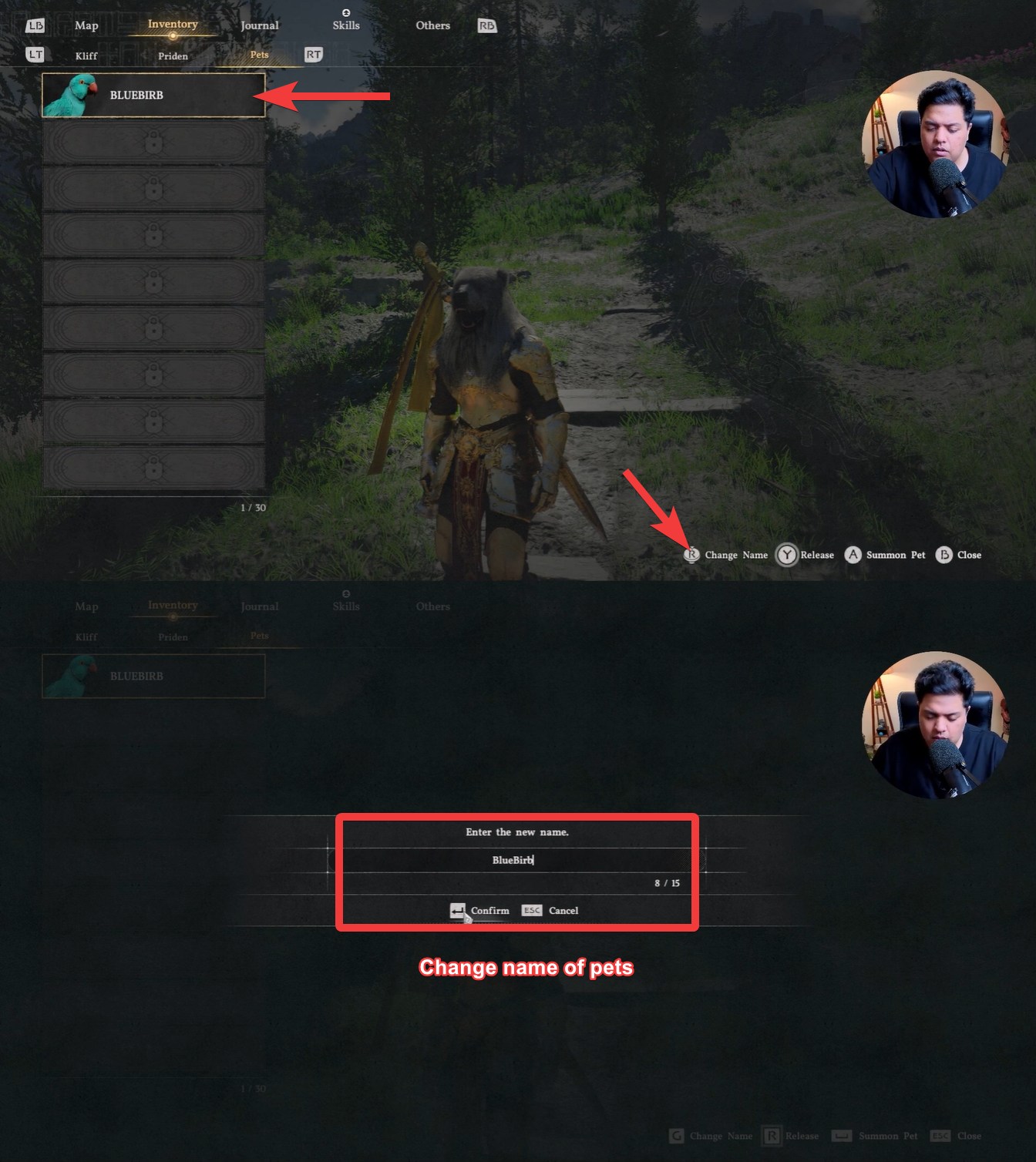
What makes this method interesting is how subtle it is. The option doesn’t stand out unless you specifically look for it, and in some cases, it may only appear after certain conditions are met, such as bonding progress or summoning the pet at least once.
How to change your horse’s name
While you can change your pet’s name from the pet menu, horses have a different approach. Here is what to do if you want to rename your horse:
- Travel to a Horse Saddlery location.
- Speak to the NPC named Merton or the respective NPC of the saddlery you go to. Make sure to interact with the Head of the Saddlery, not the vendor.
- Select the Heal or Retrieve Horse option by pressing the R button.
- Select your horse, hover over it, and press the G button to choose Change Name.
- Enter the new name and press Confirm to save your changes.
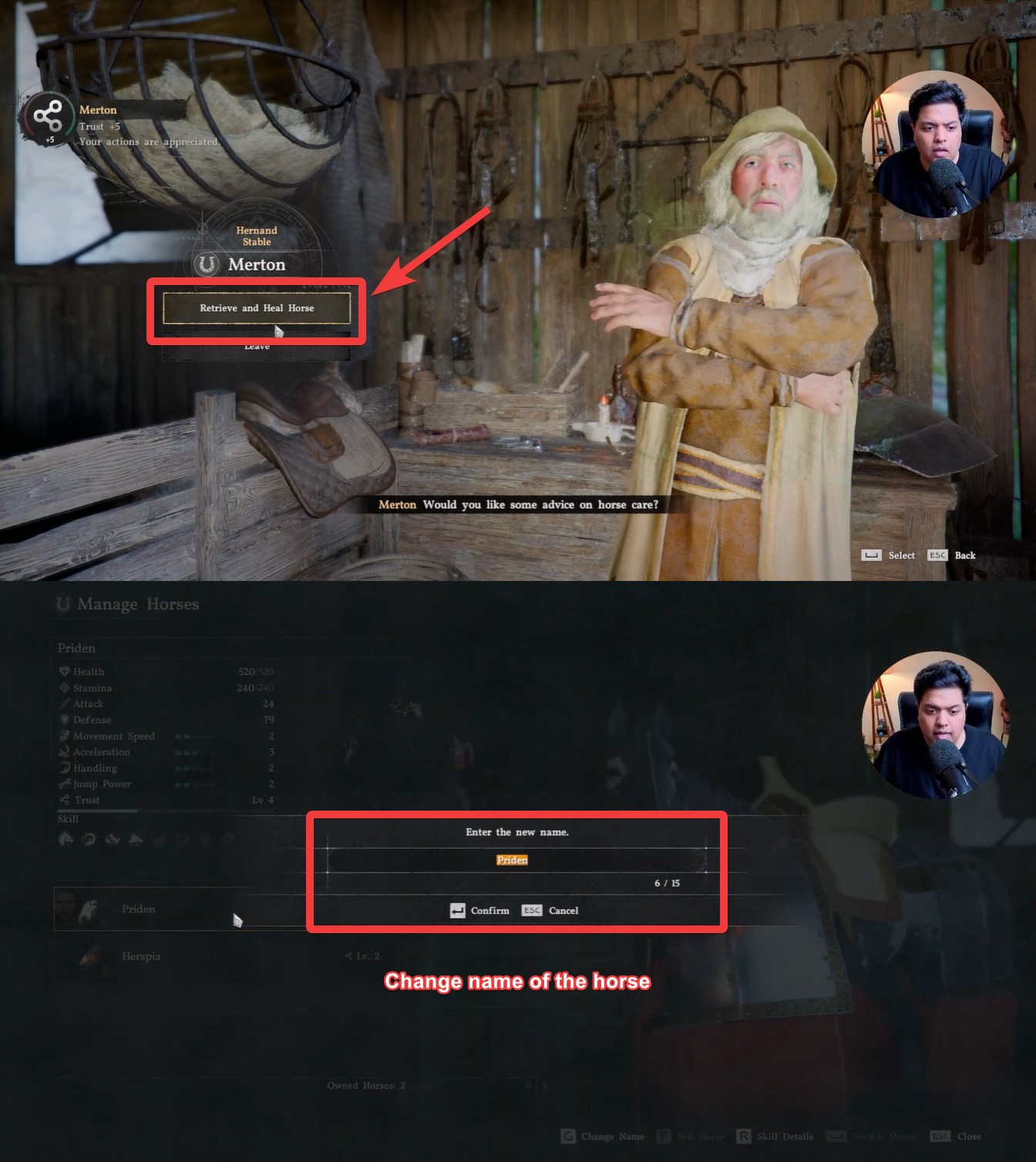
Personalize your pets and mounts
Choosing names that reflect your playstyle or your companion’s role can make the experience more engaging. This was one of the most asked-for and awaited features. When it is finally here, have your fun with it!
For example, naming a scouting bird something swift or a warhorse something powerful adds subtle immersion.
You can also use renaming strategically to organize multiple companions. If you own several pets or horses, consistent naming patterns help you identify them quickly in menus.





Leave a Reply