
Category
Tips
-
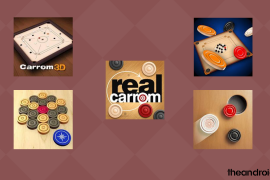
5 best Carrom games on Android
One must appreciate how far we’ve come with technological evolution. This is especially true when it comes to board games. Carrom is one such…
-

How to create a square pic with blurred background on Android
The pictures you upload on social media reflect your identity in the virtual world. Particularly, your profile picture that has to be in a…
-

How to fix ‘Home screen password entry is not working’ issue after the July update on Samsung Galaxy S10
Many Samsung Galaxy S10 users have been facing a peculiar problem since the July update, claiming that they haven’t been able to unlock their…
-

How to check and view hidden replies to a tweet
Twitter has its moments, no doubt about it. But an incredibly public forum like this one also has its downsides, especially users who just…
-

How to hide and unhide replies on your tweets
Twitter has certainly come a long way. It’s more than a social media platform now, especially now that it has become a hotbed for…
-

Is built-in caller ID and spam protection turning off on Samsung Galaxy device? Here’s what you need to know
Samsung Galaxy devices have encountered an alarming number of bugs over the last couple of years. There have been issues regarding front camera zoom,…
-

How to fix ‘Can’t zoom in or out in selfie mode’ problem on Samsung Galaxy S10
Samsung’s latest flagship devices, the Galaxy S10, S10+, and S10e, come with top of the line camera hardware. Both S10 and S10+ come with…
-

How to snooze an email on Android
Have you ever encountered a situation where you need to reply to an email but can’t make time to do it right away? Only…
-

How to use Easy mode on Samsung Galaxy smartphones
Samsung smartphones have a dedicated feature to make your transition into the world of smartphones as smooth as possible. So, if you are a…
-
How to get notifications from your Android phone on PC
When you’re working, with your eyes unflinchingly focused on a computer screen, it is easy to miss a few notifications on your smartphone. Thankfully,…
-

How to use home screen of your Samsung Galaxy device
Your Samsung Galaxy smartphone has a nifty home screen manager that is capable of revamping your home (screen) whenever you like. From adding/removing screens…
-

How to solve Galaxy S10 ‘screen awake during calls’ problem
The Samsung Galaxy S10 devices have their quirks, but there haven’t been many complaints about their most basic functionality — making calls. A few…
-
How to fix Bluetooth ‘won’t stay connected’ issue on your Samsung Galaxy S10
Bluetooth is one of the most used features on our devices. From connecting Hi-Fi audio systems to taking calls while driving, its functionality seems…
-
How to fix the ghost music issue on Samsung Galaxy S10
Imagine you are watching a horror movie on your TV and have your phone in front of you. You don’t see any notification pop-up,…
-

Treat yourself with Sony’s Launcher app from Xperia 10
Sony has finally updated its age-old launcher and the new one is now available on the latest Xperia 10 and 10 Plus. If you’re…
-

How to remove Good Lock from your Samsung Galaxy device
Samsung’s known for offering some great features on their smartphones. Some of these features are highly useful while others might seem gimmicky. Fortunately, the…
-

How to fix ‘no notification sounds’ error on your Samsung Galaxy smartphone
Most Samsung Galaxy smartphones come packed with a powerful sound engine and vibration motor. Technically, getting simple text notifications through the default messaging app…
-

How to use Samsung Edge Panel
If you happen to be a proud owner of a Samsung Galaxy smartphone with a curved edge display, you are most probably already aware…
-

How to set up Google Duplex for your business
Google Duplex is an amazing feature offered by Google enables users to ask Google Assistant to call up local businesses to reserve tables, book…
-

How to use FooView Android app
fooView is a multipurpose Android application which specializes in simplifying your life. Whether it is a successful attempt or not, we will discover through…