

Allen
-

“Late Night Mode” in iOS 26 reduces loud sounds from the built-in speaker, incredibly ideal for some times
iOS 26 introduces a new “Late Night Mode” under Sounds & Haptics settings—perfect for winding down your device’s audio before bed.
-

Here’s How The New iOS 26 Screenshot UI Looks Like!
A redesigned screenshot UI arrives with iOS 26, bringing a sleeker look and better annotation tools—especially for quick edits.
-

iOS 26 Adds Message Filtering Toggles for Personalized Notifications
iOS 26 now lets you choose which type of message notifications you actually care about—right from the Messages app settings.
-

iOS 26 Lets You Adjust Volume Straight From Audio Output Picker
iOS 26 adds a volume slider directly within the audio output picker for faster, cleaner audio control.
-

Title: iOS 26 Lets You Teach iPhone to Recognize Your Name and Notify You When It’s Said
iOS 26 introduces a cool new feature—name recognition with alerts when someone says your name. Perfect for noisy environments.
-

iOS 26 Lets You Create Playlist Folders in Apple Music for the First Time
iOS 26 finally adds playlist folder creation in the Music app — a feature long requested by power users.
-

iOS 26 Lets You Disable CarPlay Screenshots for a Cleaner Photo Library
No more unwanted screenshots from your car display—iOS 26 now gives you the power to turn them off entirely.
-
iOS 26 Lets You View Full Call History for Contacts in Phone App
iOS 26 now shows the entire call history for individual contacts, right inside the Phone app.
-
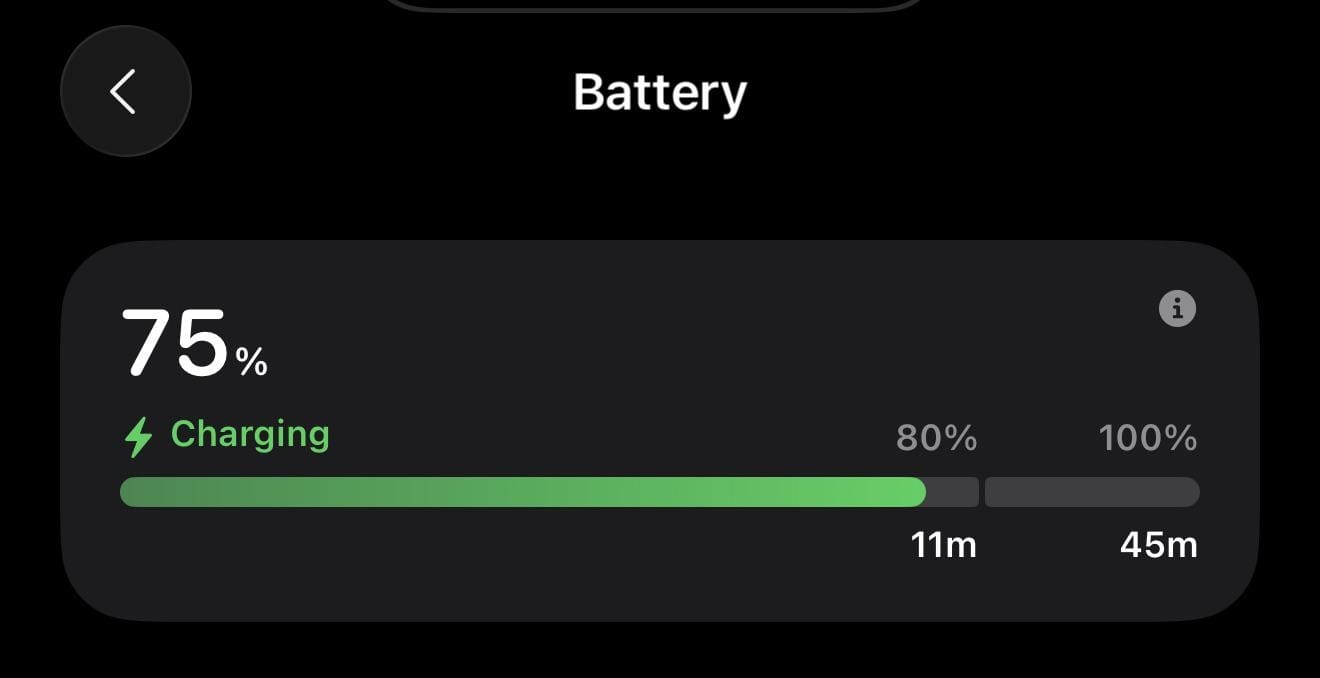
iOS 26 Adds Charging Time Estimates for 80% and 100% (Full Battery) in Battery Screen
iOS 26 now displays estimated charging times for both 80% and full charge, giving users more control over battery usage.
-
iOS 26 Adds Custom Camera Control Toggles and Gestures (Developer Beta 1)
iOS 26 now lets users reorder, disable, and personalize camera controls and gestures like Light Press and Swipe.
-

watchOS 26 adds new gesture for dismissing notifications
watchOS 26 introduces a new gesture that lets you quickly dismiss notifications on your Apple Watch. This update aims to make notification management easier…
-
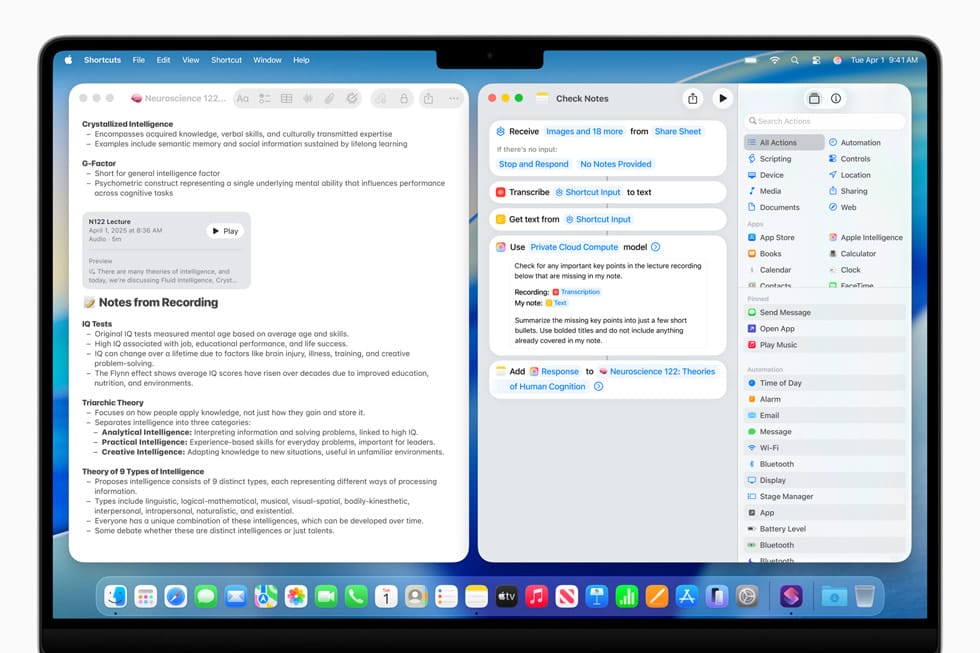
Apple Unveils AI-Powered Shortcuts App at WWDC 2025
At WWDC 2025, Apple introduced a new AI-powered Shortcuts app designed to automate tasks more intelligently across its devices.
-

Microsoft’s New and Redesigned Start menu in Available for Testing on Windows 11
Microsoft is testing a new Start menu for Windows 11, available to Dev Channel users. The update brings design changes and improved recommendations. Feedback…
-

Apple unveils iPadOS 26 with redesigned interface and enhanced multitasking at WWDC 2025
Apple announced iPadOS 26 at WWDC 2025, featuring a significant design overhaul and improved multitasking capabilities as part of their new year-based naming convention…
-

Apple introduces Liquid Glass design language at WWDC 2025
Apple unveiled its new Liquid Glass design language at WWDC 2025, marking the biggest visual update to its operating systems since iOS 7. The…
-
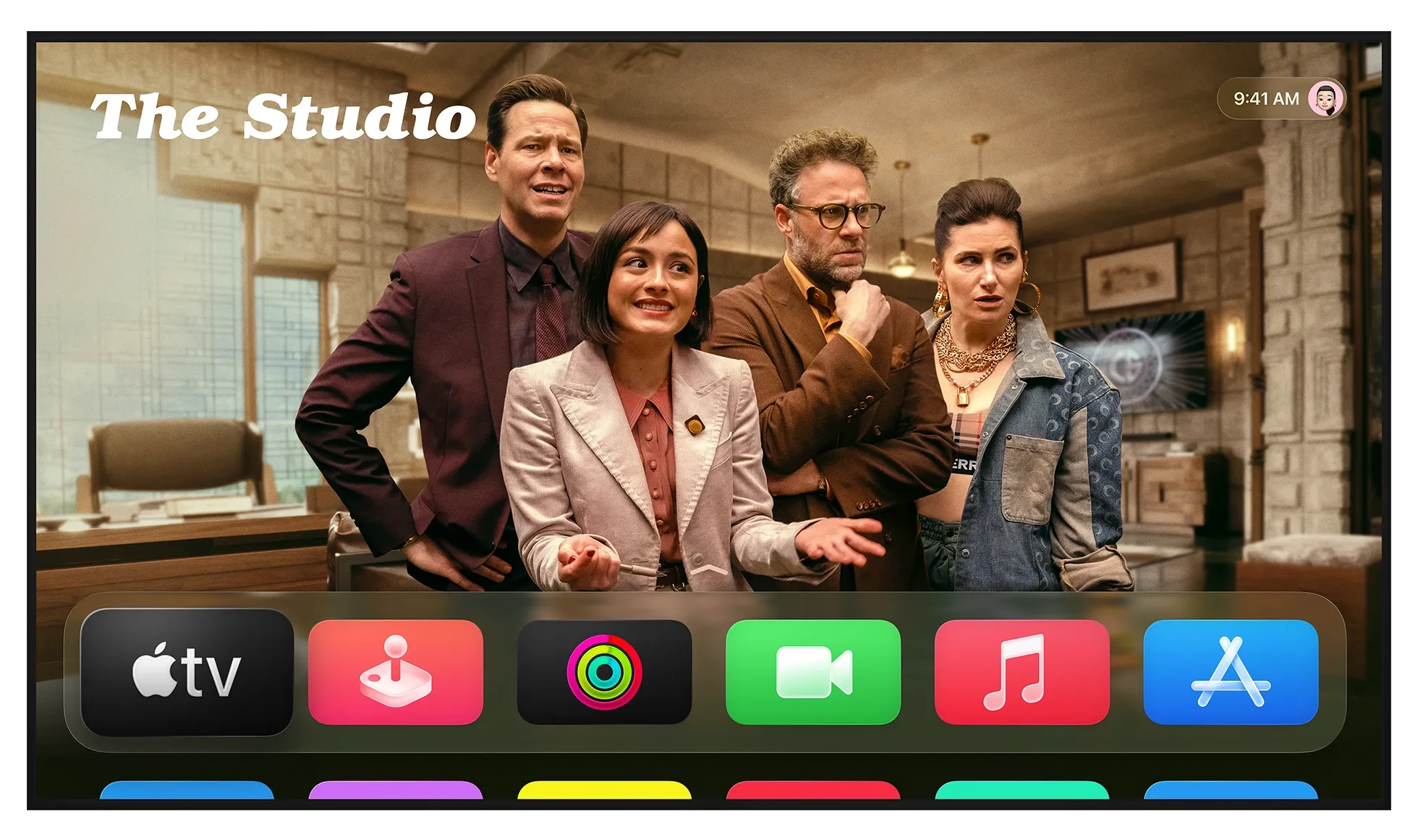
Apple unveils tvOS 26 with new features at WWDC 2025
Apple has announced tvOS 26 at WWDC 2025, introducing updates to its Apple TV platform. The new version brings design changes and aims for…
-

Reddit Adds Option to Hide Posts and Comments from Your Profile
Reddit now lets users hide posts and comments from their profiles, giving more control over visible content and privacy.
-

Google pauses rollout of Ask Photos AI feature without announcement
Google has quietly paused the rollout of its AI-powered Ask Photos search feature, with no public announcement or explanation for the delay.
-

Chrome’s new feature lets you copy text from scanned PDFs
Google Chrome now allows users to copy and search text directly from scanned PDF documents, making it easier to work with image-based PDFs without…