The short version
- In Grand Theft Auto VI, saving is unavailable during missions.
- Try exiting your current building or vehicle, then attempt to save again.
- For manual saving, open GAME and select Save Game in the game’s own menu; its GAME / SAVE screen offers SAVE with the prompt “Save your progress in a new slot.”
Why can’t I save my game in GTA 6?
You cannot save during a mission in Grand Theft Auto VI. If you’re currently on one, that restriction prevents saving your progress.
Can’t save in GTA 6? Try leaving your building or vehicle
Exit the building or vehicle you’re currently in, then try saving again in Grand Theft Auto VI.
How to save your game in GTA 6
To save manually in Grand Theft Auto VI, follow this path in the game’s own menu:
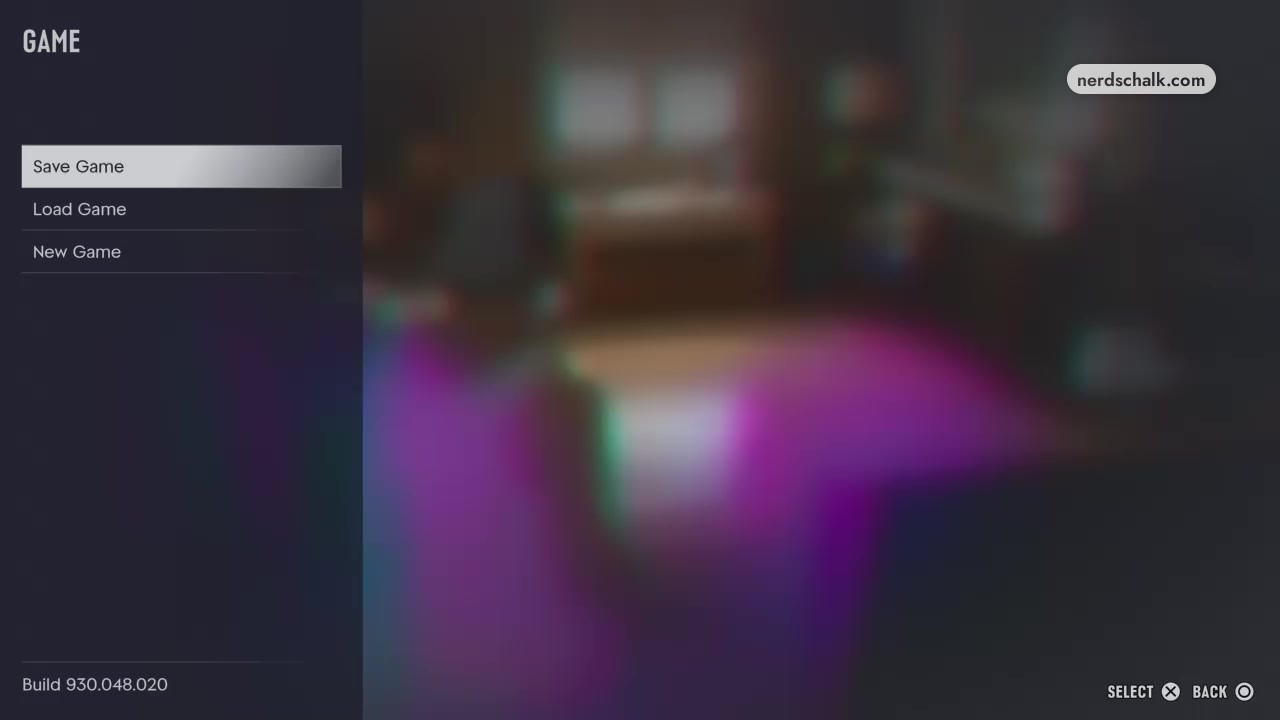
Our Grand Theft Auto VI manual-save guide lists 15 manual save slots and gives these PS5 controls:
- On PS5, press Options during play to open the pause menu.
- Open GAME.
- Select Save Game.
- Highlight an Empty Slot for a new file.
- On GAME / SAVE, use SAVE, which has the prompt “Save your progress in a new slot.” Press Square to activate SAVE.
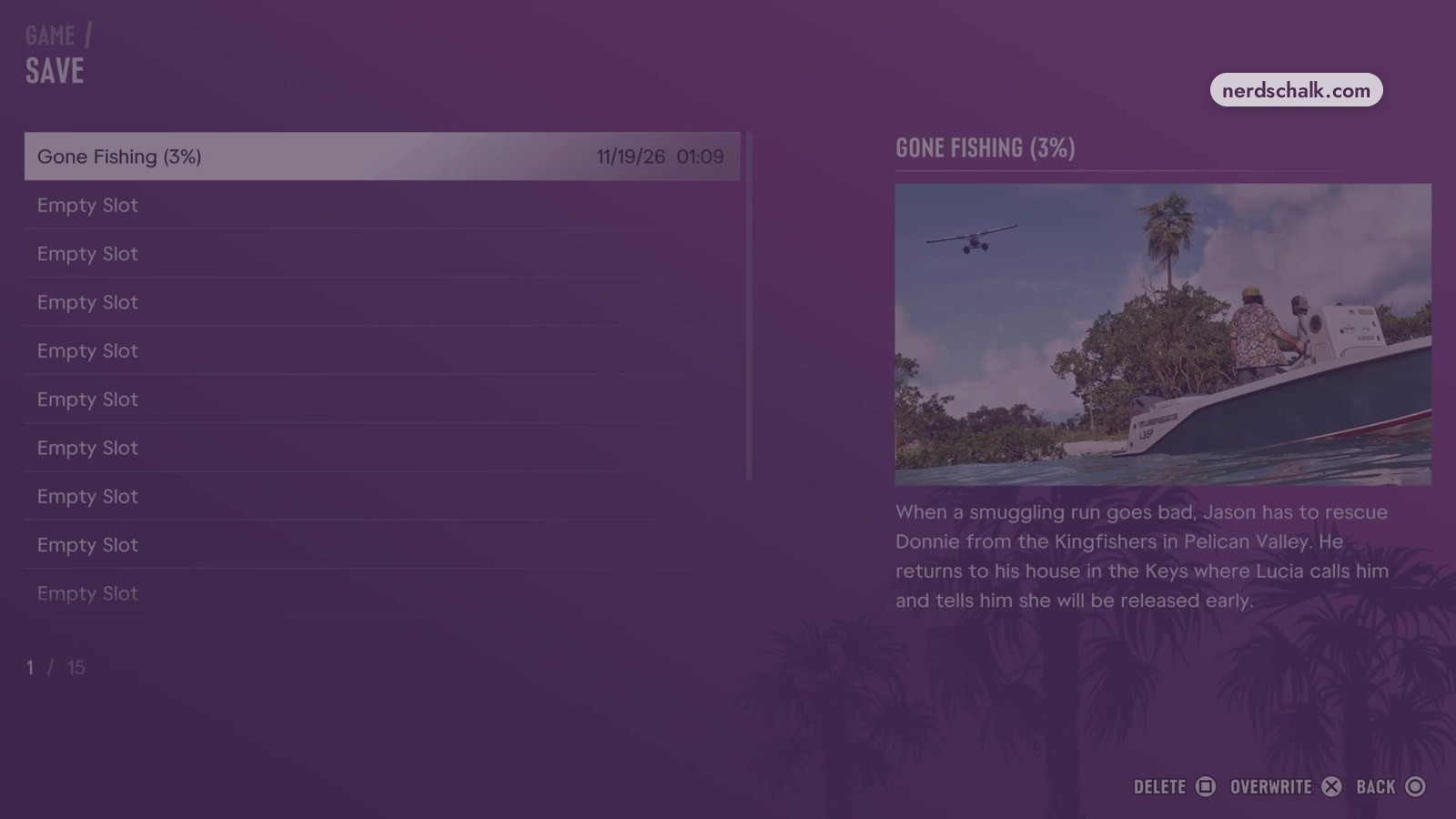
The in-game GAME / SAVE screen shows entries labeled Empty Slot.
The in-game GAME / SAVE screen shows a Gone Fishing (3%) entry dated November 19, 2026 at 01:09.
Our Grand Theft Auto VI manual-save guide also gives these steps for replacing a file on PS5:
- Highlight the existing save you want to replace.
- Check the mission name and the save’s date and time to identify the file.
- Press Square to activate OVERWRITE.
FAQs
Can I save GTA 6 progress in a new slot?
Yes. The game’s own menu offers SAVE for saving progress in a new slot. Open GAME and select Save Game to reach the in-game GAME / SAVE screen, where Empty Slot entries appear.