


To save manually in Grand Theft Auto VI, open the pause menu, select Game > Save Game, choose a slot, and press Square on PlayStation.
Manual saving lets you create a new file or update an existing one. Grand Theft Auto VI is available for PlayStation 5 and Xbox Series X|S. This guide covers both choices, including how to identify the file you want to replace.
How to save your game manually in Grand Theft Auto VI
Open the pause menu
During gameplay, press Options or Menu to bring up the main pause menu.
Select Game
Move down from Map and select Game to reach the menu containing the save option. The menu also displays Build 930.048.020.
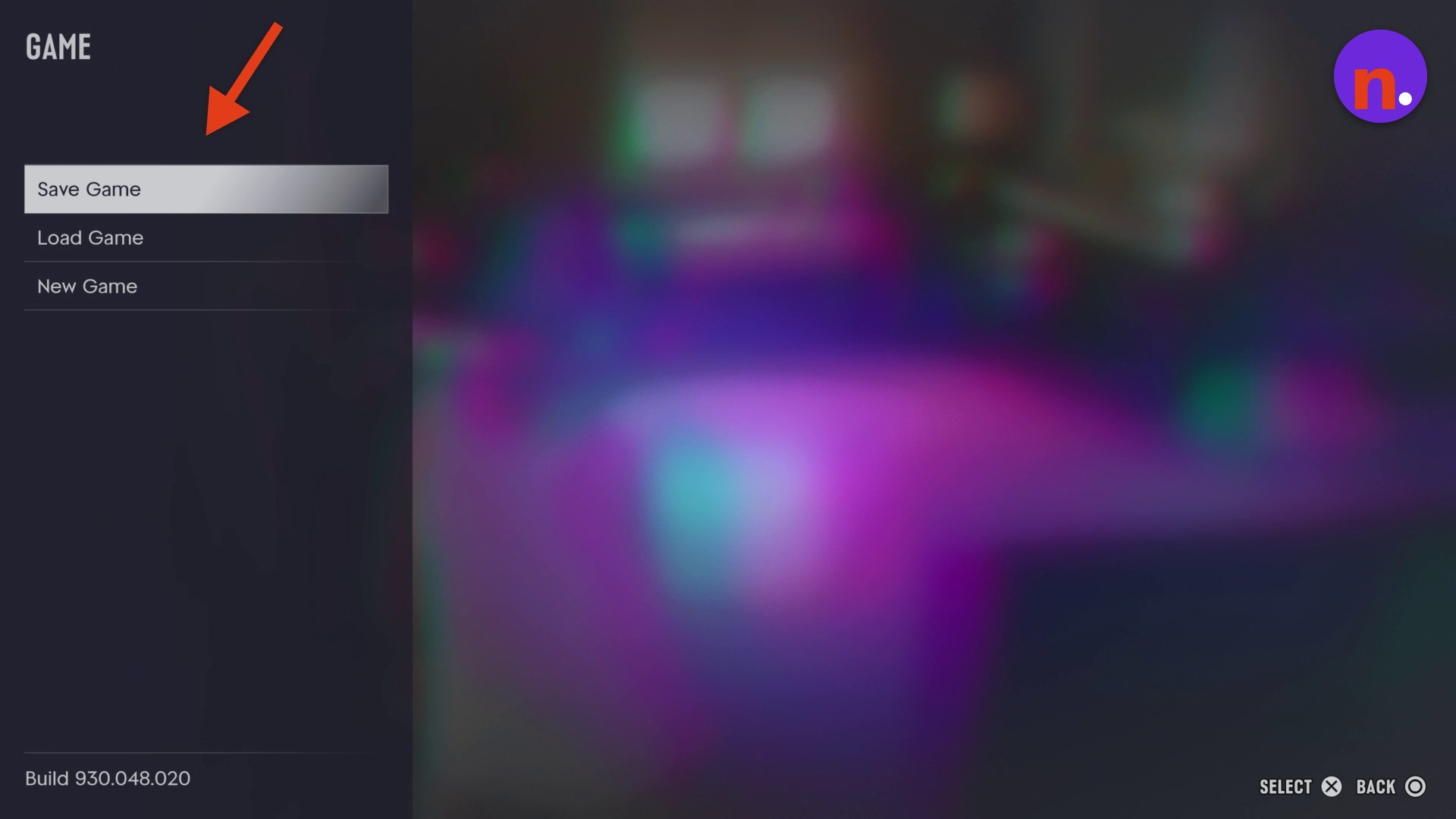
Open Save Game
Select Save Game to display your manual-save slots. Several entries can be labeled Empty Slot.
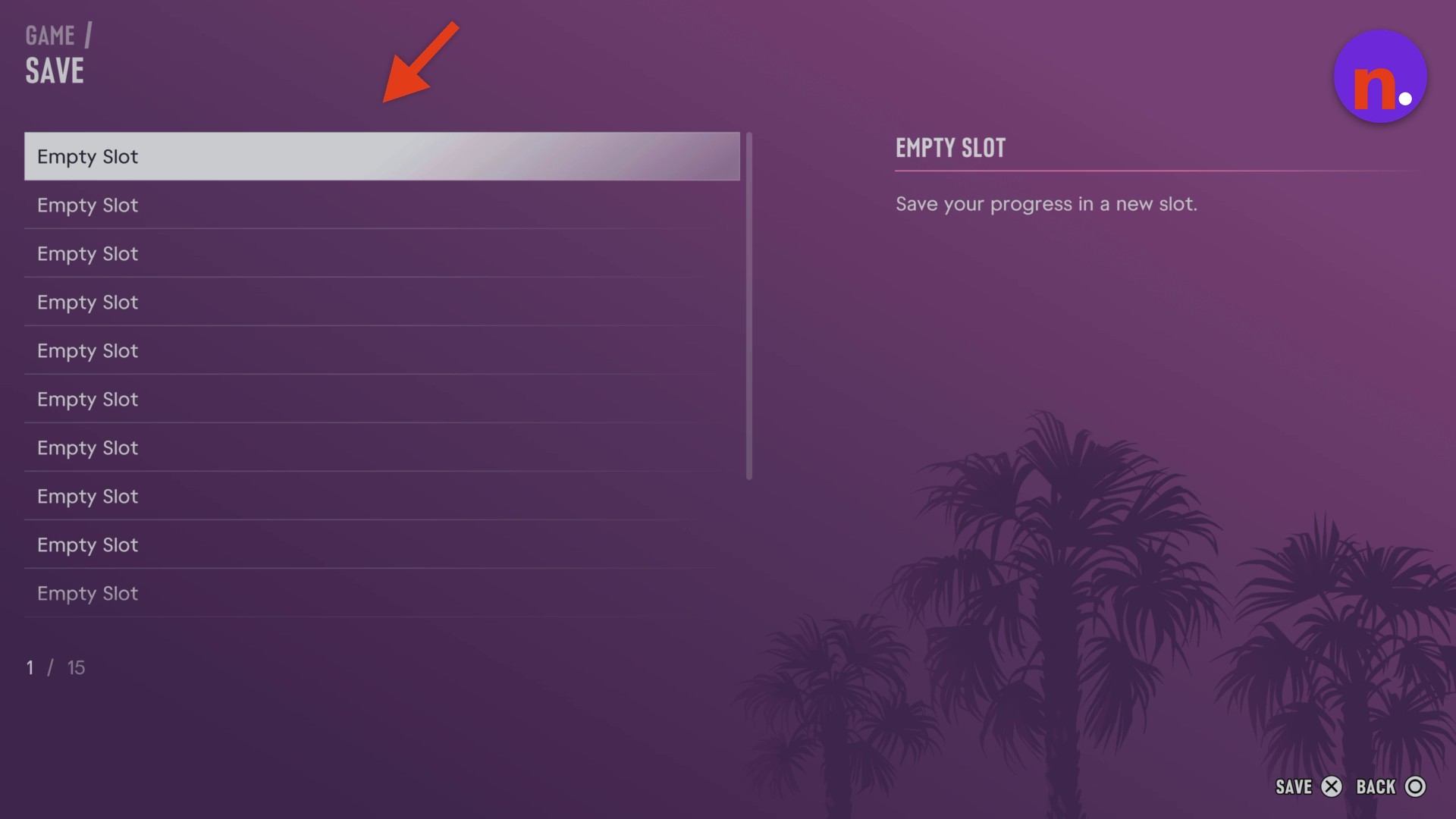
Choose a slot and save
For a new file, highlight an Empty Slot and press Square to use SAVE. To replace a file, highlight an existing entry, using its mission name, and save date and time to identify it, then press Square to use OVERWRITE. With an existing save selected, DELETE and BACK are also available.
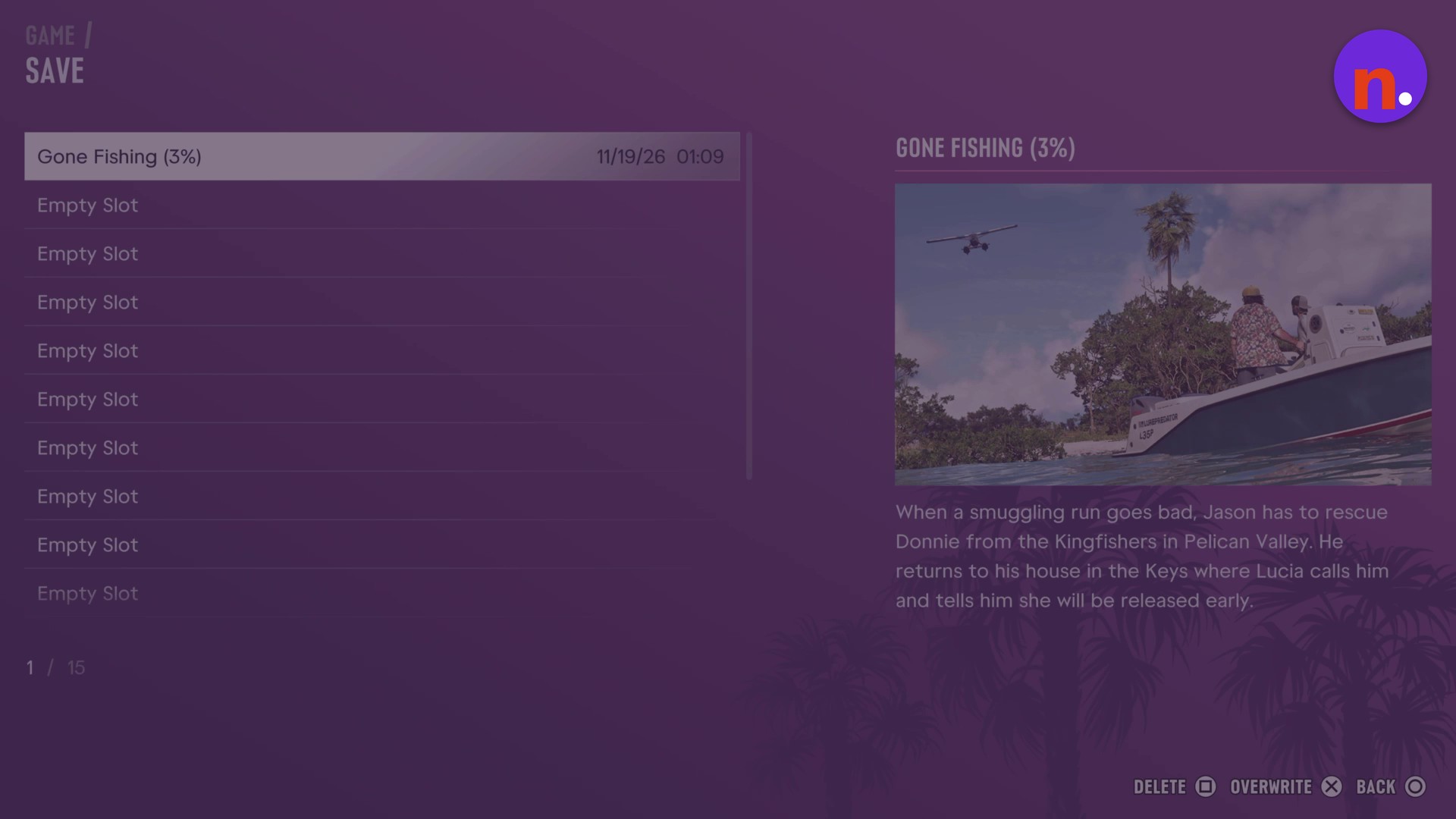
Your current progress is stored in the slot you selected.
Related Grand Theft Auto VI guides




Leave a Reply