

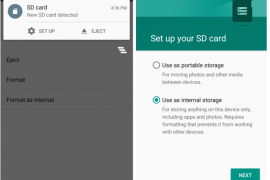
One of the most beautiful feature on Android 6.0 Marshmallow is that you can use the external SD card as internal storage on your device. Meaning the system will secure and adopt the SD card as its own and hence lift all restrictions as to access from apps, and most importantly, it’ll completely shift the app storage burden on internal storage to the SD card.
This also makes your SD card secure and ties it to your device only. Once you format your external SD card as internal storage on Marshmallow, it can only be used on the same device then. To use it on other devices, a format will be required, which ensures the safety of your data on the SD card.
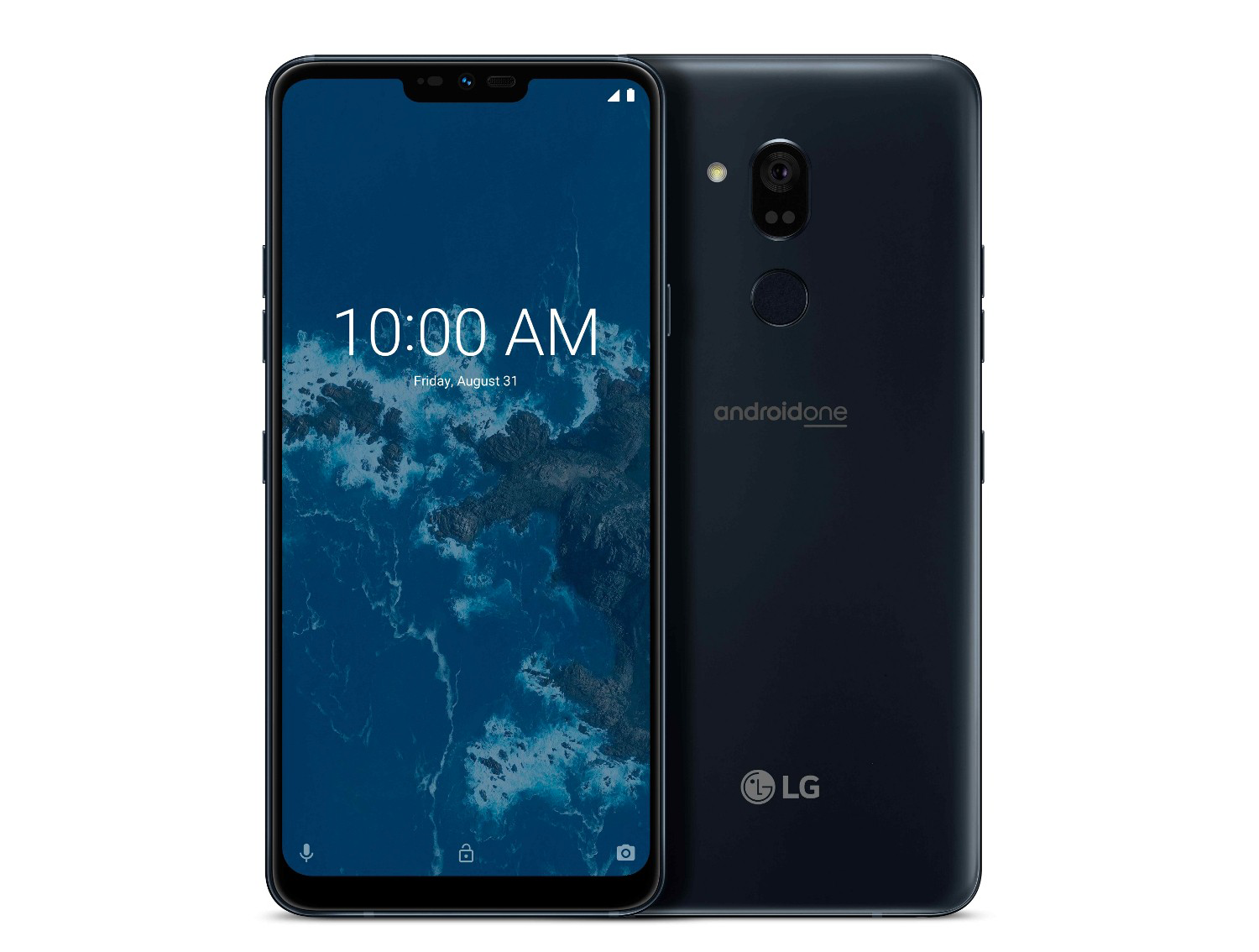
And for super budget devices like Android One phones, which come with internal storage as low as 4GB, it solves the low storage issue as it allows the system to install apps on SD card directly (once adopted as internal) with complete data and obb files.
Of course, this feature has no use for devices with no SD card support (like Nexuses, Galaxy S6, Note 5, Moto X, etc.), but Android One and many other devices with SD card support will find this very useful to secure their SD card data and extend internal storage capacity.
How to turn external SD card into internal storage on Marshmallow
- Go to device “Settings” > select “Storage”.
- Select your SD Card > tap the three-dot menu on top-right corner > and select “Settings” from there.
- Select “Format as internal” > and then “Erase & Format” on the next screen.
- Your SD Card will now be formatted as internal storage.
- Reboot phone.
└ This is very important, otherwise you may end up frustrated with issues like MTP not showing SD card, some apps not working properly, etc.
That’s all. Enjoy your extended internal storage and freedom from low storage space issue.
Happy Androiding!


247 responses to “How to Use SD Card as Internal Storage on Marshmallow”
I’ve tried this process in my lenovo k4 note and process is stuck at 20% and shows memory card as corrupt
Same here …cud u old help
I’ve tried this process in my lenovo k4 note and process is stuck at 20% and shows memory card as corrupt
Same here …cud u old help
Hello.. i have a qustion …can i use my samsung galaxy j5 2015 model’s extra card as a internal storage.. coz my phone is now in marshmallow but i don’t find the option yet..
i have got the same problem bro.. please do help us..
Hello.. i have a qustion …can i use my samsung galaxy j5 2015 model’s extra card as a internal storage.. coz my phone is now in marshmallow but i don’t find the option yet..
i have got the same problem bro.. please do help us..
Hello.. i have a qustion …can i use my samsung galaxy j5 2015 model’s extra card as a internal storage.. coz my phone is now in marshmallow but i don’t find the option yet..
Hello.. i have a qustion …can i use my samsung galaxy j5 2015 model’s extra card as a internal storage.. coz my phone is now in marshmallow but i don’t find the option yet..
Iam not able to move pics and videos to internal storage in moto g3. What is the procedure….
Iam not able to move pics and videos to internal storage in moto g3. What is the procedure….
Iam not able to move pics and videos to internal storage in moto g3. What is the procedure….
Iam not able to move pics and videos to internal storage in moto g3. What is the procedure….
I have Samsung Galaxy J5. I have recd an update for Marshmallow. But i have not yet taken as i don’t know the will it work properly or not and etc. I have 16gb sandisk memory card. In earlier comments i have read that you have to make the memory card as internal memory, is it compulsory & if done will it work properly with the mobile. If i try to connect the mobile to a P.C. will it show the same.Please help for the same.
I have Samsung Galaxy J5. I have recd an update for Marshmallow. But i have not yet taken as i don’t know the will it work properly or not and etc. I have 16gb sandisk memory card. In earlier comments i have read that you have to make the memory card as internal memory, is it compulsory & if done will it work properly with the mobile. If i try to connect the mobile to a P.C. will it show the same.Please help for the same.
I have Samsung Galaxy J5. I have recd an update for Marshmallow. But i have not yet taken as i don’t know the will it work properly or not and etc. I have 16gb sandisk memory card. In earlier comments i have read that you have to make the memory card as internal memory, is it compulsory & if done will it work properly with the mobile. If i try to connect the mobile to a P.C. will it show the same.Please help for the same.
I have Samsung Galaxy J5. I have recd an update for Marshmallow. But i have not yet taken as i don’t know the will it work properly or not and etc. I have 16gb sandisk memory card. In earlier comments i have read that you have to make the memory card as internal memory, is it compulsory & if done will it work properly with the mobile. If i try to connect the mobile to a P.C. will it show the same.Please help for the same.
Hi, on my phone the option to ‘Format as internal’ doesn’t show up. Only Format and when I choose that it says portable. It may be a bug on the firmware perhaps.
Hi, on my phone the option to ‘Format as internal’ doesn’t show up. Only Format and when I choose that it says portable. It may be a bug on the firmware perhaps.
Hi, on my phone the option to ‘Format as internal’ doesn’t show up. Only Format and when I choose that it says portable. It may be a bug on the firmware perhaps.
Hi, on my phone the option to ‘Format as internal’ doesn’t show up. Only Format and when I choose that it says portable. It may be a bug on the firmware perhaps.
hello, my phone is asus zenfone selfie, and after recently updating my mobile, I wanted to format my sd card as internal storage, but there is no option coming as format to internal, can you pls help
hello, my phone is asus zenfone selfie, and after recently updating my mobile, I wanted to format my sd card as internal storage, but there is no option coming as format to internal, can you pls help
hello, my phone is asus zenfone selfie, and after recently updating my mobile, I wanted to format my sd card as internal storage, but there is no option coming as format to internal, can you pls help
hello, my phone is asus zenfone selfie, and after recently updating my mobile, I wanted to format my sd card as internal storage, but there is no option coming as format to internal, can you pls help
My phone is Asus Zenfone selfie and I don’t have the option “format as internal” what to do?
My phone is Asus Zenfone selfie and I don’t have the option “format as internal” what to do?
My phone is Asus Zenfone selfie and I don’t have the option “format as internal” what to do?
My phone is Asus Zenfone selfie and I don’t have the option “format as internal” what to do?
Hii i cant select sd card for default i m using marshmallow ..it always save downloaded alapps in internal ..wt i shoul do
Hii i cant select sd card for default i m using marshmallow ..it always save downloaded alapps in internal ..wt i shoul do
Hii i cant select sd card for default i m using marshmallow ..it always save downloaded alapps in internal ..wt i shoul do
Hii i cant select sd card for default i m using marshmallow ..it always save downloaded alapps in internal ..wt i shoul do
Using my Galaxy S5, I formatted my SD card for the internal use. Only to find out that there is no option to make the SD card as an internal storage device. Is this option limited to certain phones? Is there a way to do it without rooting my phone? Any help would suffice.
Using my Galaxy S5, I formatted my SD card for the internal use. Only to find out that there is no option to make the SD card as an internal storage device. Is this option limited to certain phones? Is there a way to do it without rooting my phone? Any help would suffice.
Using my Galaxy S5, I formatted my SD card for the internal use. Only to find out that there is no option to make the SD card as an internal storage device. Is this option limited to certain phones? Is there a way to do it without rooting my phone? Any help would suffice.
Using my Galaxy S5, I formatted my SD card for the internal use. Only to find out that there is no option to make the SD card as an internal storage device. Is this option limited to certain phones? Is there a way to do it without rooting my phone? Any help would suffice.
This is a bad idea. I chose to do this when I first got my phone 6 months ago. Recently the SD wasn’t being recognized and half my apps wouldn’t work. Tried rebooting and reseating card, but still no luck. I was then told to do a factory reset and restore backed up files. My SD card is now recognized, but unsupported and requires formatting. On top of that, half my apps and settings aren’t restored correctly if at all. Horribly flawed process.
This is a bad idea. I chose to do this when I first got my phone 6 months ago. Recently the SD wasn’t being recognized and half my apps wouldn’t work. Tried rebooting and reseating card, but still no luck. I was then told to do a factory reset and restore backed up files. My SD card is now recognized, but unsupported and requires formatting. On top of that, half my apps and settings aren’t restored correctly if at all. Horribly flawed process.
This is a bad idea. I chose to do this when I first got my phone 6 months ago. Recently the SD wasn’t being recognized and half my apps wouldn’t work. Tried rebooting and reseating card, but still no luck. I was then told to do a factory reset and restore backed up files. My SD card is now recognized, but unsupported and requires formatting. On top of that, half my apps and settings aren’t restored correctly if at all. Horribly flawed process.
This is a bad idea. I chose to do this when I first got my phone 6 months ago. Recently the SD wasn’t being recognized and half my apps wouldn’t work. Tried rebooting and reseating card, but still no luck. I was then told to do a factory reset and restore backed up files. My SD card is now recognized, but unsupported and requires formatting. On top of that, half my apps and settings aren’t restored correctly if at all. Horribly flawed process.
Samsung company such a piece of shit – of course not working on my galaxy j5, though i got android 6.0.1…. unfortunately I don’t have any option to set my sd card as internal storage. FUCK YOU SAMSUNG
Samsung company such a piece of shit – of course not working on my galaxy j5, though i got android 6.0.1…. unfortunately I don’t have any option to set my sd card as internal storage. FUCK YOU SAMSUNG
Samsung company such a piece of shit – of course not working on my galaxy j5, though i got android 6.0.1…. unfortunately I don’t have any option to set my sd card as internal storage. FUCK YOU SAMSUNG
Samsung company such a piece of shit – of course not working on my galaxy j5, though i got android 6.0.1…. unfortunately I don’t have any option to set my sd card as internal storage. FUCK YOU SAMSUNG
Hi, i was wondering why are only some of my downloaded apps appearing in my newly internalized sd card? I just thought now that maybe i need to redownload the apps so they can be placed in my interalized sd card…My phone keeps saying im out of space and is lagging but i have about 13 GB in the sd card. I have a Moto G3 w.. Marshmellow
Thanks!
Hi, i was wondering why are only some of my downloaded apps appearing in my newly internalized sd card? I just thought now that maybe i need to redownload the apps so they can be placed in my interalized sd card…My phone keeps saying im out of space and is lagging but i have about 13 GB in the sd card. I have a Moto G3 w.. Marshmellow
Thanks!
Hi, i was wondering why are only some of my downloaded apps appearing in my newly internalized sd card? I just thought now that maybe i need to redownload the apps so they can be placed in my interalized sd card…My phone keeps saying im out of space and is lagging but i have about 13 GB in the sd card. I have a Moto G3 w.. Marshmellow
Thanks!
Hi, i was wondering why are only some of my downloaded apps appearing in my newly internalized sd card? I just thought now that maybe i need to redownload the apps so they can be placed in my interalized sd card…My phone keeps saying im out of space and is lagging but i have about 13 GB in the sd card. I have a Moto G3 w.. Marshmellow
Thanks!
Hi there I can’t get the option to use as internal storage I did once previously a while ago but I clicked use as media storage and NOT format and use as internal storage now I can’t get that back please help I’ve tried everything and a friend recommended you am using scan disk laser 3 class 10 32gb Samsung galaxy j5
Hi there I can’t get the option to use as internal storage I did once previously a while ago but I clicked use as media storage and NOT format and use as internal storage now I can’t get that back please help I’ve tried everything and a friend recommended you am using scan disk laser 3 class 10 32gb Samsung galaxy j5
Hi there I can’t get the option to use as internal storage I did once previously a while ago but I clicked use as media storage and NOT format and use as internal storage now I can’t get that back please help I’ve tried everything and a friend recommended you am using scan disk laser 3 class 10 32gb Samsung galaxy j5
Hi there I can’t get the option to use as internal storage I did once previously a while ago but I clicked use as media storage and NOT format and use as internal storage now I can’t get that back please help I’ve tried everything and a friend recommended you am using scan disk laser 3 class 10 32gb Samsung galaxy j5