

- The short version
- MacBook Pro lineup and U.S. starting prices
- What the 14-inch MacBook Pro with M6 gives you
- Liquid Retina XDR MacBook Pro with M5 Pro or M5 Max
- PROLED XDR MacBook Pro with Touch
- PROLED XDR vs Liquid Retina XDR display features
- Touch and Dynamic Island on PROLED XDR
- CPU, GPU, memory and storage choices
- Ports and external displays for your desk
- Camera, audio and wireless differences
- Which MacBook Pro should you buy?
- MacBook Pro M6 and PROLED XDR release date
- FAQs
The short version
- The 14-inch MacBook Pro with M6 starts at $1,999 in the U.S., or $1,899 with education savings.
- The 14-inch PROLED XDR MacBook Pro with M5 Pro starts at $2,899, or $2,749 with education savings.
- Both display families offer M5 Pro and M5 Max configurations; M6 comes with Liquid Retina XDR.
- PROLED XDR adds a tandem OLED Touch display, Adobe RGB support and a thinner, lighter chassis.
MacBook Pro lineup and U.S. starting prices
Apple sells the 14-inch MacBook Pro with M6, Liquid Retina XDR models with M5 Pro or M5 Max, and PROLED XDR models in 14-inch and 16-inch sizes.
Starting retail and education prices
| MacBook Pro model | US starting price | US education starting price |
|---|---|---|
| 14-inch Liquid Retina XDR, M6 | $1,999 | $1,899 |
| 14-inch Liquid Retina XDR, M5 Pro | — | — |
| 14-inch Liquid Retina XDR, M5 Max | — | — |
| 16-inch Liquid Retina XDR, M5 Pro | — | — |
| 16-inch Liquid Retina XDR, M5 Max | — | — |
| 14-inch PROLED XDR, M5 Pro | $2,899 | $2,749 |
| 14-inch PROLED XDR, M5 Max | $4,499 | $4,199 |
| 16-inch PROLED XDR, M5 Pro | $3,399 | $3,199 |
| 16-inch PROLED XDR, M5 Max | $4,799 | $4,499 |
All prices are U.S. starting prices for the base configuration of each model.
Compare two MacBook Pro models
Pick any two current MacBook Pro models, the 14-inch with M6, the Liquid Retina XDR models with M5 Pro or M5 Max, and the 14-inch and 16-inch PROLED XDR models, to see Apple’s listed display, chip, size, weight, battery, charging, port and price specs side by side, with the specs that differ marked.
Every model in both display families comes in Space Black or Silver.
What the 14-inch MacBook Pro with M6 gives you
The M6 model starts $900 lower at retail than the 14-inch PROLED XDR model with M5 Pro, and $850 lower with education savings.
M6 tops out at 32GB of memory and two external displays over Thunderbolt 4; see the configuration table and the display support table for the Pro and Max limits. It ships with a 70W USB-C Power Adapter, and fast charging needs a 96W or higher USB PD power source.
Liquid Retina XDR MacBook Pro with M5 Pro or M5 Max
The Liquid Retina XDR models pair the mini-LED display with M5 Pro or M5 Max in both sizes. Every one has Thunderbolt 5 and drives three external displays with M5 Pro or four with M5 Max.
It suits buyers who need Pro or Max chips and ports but not Touch or Adobe RGB. Each size is thicker and heavier than the matching PROLED XDR model.
PROLED XDR MacBook Pro with Touch
PROLED XDR MacBook Pro comes in 14-inch and 16-inch sizes, each with M5 Pro or M5 Max. Both sizes add Touch, the Dynamic Island, the tandem OLED panel with P3 and Adobe RGB, and a thinner, lighter body.
It suits buyers who want Touch, work in Adobe RGB, or need more storage: M5 Max on PROLED XDR goes up to 16TB of SSD, against 8TB on Liquid Retina XDR.
PROLED XDR vs Liquid Retina XDR display features
The display choice comes down to panel type, color gamut and brightness.
Panel, color and brightness specifications
| Display specification | Liquid Retina XDR | PROLED XDR |
|---|---|---|
| Panel technology | Mini-LED | Tandem OLED |
| 14-inch model diagonal | 14.2 inches | 14.2 inches |
| 16-inch model diagonal | 16.2 inches | 16.3 inches |
| 14-inch model native resolution | 3024-by-1964 | 3024-by-1986 |
| 16-inch model native resolution | 3456-by-2234 | 3472-by-2266 |
| Pixel density | 254 pixels per inch | 254 pixels per inch |
| HDR sustained full-screen brightness | Up to 1000 nits in temperatures less than 25° C | Up to 1000 nits in temperatures less than 25° C |
| HDR peak brightness | 1600 nits, HDR content only | 2000 nits, HDR content only |
| SDR brightness | Up to 1000 nits outdoors | Up to 1000 nits sustained full-screen in temperatures less than 25° C; 2000 nits peak outdoors |
| Contrast ratio | 1,000,000:1 | 10,000,000:1 |
| Minimum brightness | 1 nit | 1 nit |
| Colors | 1 billion | 1 billion |
| Wide color gamut | P3 | P3 + Adobe RGB |
| True Tone | Yes | Yes |
| Adaptive refresh rate | Up to 120Hz | 10Hz to 120Hz |
| Fixed refresh rates | 47.95Hz, 48.00Hz, 50.00Hz, 59.94Hz, 60.00Hz | 47.95Hz, 48.00Hz, 50.00Hz, 59.94Hz, 60.00Hz |
| Nano-texture option | Available | Available |
| Antireflective coating | — | Yes |
| Fingerprint-resistant oleophobic coating | — | Yes |
Screen sizes are measured as a rectangle, so actual viewable area is smaller because of the rounded corners.
Apple says PROLED XDR uses two self-illuminating pixel layers and lists more than 80 percent Rec. 2020 coverage, and both P3 and Adobe RGB sit in a single default preset.
Touch and Dynamic Island on PROLED XDR
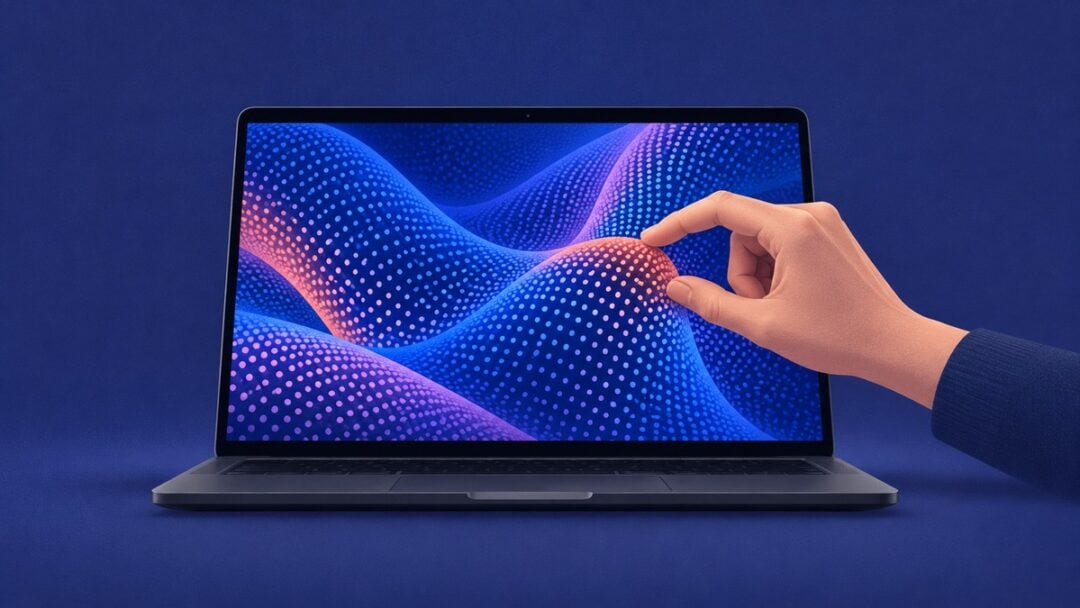
Touch and the Dynamic Island come only on the PROLED XDR models. The touch sensor is built into the display panel, and a newly designed hinge gives the screen more stability during Touch use.
- Swipe to scroll a webpage.
- Pinch to zoom in on a photo.
- Drag and drop slides between presentations.
- Double-tap a window to fill the screen, or flick it to tile it.
Many existing apps work with Touch right away, because macOS translates touches into clicks. The Dynamic Island holds Spotlight, Live Activities and Siri AI, and you can accept an AirDrop request or pause a song from it.
CPU, GPU, memory and storage choices
Memory and storage options follow the exact chip variant, not just the chip name.
Chip variants and configuration dependencies
| Chip configuration | Available sizes | Memory bandwidth | Unified memory options | Liquid Retina XDR SSD options | PROLED XDR SSD options |
|---|---|---|---|---|---|
| M6: 12-core CPU, 12-core GPU | 14-inch Liquid Retina XDR | 153GB/s with 16GB; 170GB/s with 24GB or 32GB | 16GB, 24GB, 32GB | 1TB, 2TB, 4TB | — |
| M5 Pro: 15-core CPU, 16-core GPU | 14-inch, both display families | 307GB/s | 24GB, 48GB | 1TB, 2TB, 4TB | 1TB, 2TB, 4TB |
| M5 Pro: 18-core CPU, 20-core GPU | 14-inch and 16-inch, both display families | 307GB/s | 24GB, 48GB, 64GB | 1TB, 2TB, 4TB | 1TB, 2TB, 4TB |
| M5 Max: 18-core CPU, 32-core GPU | 14-inch and 16-inch, both display families | 460GB/s | 36GB | 2TB, 4TB, 8TB | 2TB, 4TB, 8TB, 16TB |
| M5 Max: 18-core CPU, 40-core GPU | 14-inch and 16-inch, both display families | 614GB/s | 48GB, 64GB, 128GB | 2TB, 4TB, 8TB | 2TB, 4TB, 8TB, 16TB |
M5 Max has two video encode engines and two ProRes encode and decode engines; M6 and M5 Pro have one of each. Actual formatted SSD capacity is less than the listed size.
Ports and external displays for your desk
External display support changes with the chip, and the 4K refresh rate also changes with the display family.
Connections and simultaneous monitor support
| Model and chip | Thunderbolt and DisplayPort | External display combinations |
|---|---|---|
| Liquid Retina XDR, M6 | Three Thunderbolt 4 ports; Thunderbolt 4 and USB 4 up to 40Gb/s; native DisplayPort 1.4 | Up to two displays: two at up to 6K at 60Hz or 4K at 165Hz. Alternatively, one at up to 8K at 60Hz, 5K at 120Hz or 4K at 240Hz. |
| Liquid Retina XDR, M5 Pro, either size | Three Thunderbolt 5 ports; Thunderbolt 5 and USB 4 up to 120Gb/s; native DisplayPort 2.1 | Up to three displays: three at up to 6K at 60Hz or 4K at 144Hz. Alternatively, one at up to 8K at 60Hz, 5K at 120Hz or 4K at 240Hz, plus a second at up to 5K at 120Hz or 4K at 200Hz. |
| PROLED XDR, M5 Pro, either size | Three Thunderbolt 5 ports; Thunderbolt 5 and USB 4 up to 120Gb/s; native DisplayPort 2.1 | Up to three displays: three at up to 6K at 60Hz or 4K at 165Hz. Alternatively, one at up to 8K at 60Hz, 5K at 120Hz or 4K at 240Hz, plus a second at up to 5K at 120Hz or 4K at 200Hz. |
| Liquid Retina XDR, M5 Max, either size | Three Thunderbolt 5 ports; Thunderbolt 5 and USB 4 up to 120Gb/s; native DisplayPort 2.1 | Up to four displays: four at up to 6K at 60Hz or 4K at 144Hz. Alternatively, two at up to 8K at 60Hz, 5K at 120Hz or 4K at 240Hz. |
| PROLED XDR, M5 Max, either size | Three Thunderbolt 5 ports; Thunderbolt 5 and USB 4 up to 120Gb/s; native DisplayPort 2.1 | Up to four displays: four at up to 6K at 60Hz or 4K at 165Hz. Alternatively, two at up to 8K at 60Hz, 5K at 120Hz or 4K at 240Hz. |
Every model also runs its built-in display at full native resolution alongside external screens. All models share the same other ports:
- HDMI port
- SDXC card slot
- MagSafe 3 port
- 3.5 mm headphone jack
Camera, audio and wireless differences
The camera, microphones and wireless chip are the same across these models.
Shared features and PROLED additions
| Feature | Liquid Retina XDR models | PROLED XDR models |
|---|---|---|
| Camera | 12MP Center Stage camera with Desk View; 1080p HD video recording; advanced image signal processor with computational video | 12MP Center Stage camera with Desk View; 1080p HD video recording; advanced image signal processor with computational video |
| Advanced video stabilization | — | Automatically smooths the camera feed during Touch use on a video call |
| Wireless | Apple N1; Wi-Fi 7 (802.11be); Bluetooth 6; Thread networking technology | Apple N1; Wi-Fi 7 (802.11be); Bluetooth 6; Thread networking technology |
| Speakers | High-fidelity six-speaker system with force-cancelling woofers; wide stereo sound | High-fidelity six-speaker system with force-cancelling woofers; wide stereo sound; redesigned woofers and tweeters |
| Spatial Audio | Dolby Atmos music and video on built-in speakers; dynamic head tracking with supported AirPods, AirPods Pro and AirPods Max | Dolby Atmos music and video on built-in speakers; dynamic head tracking with supported AirPods, AirPods Pro and AirPods Max |
| Microphones | Studio-quality three-mic array; high signal-to-noise ratio; directional beamforming; Voice Isolation and Wide Spectrum modes | Studio-quality three-mic array; high signal-to-noise ratio; directional beamforming; Voice Isolation and Wide Spectrum modes |
| Headphones and HDMI audio | Advanced support for high-impedance headphones; multichannel audio output over HDMI | Advanced support for high-impedance headphones; multichannel audio output over HDMI |
| Dedicated closed-lid audio tuning | — | Yes |
Apple claims 50 percent deeper bass from PROLED XDR’s all-new woofer design. Wi-Fi 7 availability varies by country.
Which MacBook Pro should you buy?
Students and office users: the M6 model. It starts at $1,999, or $1,899 with education savings, and covers up to 32GB of memory and two external displays.
Photo and video editors: M5 Max, which has two video encode engines and up to 128GB of memory with the 40-core GPU. Liquid Retina XDR covers this unless you also need Touch, Adobe RGB or more than 8TB of storage.
Color-critical and HDR work: PROLED XDR. It adds Adobe RGB reference modes for design, print and photography, 2000 nits peak HDR brightness and a 10,000,000:1 contrast ratio.
Touch: PROLED XDR is the only choice, with a 14.2-inch or 16.3-inch touch display.
Travel: the 14-inch PROLED XDR with M5 Pro weighs 3.0 pounds and lists up to 22 hours of video streaming. The 14-inch M6 model weighs 3.4 pounds, and lists up to 24 hours.
Find a model for your priorities
Answer three questions, your budget, whether you do Adobe RGB or HDR display work, and whether you want Touch, to see the MacBook Pro model whose Apple-listed specs match, with its U.S. starting price and the spec behind the result.
The box contents change with the chip. The 14-inch models with the 18-core M5 Pro or M5 Max include a 96W adapter, and the 16-inch models include a 140W USB-C Power Adapter.
MacBook Pro M6 and PROLED XDR release date
Apple announced MacBook Pro with M6 on October 27, 2026, and the PROLED XDR models on October 28. Pre-orders for both opened October 28, and both begin arriving to customers and in Apple Store locations on Friday, November 6.
FAQs
Who can get MacBook Pro education pricing?
Apple’s education savings are for current and newly accepted college students and educators. Checkout may ask you to verify eligibility with an active school email or other documentation, and verification varies by country.
What does PROLED XDR MacBook Pro genlock require?
Genlock needs compatible third-party hardware and software. It syncs the display’s refresh rate with a camera’s capture to minimize ghosting, tearing and other visual artifacts when filming.
Does a nano-texture MacBook Pro include a polishing cloth?
Yes. Both display families include a polishing cloth in the box when you choose the nano-texture option.
Related guides


Leave a Reply