
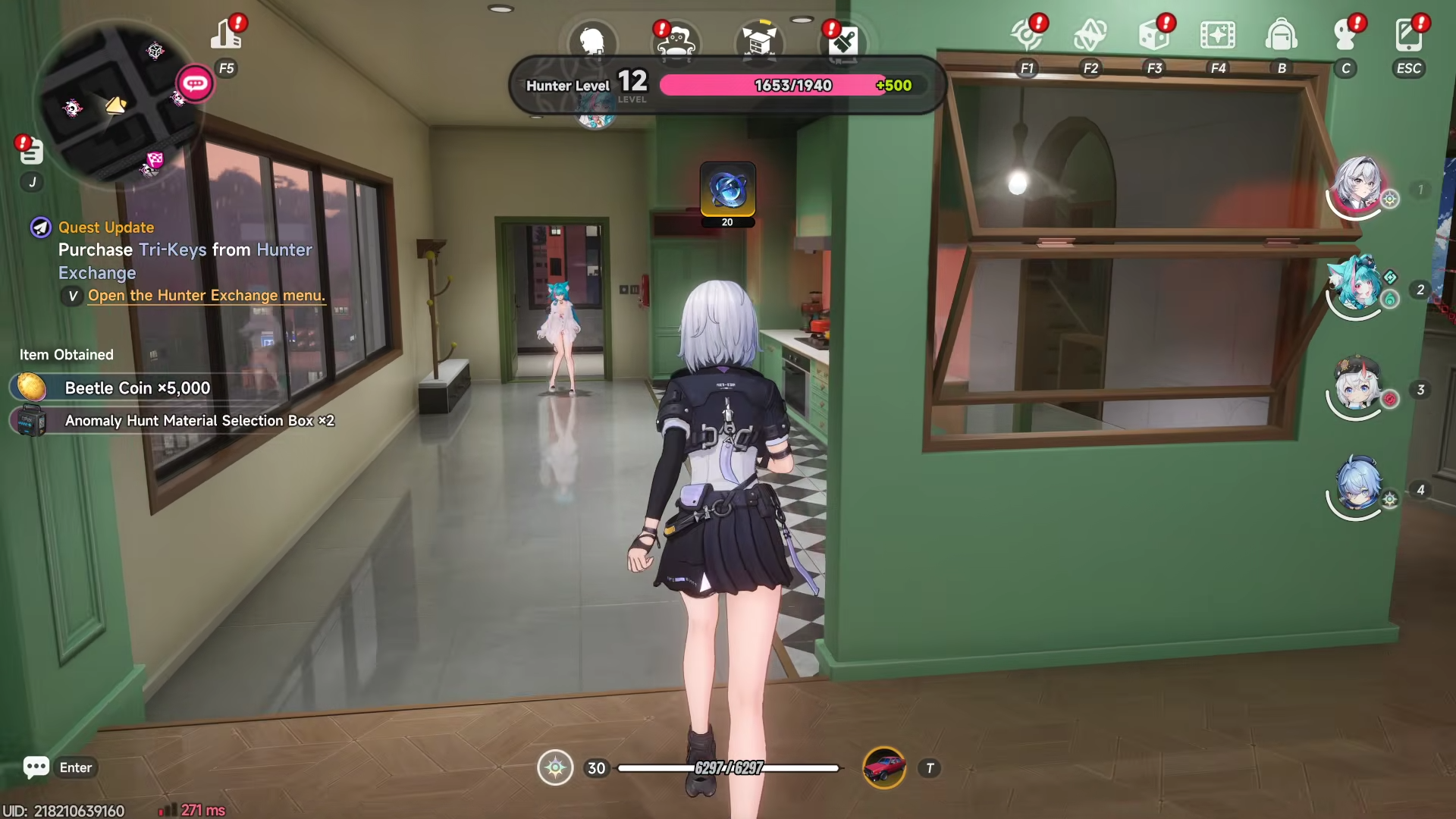
What to know
-
The “Invite any character once” quest is tied to the apartment/character‑invite system, not to combat or story missions.
-
You must own an apartment before you can see the invite‑related options on the HUD.
-
Inviting a character is a one‑time action per character; once you invite someone, that same character counts as “invited” for all future quests of this type.
-
The invite interface is accessed through the apartment menu, not from the world map, mailbox, or gacha tabs.
Invite any character once in Neverness to Everness (NTE) – a quest that nudges players toward the game’s social, apartment‑sharing layer. Below is a comprehensive breakdown of what this objective actually requires, how to trigger it, and exactly where and how to finish it in the current version of NTE.
‘Invite any character once’ objective details
The task “Invite any character once” asks you to bring one playable Esper into your own apartment as a roommate.
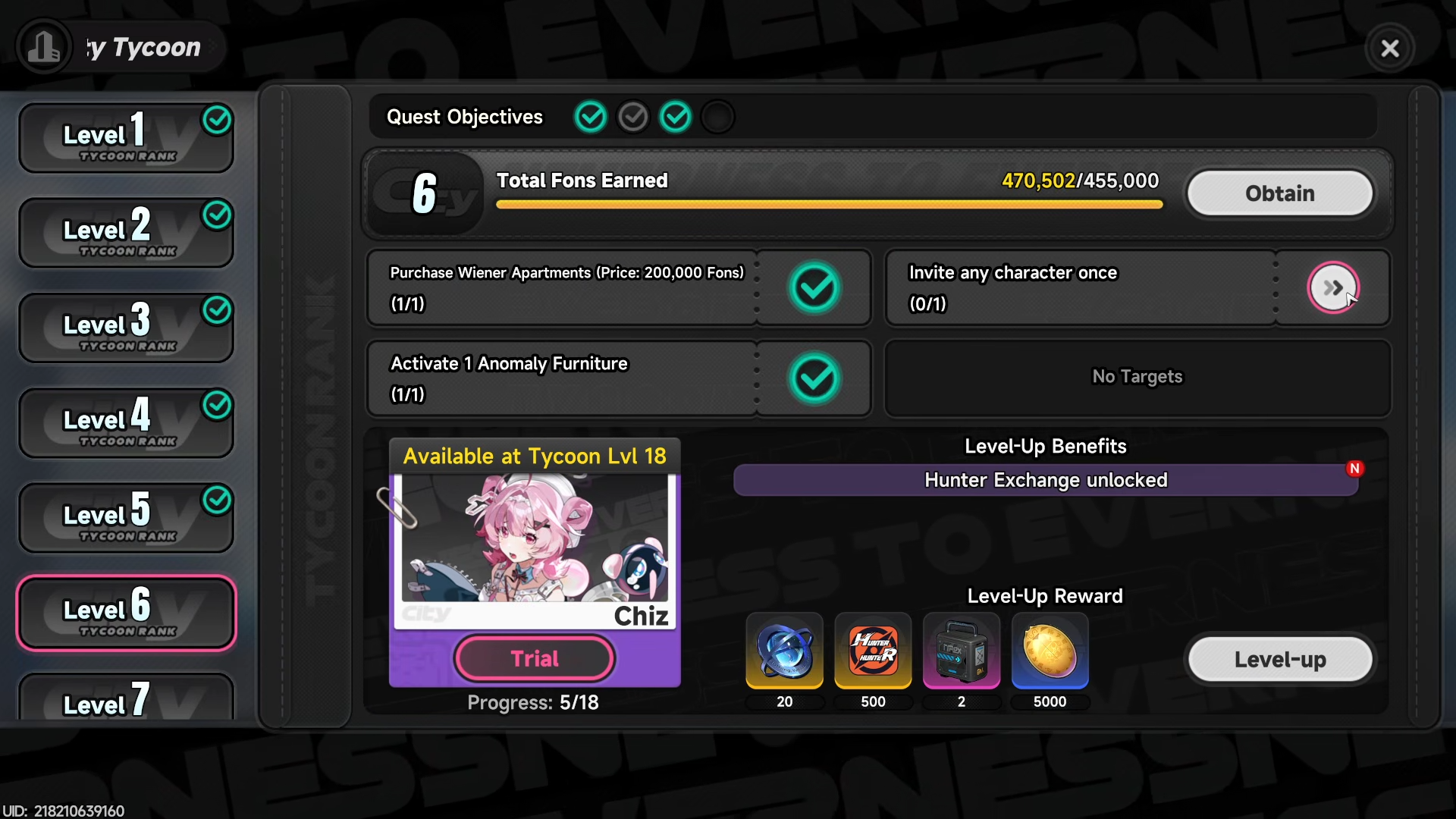
This is a gating step the game uses to unlock later apartment‑related features and some social bonuses, so it has to be completed early in the Tycoon / Hunter‑level progression loop.
This also leads you to progress to Tycoon Level 6.
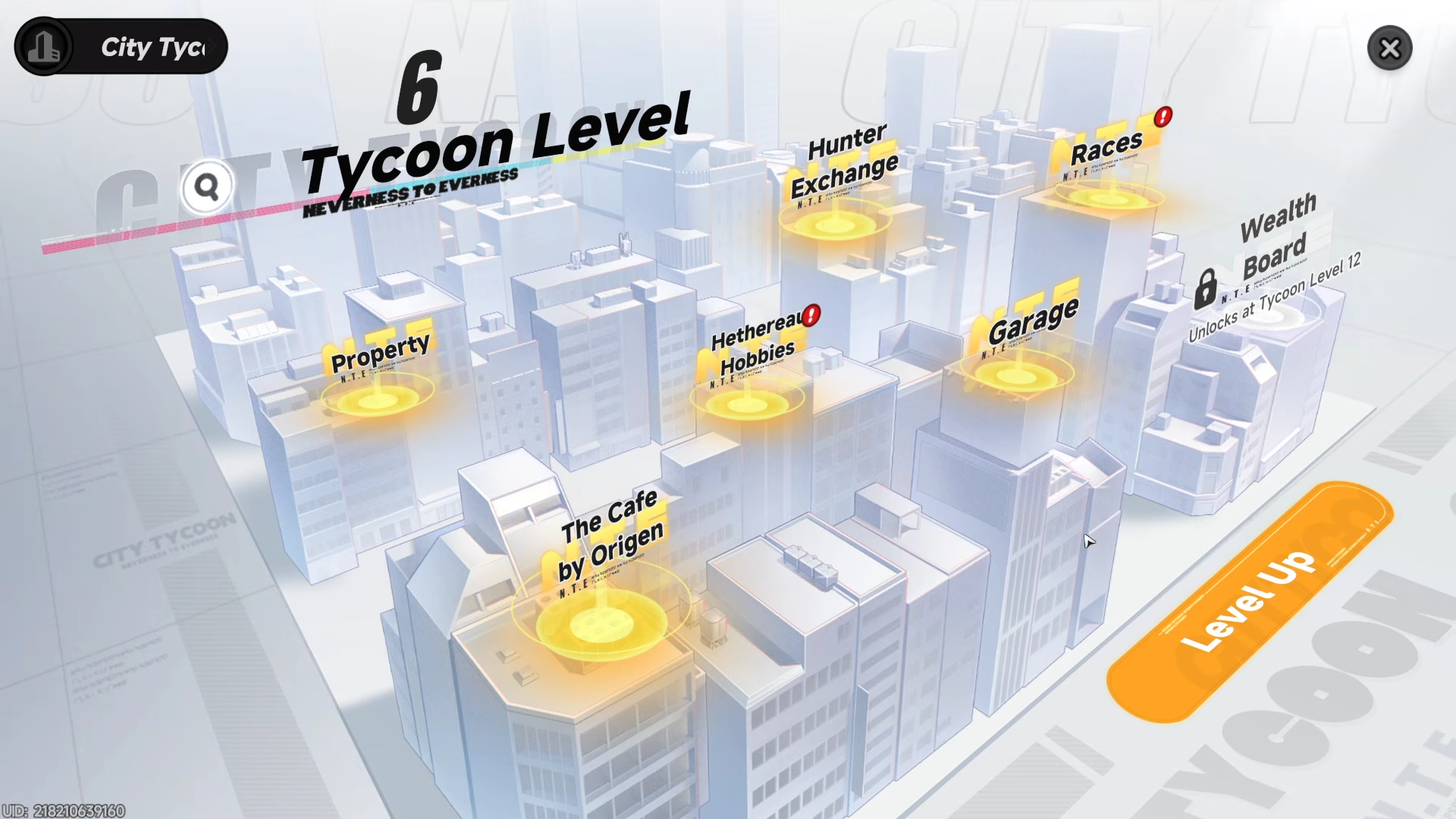
Location
The apartment system is centered in Hethereau’s residential districts, typically near the main Downtown or Avon‑adjacent areas where early‑game apartments are sold. Once you accept the Tycoon‑related questline that points you toward the property‑purchase kiosk, the “Invite any character once” task appears in the side‑quest log under the same category (Tycoon / Housing).
The relevant UI is accessed from the apartment menu tab, which shows:
-
Your owned apartments,
-
Roommate slots (initially just one or two),
-
A list of available characters who can be invited.
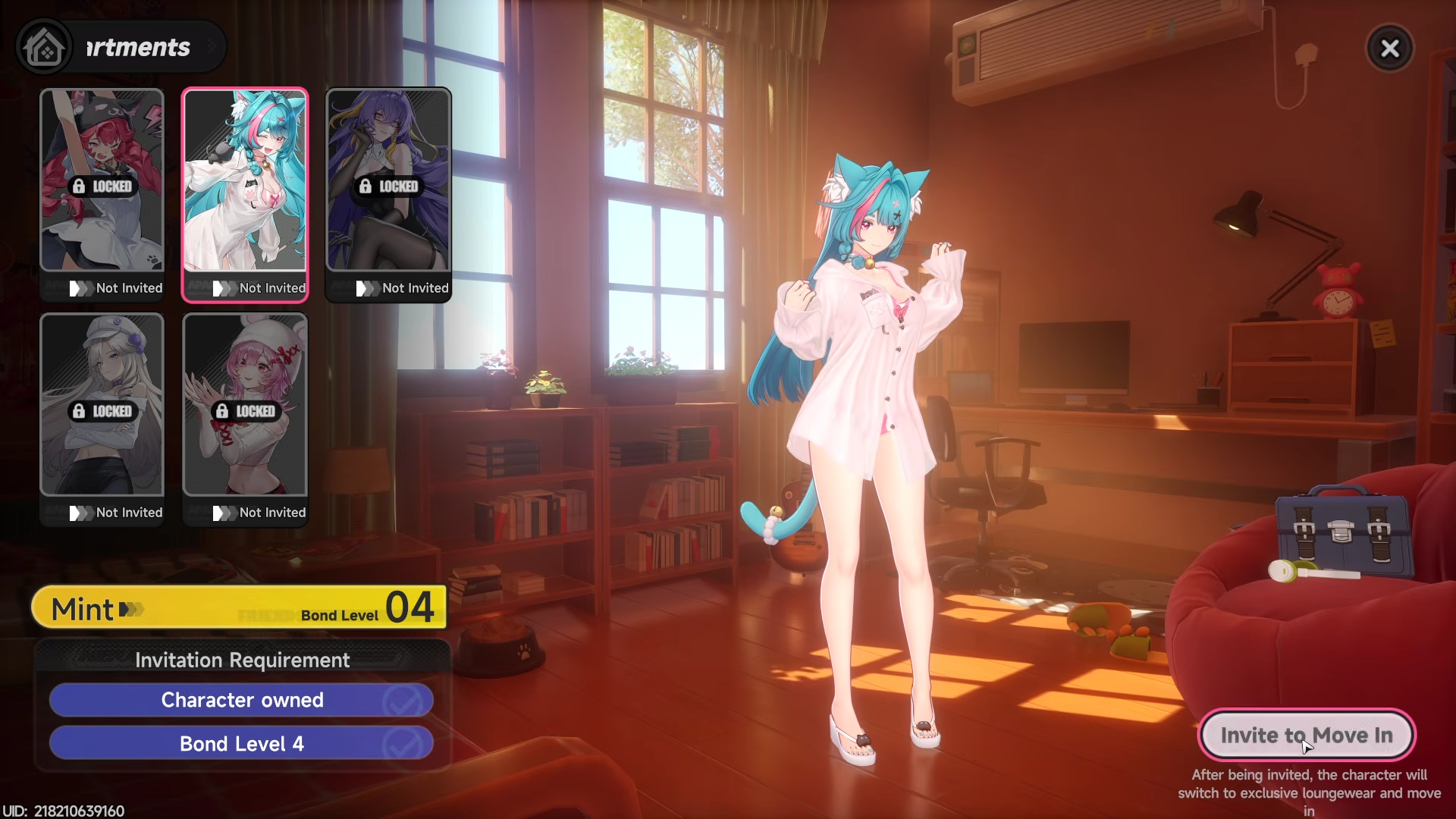
There is no separate map marker or waypoint for this; the quest text simply instructs you to “Invite any character” once you have unlocked housing.
How to unlock the invite option
Before you can invite anyone, you must:
-
Progress the main story and Tycoon page enough
-
Play through the early main quests until the Hunter‑level system and property‑related tutorials are unlocked.
-
The exact trigger is usually tied to reaching Hunter level 18–21 and unlocking the Tycoon panel, which lists apartment‑purchase and invite‑related tasks.
-
-
Buy or unlock your first apartment
-
Open the Tycoon / Housing panel and purchase the cheapest available apartment (often the starter dorm‑style room).
-
Confirm the purchase or complete the associated quest step that grants you the property.
-
Wait for the apartment to appear in the property menu; it will show available roommate slots.
-
-
Check your owned characters
-
Make sure you have at least one Esper besides Zero in your roster (for example, Mint or any other character obtained via story, login reward, or gacha).
-
If your roster is empty, complete a bit more story or roll the free starter pulls to get at least one extra character.
-
How to actually invite a character once
Once the apartment and the character list are available, follow these steps carefully:
Step 1: Open the apartment menu
-
From the main HUD, tap or open the Apartment / Housing tab (often labeled as “Room” or “My Apartment”).
-
Select the apartment you just purchased or unlocked.
-
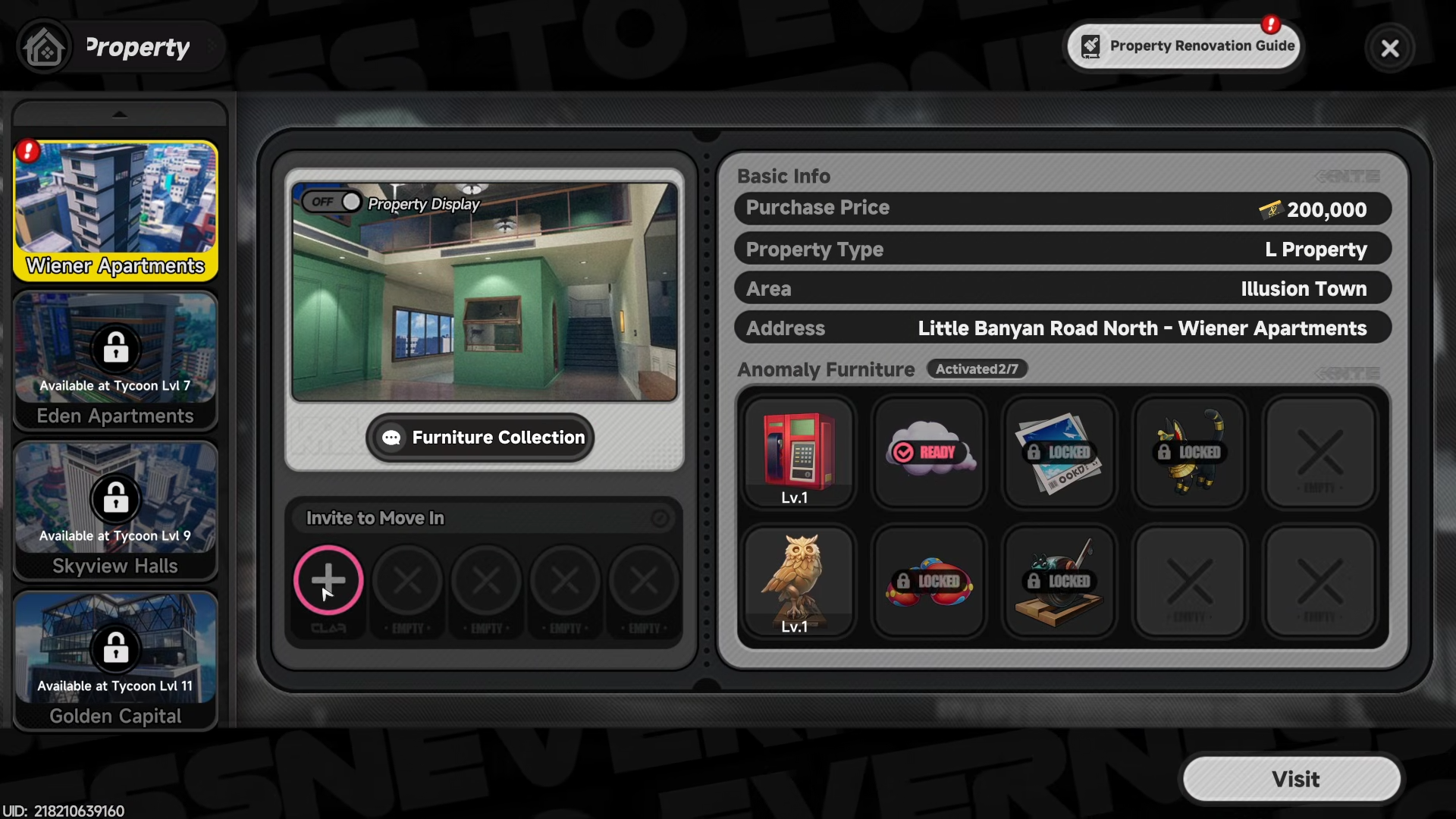
You should see a section for Roommates or Invite with a list of characters and a “+” button.
Step 2: Open the invite interface
-
Tap the Invite button or the Plus icon next to the roommate slot.
-
A list of characters will appear, usually sorted by how recently you unlocked them or by their role.
-
Characters who are not yet unlocked will be grayed out or hidden.
Step 3: Select any character
-
Tap the character you want to invite (any one that is not grayed out; gender, role, or friendship level does not matter for this task).
-
A confirmation popup will appear, asking if you want to invite them to live with you.
-
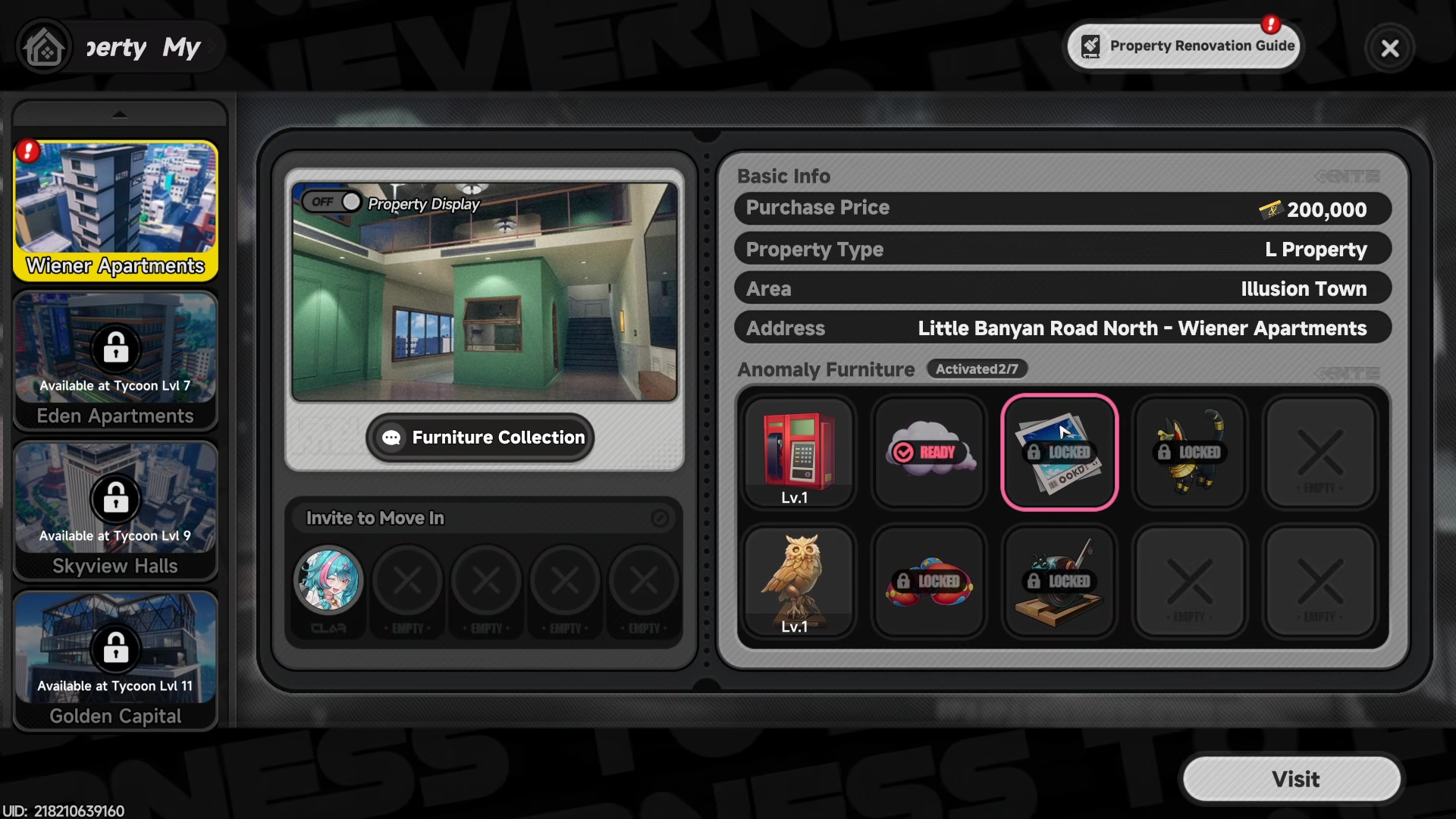
Confirm the invite. The interface will show a short animation or a text line such as “Invited to Room.”
Step 4: Verify the quest completion
-
Exit the apartment menu and open your quest log.
-
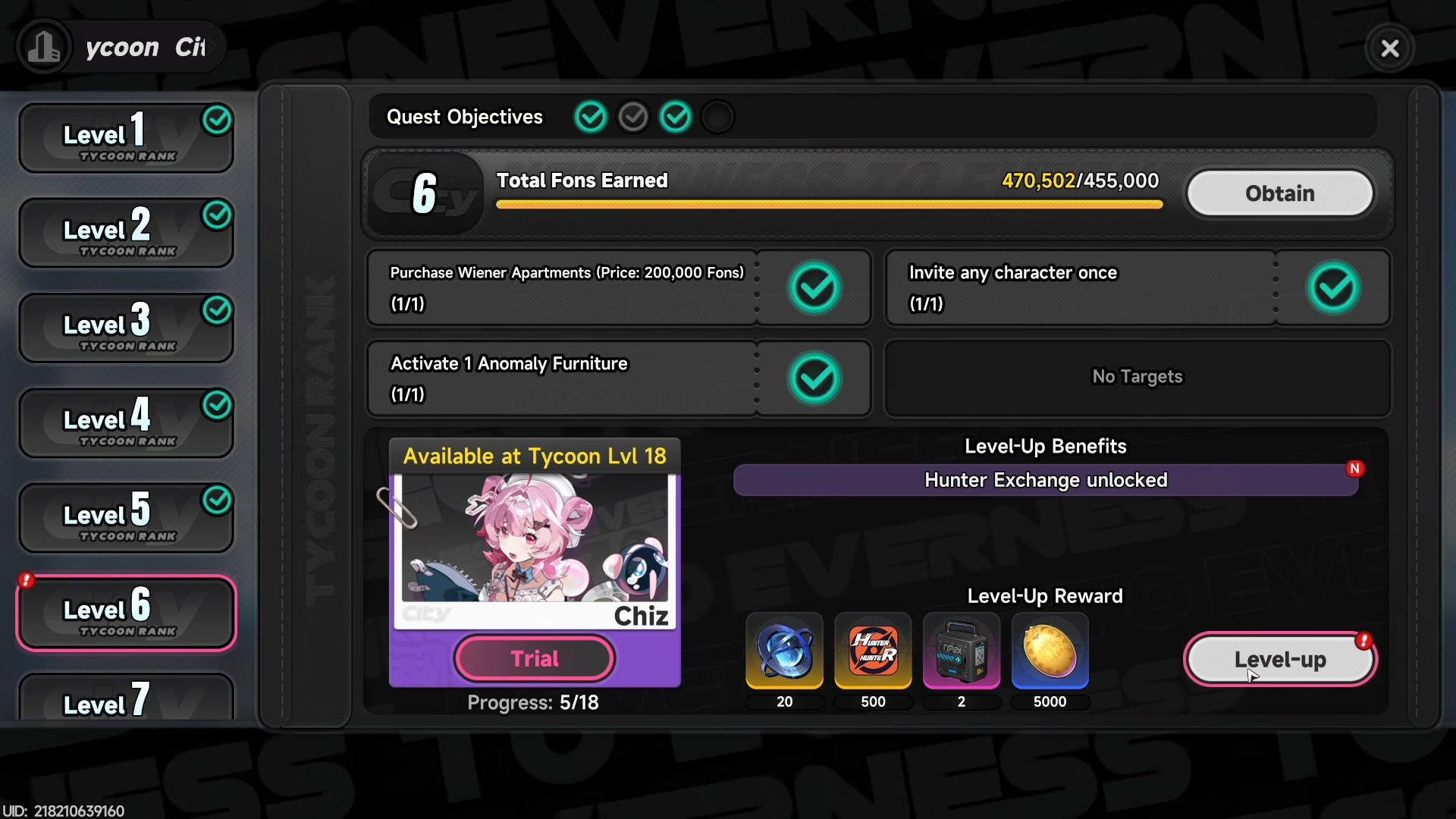
Look for the “Invite any character once” task; it should now show as completed (checkmark or progress‑bar filled).
-
If the quest is not marked done, reopen the apartment, confirm that the character still appears under “Roommates,” then log out and back in if needed.
Rewards
While the “Invite any character once” task is a simple gating step, it usually grants small but early‑game‑relevant rewards:
Exact amounts may vary slightly by platform or region, but the structure—currency, XP, and progression hint—remains consistent. This is also the final objective that you need to complete before reaching City Tycoon Level 6.
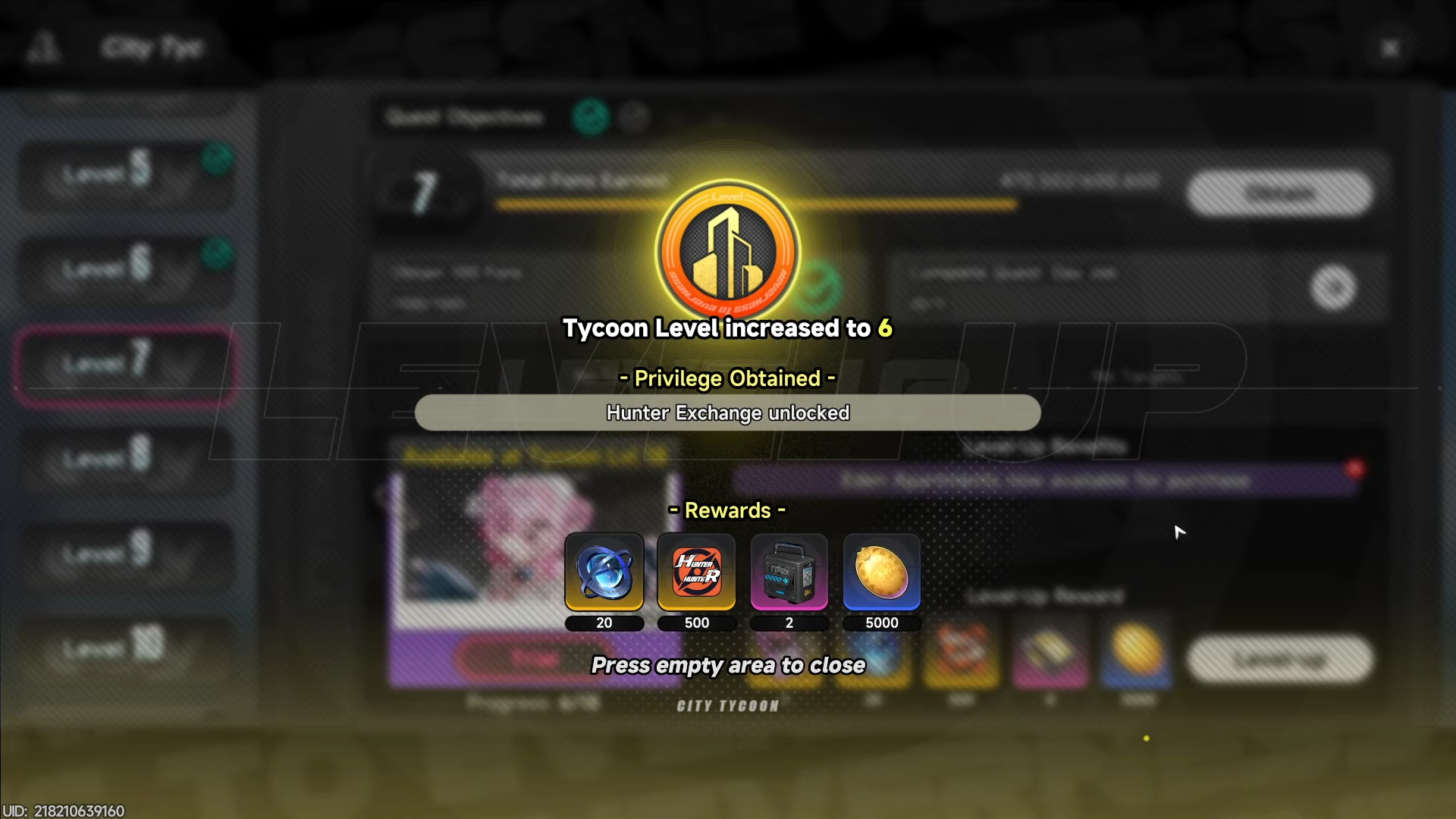
Getting the “Invite any character once” quest out of the way early ensures you can smoothly progress through the apartment‑based Tycoon quests and enjoy the character‑specific dialogue and skins that appear once they move into your space.



Leave a Reply