
In FC 27 Ultimate Team, open Club → Enter Club → Enter Squad, then switch from Squad to the Club player tab to see the players currently in your club.
Ultimate Team has a Club menu and a separate Club player tab inside Squad. When you enter Squad, you first see your current formation and starting lineup.
The player tab opens your full club collection beyond that lineup. This guide covers the controls that take you from the Ultimate Team menu to your player cards.
How to see your entire team in EA Sports FC 27 Ultimate Team
Go through the Club menu, then switch player views inside Squad.
STEP 1/5
20%
Open Ultimate Team
Open Ultimate Team in EA Sports FC 27 to reach its main menu.
STEP 2/5
40%
Go to the Club menu
Press L1 or R1 to move across the upper tabs until Club is selected.
STEP 3/5
60%
Enter Club
Press Cross (X) on the Enter Club prompt.
STEP 4/5
80%
Enter Squad
Highlight the Squad tile and press Cross (X) on Enter Squad.
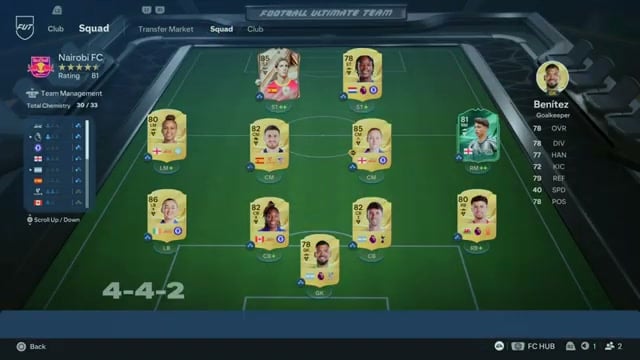
STEP 5/5
100%
Switch to the Club player tab
On the Squad screen, press L1 or R1 to move from Squad to Club. The upper player views include Transfer Market, Squad and Club; Club opens a paginated grid of player cards currently in your club, including high-rated and bronze cards.
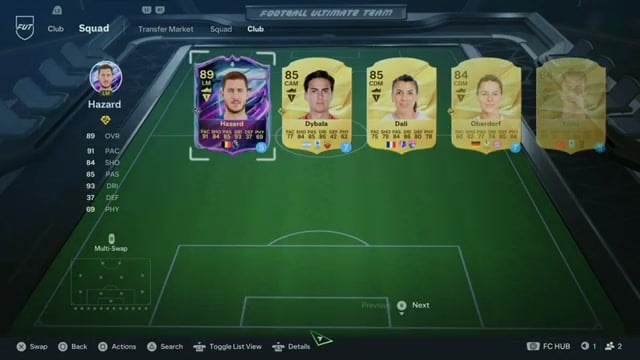
In the Club player view, you’ll see Filtering By Any and a Multi-Swap option. Page through the grid to browse players beyond your active starting lineup.
Related EA Sports FC 27 guides
Frequently Asked Questions
What does collecting Player Items in the FUT Gallery do?
Collecting Player Items in the FUT Gallery raises your Gallery Level. Building your Gallery also earns rewards.





Leave a Reply