

Open Settings > Game Settings > Visual > Overlays, set Scrolling Line Ups to On or Off, then leave settings to apply the change.
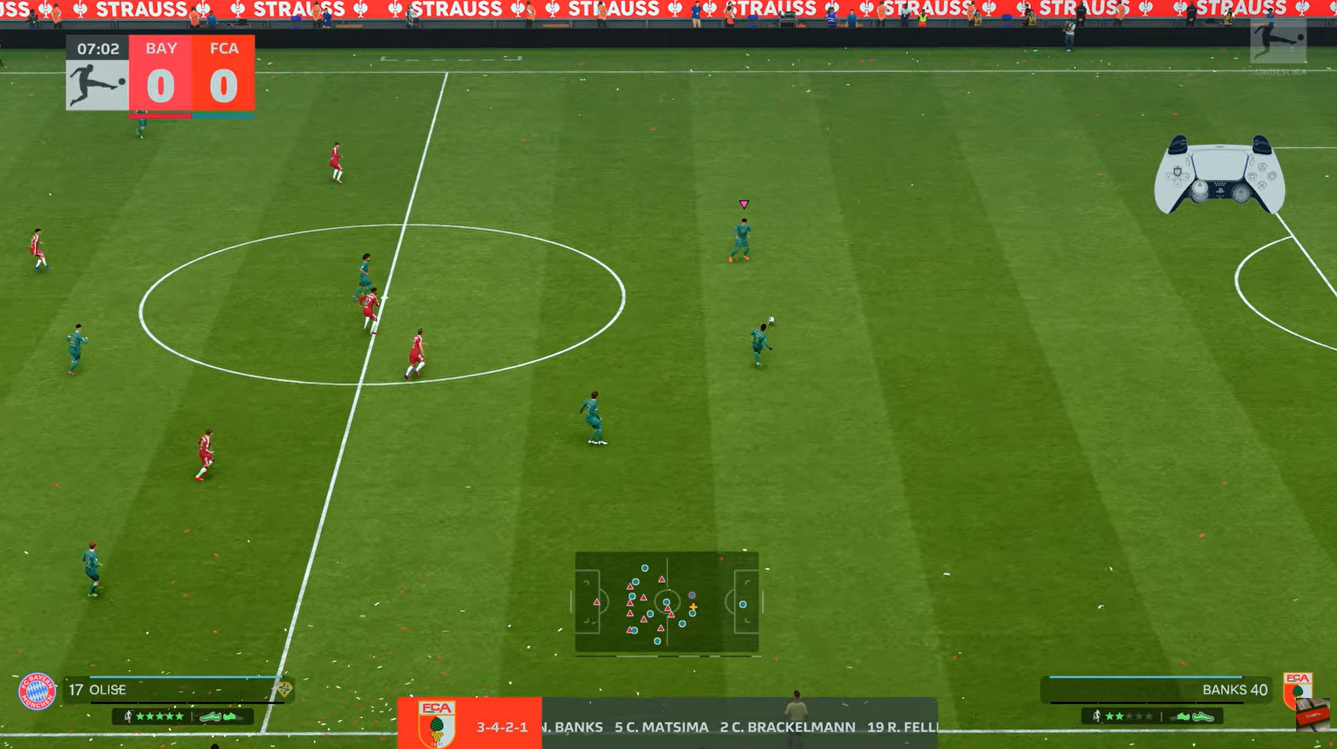
You can turn EA Sports FC 27’s scrolling lineup on or off while you’re in a match. It starts On. That’s the player lineup you see along the bottom of your screen.
How to change Scrolling Line Ups in EA Sports FC 27
Pause your match to reach the toggle, then return to play after choosing a setting.
STEP 1/12
8%
Pause the match
Press the pause button while your match is underway.
STEP 2/12
17%
Open Settings
Scroll down the pause menu and select Settings.
STEP 3/12
25%
Enter Game Settings
Select Game Settings from the Settings menu.
STEP 4/12
33%
Select Visual
Use L1/R1, or LB/RB, to switch the top tabs to Visual.
STEP 5/12
42%
Find Overlays
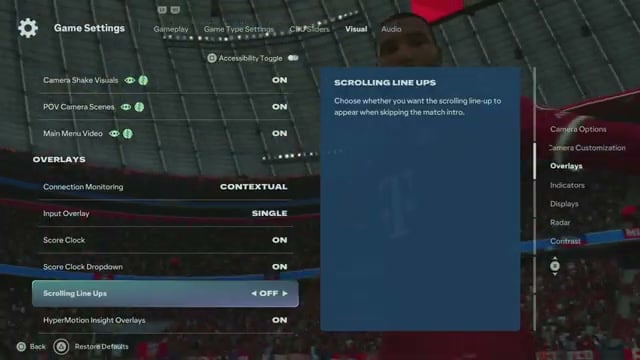
Scroll down past the camera options to Overlays, then find Scrolling Line Ups.
STEP 6/12
50%
Turn the lineup off
Change Scrolling Line Ups from On to Off.
STEP 7/12
58%
Return to the match
Resume play; the bottom lineup banner is absent with Off selected.
STEP 8/12
67%
Reopen Settings to restore it
Pause again and select Settings.
STEP 9/12
75%
Return to Game Settings
Open Game Settings and use the top tabs to reach Visual.
STEP 10/12
83%
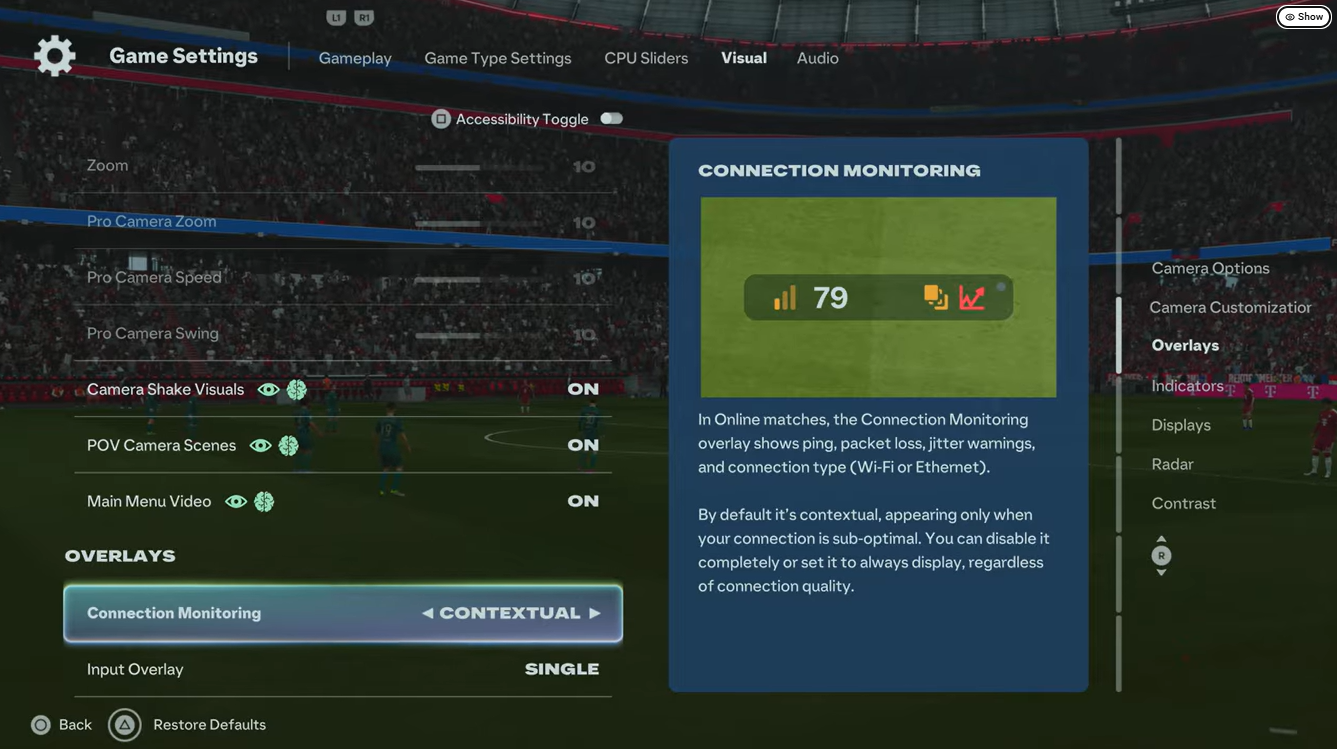
Return to Overlays
Scroll down to Overlays and highlight Scrolling Line Ups.
STEP 11/12
92%
Turn the lineup on
Set Scrolling Line Ups back to On.
STEP 12/12
100%
Exit settings
Press Back (Circle/B) to leave Game Settings and return to the match; the change takes effect when you exit settings.



Leave a Reply