
Category
how to
-

How to create and use Safari Profiles on iOS 17
What to know Safari Profiles help you create unique profiles based on your workflow, interests, niches, and more. History, Extensions, Cookies, Tab Groups, and…
-
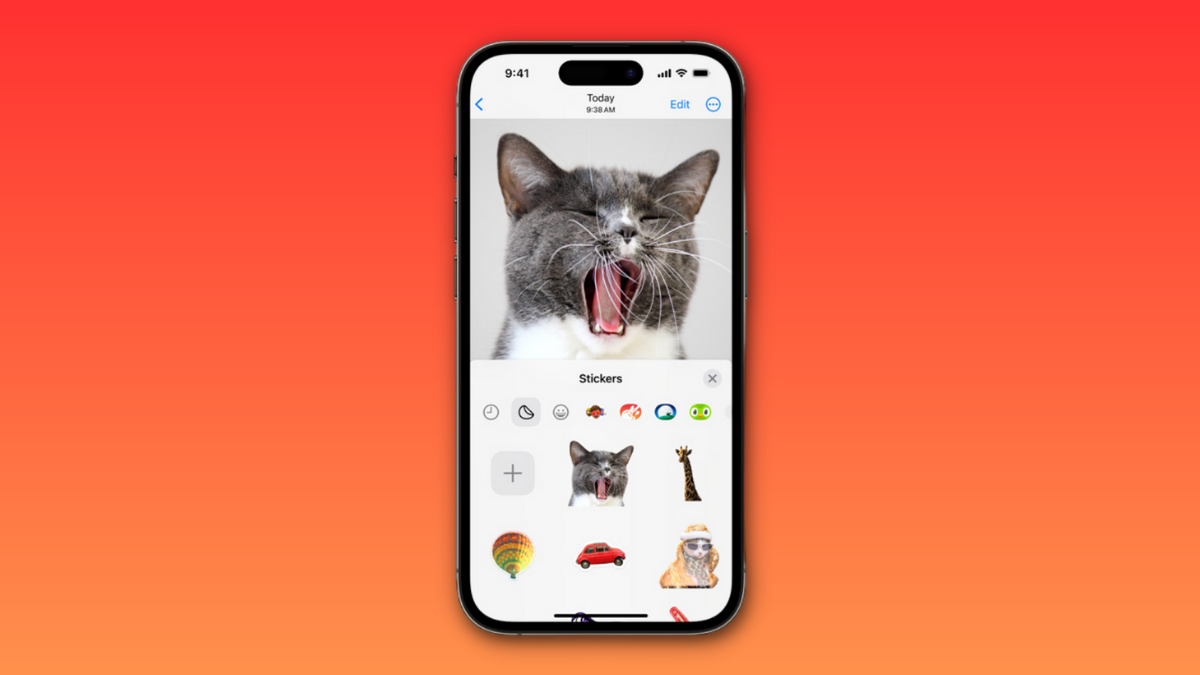
iOS 17: How to Create Live Stickers Using Your Photos on iPhone
What to know To create a sticker from a photo, tap and hold on a subject > Add Sticker > Choose a preferred effect >…
-

iOS 17: How to Get Call and Message Buttons for A Contact Widget on iPhone
What to know To enable the new Call and Message buttons, tap and hold on your home screen > Tap the contact widget > Turn on the toggle…
-

iOS 17: How to Turn On ‘Sensitive Content Warning’ on iPhone and What It Does
What to know You can turn on Sensitive Content Warnings by going to Settings > Privacy & Security > Sensitive Content Warning > Turn on…
-

iOS 17: How to Add Level Indicator in Camera on iPhone
What to know The iOS 17 update introduces a level indicator for the Camera app, aiding in precise alignment for your shots. To activate…
-

iOS 17: How to Customize Font Weight on iPhone Lock Screen
What to know You change the font weight of the digital clock on your iPhone’s lock screen after updating your device to iOS 17.…
-

iOS 17: How to Edit and Customize the StandBy Mode on iPhone
What to know You can edit StandBy to remove existing widgets added by default. To enter the editing mode, tap and hold on to a…
-

iOS 17: How to Enable Face ID for Private Browsing in Safari on iPhone
What to know There’s an additional safety feature on the Safari app on iOS 17 or newer versions – Require Face ID to Unlock…
-

iOS 17: How To Enable and Use Screen Distance on iPhone
What to know Screen Distance is part of Apple’s Screen Time features that are available on iOS 17. To enable Screen Distance on your…
-

iOS 17: How to Enable Standby on iPhone
What to know You can enable StandBy by going to Settings > StandBy > Turn on the toggle for StandBy. iPhone 14 Pro and iPhone…
-

iOS 17 Contact Poster: Step-By-Step Guide to Set Up a Contact Poster on iPhone
What to know To set a contact photo on your iPhone, head to Contacts > My Card > Contact Photo & Poster > Name…
-
![How To Use DAN in ChatGPT [2023]](https://cdn.nerdschalk.com/wp-content/uploads/2023/06/how-to-use-dan-with-chatgpt.png)
How To Use DAN in ChatGPT [2023]
DAN has been the go-to way to break ChatGPT since it was first released. DAN allows you to bypass ChatGPT’s restrictions and allow the…
-

How to Turn On or Off Content Adaptive Brightness Control in Windows 11
Among the many new features that were tested as part of Windows Insider builds, and are now making their way globally to all, is…
-

How to Convert Text Into Speech Using AI With Speechify
In the world of text-to-speech (TTS) generators, Speechify is a definite veteran. There aren’t many that can boast of its longevity, especially now that…
-

How to use AI Generative Fill on Adobe Firefly
What to know Adobe Firefly’s Generative Fill feature lets you add, replace, or remove objects and backgrounds from any image. The feature is available…
-

2 Ways to Convert a Video to Document With ChatGPT Using Vlog
ChatGPT has come a long way since it was first released to the public and GPT-4 has now introduced support for third-party plug-ins which…
-

How to Convert Text Into Speech Using AI With ElevenLabs
What to know You need to sign up with ElevenLabs and create your own account first. Set speech settings under ‘Speech Synthesis’, enter your…
-

How to Connect ChatGPT to Internet
What to know You can get ChatGPT to provide you real-time updates and search results using ChatGPT search, which is a paid feature. ChatGPT…
-

How Does Snapchat AI Know My Location and How to Disable It
What to know Snapchat will provide information about your location to My AI if you have granted it the location permission. My AI will…
-

ChatGPT Rewriter: How to Change Wordings of AI Text
What to know Never turn in AI-generated text without making changes to it. Use tools such as Quillbot, Paraphrasing Tool, and Jasper to change…