
Beast of Reincarnation’s first major patch is v1.0.7 on PC and v1.005.000 on consoles. It improves camera comfort, cutscene performance, control options, combat balance, story pacing, and several interaction and settings bugs.
Version v1.0.7 on PC and v1.005.000 on consoles arrived during the August 9/10, 2026 update window. This is a quality-of-life and balance update for Beast of Reincarnation, built around smoother play and fewer rough edges rather than new story chapters or fresh enemies.
August update window and platform builds
| Platform | Patch version |
|---|---|
| PC | v1.0.7 |
| Consoles | v1.005.000 |
| Release window | August 9/10, 2026 |
The platform numbering is straightforward: PC uses v1.0.7, while consoles use v1.005.000. The patch touches several parts of the game at once, including the camera, UI, boss tuning, settings behavior, and interaction bugs.
Major changes at a glance
| Area | Change |
|---|---|
| Camera/UI | Player camera adjusted in combat and exploration; text size adjusted for readability. |
| Story pacing | Some affinity conversations now happen only once per in-game day. |
| Cutscenes | Default cutscene mode changed from Cinematic to Performance. |
| Controls | Interact button remapping added in settings. |
| Combat balance | Bosses adjusted across all difficulty levels; Normal enemy encounters tuned. |
| Bug fixes | Several interaction, settings, resolution, upscaling, and exploration bugs fixed. |
| Future updates | More camera, text-size, pacing, feedback-based fixes, and PC upscaling support are planned. |
KEY!
The quick read is simple: this update is about comfort, consistency, and balance. Players who disliked the camera, cutscene frame rate, fixed Interact mapping, or repeated conversations will feel the biggest difference first.
Camera, text, cutscenes, controls, and pacing changes
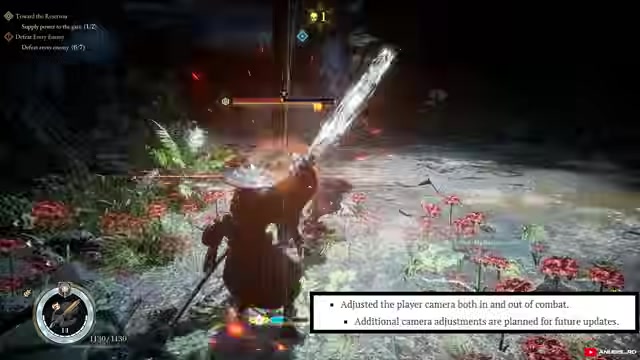
The player camera has been adjusted both during combat and outside combat. The update changes how the camera follows action in fights and how it behaves while exploring, with more camera work coming in later patches.
Text size has also been adjusted across the game so important information is easier to read. More text-size adjustments are already planned for future patches, so readability will continue to improve beyond this update.
Story pacing gets a small but useful change: certain affinity-building conversations that could previously trigger multiple times in one in-game day are now limited to once per day. Cutscenes also change behavior, with Performance now replacing Cinematic as the default cutscene setting, while Cinematic remains available for players who prefer the original 24fps-style presentation.
Open settings after updating and check cutscene mode, Interact mapping, upscaling, V-sync, and resolution before continuing your save.
Boss and Normal difficulty balance changes
Boss fights have received balance adjustments across all difficulty levels. The patch changes the feel of some encounters without listing exact health, damage, stagger, timing, or AI values, so judge each fight by the current build instead of expecting one universal stat change.
Normal difficulty enemy encounters have also been tuned. If you usually play on Normal, older advice about enemy pressure, safe openings, or route difficulty can line up differently with the current build.
The important distinction is that these are balance changes, not content additions. The update changes how existing fights and encounters behave; it does not add new bosses or enemy types.
Notable bug fixes in v1.0.7 and v1.005.000
| Bug | Fix |
|---|---|
| Interact issue during the Kagura-on-the-Walker story event | Interact no longer incorrectly prioritizes “Rest until morning” when mapped to Square/X. |
| Button icon type changes not saving | Selected button icon types now remain saved properly. |
| Upscaling settings resetting after restart | Chosen upscaling settings now stay configured after relaunching the game. |
| V-sync changing resolution | Changing V-sync should no longer unexpectedly alter resolution settings. |
| Sixth golem in Subcity 01 hard to find | The issue making that golem difficult to locate has been corrected. |
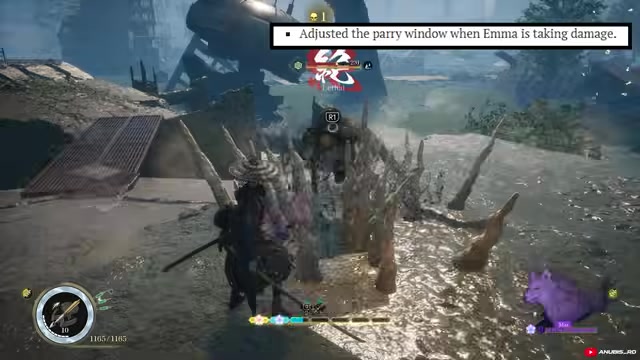
| Emma unable to interact after canceling Bloom Art | Emma should regain normal interaction after canceling Bloom Art. |
| Additional bugs across the game | Various other fixes have been applied. |
The most visible fixes are around interactions and settings persistence. Players who remapped Interact, changed graphics options, or ran into blocked environmental interactions will get fewer interruptions after this patch.
The Kagura fix is especially relevant if you changed your Interact input and were being pushed toward resting instead of advancing the story event. The Bloom Art fix also matters in normal play, since losing interaction after canceling an ability could make exploration feel broken until the issue cleared.
Future patch plans
More updates are planned for camera behavior, text-size readability, and story pacing. The current patch begins those passes, and later updates will keep refining those systems.
PC players are also getting more upscaling and performance options later, including newer DLSS and FSR support. That means expanded upscaling support is part of the post-patch roadmap.
Additional fixes and adjustments will continue to come from player feedback, matching the shape of this patch: broad cleanup first, then more tuning as players settle into the current build.
What to check after installing the patch
If you had already selected Cinematic before the update, switch manually to Performance if you want cutscenes to follow the new default behavior. Existing settings can keep your prior preference, so the default change alone will not always alter your save.
Recheck graphics, upscaling, V-sync, and resolution after updating. For combat, recheck older boss routes and Normal difficulty advice against the new balance tuning before relying on them fully.
Related Beast of Reincarnation guides
Frequently Asked Questions
Was Cinematic mode removed from Beast of Reincarnation?
No. Cinematic is still available; the patch only changes the default cutscene setting to Performance.
Does the patch add new bosses, enemies, or story chapters?
No. The update adjusts existing systems, fights, encounters, conversations, settings, and bugs rather than adding new content.
Are old boss guides still reliable after this patch?
They still help with arena layout and broad attack recognition, but balance-specific advice needs a fresh check because bosses were retuned across every difficulty.
Video help
Leave a Reply