
Press Escape on PC, then choose Skip from the pause menu; on controller, use the cutscene pause/skip prompt if it appears, but some first-time or main-story scenes may only pause and may not be skippable.
Beast of Reincarnation handles cutscene skipping through the cutscene pause overlay, where options such as Continue and Skip can appear. The catch is that the option is not guaranteed for every scene, especially around first-time or main-story cinematics.
Cutscene skip controls in Beast of Reincarnation
| Platform | Input |
|---|---|
| PC | Escape |
| PS5 | Touchpad |
| Xbox | View button |
On PC, press Escape during a cutscene to bring up the cutscene pause menu, then choose Skip if it is listed. This is separate from normal gameplay controls; you are not skipping directly from regular movement or combat input.
KEY!Use those inputs while the cinematic is playing. If the scene exposes a skip prompt, select it; if it only pauses, resume and let the scene finish.
How to skip a cutscene in Beast of Reincarnation
Use the cutscene pause menu, then choose the skip option when the game makes it available.
STEP 1/2
Open the cutscene pause menu
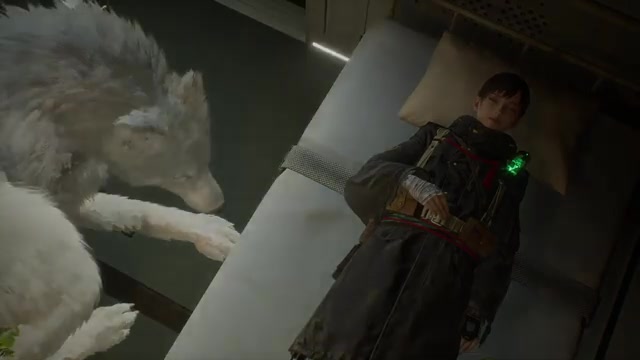
Press Escape during the cutscene to bring up the pause overlay.
STEP 2/2
Choose Skip
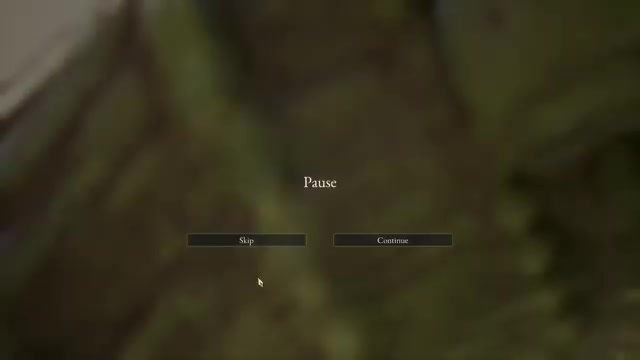
Select Skip from the menu to bypass the rest of that cutscene.
Video help
When the Skip option does not appear
Some cutscenes in Beast of Reincarnation can be paused without offering a skip option. Early launch-week player reports also point to main-story scenes that continue to play even after opening the pause menu.
Treat Escape > Skip as the method to try first, not as a guarantee that every cinematic can be bypassed.
If Skip is missing, use Continue and let the scene finish instead of hunting through gameplay controls; the skip option is scene-dependent.
Settings that change cutscene playback
Frame-rate or cinematic mode settings may change how cutscenes play, such as whether cinematics use a 24 fps presentation or a smoother frame rate. These settings do not turn cutscenes off.
Changing those options can make scenes feel better to watch, but it is not a skip workaround. Use the cutscene prompt itself when you want to bypass a scene.
Frequently Asked Questions
Can you skip every cutscene in Beast of Reincarnation?
No. Some cutscenes may only pause, and some story scenes may not show Skip at all.
Why does Escape only pause the cutscene sometimes?
Escape opens the cutscene pause overlay on PC. Whether that overlay includes Skip depends on the scene.
Can first-time story cutscenes be skipped?
First-time story cutscenes may not always be skippable. The skip option is more reliable on scenes the game allows you to replay or revisit.
Is there a setting to turn off cutscenes completely?
No setting in the available menus works as a full turn off cutscenes switch.
What should I press on PS5 or Xbox?
On PS5, press the Touchpad. On Xbox, press the View button.






Leave a Reply