The short version
- Grand Theft Auto VI has an autosave system.
- The game’s own menu on PS5 shows Empty Slot entries and an OVERWRITE control.
Yes, GTA 6 has an auto save system. To save manually, press Options > Game > Save Game.
How to save manually in GTA 6 on PS5?
To save Grand Theft Auto VI manually on PS5, follow Options > Game > Save Game.
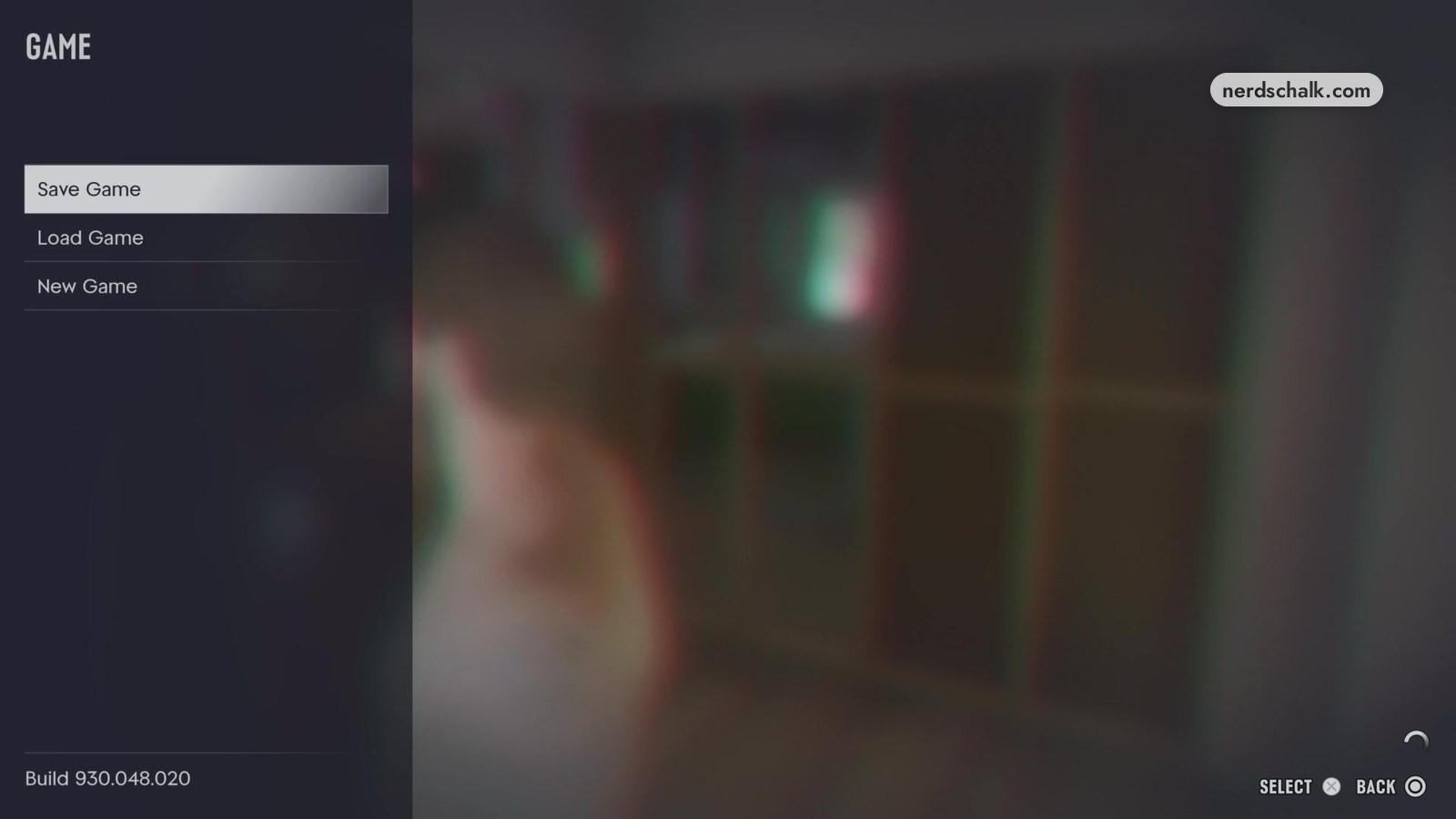
The in-game GAME screen includes Save Game alongside Load Game and New Game. Build 930.048.020 appears in the game’s own menu with SELECT and BACK controls.
The in-game GAME / SAVE screen shows Empty Slot with the prompt “Save your progress in a new slot.” For an existing save, the game’s own menu shows an OVERWRITE control.
What does the GTA 6 save-slot list show on PS5?
The in-game GAME / SAVE screen shows an existing Gone Fishing (3%) entry alongside Empty Slot entries. The game’s own menu displays November 19, 2026, at 01:09 beside that existing save.
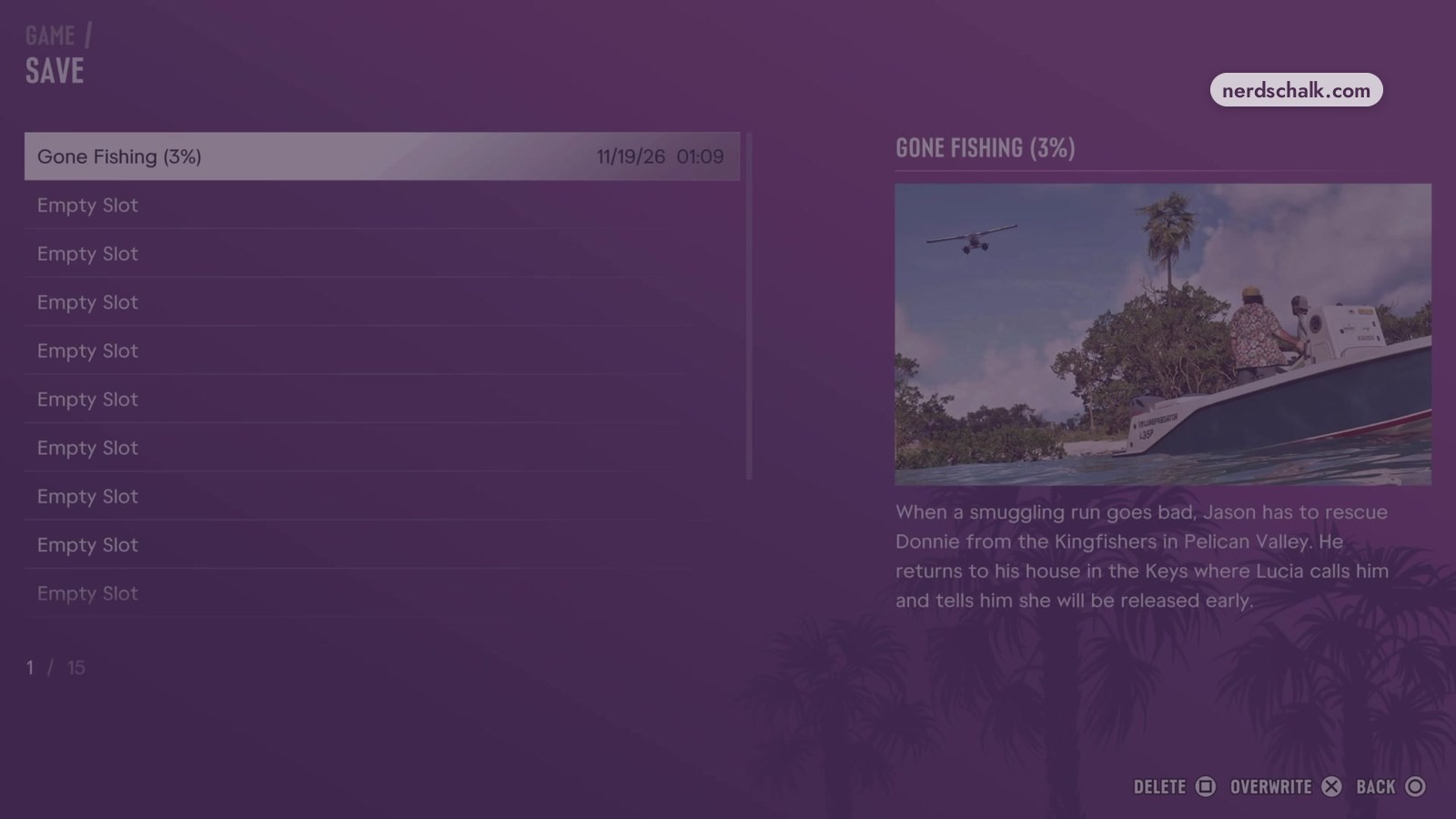
A 1 / 15 indicator also appears on the in-game GAME / SAVE screen. The game’s own menu shows DELETE and BACK controls alongside OVERWRITE.
What is the difference between Empty Slot and OVERWRITE in GTA 6 on PS5?
The game’s own menu on PS5 presents Empty Slot for saving progress in a new slot and OVERWRITE for replacing an existing save.
New slots and existing saves
| Label | Action shown by the game’s own menu on PS5 |
|---|---|
| Empty Slot | Save progress in a new slot. |
| OVERWRITE | Replace an existing save. |
FAQs
Does GTA 6 Auto Save?
Yes, Grand Theft Auto VI saves automatically. You can also save manually through Options > Game > Save Game.
Related on NerdsChalk