The short version
- Press the PS button to open the PS5 control center, where PlayStation identifies Switcher as a control for closing your game.
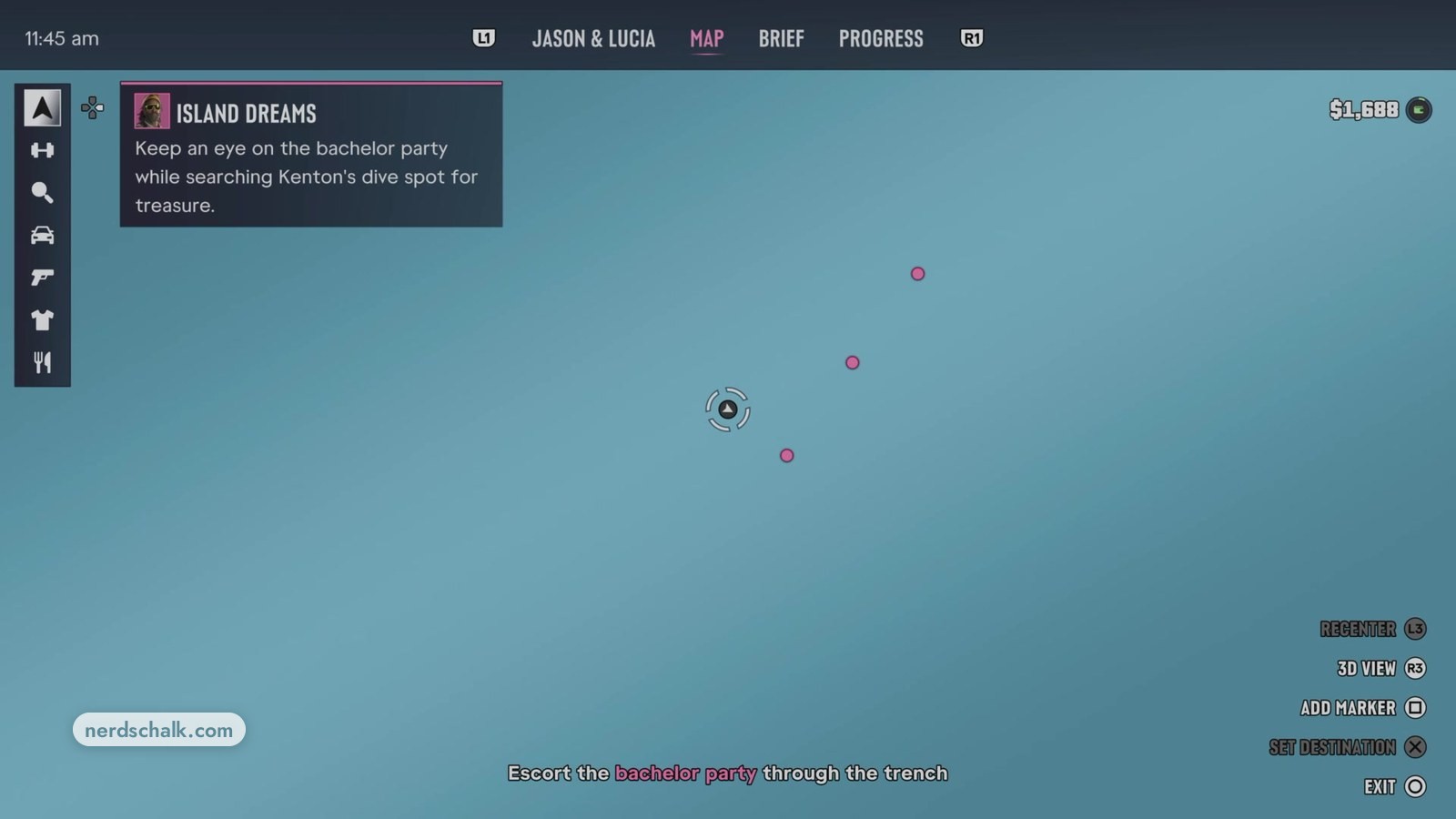
- To exit GTA 6’s map screen, use the displayed EXIT ○ prompt in the game’s own menu.
How to exit GTA 6 on PS5
PlayStation identifies Switcher in the PS5 control center as a control for closing the game you’re playing. To open the control center, press the PS button, as PlayStation’s page directs.
The control center provides quick access to PS5 features while you remain in your game, PlayStation explains.
How to exit the map in GTA 6
Press ○ to leave the map, matching the EXIT prompt and its paired ○ symbol on the in-game MAP screen.
What’s the difference between closing GTA 6 and exiting its MAP screen on PS5?
PlayStation describes Switcher as offering game closure; the in-game MAP screen displays EXIT ○ for leaving the map.
Controls for each action
| Action | Control | Function |
|---|---|---|
| Close GTA 6 | Switcher | PlayStation identifies this control as a way to close the game you’re playing. |
| Leave the map | EXIT ○ | The in-game MAP screen displays this prompt for leaving the map. |
What does Switcher do on PS5?
PlayStation describes Switcher as showing games and apps you recently started. Its other functions, as described by PlayStation, let you switch between those games and apps or close your current game.
What do Home and Power do on PS5?
PlayStation identifies Home as the control that opens the home screen. Opening that screen pauses certain games and apps, PlayStation notes. To return, choose your game from games home, as PlayStation’s page directs.
The Power control lets you shut down the PS5 or place it in rest mode, PlayStation explains.
FAQs
How do I exit the map in GTA 6?
Press ○, matching the EXIT ○ prompt displayed on the in-game MAP screen.
Which button opens the PS5 control center?
Press the PS button to open the control center on PS5, as PlayStation’s page instructs.
Related on NerdsChalk