
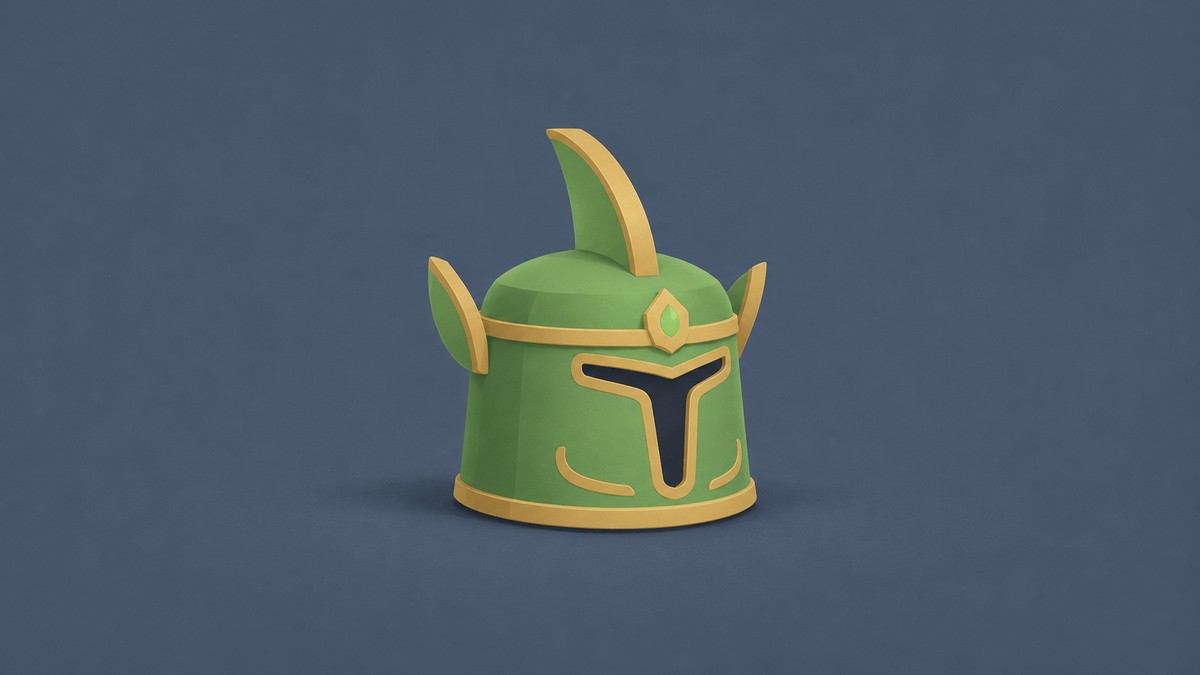
Forge 14 Gold, 22 Cobalt, 21 Emerald, and 3 Coal in Armor mode for a chance at Warden Mask, then equip it through Backpack.
Warden Mask is an Uncommon helmet in +1 Gun Forge. Getting it starts with matching the ingredient quantities in an Armor recipe. This guide covers crafting and equipping the mask, the recipe’s rarity chances, and the helmet’s stats.
How to get and equip Warden Mask in +1 Gun Forge
Approach the Forge
Walk up to the Forge in the main area and press E at the E Open prompt to open it.

Switch to Armor crafting
Click Armor on the left panel to switch to armor recipes.
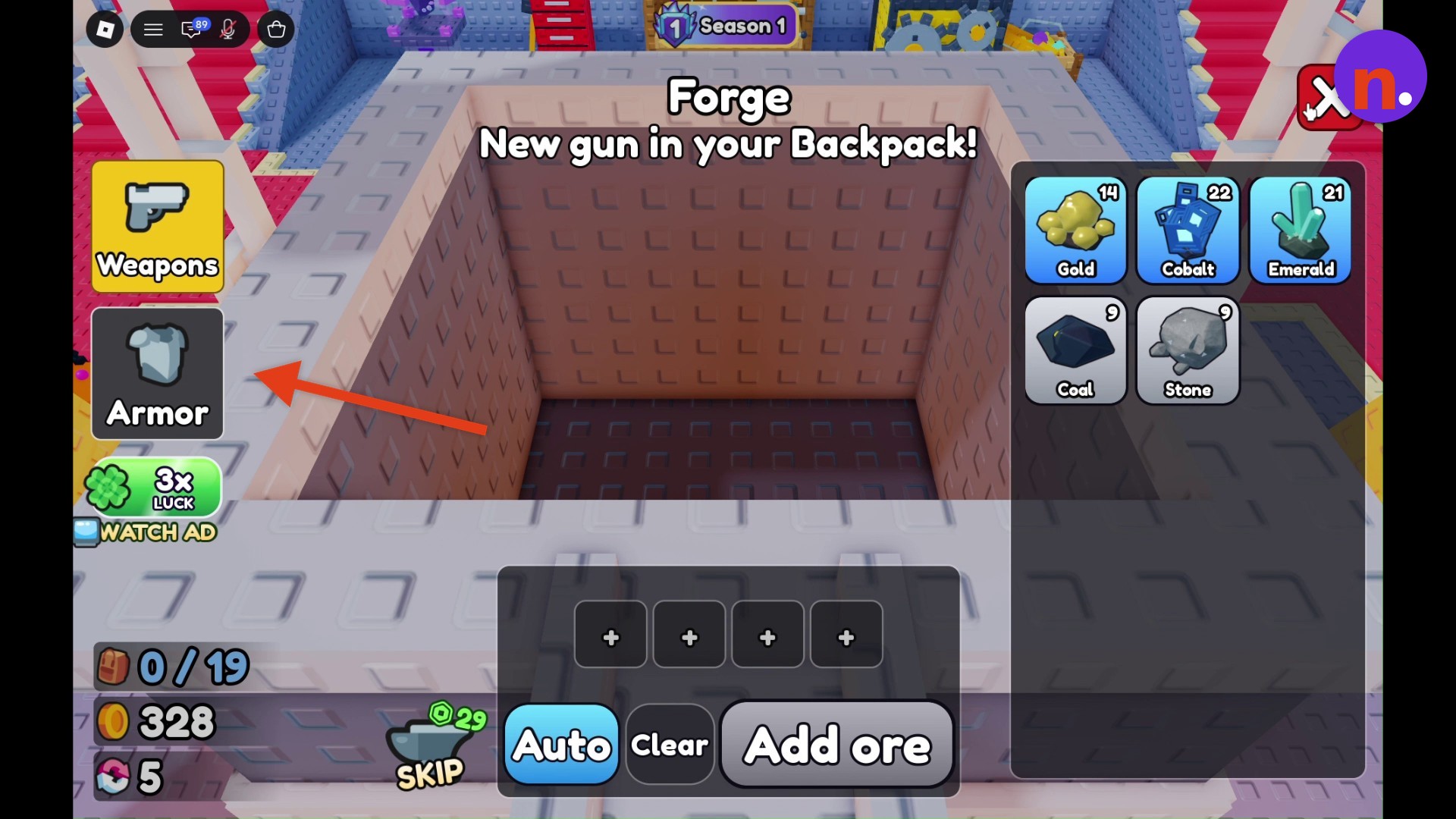
Add 14 Gold
Select Gold from your ore list and load 14 Gold into the first ingredient slot.
Add 22 Cobalt
Select Cobalt and bring the second ingredient slot’s total to 22 Cobalt.
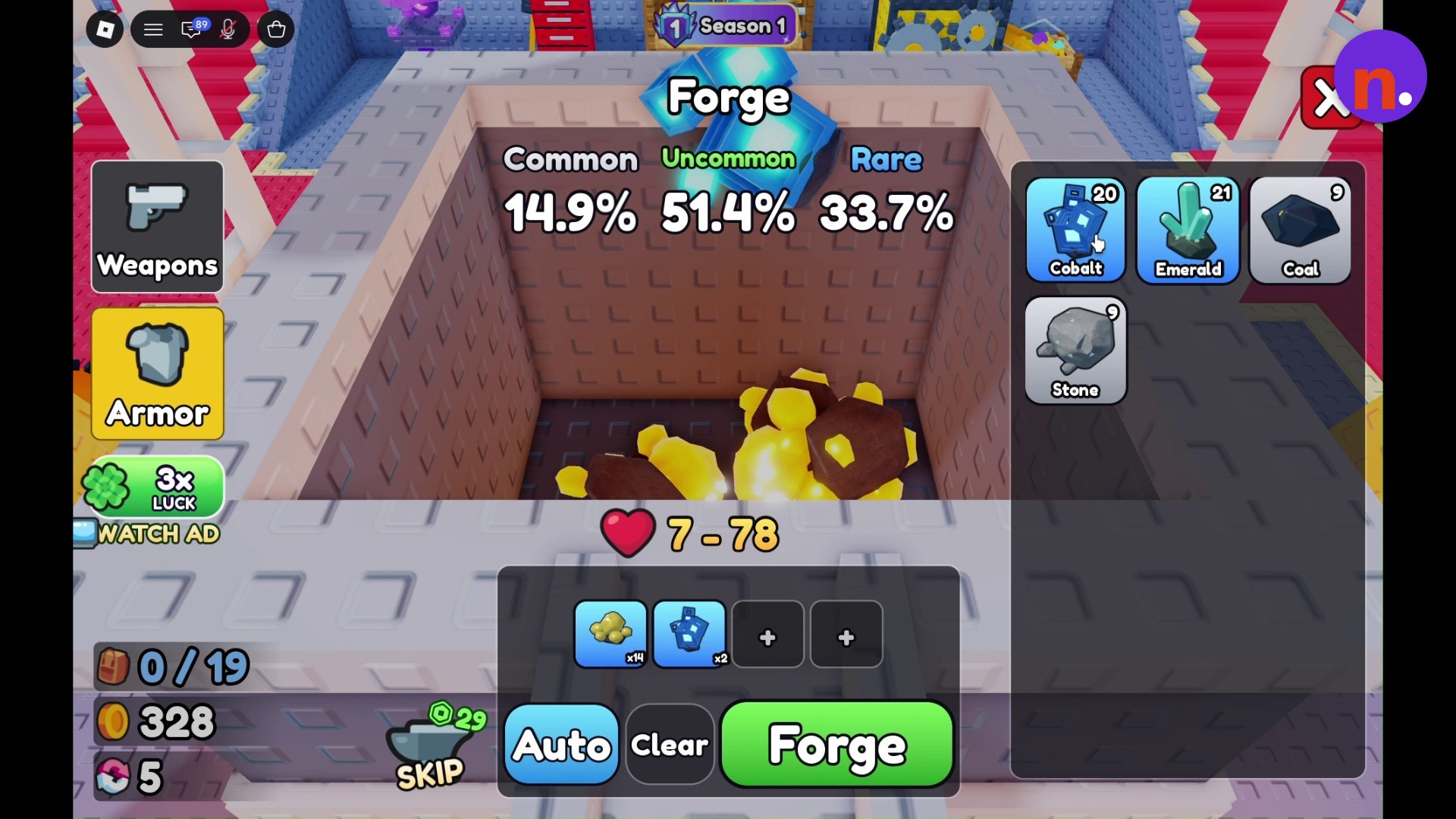
Add 21 Emerald
Select Emerald and load 21 Emerald into the third ingredient slot.
Add 3 Coal
Click Coal three times to put 3 Coal in the fourth slot, completing the recipe’s ingredient quantities.
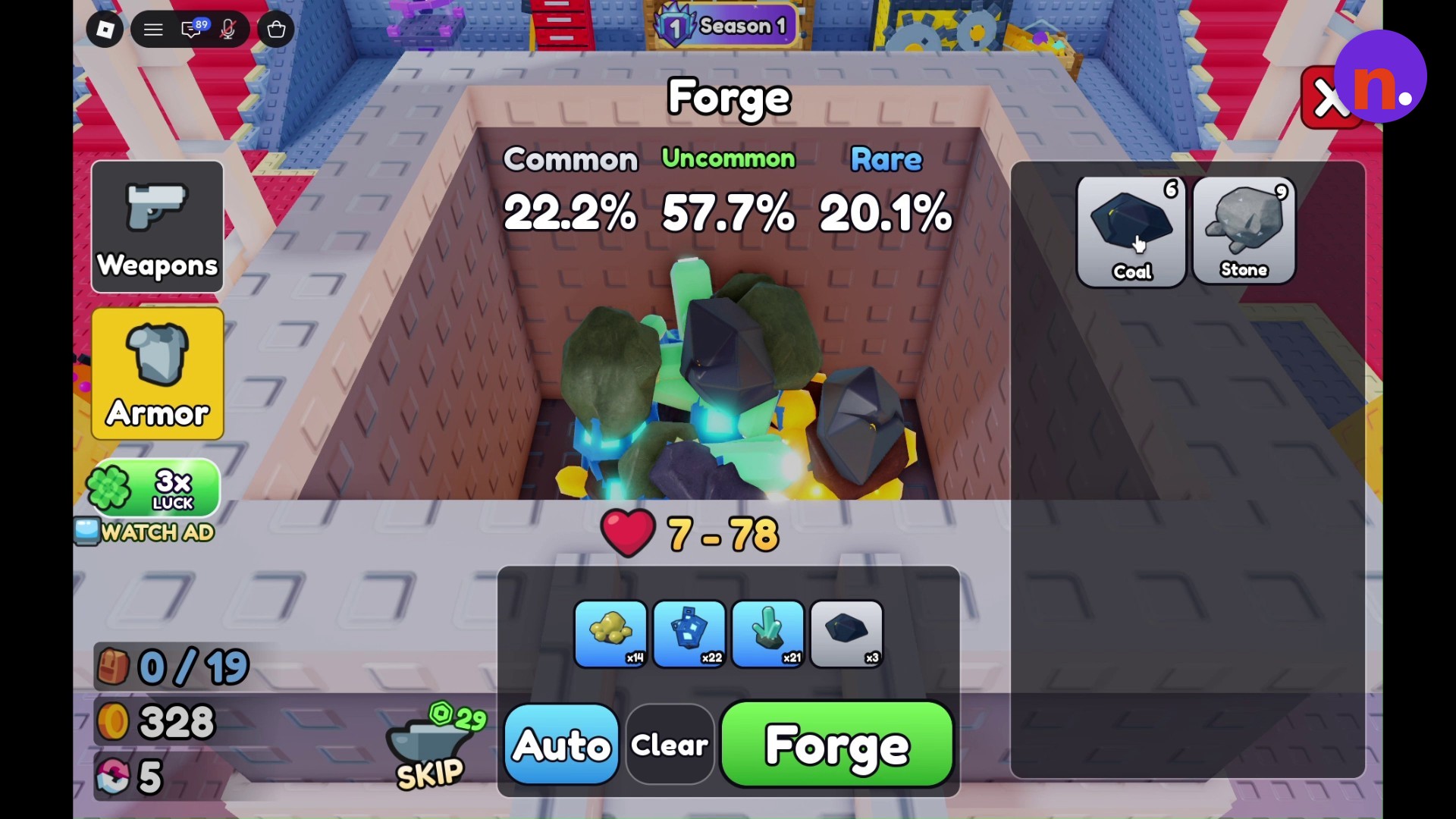
Start forging
Click the green Forge button to melt the loaded materials.
Complete the anvil minigame
Finish the anvil hammering minigame to continue crafting.

Collect the helmet
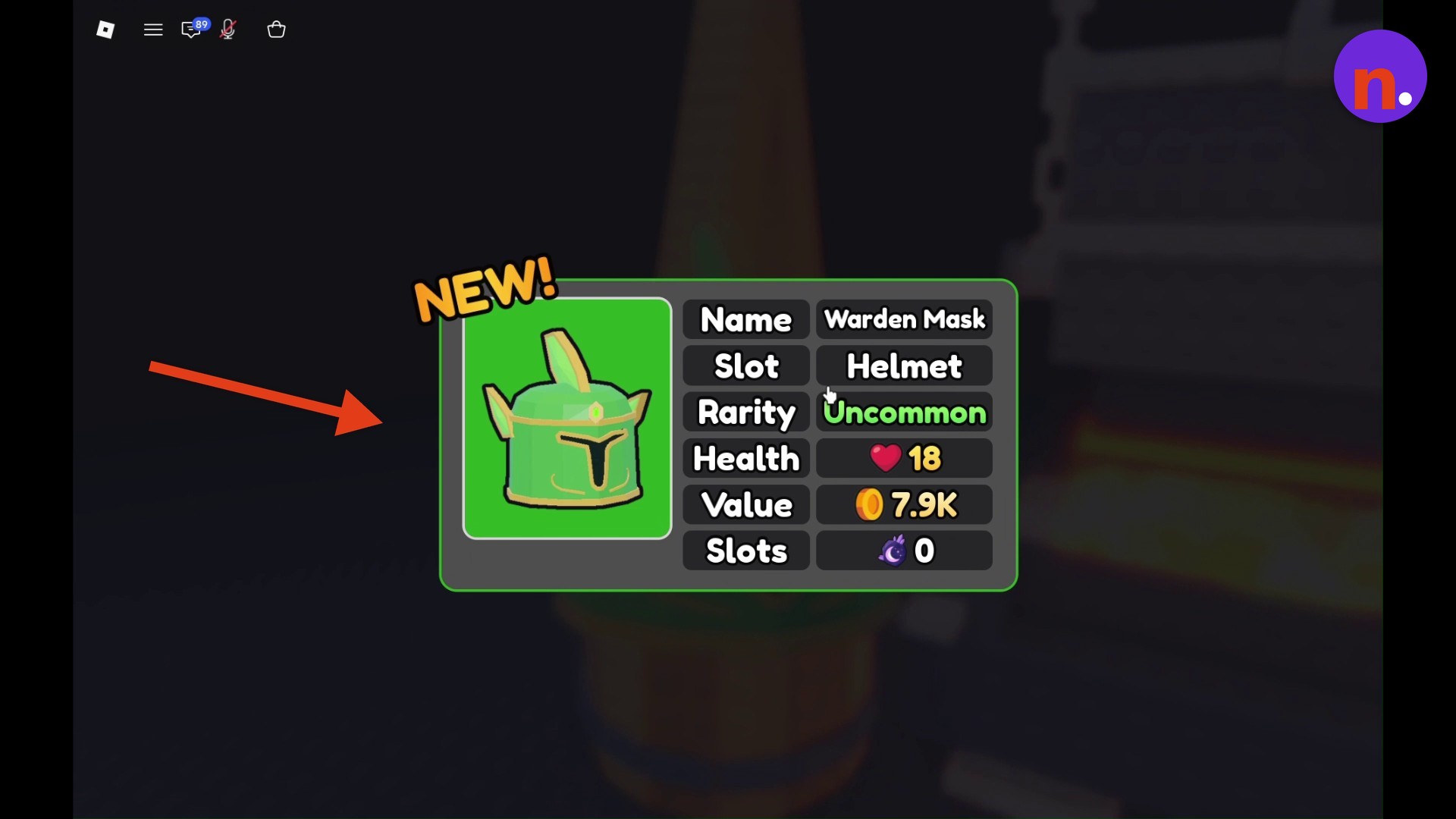
Collect the forged helmet after it finishes cooling in the water barrel. The game reveals the crafted Warden Mask.
Equip Warden Mask
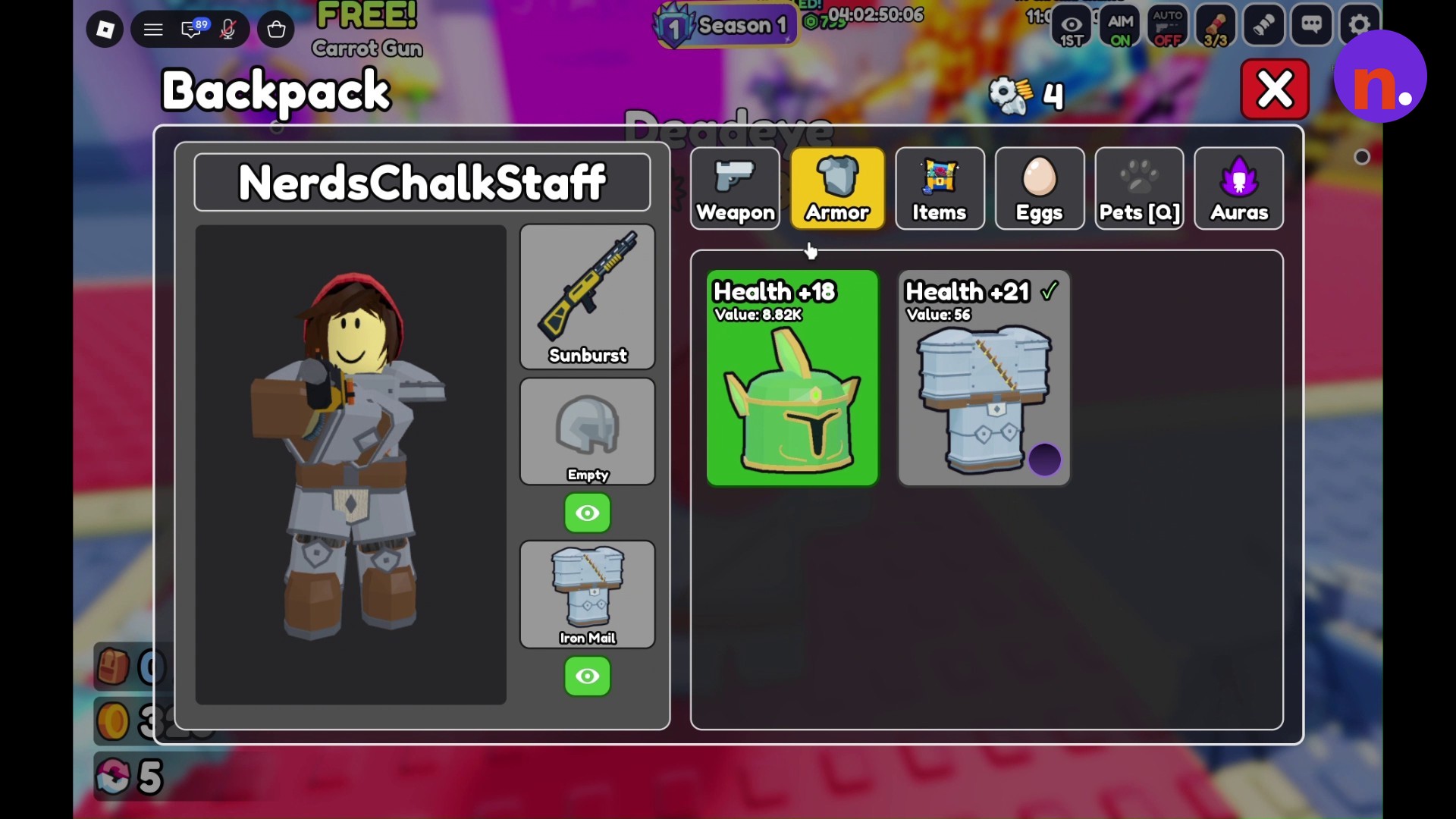
Open Backpack, choose Armor, and select Warden Mask. Press Equip [1] to wear it.
What rarity chances does the Warden Mask recipe show?
| Rarity | Chance |
|---|---|
| Common | 22.2% |
| Uncommon | 57.7% |
| Rare | 20.1% |
With the full ingredient combination loaded, the Forge displays these chances for the rarity of the resulting armor. The Uncommon percentage describes that rarity outcome.
What are Warden Mask’s stats in +1 Gun Forge?
| Property | Value |
|---|---|
| Slot | Helmet |
| Rarity | Uncommon |
| Health | 18 |
| Base value | 8.82K |
| Slots | 0 |
Once you’ve equipped Warden Mask, its displayed health stat is the payoff for completing the forge.
Related Gun Forge guides





Leave a Reply