

QUICK ANSWER
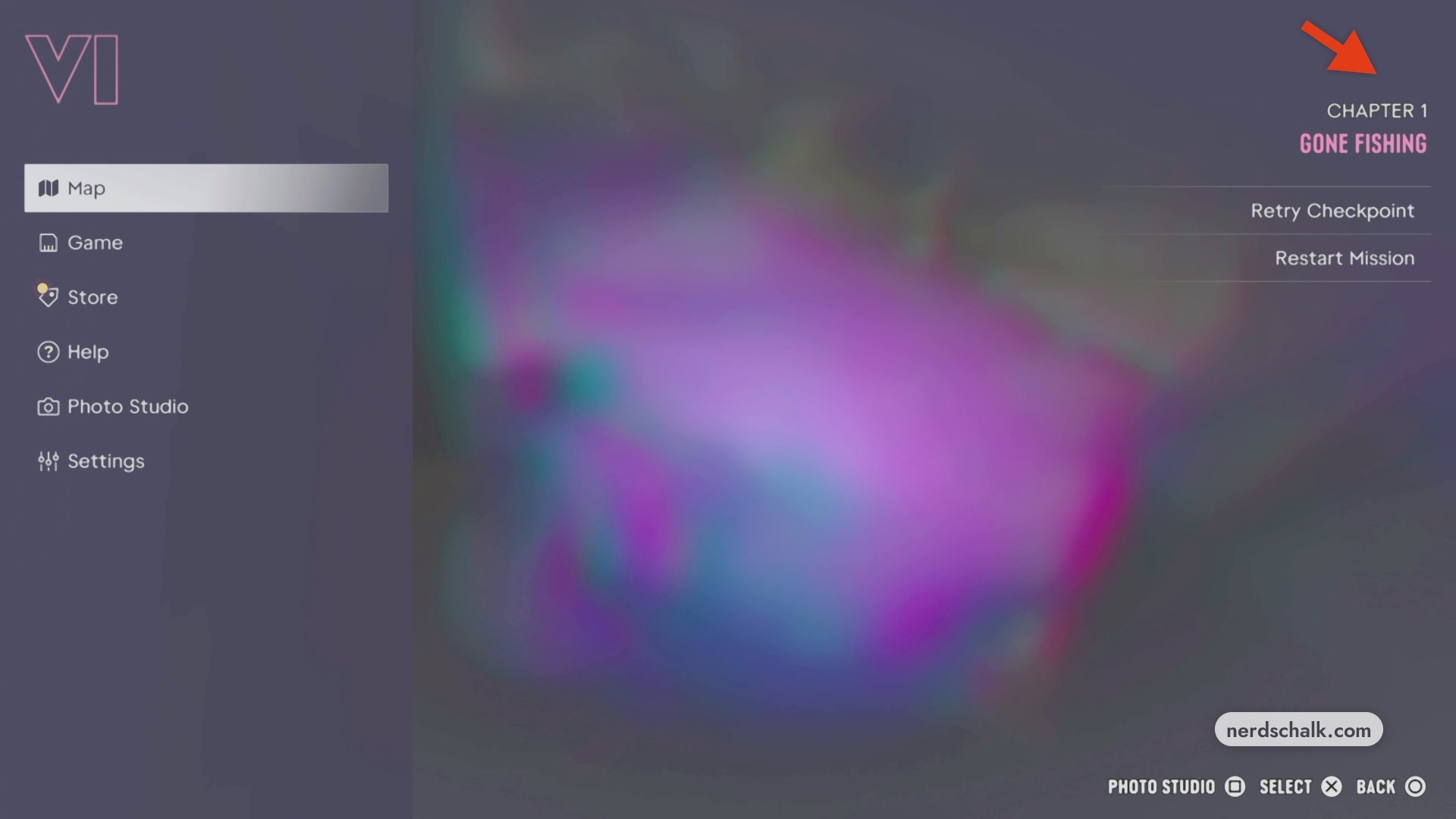
Open the main pause menu in Grand Theft Auto VI and read the chapter heading in the upper right, above your current mission title.
The pause menu brings together your game options and status information, including your current chapter and mission.
How to check your current chapter in Grand Theft Auto VI
STEP 1
Open the pause menu
Bring up the game’s main pause menu.
STEP 2
Read your chapter
Look in the upper right corner, directly above the current mission title. Read the chapter heading there to see which chapter you’re on. For example, the menu shows CHAPTER 1 with GONE FISHING underneath it.
releaseNovember 19, 2026platformsPlayStation 5, Xbox Series X|SeditionsStandard Edition, Ultimate EditionratingsUS: ESRB M (Mature 17+); Europe: PEGI 18
Related Grand Theft Auto VI guides

Leave a Reply