

- What to know
- Quick overview of Town events in Paralives
- What the “something happened in town” notification actually means
- Why nothing seems different at home
- Common things that can trigger the notification
- Current known town events
- How to find out what happened
- Rewards and benefits you may discover
- Why this feature exists
What to know
- The notification is not an error or save-file problem.
- It usually means a town event, environmental change, or vandalism incident has occurred somewhere in Melino.
- Nothing is necessarily wrong with your current household or home lot.
- Exploring different districts can help you discover what triggered the alert.
Paralives features a living open-world town called Melino, where events and changes continue happening even when your active household is asleep or staying at home. Because of that, you may occasionally receive a notification saying “Something Happened In Town” without immediately noticing any changes around your house. This message often confuses players during their first few hours with the game, but it is actually part of the town simulation system rather than a bug.
Quick overview of Town events in Paralives
| Feature | Details |
|---|---|
| Notification | “Something Happened In Town” |
| Is it a bug? | No |
| Affects household directly? | Usually no |
| Main purpose | Alerts you about town-wide changes |
| Where to investigate | Public areas and districts |
| Possible causes | Events, vandalism, town activities |
| Requires action? | Optional |
What the “something happened in town” notification actually means
The alert serves as a town-life notification that informs you that something has changed somewhere within Melino. Instead of focusing solely on your household, Paralives simulates activity throughout the wider town. This includes public events, community gatherings, environmental storytelling, and occasional vandalism incidents.
When the message appears at unusual times, such as 1 AM while your Paras are sleeping, that is completely normal. Town systems continue running independently from your active household’s schedule.
Why nothing seems different at home
Many players receive the notification and immediately search their lot for missing objects, broken furniture, or new visitors.
In most cases, you will not find anything.
The reason is simple: the event happened somewhere else in town. Your house remains exactly as it was because the notification is pointing toward changes occurring in public spaces, roads, parks, markets, or other districts.
Since Paralives is designed as an open-world experience, the town can evolve independently while you focus on your own household.
Common things that can trigger the notification
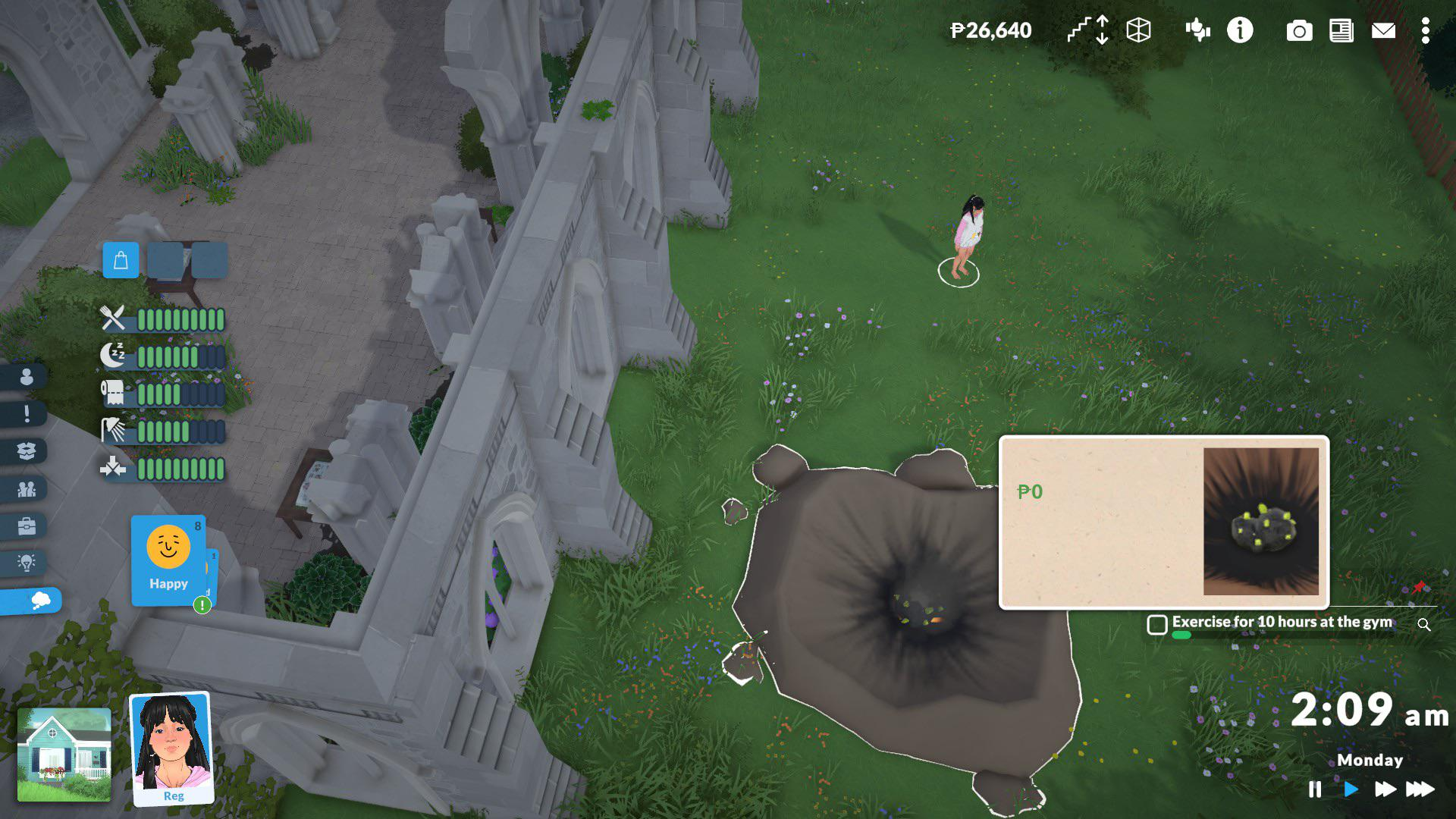
Meteors (most popular reason)
As per the community reception, the Meteor strike is the main trigger factor for this notification to show up. Usually, a meteor strikes the town and the next day in the newspaper you can check out where it happened. It does not effect the gameplay at all.
Vandalism and damaged public objects
The game can also generate vandalism incidents around town. Players have discovered damaged bus stops, broken benches, vandalized roads, and destroyed vending machines after receiving the alert.
Interestingly, some damaged objects remain interactive. For example, a vandalized vending machine may still allow Paras to take items for free or repair the machine.
Town-state changes
The notification may also be tied to broader town simulation systems, lore events, or background activities happening in Melino. The developers have emphasized that the town is meant to feel alive and continue evolving while the player is elsewhere.
Current known town events
| Event | Schedule | Benefit |
|---|---|---|
| Yoga Class | Sunday, Tuesday, Thursday | Faster Fitness skill gains |
| Astronomy Club | Monday, Wednesday, Friday | Science skill boost |
| Marketplace | Sunday | Special items and vendors |
| Treasure Hunt | Thursday | Unique rewards and collectibles |
How to find out what happened
- Open the map and identify public locations you have not recently visited.
- Send your Para into town instead of staying on the home lot.
- Explore districts such as Old Town, Industrial areas, parks, plazas, and community gathering spots.
- Look for unusual objects, temporary activities, crowds of Paras, market stalls, damaged infrastructure, or treasure hunt markers.
- Interact with any new event objects you discover to earn rewards, skill bonuses, or unique experiences.
These changes are often easier to spot in public spaces than residential neighborhoods.
Rewards and benefits you may discover
| Activity | Possible Rewards |
|---|---|
| Yoga Event | Faster Fitness leveling |
| Astronomy Club | Science skill boosts |
| Treasure Hunt | Build Mode items, decorations, valuable objects |
| Marketplace | Exclusive rotating items |
| Exploring Town | Lore, discoveries, social interactions |
Why this feature exists
The notification is part of Paralives’ goal of creating a town that feels active even when you are not directly controlling every aspect of it. Rather than having static neighborhoods, Melino contains recurring events, evolving public spaces, and environmental storytelling that encourage players to leave their homes and explore.
As the game continues through Early Access, the developers are expected to expand town systems further, meaning the variety of events behind this notification will likely grow over time.
If you see “Something Happened In Town,” you generally do not need to panic or reload your save. Think of it as an invitation to explore rather than a warning. Most of the time, it means Melino has generated a new event, activity, or environmental change somewhere beyond your current lot. The best response is simply to head into town and see what has changed.




Leave a Reply