

QUICK ANSWER
Choose Customize, open Nametag, and complete your chosen nameplate’s listed task to unlock and claim it in Sell Lemons.
Choose Customize, open Nametag, and complete your chosen nameplate’s listed task to unlock and claim it in Sell Lemons.
Nameplates sit in Sell Lemons’ Nametag customization tab, where you can see the available entries and their unlock requirements. This guide covers the menu route and the tasks for five nameplate unlocks.
The QUESTS Update event in Sell Lemons starts on November 3, 2026, at 19:00 UTC and ends on November 13, 2026, at 19:00 UTC.
menu optionCustomizecustomization tabNametagunlocks coveredFive nameplates
How to get nameplates in Sell Lemons
The next section covers the nametag requirements in Sell Lemons.
Nametag requirements
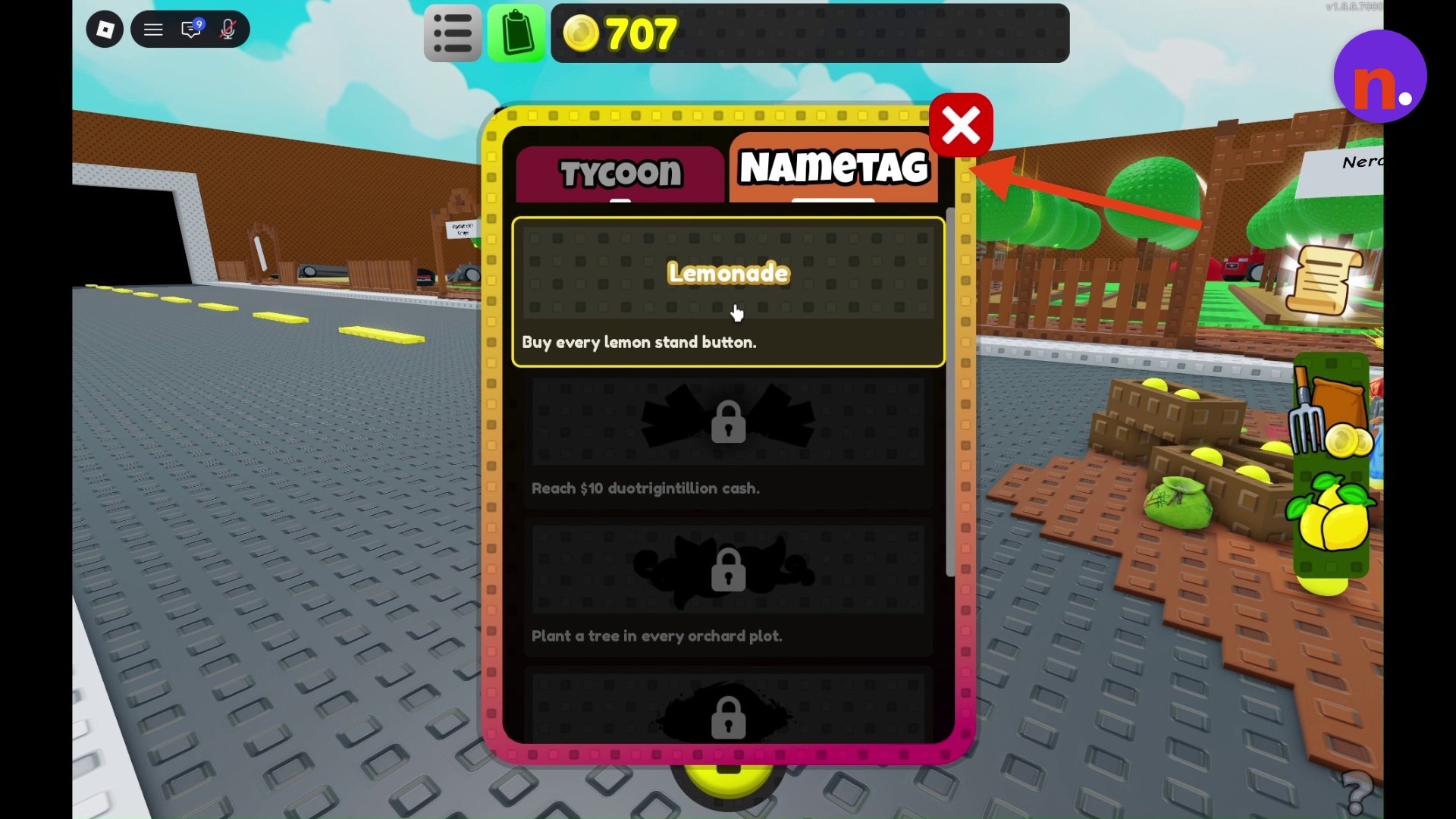
| Nametag | Unlock requirement |
|---|---|
| Lemonade | Buy every lemon stand button. |
| Second nametag | Reach $10 duotrigintillion cash. |
| Third nametag | Plant a tree in every orchard plot. |
| Fourth nametag | Complete every evolution in World 1. |
| Fifth nametag | Ascend in under 1 minute. |
STEP 1
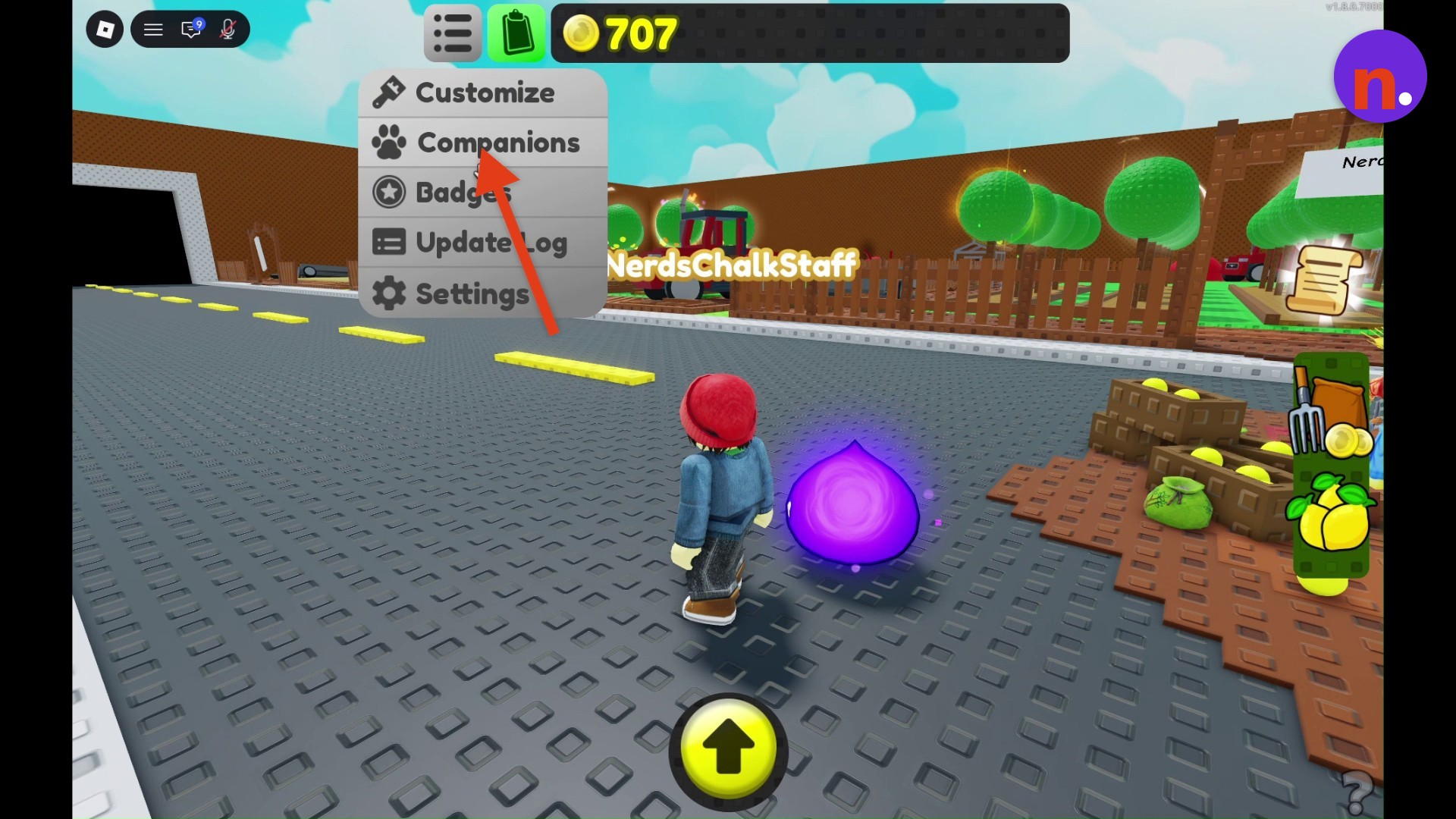
Select Customize
Choose Customize from the dropdown menu to open customization.
STEP 2
Open the Nametag tab
Select Nametag and find the nameplate you want.
STEP 3
Complete its requirement
Finish the specific task listed for your chosen nametag to unlock it.
Once you’ve met your chosen nameplate’s condition, you can claim it.
Don’t miss thisScroll downScroll down the Nametag list to reveal locked entriesContinue through the list to reach the lower entries and their requirements.
Related Sell Lemons guides






Leave a Reply