

If your Paralives save has accumulated unwanted townies, service NPCs, or generated characters, you can remove them through the game’s built-in debugging tools. This method works in Early Access and does not require any mods.
| Feature | Details |
|---|---|
| Game | Paralives (Early Access) |
| Mods Required | No |
| Tool Used | Parafolk Profiler |
| Open Cheat Console | Ctrl + F1 or Ctrl + Shift + C |
| Find NPC Location | Yes |
| Delete NPCs | Yes |
| Risk Level | Permanent character removal |
How to access the Parafolk Profiler
The Parafolk Profiler is a built-in tool that provides detailed information about every character in your current save.
Load the save file where the NPC or townie exists. Open the cheat console by pressing Ctrl + F1 or Ctrl + Shift + C.
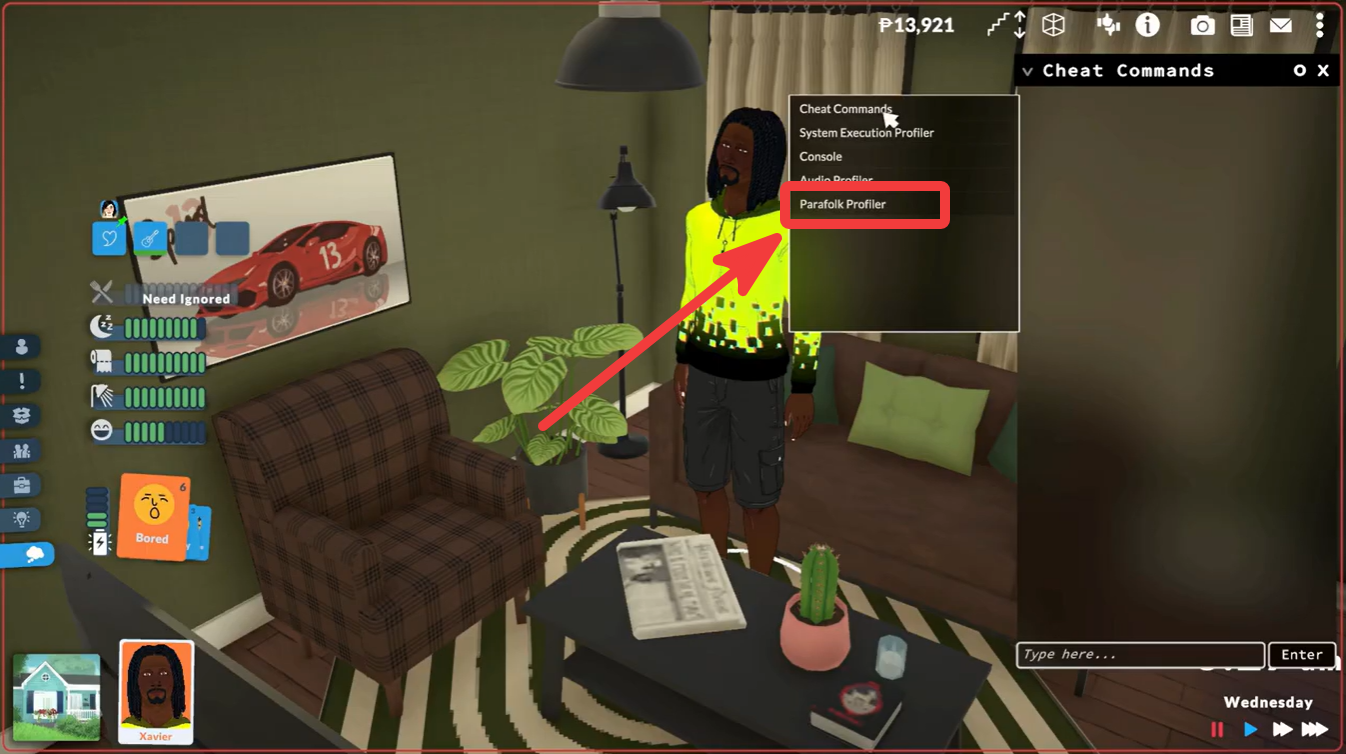
Look for the small arrow located beside the cheat commands section. Click the arrow and select Parafolk Profiler from the available tools.
The profiler window will open and display a list of all characters currently stored in your save.
How to find a specific NPC or townie
Large saves can contain dozens or even hundreds of characters, making manual searching difficult.
Open the Parafolk Profiler. Use the filters at the top of the character list. You can sort characters by categories such as household membership, visibility status, and other available filters.If you know the character’s name, type it into the search field to quickly narrow the results.
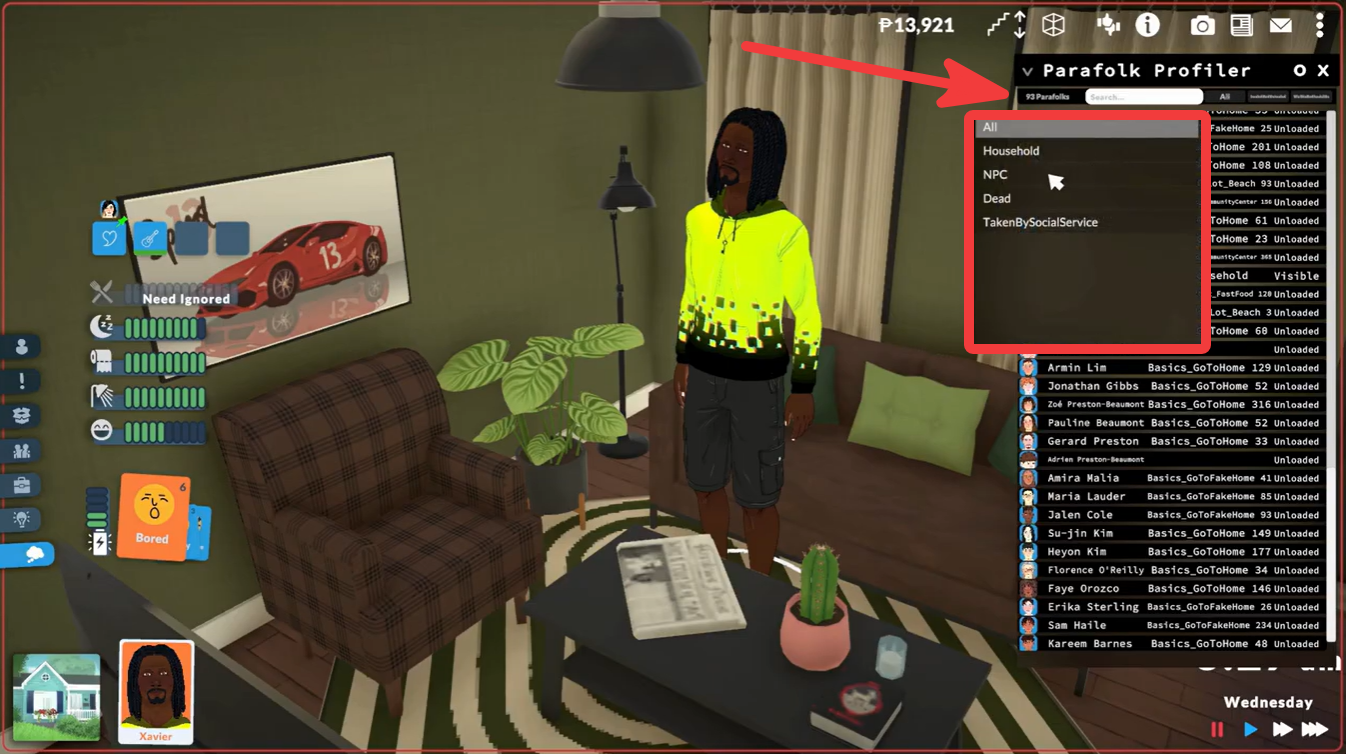
Select the character from the list. Once selected, the profiler displays information such as their status, career, and other character details.
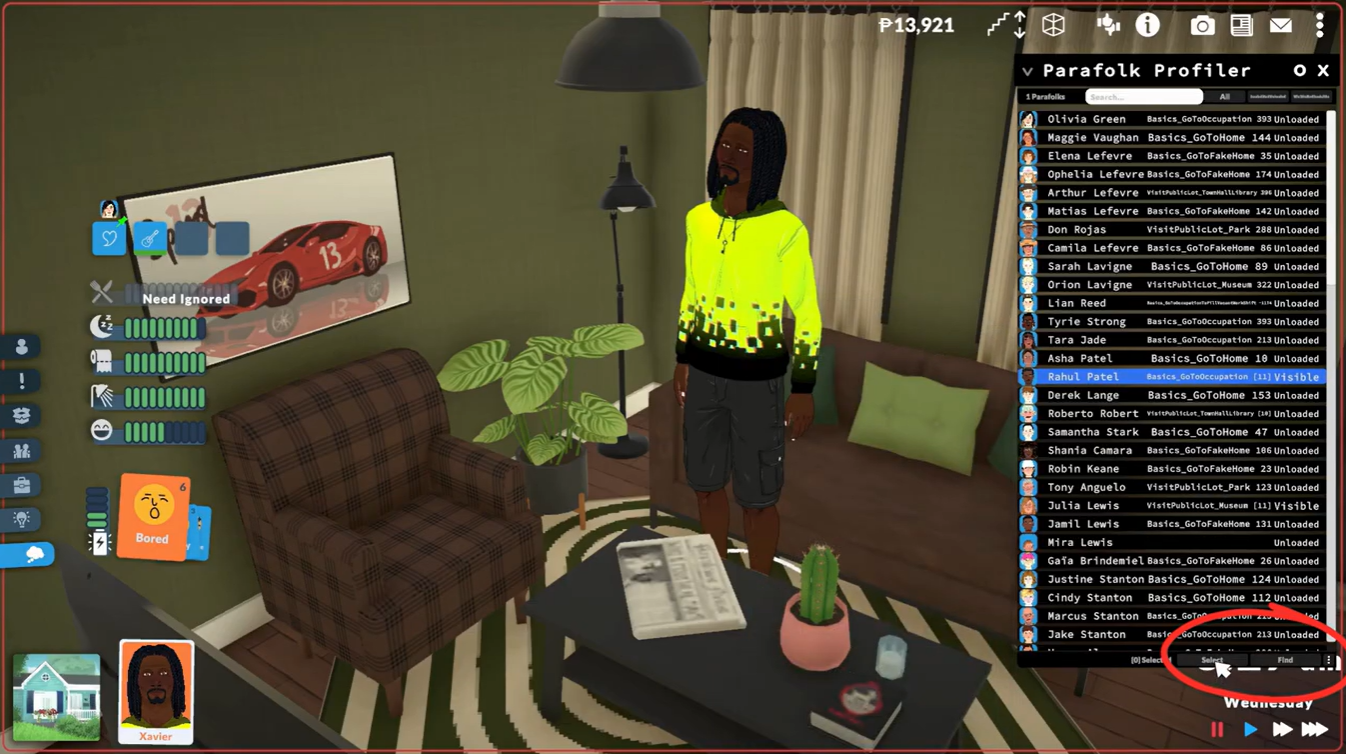
How to instantly locate an NPC in the world
If you are unsure where a character currently is, the profiler includes a built-in tracking function.
Select the desired NPC from the Parafolk Profiler list. Press the Find button.
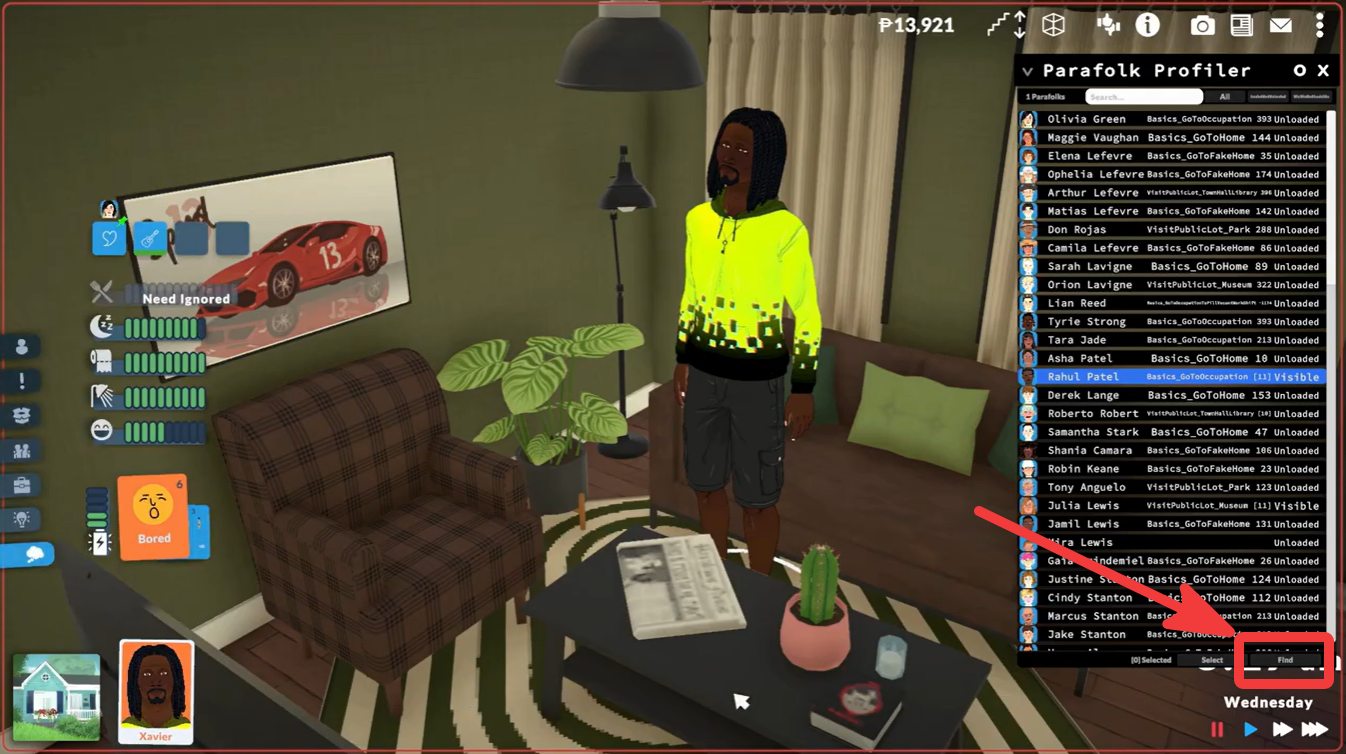
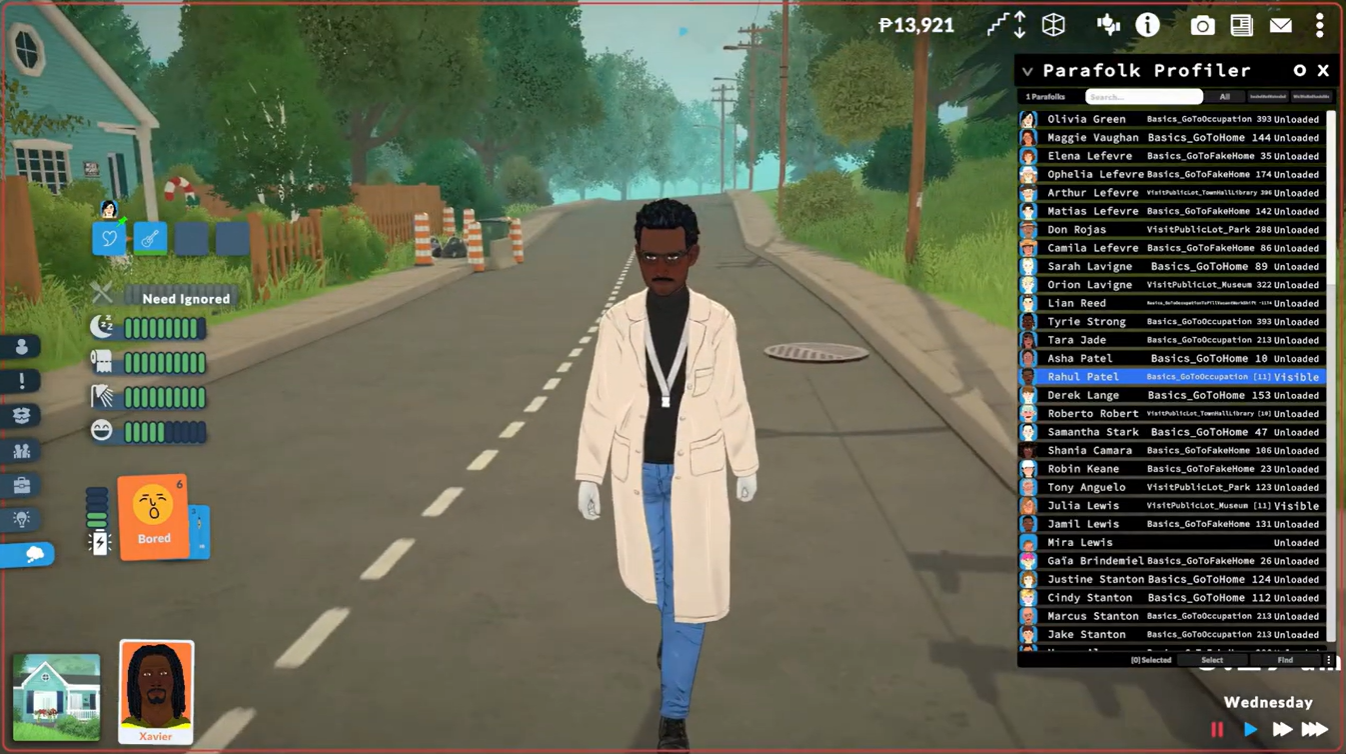
The camera will automatically move to that character’s current location in the world.
This is useful for identifying unknown NPCs, checking if a character is active, or confirming that you selected the correct person before deleting them.
How to delete NPCs and townies
Once you have located the unwanted character, you can permanently remove them from the save.
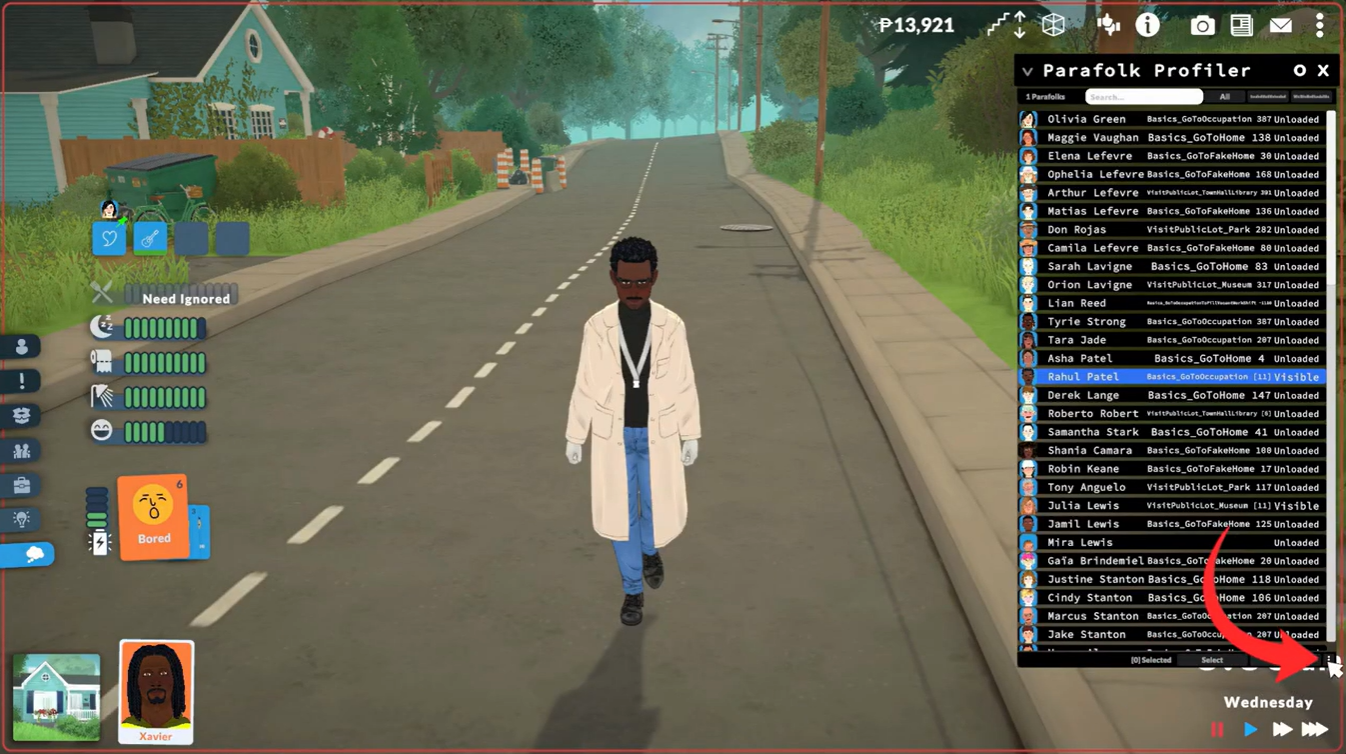
Select the NPC or townie in the Parafolk Profiler. Open the character options menu by clicking the three-dot menu on the character profile.
Choose Delete Character. Confirm the deletion if prompted.
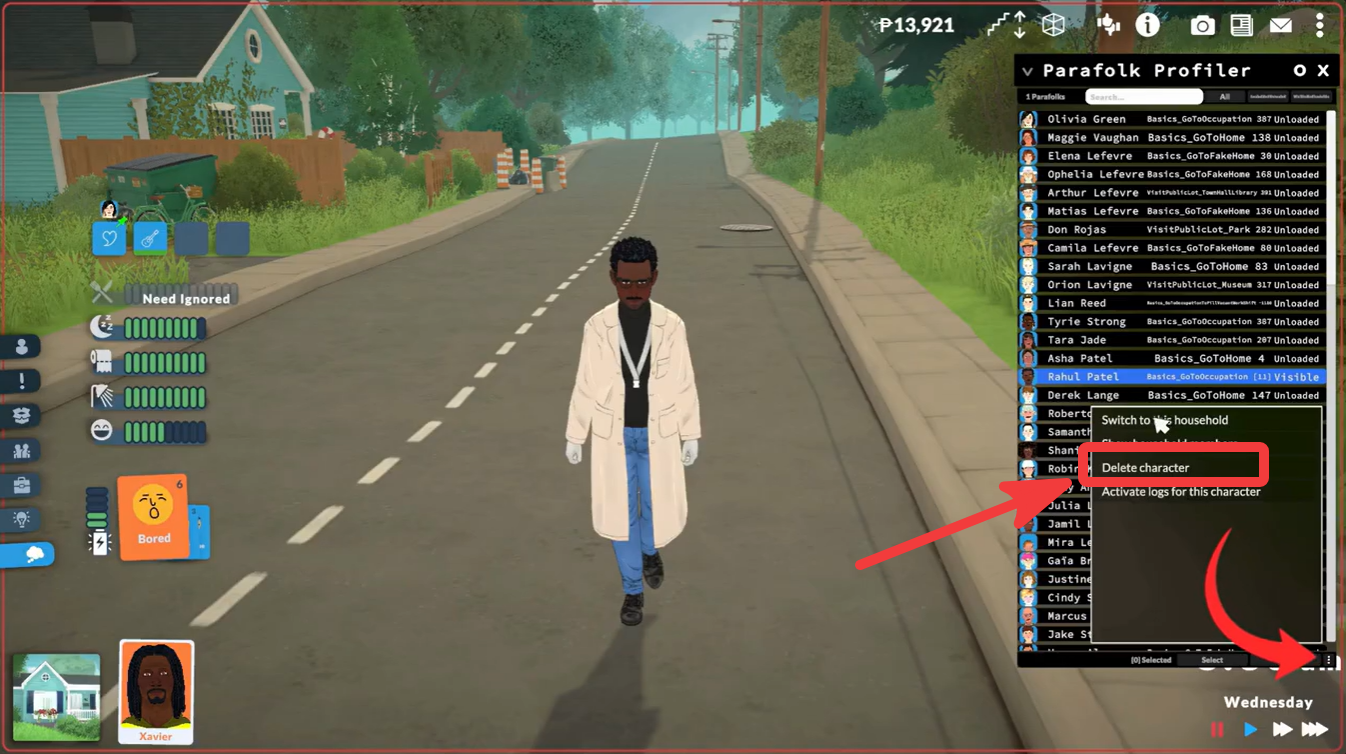
The character will be removed from your save.
What happens when you delete a character?
Deleting a character removes them from the game world and the save file. Any relationships, jobs, social connections, or references tied to that character may also be removed or adjusted by the game.
Because character deletion is permanent, it is recommended to create a backup save before removing important NPCs.
When should you delete NPCs?
Many players use this feature to:
| Reason | Example |
|---|---|
| Remove excess townies | Generated background characters |
| Clean up saves | Old NPCs no longer needed |
| Fix cluttered populations | Too many service NPCs |
| Testing purposes | Storytelling or challenge saves |
| World management | Curating specific communities |
The Parafolk Profiler is currently the easiest way to manage NPCs in Paralives Early Access. By opening the cheat console, accessing the profiler, and using the built-in search, find, and delete tools, you can quickly clean up unwanted townies without installing any mods. Just remember to back up your save before making permanent changes.




Leave a Reply