
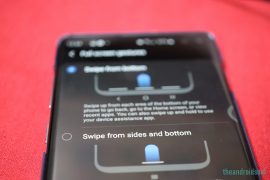
Android 10’s new gesture navigation has invited a lot of criticism, and we gotta say, some of it is indeed fair. While we don’t find many issues with the back gesture and slide-in navigation bar gesture, we do hate that you cannot use the Android 10 gesture on 3rd party launcher apps including Nova Launcher.
Given that Android 10 is now available for major phones like OnePlus 7, OnePlus 6 and more, one would expect the issue to be resolved by now but here we are, still facing this.
It’s been a few weeks since Samsung’s grand unveiling of One UI 2 for the Galaxy S10 and Note 10 devices. Last week, the third version of the beta was released for the S10 devices, and it’s safe to say that the reception has been quite positive. Most users are loving the little refinements Samsung has built into the release, and also the promise of seeing more such changes in the coming months.
One UI 2 (new features here) has brought almost all of Android 10’s celebrated features, including the revamped gesture navigation. S10 and Note 10 users have found Samsung’s implementation to be even more refined than Google itself and are eager to see it in action in third party launcher apps — Nova Launcher, Apex Launcher, etc.
However, a pretty straightforward way to achieve the desired result, and here, we’re going to break it down for you.
- You would have to enable Developer options on your smartphone.

- Go to Settings > About phone > Software information.
- Tap on Build number 7 times (until you get the ‘You’re now a developer!’ message).
- Enable USB Debugging via the Developer options.

- Go to Settings > Developer options > Toggle on USB debugging.
- Now, head over to your computer and download the ADB tools.
- Download the SDK Platform Tools (Windows, Linux, and Mac)
- Once you’ve downloaded the SDK Platform Tools, simply extract the tools to a convenient location on your PC.
- Proceed by connecting your Samsung device to your PC via a USB cable.
- Make sure the USB connection is set to Transferring files.
- This can be done via the notification tray itself.
- Now head over to the SDK Tools folder you extracted in step 5.
- Left Click on the empty space in the SDK folder. Press Shift+Right Click to bring a menu and select Open command prompt here. (if you see the option Open Powershell window here, select it as this will do, too.)
- Alternatively, simply type cmd in the address bar and hit the Enter key to open a command window right there.
- Enter the command “adb devices” just to make sure your smartphone is recognized. You will get a random serial number if ADB is working.,
- Now, run the command given below to enable Android 10’s gesture on your Galaxy S10 running One UI 2:
adb shell cmd overlay enable com.android.internal.systemui.navbar.gestural
- That’s all. Go to Settings > Display > Navigation bar > Select Full screen gestures > tap More options, and select the back key option.

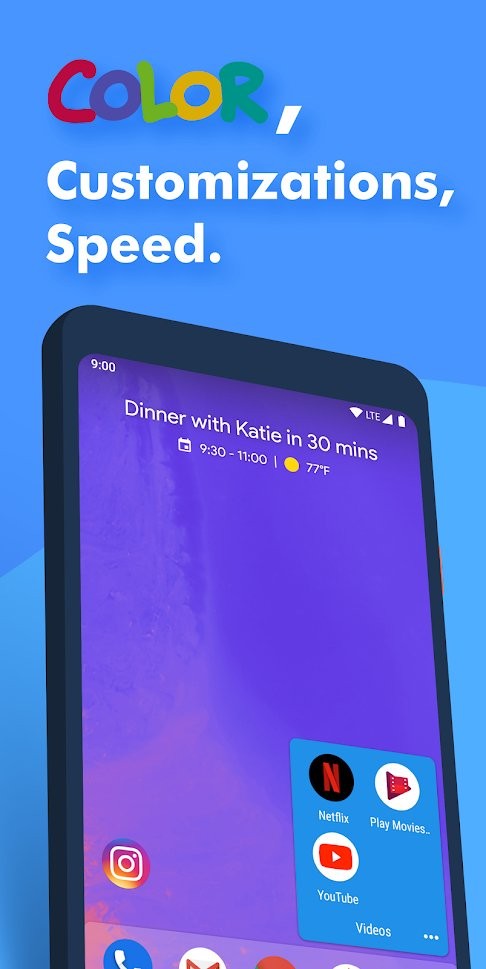
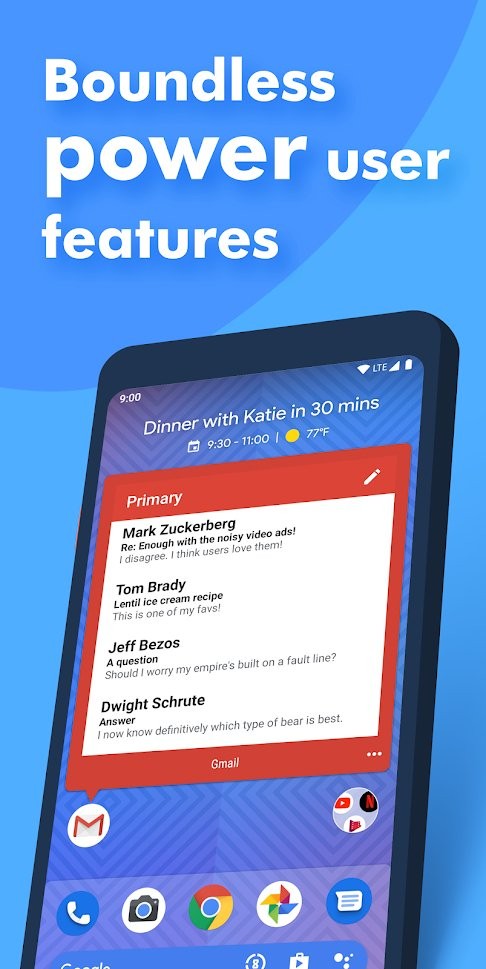
If the process above feels a bit too heavy or you’re having no luck with it, you can check out Action Launcher on Google Play. It may not be as popular as Nova, Apex, or Go, but probably is the only launcher that delivers Android 10’s reworked gesture navigation without a hitch.
The update, which brings the coveted Android 10 navigation gestures, was in beta last week. Now, after hashing out the reported bugs, it has been made available to the public through a stable rollout.
However, before giving it a go, there’s one important criterion that you must fulfill. Action Launcher requires your device to have the December 2019 security patch (Android 10) up and running. So, if you’re stuck even with the November security patch, you’ll have no luck with Action Launcher navigation gestures.
Thankfully, almost all leading manufacturers have blessed their eligible devices with and Android 10 and the December 2019 security patch. In case you haven’t received them yet, your device, if eligible, is likely to get it the duo in the next couple of months.
Apart from the Android 10 navigation gestures, the update also brings support for Live wallpapers, a new ActionDash widget that shows device usage stats, the ability to pause apps with ActionDash directly from the launcher, improved duplicate app support, and 2020 supporter badge alongside impressive bonus wallpapers. 





18 responses to “How to enable Android 10 gesture navigation on Nova launcher and other third-party launchers”
Thank you! I can’t believe it’s still not allowed officially, but I imagine the final release is coming soon and with it official support.
Do you have to do this everytime you restart the phone or is this a one time thing?
Doesn’t work on S9+ OneUI 2 beta!
Not working on a S10e running OneUI 2 non-beta, December Android patch
.adb shell cmd overlay enable com.android.internal.systemui.navbar.gestural
.adb devices
these are te commands, if you dont use the ”.” it doesnt work, at least it didnt for me.
Working on Galaxy s10. But now I have double app closing animation. How it can be solved?
It works for note 9 with “.” in front of commands, but it’s buggy. I reverted back to One UI launcher. Not worth it.
Worked for me in Xiaomi Mi A3, but i cant close recents apps.
Worked on my Note 9. However I suggest using minimal adb and fastboot instead as its lightweight and I haven’t encounter any issues since.
So I’m on the February 2020 security patch on my Galaxy Note9, and Action Launcher still doesn’t work. Only just updated to Android 10 and while I overall prefer the new gestures over Samsung’s old ones (that are still available), being restricted to the very limited One UI launcher in order to use them is ridiculous.
On March ’20 security patch, same here.
I thought I was the only one as Action Launcher claims to support but unable to make it happen.
High, I’m a real noob at this stuff and need some help. I’m following the instructions above, but when I type “adb devices” into the powershell window that I opened I get this message, the term ‘adb’ is not recognized as the name of a cmdlet, function, script file or operable program. Check the spelling of the name, or if a path was included, verify that the path is correct and try again”
The path shown at the prompt is PS C:Usersmy nameOneDriveDesktopplatform-tools_r29.0.6-windows
Update – followed the suggestion posted below by AsahiLK and it works now for me ??
u could put the script adb shell cmd overlay enable com.android.internal.systemui.navbar.gestural in a .bat file and put it in the platform-tools folder so when u plug in your ohone jsut click on it and it will work
got it to work using . but its still very buggy
adb devices just brings up “List of devices attached” no serial number.
on OP6T
fixed, usb debug mode
It works on One Plus 7T Pro Android 10 November 19 security patch
it does NOT work at all. Android 10 final on Note 10+