

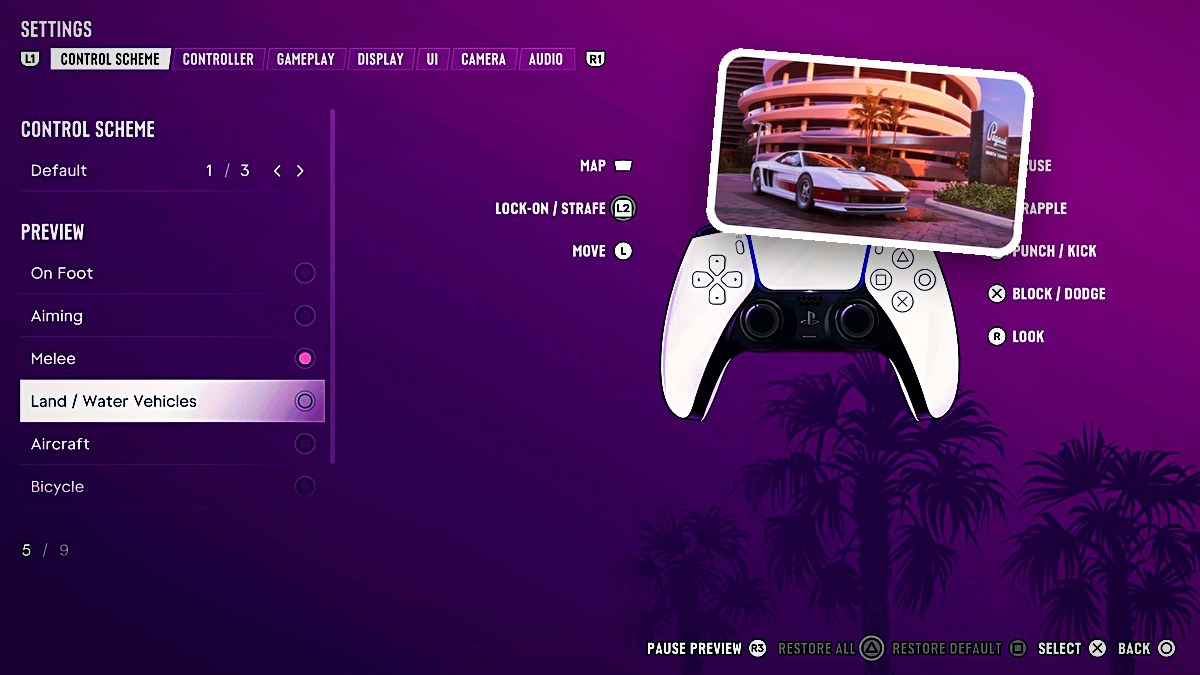
Open Settings > Control Scheme to view the on-foot, aiming, melee, vehicle, aircraft, bicycle, swimming, and parachute button layouts.
Grand Theft Auto VI groups its control previews by activity, from movement and combat to driving, flying, cycling, swimming, and parachuting. The controller diagrams use PlayStation button labels. The game’s platform listings include Xbox Series X|S and PlayStation 5.
- How to select control layouts in Grand Theft Auto VI
- On-foot controls with the Default preset
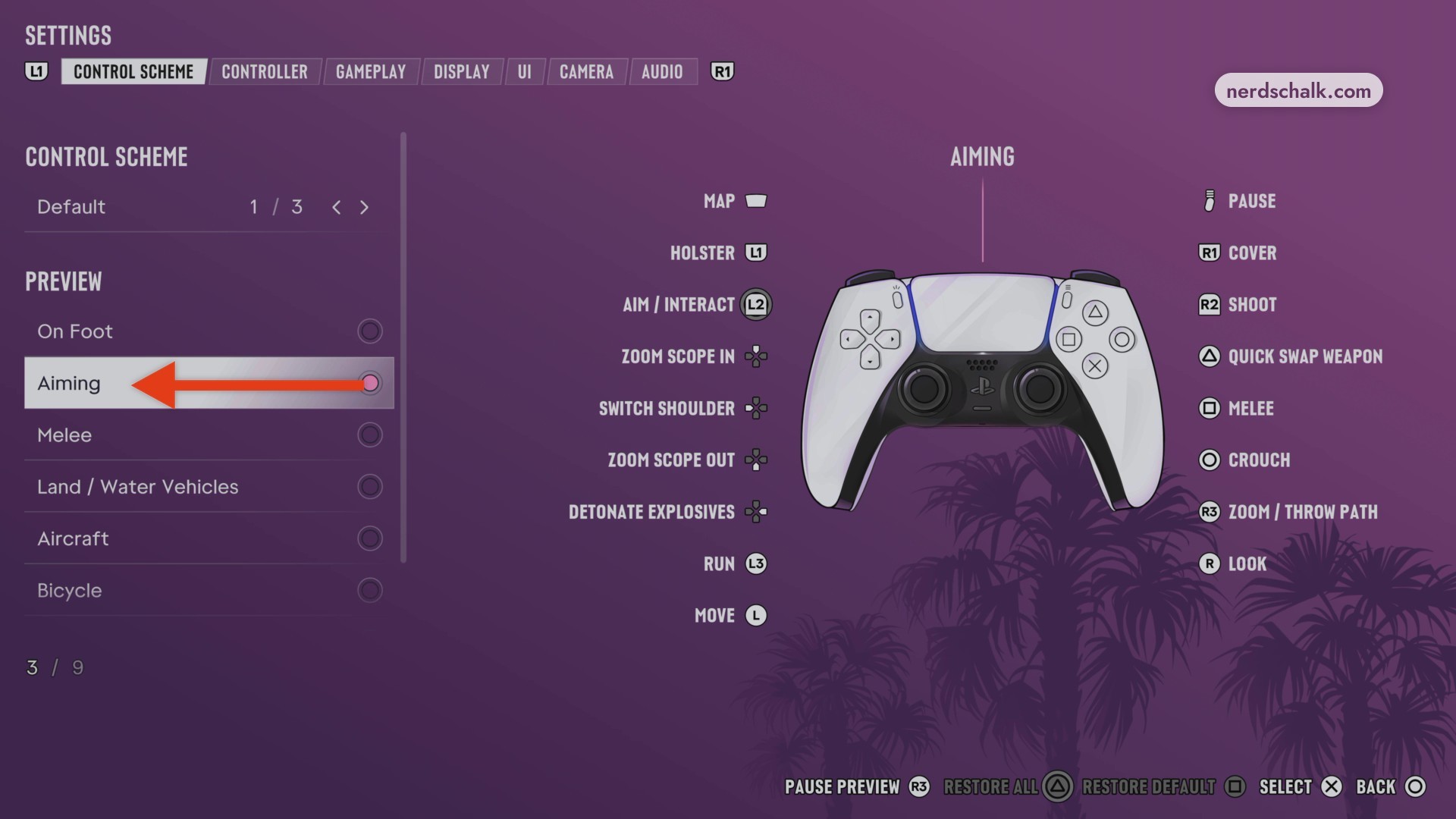
- Aiming controls with the Default preset
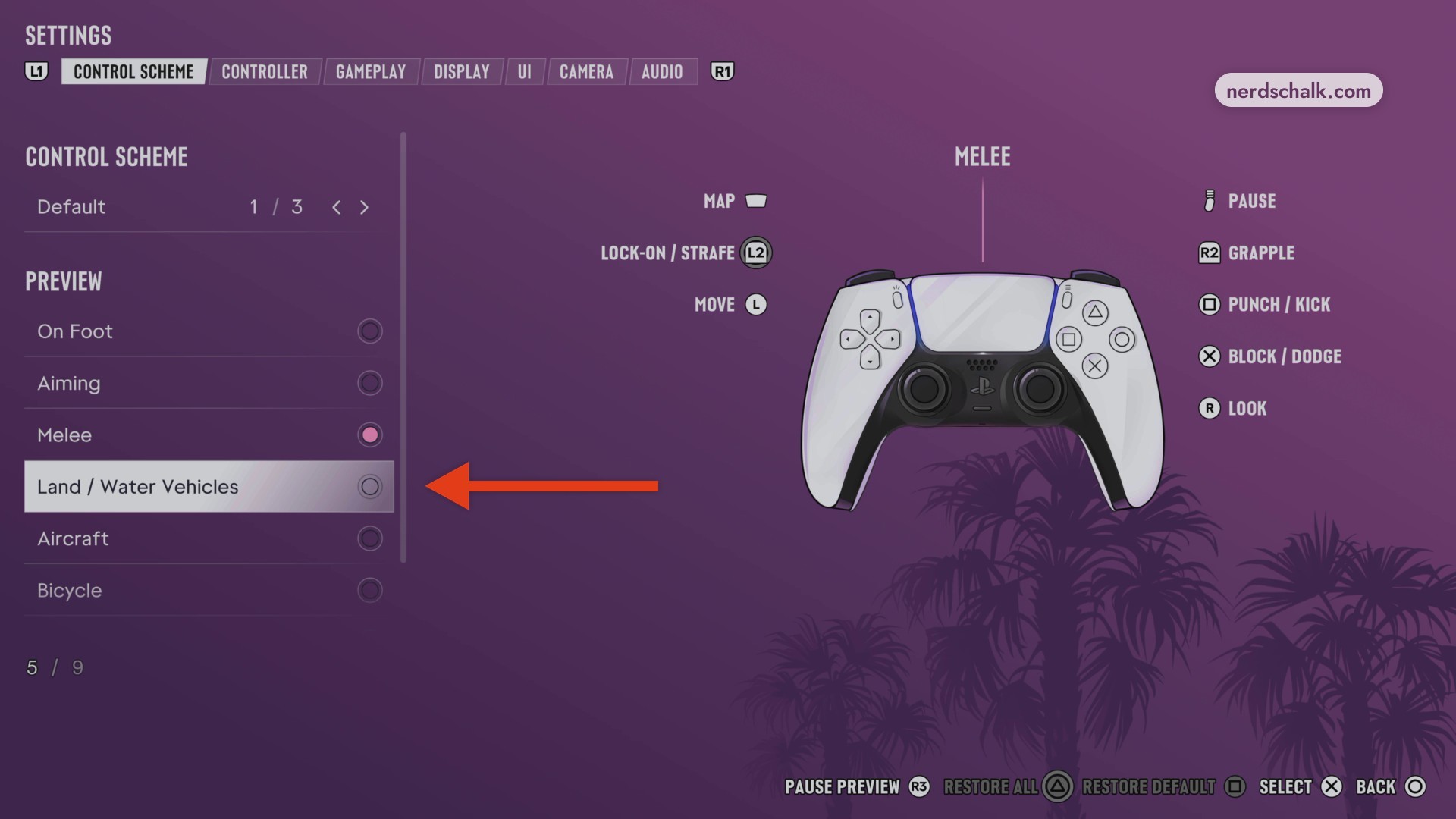
- Melee controls with the Default preset
- Land and water vehicle controls with the Default preset
- Aircraft controls with the Default preset
- Bicycle controls with the Default preset
- Swimming controls with the Default preset
- Parachute controls with the Default preset
- Classic parachute controls
How to select control layouts in Grand Theft Auto VI
| Preview | Control group |
|---|---|
| On Foot | Movement and interaction |
| Aiming | Aiming |
| Melee | Close combat |
| Land / Water Vehicles | Driving |
| Aircraft | Flight |
| Bicycle | Cycling |
| Swimming | Swimming |
| Parachute | Parachuting |
Open Control Scheme
Open Settings and use the shoulder buttons to reach the Control Scheme tab.
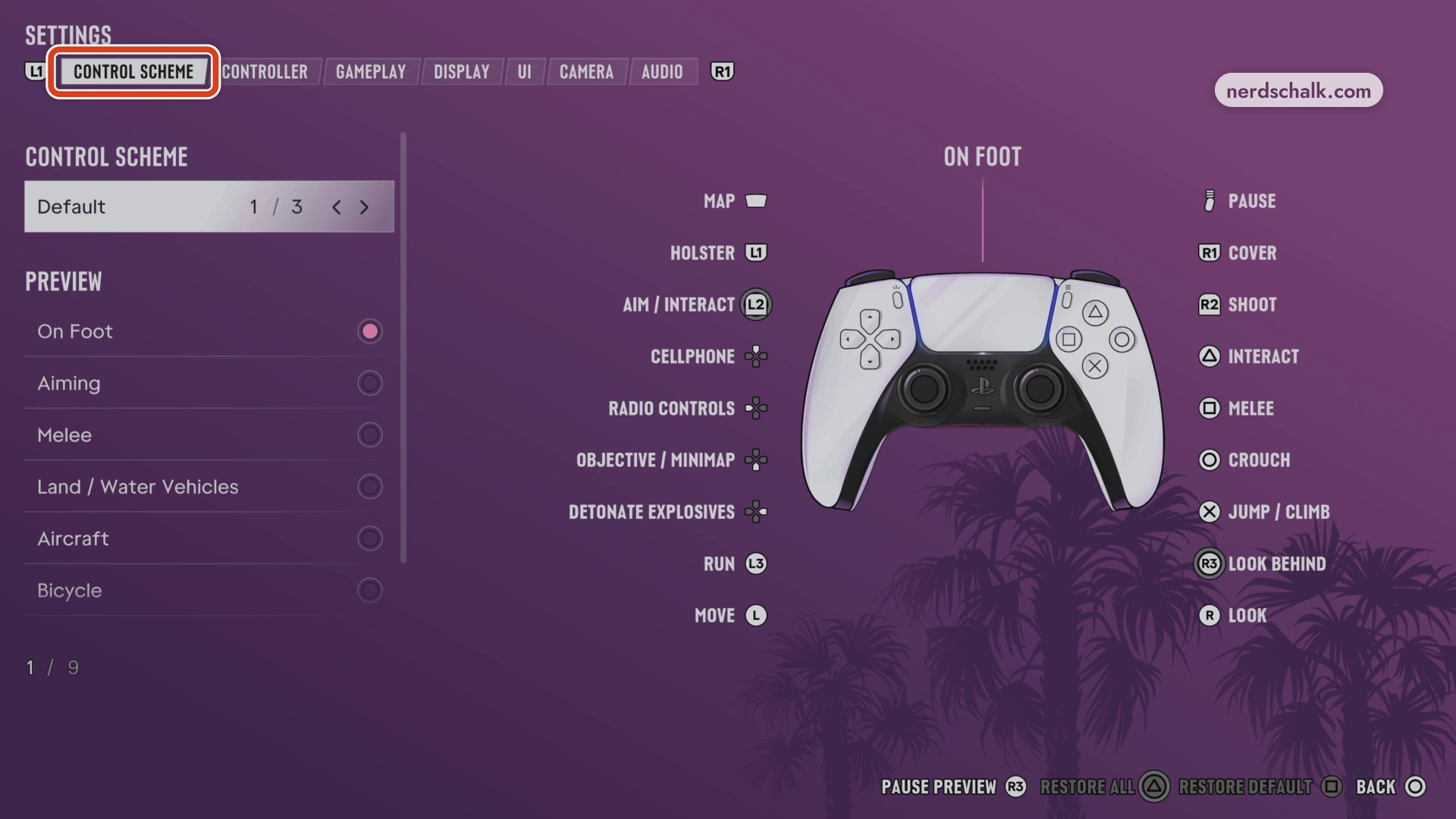
View On Foot
Select On Foot under Preview to display its controller layout.
View Aiming
Scroll down and select Aiming to display its aiming assignments.
View Melee
Select Melee to display its close-combat inputs.
View Land / Water Vehicles
Select Land / Water Vehicles to review its driving inputs.
View Aircraft
Select Aircraft to display its flight controls.
View Bicycle
Select Bicycle to display its cycling controls.
View Swimming
Select Swimming to display its swimming and underwater inputs.
View Parachute
Select Parachute to display its parachuting controls.
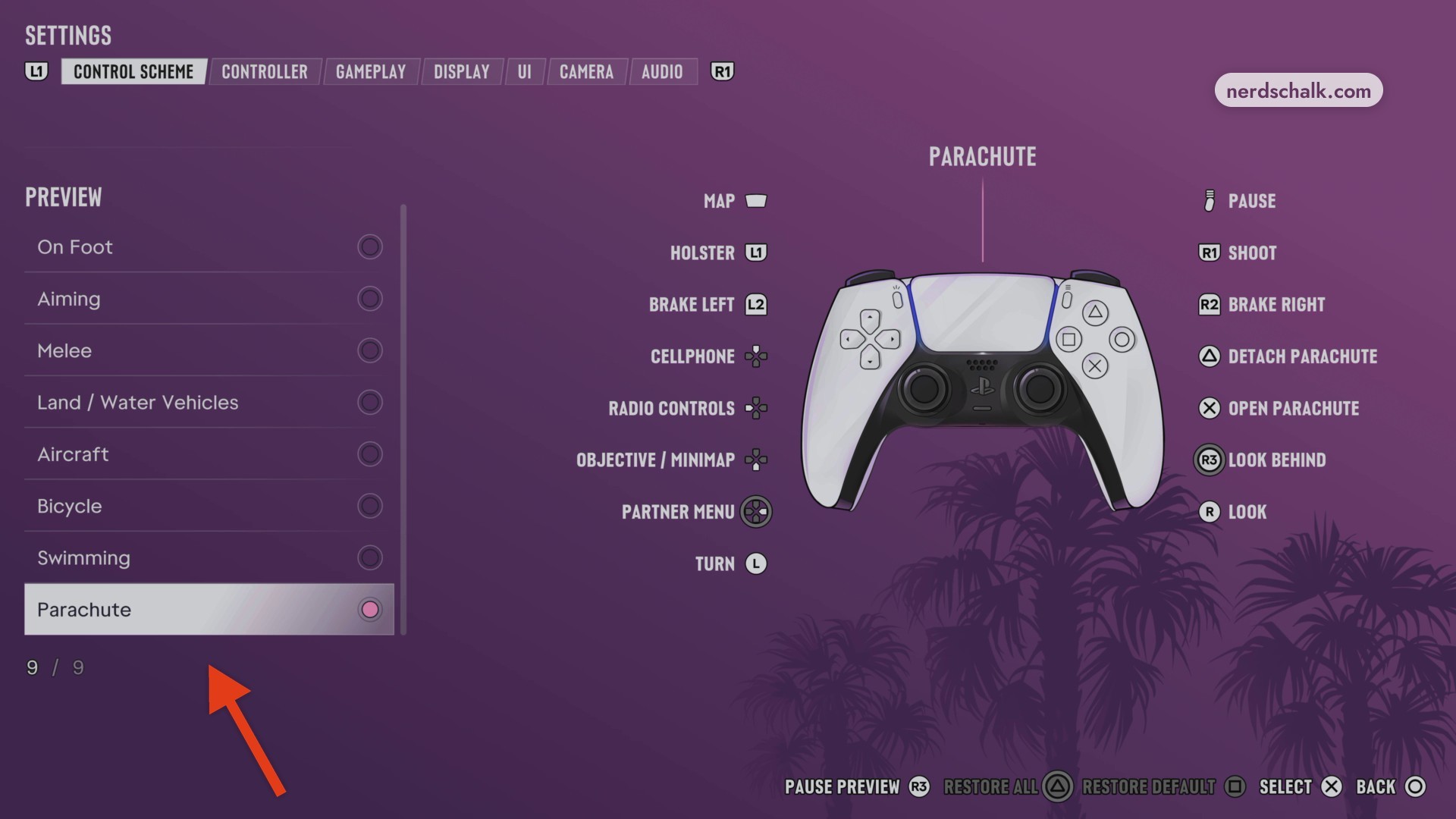
Select a control preset
Highlight the upper Control Scheme selector and choose Default or Classic. With Classic selected, you can view On Foot, Aiming, then Melee. When you’re finished, return the preset to Default, then switch to the Controller settings menu.
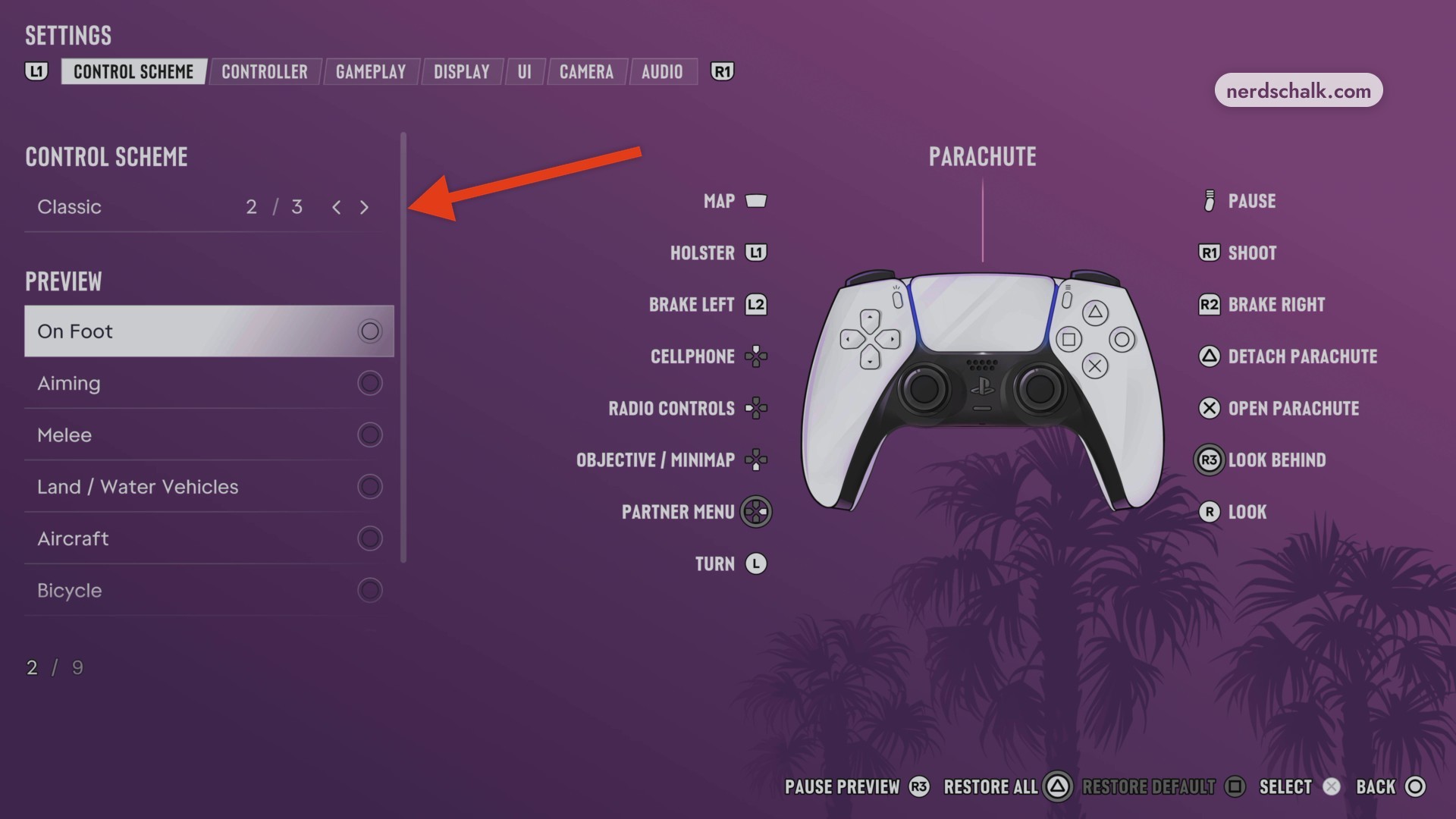
The settings interface also includes RESTORE ALL and RESTORE DEFAULT.
On-foot controls with the Default preset
| Action | Button |
|---|---|
| Map | Touchpad |
| Holster | L1 |
| Aim / Interact | L2 |
| Cellphone | D-pad Up |
| Radio Controls | D-pad Left |
| Objective / Minimap | D-pad Down |
| Detonate Explosives | D-pad Right |
| Run | L3 |
| Move | L |
| Pause | Options |
| Cover | R1 |
| Shoot | R2 |
| Interact | Triangle |
| Melee | Square |
| Crouch | Circle |
| Jump / Climb | Cross |
| Look Behind | R3 |
| Look | R |
Aiming controls with the Default preset
| Action | Button |
|---|---|
| Zoom Scope In | D-pad Up |
| Switch Shoulder | D-pad Left |
| Zoom Scope Out | D-pad Down |
| Quick Swap Weapon | Triangle |
| Zoom / Throw Path | R3 |
| Holster | L1 |
| Cover | R1 |
| Aim / Interact | L2 |
| Shoot | R2 |
Melee controls with the Default preset
| Action | Button |
|---|---|
| Lock-On / Strafe | L2 |
| Grapple | R2 |
| Punch / Kick | Square |
| Block / Dodge | Cross |
| Move | L |
| Look | R |
Land and water vehicle controls with the Default preset
| Action | Button |
|---|---|
| Brake / Reverse | L2 |
| Indicate Left | D-pad Left |
| Indicate Right | D-pad Right |
| Horn / Nitrous | L3 |
| Turn | L |
| Shoot | R1 |
| Accelerate | R2 |
| Exit Vehicle | Triangle |
| Headlights | Circle |
| Handbrake | Cross |
Aircraft controls with the Default preset
| Action | Button |
|---|---|
| Throttle Down | L2 |
| Partner Menu | D-pad Right |
| Undercarriage | L3 |
| Pitch / Roll | L |
| Throttle Up | R2 |
| Yaw Left | Square |
| Yaw Right | Circle |
Bicycle controls with the Default preset
| Action | Button |
|---|---|
| Pedal / Move Forward | R2 |
| Dismount | Triangle |
| Bunnyhop | Circle |
| Sprint | Cross |
| Bell | L3 |
| Turn / Lean | L |
Swimming controls with the Default preset
| Action | Button |
|---|---|
| Aim / Strafe | L2 |
| Swim Faster | L3 |
| Dive | R1 |
| Surface | Cross |
Parachute controls with the Default preset
| Action | Button |
|---|---|
| Brake Left | L2 |
| Brake Right | R2 |
| Detach Parachute | Triangle |
| Open Parachute | Cross |
Classic parachute controls
| Action | Button |
|---|---|
| Holster | L1 |
| Shoot | R1 |
| Brake Left | L2 |
| Brake Right | R2 |
| Look Behind | R3 |
| Look | R |
| Turn | L |
Related Grand Theft Auto VI guides
Leave a Reply