

QUICK ANSWER
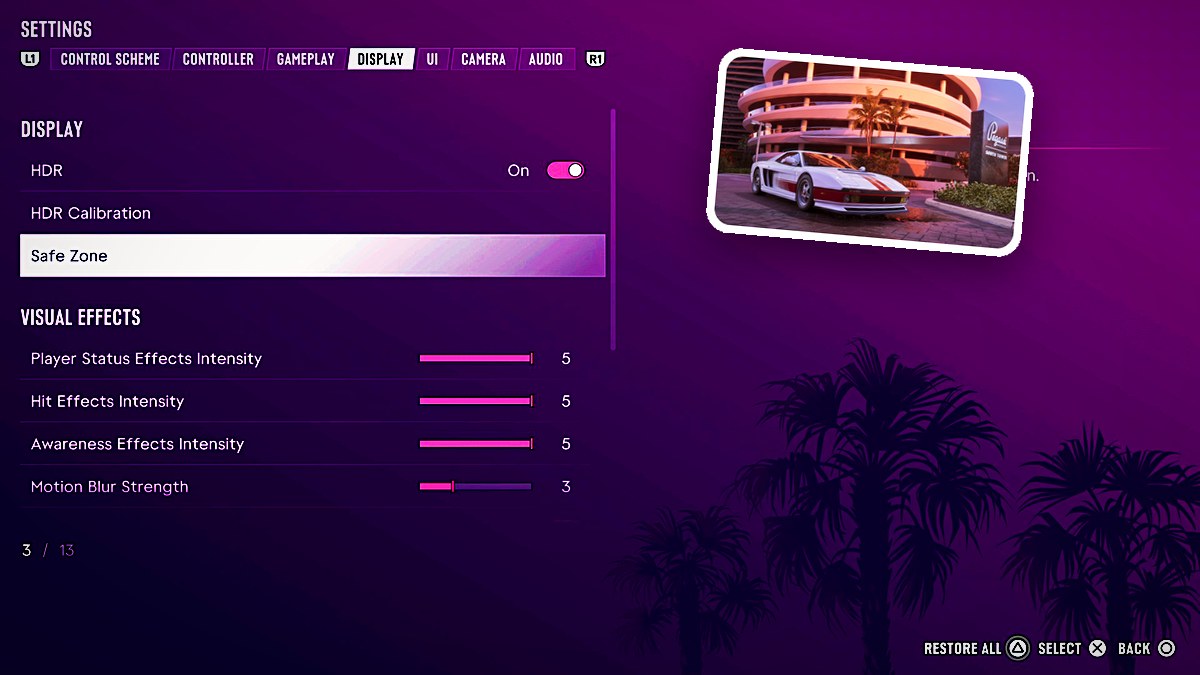
Grand Theft Auto VI’s Display menu contains 13 settings covering HDR, screen boundaries, visual effects, and contrast.
Grand Theft Auto VI’s Display menu contains 13 settings covering HDR, screen boundaries, visual effects, and contrast.
Open Settings and press R1 to cycle through the tabs until you reach Display. The game’s listed platforms are Xbox Series X|S and PlayStation 5.
What are the HDR and screen-fit settings in Grand Theft Auto VI?
| Setting | Choices and displayed value | Help text |
|---|---|---|
| HDR | On or Off. Displayed value: On. | |
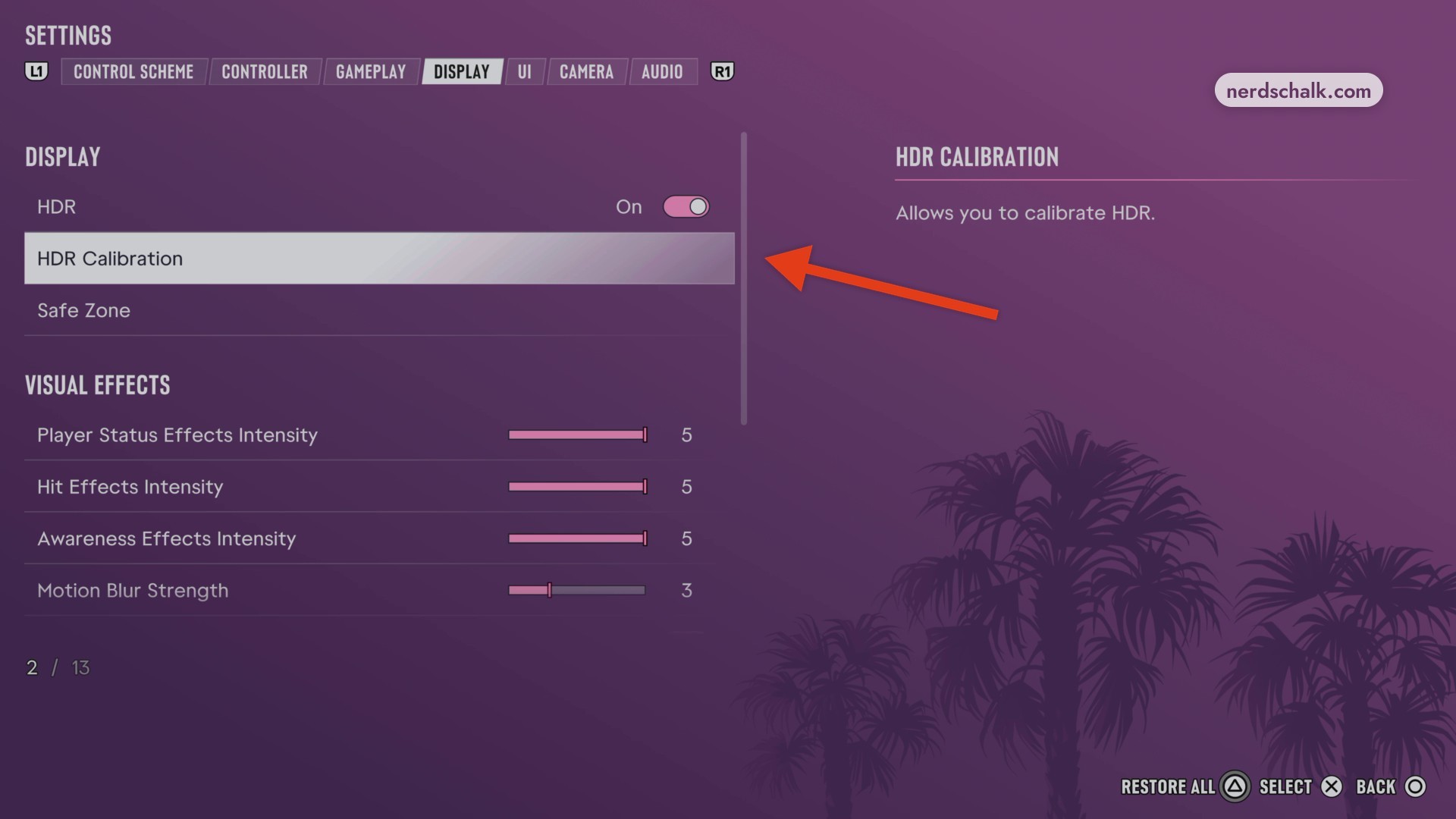
| HDR Calibration (menu position 2 / 13) | Opens the HDR calibration screen. | Allows you to calibrate HDR. |
| Safe Zone (menu position 3 / 13) | Opens the screen-fit adjustment. | Adjust the safe zone to fit your screen. |
Choose your HDR setting to suit the capabilities of the monitor or TV you’re using.
HDR Calibration lets you fine-tune HDR luminance and balance.
The SELECT prompt appears when you highlight HDR Calibration or Safe Zone.
What do the remaining Display settings do in Grand Theft Auto VI?
| Setting | Choices and displayed value | Help text |
|---|---|---|
| Player Status Effects Intensity (menu position 4 / 13) | Slider. Displayed value: 5. | The intensity of screen effects for your character status, such as being low on health or stamina. |
| Hit Effects Intensity | Slider. Displayed value: 5. | The intensity of screen edge hit effects, such as blood spatters, bullet whizz by, and armor hits. |
| Awareness Effects Intensity (menu position 6 / 13) | Slider. Displayed value: 5. | The intensity of screen edge effects that warn of cops and off-screen threats. |
| Motion Blur Strength | Displayed value: 3. | |
| Dismemberment (menu position 8 / 13) | On or Off. Displayed value: On. | Shows dismemberment for certain types of damage and injuries. |
| Blood & Gore Intensity (menu position 9 / 13) | Selectable level. Displayed value: High (option counter 3 / 3). | The intensity of blood and gore for damage and injuries. |
| Flashbang | Bright or Dark. Displayed value: Bright (option counter 1 / 2). | |
| Focus Trail Colorblind Mode | Displayed value: Off. | |
| Brightness Reduction | Displayed value: Off. | |
| High Contrast Shaders (menu position 13 / 13) | On or Off. Displayed value: Off. | Applies a high contrast color to entities and interactions in world. |
The settings tabs display L1 and R1 prompts. The Display menu also includes RESTORE ALL, RESTORE DEFAULT, and BACK.
Related Grand Theft Auto VI guides
Leave a Reply