
Category
how to
-

How to stop status notifications of a user in Microsoft Teams to get rid now available pop-up messages
Microsoft Teams is a remote work collaboration tool by Microsoft that is in direct competition with Slack. Microsoft Teams offers you the ability to…
-

How to format your messages in Microsoft Teams
Microsoft offers a great collaboration tool in the form of Teams featuring video and audio conferencing, file-sharing, instant messaging, end-to-end encryption, and real-time editing.…
-

How to sign up for Microsoft Teams free
Microsoft Teams is a great tool that can easily help multiple team members collaborate with each other remotely. It features chats, file sharing ability…
-

How to receive alerts on your phone when someones trespasses on your premises
Security cameras are a great way to bring some sense of security to your home or workplace. In addition to providing you with the…
-

How to use WhatsApp search feature to spot fake news
In the ongoing battle against COVID-19 — a new coronavirus disease — awareness is undoubtedly our biggest weapon. Thanks to social media, we can…
-

How to add user profiles on Amazon Prime Video app
Amazon prime video now allows you to add up to six different user profiles to a particular account. This gives you the ability to…
-

How to translate speech using Google Translate, and other best apps for transcribing
Google Translate has been in a helpful app/service ever even before Android came into being and has been an integral tool to communicate with…
-

How to keep up with latest news on Twitter
It’s a well-known fact that if you want immediate knowledge of something that you can’t find, Twitter is your best option. Besides being a…
-

How to use your Android phone to sleep better
We know the drill. You plan to go to bed as early as 10, make your bed, set some mild music and wash up…
-

COVID-19 isolation: Master working from home with these handy tips
Factories closed, services halted, and workplaces evacuated: humanity is at war with an invisible enemy. It’s been over a month since COVID-19 — severe…
-

How to force upload a single photo or video to Google Photos quickly without waiting for automatic backup
Backing up your photos and storing them in the cloud is a no-brainer. It’s also more secure than physical hard drives as they aren’t…
-
How to stop signing in automatically with Google Smart Lock on your phone
Google offers you an easy way to sign in to apps and websites on your Android phone through its Smart Lock feature. Smart Lock…
-

How to adjust Blue Light filter and brightness right from the notification bar
This modern age has led to a tremendous increase in our use of smart devices. Growing users are having problems with eye strain as…
-

How to download and install (correct) updates for your OnePlus device based on the model and region
OTA updates are great, but there are many issues why you didn’t get the OTA update yet, or why are you stuck with an…
-

How to get neon sketch line effect on your photos
Neon filters are all the new rage on social media websites. They help make mundane photos interesting all the while helping your subject pop…
-

How to remove and change the background from a photo on Android
Whether you are looking to create a meme or want to change the background of the photo, removing background is the first step. Sure,…
-
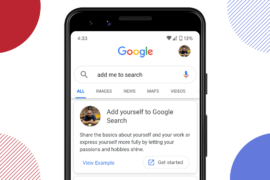
How to add your People card on Google Search and why do it
Do you own a small business? Are you an upcoming influencer? Then surely you want your presence to be felt on Google. Apart from…
-

How to mute and dismiss the ‘is typing’ notification from Snapchat on Android
Snapchat is a wonderful application but if you have a lot of contacts then you are probably annoyed by the constant ‘is typing’ notifications. Snapchat…
-

How to get Force Dark Mode option for all apps on OnePlus phones
OnePlus is one of the biggest manufacturers of smartphones that has slowly and steadily made a name for itself in the past few years.…
-

How to find the best time for meeting (inviting participants to vote)
Organizing a meeting has never been a fun experience for anyone, be it your family get-together or a meeting of professionals from different organizations.…