
Category
how to
-
How to protect your eyes from Blue Light emitted by your phone
Smartphones are an inevitable part of our lives and there is nothing wrong about it. But even this smart handheld gadget has its share…
-
How to filter your notifications based on a specific word or a phrase
Notifications in today’s day and age often end up becoming hindrances rather than a convenience. This is mainly because they can end up being…
-
How to recover dismissed notifications on Android
Notifications can often be an annoyance that may end up swiping away as soon as you see one. You might have also dismissed an important…
-
How to free up internal storage on Android, including ‘other’ storage
Android as an operating system has become quite efficient in recent years. Google has focused a lot on its file management system and apps…
-
How to get and use Google Advanced Protection program
In order to secure the accounts of high-risk users from targeted attacks, Google offers its Advanced Protection Program. The Advanced Protection allows only Google…
-
How to create a shortcut for Mobile hotspot (tethering) on the home screen for quick access
If you are someone who travels a lot, then chances are that you use your mobile hotspot extensively. It can often be cumbersome to…
-

How to remove audio before sharing a video on social media
They say a picture is worth a thousand words. Doesn’t that mean a video is worth a thousand pictures? Technically, yes but for a…
-

How to create multiple contacts quickly using Google Contacts Web
Google pushed its ever-so-popular material theme to the Google Contacts at the start of last year which meant that users lost access to the…
-
How to sort and remove junk files from your Android phone
Android phones of this age have a generous amount of inbuilt storage but if you’ve come to own your device for an extended period…
-

How to make Google Assistant read a webpage for you (even translate it into different languages)
Did you know that Google Assistant can read web pages and other text material displayed on your screen for you? The feature is called…
-

How to save device contacts online to your Google account with a simple toggle
When you lose your smartphone you often end up losing data, and in case you are not subscribed to a backup service, you lose…
-

How to list videos from one subscription only on YouTube app and why is it super helpful
Google is bringing an update to its YouTube app on Android, allowing users to control their playback experience. The feature allows you to filter…
-
How to set Spotify songs as alarm on Samsung Galaxy S20
Samsung has ported one of Google’s software features into its Galaxy S20 devices. In addition to featuring Music Share, Quick Share, Google Duo integration,…
-
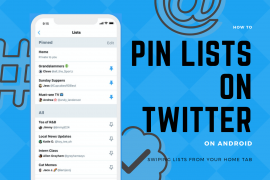
How to pin lists and access directly from Home tab by swiping on Android
Having announced their version of stories in Fleets earlier, Twitter has announced yet another new feature for Android users, allowing users to access their…
-
How to upgrade the security patch of your Android device
Google releases a security update every month and you need to make sure that your device is installed with these patches regularly to prevent…
-

How to get Twitter stories aka Fleets
Joining Instagram, Snapchat, Facebook, WhatsApp, and YouTube for sharing disappearing content, Twitter is now testing its own version of Stories. Labeled as Fleets, users…
-
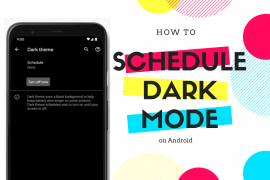
How to schedule dark mode on Android
When Google released the first developer preview of Android 11, one of the first features that we expected to debut with the next version…
-

How to fix common Gmail Offline problems
Let’s admit it. Gmail is by far the best email client with support for a multitude of services, learning capabilities and cross-platform compatibility. It’s…
-

How to record WhatsApp calls on Android
Want to save the recording of a WhatsApp call? Well, WhatsApp doesn’t allow that but there are some workarounds available for you. Read on…
-
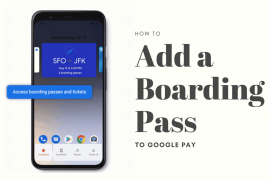
How to add a boarding pass to Google Pay
Google usually sticks with bug fixes and stability improvements but with the March 2020 update, the Mountain View giant is rolling out feature drops…