

Well, here it comes — the first official Android 4.0 update from Samsung, labeled as XXLPQ. Galaxy S2 users in Baltic, Poland, Hungary and other Nordic countries can use the Samsung’s PC software Kies to update their phone to Android 4.0.
But those of us who are apparently not from that area of earth, but are as much eager as one could be about official Ice Cream Sandwich for Galaxy S2, well, there is the Odin software to install the XXLPQ manually. It’s pretty easy and if you’ve been keeping up with us, you may have already done it countless times — XXKP8, XXLPH, XXLPJ, etc. But this time around, we flash the official Ice Cream Sandwich update for Galaxy S2 — XXLPQ.
Well, there are some features missing from the earlier leaks, XXLPH and XXLPJ, like there is no 3d anim effect in drawer and while swiping home screens, which was present in XXLPH and XXLPJ, but other than that, XXLPQ is cool — no touch lags and it’s pretty fast and fully working rom, with TouchWiz 4 UI of course, hate it or not.
So, let’s see how to upgrade to Ice Cream Sandwich with XXLPQ, the official Android 4.0 firmware via Kies.
Compatibility
This firmware and the guide below is compatible only and only with Galaxy S2, model number i9100. It’s not compatible with any other device, including US variants of S2, the Epic 4G Touch, T-mobile Galaxy S2 and AT&T Galaxy S2 along with Skyrocket. Check your device’s model number in Settings » About phone.
Warning!
The methods and procedures discussed here are considered risky and you should not attempt anything if you don’t know completely what it is. If any damage occurs to you or your device, we won’t be held liable — you only will be responsible, you’ve been warned!
Pre-Installation Requirements/Tips
- This procedure will wipe all your apps, data and settings (but it will NOT touch your SD cards, so don’t worry about those). Backup your Apps and important data — bookmarks, contacts, SMS, APNs (internet settings), etc. This Android backup guide would help you.
- If you have Samsung’s PC software Kies installed, un-install it first because it may interrupt the flashing process.
- Drivers! — it’s important you’ve the proper drivers installed. Download links below.
32 bit (x86) Windows | 64-bit (x64) Windows
How to Install XXLPJ on Galaxy S2 i9100
- Download the XXLPQ Kies firmware from this link → XXLPQ (alternate mediafire links — part 1 and part 2). Filename: I9100XXLPQ_I9100OXALPQ_XEO.zip | Size: 382.43 MB
- Now, extract the downloaded file I9100XXLPQ_I9100OXALPQ_XEO.zip (from step 1) to any folder, you’ll get these 2 files:
- I9100XXLPQ_I9100OXALPQ_I9100XXLPQ_HOME.tar.md5
- SS_DL.dll (simply ignore this one)
- Now, download the Odin software which you’ll need to flash the XXLPQ on your Galaxy S2 i9100. Download Link. Filename: Odin3 v1.83.exe
- Power Off your phone and also disconnect it from PC if it’s connected, and don’t forget to keep phone’s battery above 50%, just to be very very safe. After the screen goes off, wait for vibration to confirm complete switch off.
- Boot Galaxy S2 into Download Mode in order to flash the XXLPQ firmware using Odin. For this, press and hold these keys together:Volume Down + Home + Power, you’ll get a Warning! screen.. press Volume up to continue to enter download mode.
- Open Odin (from step 3) — double-click the Odin3 v1.83.exe.
- Connect your phone to PC now. You should get the message “Added! !” under Odin’s message box in the bottom left. If you don’t get this message, then probably there is a problem with drivers. Make sure you’ve proper drivers installed. See point 3 above under Pre-Installation Requirements.
- Now, in the PDA tab in Odin, select the file you got in step 2.1 — I9100XXLPQ_I9100OXALPQ_I9100XXLPQ_HOME.tar.md5.
- Important! Do not touch any other button or make any other changes in Odin except selecting the required file as given in step 8. Your Odin’s screen should look like this:

- Now, hit the START button to start flashing XXLPQ firmware. When the flashing procedure is finished, your phone will automatically reboot — and when you see the Samsung logo, you can safely unplug the cable. Plus, you’ll get a PASS (with green background) message in the left-most box at the very top of the Odin. Screen would look like this (below) on successful flashing of XXLPQ.
 IMPORTANT Note: If ODIN gets stuck at some stage and doesn’t get you PASS, do this — disconnect the phone from the PC, close ODIN, remove battery, re-insert it, turn phone on in Download mode again, and do the procedure again from Step 6. Same if you get FAIL in Odin.
 - After you’ve got the PASS message, the phone will probably get stuckat S logo. If it reboots fine without getting stuck at the S logo, then okay, you’re done, skip to next step. Otherwise, worry not and do this:
- Boot to recovery mode — for which, first power off phone and after screen goes off, wait for 5-6 seconds, and then press and hold Home + Volume Up + Power keys together. Once you are in recovery mode, use volume keys to move the selection up and down and power or home key to select the option.
- Go to Factory Reset and select it. Select Yes on next screen.
- Now, go to Wipe Cache and select it. Confirm Yes on next screen.
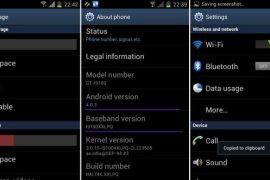
- Now, select reboot system now to boot your Galaxy S2. It will boot up fine. And you’ll have official Android 4.0, Ice Cream Sandwich, firmware on your Galaxy S2 i9100. Go to Settings and scroll down and select About Phone and check the info there.
- Also, if data network (3G, GPRS, etc.) isn’t working for you, you gotta fill in APN Settings meant for your carrier in Mobile and Network settings. Here’s a full list of carriers and their APN settings » Link
- In case you encounter any roadblocks flashing XXLPJ, let us know in comments below and we’ll try to help you out.


Do let us know what you feel about the XXLPQ. Liking the Touchwiz 4 on ICS, or completely hating it?
Update: Root your Galaxy S2 on XXLPQ using CF kernel. Search for “root xxlpq” on our site or click here.
Screenshots of XXLPQ Kies Firmware for Galaxy S2 i9100









943 responses to “XXLPQ — Update Galaxy S2 to Android 4.0 Official Firmware Manually”
i cant download apps from google play after upgrading.
i also did the apn settings. still error 941. please help.
i cant download apps from google play after upgrading.
i also did the apn settings. still error 941. please help.
i love it
i love it
i love it
It works but I found some bugs:
1)With wifi….everytime it disconnects and connects
2)With the reproductor of music….sometimes it play a song with distorsion and very slow
3)Sometimes it take a few time to reappear the menu again when you finished other aplication
The only way to resolve this is reboot the phone, because i tried the two wipe and doesn’t work….anyone have the same issues or just me??
i also had this issue, but not with this version, it was with the beta version.. try to install this version.. and check in settings about phone that do u have xxlpq or not..
No men i use the right link and installed the I9100XXLPQ_I9100OXALPQ_I9100XXLPQ_HOME.tar so i´ve had the same issues
re you still facing those problems you mentioned above? I would recommend you to do Factory Reset from Recovery, and also Fix Permissions, under the Advanced option of recovery.
I have upgraded and everything is working great, except I am having a problem with browsing from wireless accesspoints. It connects to the access point and shows that I am getting a signal. but if a launch firefox or anyother browser and don’t get connected… Would the factory Reset IN CWM correct this??
It works but I found some bugs:
1)With wifi….everytime it disconnects and connects
2)With the reproductor of music….sometimes it play a song with distorsion and very slow
3)Sometimes it take a few time to reappear the menu again when you finished other aplication
The only way to resolve this is reboot the phone, because i tried the two wipe and doesn’t work….anyone have the same issues or just me??
i also had this issue, but not with this version, it was with the beta version.. try to install this version.. and check in settings about phone that do u have xxlpq or not..
i also had this issue, but not with this version, it was with the beta version.. try to install this version.. and check in settings about phone that do u have xxlpq or not..
i also had this issue, but not with this version, it was with the beta version.. try to install this version.. and check in settings about phone that do u have xxlpq or not..
No men i use the right link and installed the I9100XXLPQ_I9100OXALPQ_I9100XXLPQ_HOME.tar so i´ve had the same issues
re you still facing those problems you mentioned above? I would recommend you to do Factory Reset from Recovery, and also Fix Permissions, under the Advanced option of recovery.
I have upgraded and everything is working great, except I am having a problem with browsing from wireless accesspoints. It connects to the access point and shows that I am getting a signal. but if a launch firefox or anyother browser and don’t get connected… Would the factory Reset IN CWM correct this??
It works but I found some bugs:
1)With wifi….everytime it disconnects and connects
2)With the reproductor of music….sometimes it play a song with distorsion and very slow
3)Sometimes it take a few time to reappear the menu again when you finished other aplication
The only way to resolve this is reboot the phone, because i tried the two wipe and doesn’t work….anyone have the same issues or just me??
i also had this issue, but not with this version, it was with the beta version.. try to install this version.. and check in settings about phone that do u have xxlpq or not..
No men i use the right link and installed the I9100XXLPQ_I9100OXALPQ_I9100XXLPQ_HOME.tar so i´ve had the same issues
re you still facing those problems you mentioned above? I would recommend you to do Factory Reset from Recovery, and also Fix Permissions, under the Advanced option of recovery.
I have upgraded and everything is working great, except I am having a problem with browsing from wireless accesspoints. It connects to the access point and shows that I am getting a signal. but if a launch firefox or anyother browser and don’t get connected… Would the factory Reset IN CWM correct this??
Successfully updated from 2.3.6 to ICS 4.0.3 on my Galaxy S2, I didn’t uninstall Samsung Kies software from my system. Everything went fine, Thank you very much for this guide..
Successfully updated from 2.3.6 to ICS 4.0.3 on my Galaxy S2, I didn’t uninstall Samsung Kies software from my system. Everything went fine, Thank you very much for this guide..
Successfully updated from 2.3.6 to ICS 4.0.3 on my Galaxy S2, I didn’t uninstall Samsung Kies software from my system. Everything went fine, Thank you very much for this guide..
This has so many bugs. My contacts don’t work as smooth as before. I cant add new contacts. I cant edit contacts. Contacts crashes everytime. I get absurd notifications for example your battery voltage is too high when my phone is not even being charged. This firmware needs update, and fast.
Do Factory Reset from recovery mode, that should fix this. Or, simply ‘clear data’ of contacts app under settings – app.
along with clearing data from contacts app, you have to clear data from ‘Contacts storage’ as well.
Aha, thanks for the info.
This has so many bugs. My contacts don’t work as smooth as before. I cant add new contacts. I cant edit contacts. Contacts crashes everytime. I get absurd notifications for example your battery voltage is too high when my phone is not even being charged. This firmware needs update, and fast.
Do Factory Reset from recovery mode, that should fix this. Or, simply ‘clear data’ of contacts app under settings – app.
along with clearing data from contacts app, you have to clear data from ‘Contacts storage’ as well.
Aha, thanks for the info.
This has so many bugs. My contacts don’t work as smooth as before. I cant add new contacts. I cant edit contacts. Contacts crashes everytime. I get absurd notifications for example your battery voltage is too high when my phone is not even being charged. This firmware needs update, and fast.
Do Factory Reset from recovery mode, that should fix this. Or, simply ‘clear data’ of contacts app under settings – app.
along with clearing data from contacts app, you have to clear data from ‘Contacts storage’ as well.
Aha, thanks for the info.
i was install according to your instruction.
but battery life is very first to drain and also ph Display also so hot.
so how can i continue for that ..
any idea ? for installation of LPQ
i was install according to your instruction.
but battery life is very first to drain and also ph Display also so hot.
so how can i continue for that ..
any idea ? for installation of LPQ
i was install according to your instruction.
but battery life is very first to drain and also ph Display also so hot.
so how can i continue for that ..
any idea ? for installation of LPQ
I followed the instructions to the letter, and seem to have bricked my phone. It endlessly loops on the first Galaxy sII screen. Holding volume down, home + power works, but the device is no longer seen by the PC, so cannot repeat process from scratch. Holding volume up, home + power doesn’t work, so can’t do factory reset. Power button does not work to turn phone off, have to pull battery to get out of cycle. Looks like an expensive repair job for me… :-(?
Are you still stuck? Let me know if yes, i’ll try to help you out. And you sure your device is international Galaxy S2, model number i9100?
at first had the same issue as howardthewebb but it is working now. thanks.
You mean all of this:
1. Can’t go to recovery mode.
2. Can go to download mode.
3. PC is not recognizing anymore.
Right?
Kapil you are a freakin genius, thank you so much. I was stuck in the samsung screen with the yellow triangle followed your instructions to the letter et voila anew samsung. Cheers mate.
I followed the instructions to the letter, and seem to have bricked my phone. It endlessly loops on the first Galaxy sII screen. Holding volume down, home + power works, but the device is no longer seen by the PC, so cannot repeat process from scratch. Holding volume up, home + power doesn’t work, so can’t do factory reset. Power button does not work to turn phone off, have to pull battery to get out of cycle. Looks like an expensive repair job for me… :-(?
Are you still stuck? Let me know if yes, i’ll try to help you out. And you sure your device is international Galaxy S2, model number i9100?
at first had the same issue as howardthewebb but it is working now. thanks.
You mean all of this:
1. Can’t go to recovery mode.
2. Can go to download mode.
3. PC is not recognizing anymore.
Right?
Kapil you are a freakin genius, thank you so much. I was stuck in the samsung screen with the yellow triangle followed your instructions to the letter et voila anew samsung. Cheers mate.
I followed the instructions to the letter, and seem to have bricked my phone. It endlessly loops on the first Galaxy sII screen. Holding volume down, home + power works, but the device is no longer seen by the PC, so cannot repeat process from scratch. Holding volume up, home + power doesn’t work, so can’t do factory reset. Power button does not work to turn phone off, have to pull battery to get out of cycle. Looks like an expensive repair job for me… :-(?
Are you still stuck? Let me know if yes, i’ll try to help you out. And you sure your device is international Galaxy S2, model number i9100?
at first had the same issue as howardthewebb but it is working now. thanks.
You mean all of this:
1. Can’t go to recovery mode.
2. Can go to download mode.
3. PC is not recognizing anymore.
Right?
Kapil you are a freakin genius, thank you so much. I was stuck in the samsung screen with the yellow triangle followed your instructions to the letter et voila anew samsung. Cheers mate.
Umm… is anyone experiencing gpu problems?
I cant set any camera pic as my wallpaper. Gallery hangs after the re-sizing screen
Also, some live wallpapers are blotchy and pixelated… is that normal??
Okay…restored to factory settings thru recovery…
camera thing solved, but live wallpapers are still pixelated…as if they’re set to a lower resolution… what do i do??
BTW… thank you so much for this… highly appreciated… you must have worked exceptionally hard on this and not to recognize that would be foolish… so bravo… hats of to you…
Umm… is anyone experiencing gpu problems?
I cant set any camera pic as my wallpaper. Gallery hangs after the re-sizing screen
Also, some live wallpapers are blotchy and pixelated… is that normal??
Okay…restored to factory settings thru recovery…
camera thing solved, but live wallpapers are still pixelated…as if they’re set to a lower resolution… what do i do??
BTW… thank you so much for this… highly appreciated… you must have worked exceptionally hard on this and not to recognize that would be foolish… so bravo… hats of to you…
Umm… is anyone experiencing gpu problems?
I cant set any camera pic as my wallpaper. Gallery hangs after the re-sizing screen
Also, some live wallpapers are blotchy and pixelated… is that normal??
Okay…restored to factory settings thru recovery…
camera thing solved, but live wallpapers are still pixelated…as if they’re set to a lower resolution… what do i do??
BTW… thank you so much for this… highly appreciated… you must have worked exceptionally hard on this and not to recognize that would be foolish… so bravo… hats of to you…
using this update in India…. flawless update….everythin workin fine..battery backup has increased….as specified that this update is for Baltic, Poland, Hungary and other Nordic countries only hope there is no problem if im using it in india ..plz comment
It’s okay… you won’t have any problem using it in India. I’m using this on my S2, too.
whether we hav do these steps after installing ice cream sandwich OS on phone
Do the steps above to get Android 4.0 Ice Cream Sandwich on your phone.
after 11th step whether we have to do those steps
If it boots up fine, then no need to do those steps.
if it gets rebooted then it will automatically go to home screen ya
As said in step 11, if it boots up fine, then okay, you are good. Don’t do step 11.1 to 11.4. and simply proceed to step 12. That’s it. 🙂
using this update in India…. flawless update….everythin workin fine..battery backup has increased….as specified that this update is for Baltic, Poland, Hungary and other Nordic countries only hope there is no problem if im using it in india ..plz comment
It’s okay… you won’t have any problem using it in India. I’m using this on my S2, too.
whether we hav do these steps after installing ice cream sandwich OS on phone
Do the steps above to get Android 4.0 Ice Cream Sandwich on your phone.
after 11th step whether we have to do those steps
If it boots up fine, then no need to do those steps.
if it gets rebooted then it will automatically go to home screen ya
As said in step 11, if it boots up fine, then okay, you are good. Don’t do step 11.1 to 11.4. and simply proceed to step 12. That’s it. 🙂
using this update in India…. flawless update….everythin workin fine..battery backup has increased….as specified that this update is for Baltic, Poland, Hungary and other Nordic countries only hope there is no problem if im using it in india ..plz comment
It’s okay… you won’t have any problem using it in India. I’m using this on my S2, too.
whether we hav do these steps after installing ice cream sandwich OS on phone
Do the steps above to get Android 4.0 Ice Cream Sandwich on your phone.
after 11th step whether we have to do those steps
If it boots up fine, then no need to do those steps.
if it gets rebooted then it will automatically go to home screen ya
As said in step 11, if it boots up fine, then okay, you are good. Don’t do step 11.1 to 11.4. and simply proceed to step 12. That’s it. 🙂
Pls help, I updated to 4.0m and was working fine for day and suddenly started going off and on and right now cant use the phone. how to I revise back to gingerbread 2.3.6? Ples help
Go back to Gingerbread using this firmware, XXKH3 — https://nerdschalk.com/how-to-install-xxkh3-on-samsung-galaxy-s-2-ii-i9100/
Go back to Gingerbread using this firmware, XXKH3 — https://nerdschalk.com/how-to-install-xxkh3-on-samsung-galaxy-s-2-ii-i9100/
hey guys,
i was trying to update s2 firmware. the phone got stuck in bootloader.i had not synced the phone with kies on desktop so couldn’t resume the update.hence i decided to flash ICS files from above.the odin is repeatedly failing to flash the file. also now my phone is stuck with phone to cell link, with yellow alert mark!!! i can get in neither download nor system recovery mode!please help!
I think the firmware download for corrupted… redownload it and make sure it doesn’t get corrupted, or broken. Try again, then.
Worked well on my GS2 without a hitch.. this process was a whole lot more successful than that joke of a program KIES
Pls help, I updated to 4.0m and was working fine for day and suddenly started going off and on and right now cant use the phone. how to I revise back to gingerbread 2.3.6? Ples help
Go back to Gingerbread using this firmware, XXKH3 — https://nerdschalk.com/how-to-install-xxkh3-on-samsung-galaxy-s-2-ii-i9100/
Pls help, I updated to 4.0m and was working fine for day and suddenly started going off and on and right now cant use the phone. how to I revise back to gingerbread 2.3.6? Ples help
Go back to Gingerbread using this firmware, XXKH3 — https://nerdschalk.com/how-to-install-xxkh3-on-samsung-galaxy-s-2-ii-i9100/
hey guys,
i was trying to update s2 firmware. the phone got stuck in bootloader.i had not synced the phone with kies on desktop so couldn’t resume the update.hence i decided to flash ICS files from above.the odin is repeatedly failing to flash the file. also now my phone is stuck with phone to cell link, with yellow alert mark!!! i can get in neither download nor system recovery mode!please help!
I think the firmware download for corrupted… redownload it and make sure it doesn’t get corrupted, or broken. Try again, then.
hey guys,
i was trying to update s2 firmware. the phone got stuck in bootloader.i had not synced the phone with kies on desktop so couldn’t resume the update.hence i decided to flash ICS files from above.the odin is repeatedly failing to flash the file. also now my phone is stuck with phone to cell link, with yellow alert mark!!! i can get in neither download nor system recovery mode!please help!
I think the firmware download for corrupted… redownload it and make sure it doesn’t get corrupted, or broken. Try again, then.
Worked well on my GS2 without a hitch.. this process was a whole lot more successful than that joke of a program KIES
Worked well on my GS2 without a hitch.. this process was a whole lot more successful than that joke of a program KIES
Hi…. am not getting 3G on my phone.. if it does come its for less than a Second. Please advise on what i can do to get it. thanks.
wifi tethering not wroking….showing error…but wifi is wworking flawlessly,,,help pls
Hi…. am not getting 3G on my phone.. if it does come its for less than a Second. Please advise on what i can do to get it. thanks.
Hi…. am not getting 3G on my phone.. if it does come its for less than a Second. Please advise on what i can do to get it. thanks.
wifi tethering not wroking….showing error…but wifi is wworking flawlessly,,,help pls
wifi tethering not wroking….showing error…but wifi is wworking flawlessly,,,help pls
Hey dude. Thanks very much for all of this. I managed to flash my S2 to ICS. Everything works fine except for the Polaris Office. Now I can’t open any doc or xls file with it. Any idea why? Thanks once again.
Hey dude. Thanks very much for all of this. I managed to flash my S2 to ICS. Everything works fine except for the Polaris Office. Now I can’t open any doc or xls file with it. Any idea why? Thanks once again.
Hey dude. Thanks very much for all of this. I managed to flash my S2 to ICS. Everything works fine except for the Polaris Office. Now I can’t open any doc or xls file with it. Any idea why? Thanks once again.
I have a problem, When do the processing. I do process 1 to 10 very carefully but didn’t get complete message. in odin message box i saw now aded and remove message. My phone is not turn on now. How i can turn on of my phone. Pls help ………
Hi.. It’s Faruq again. Now i see in my phone screen in Yellow ! sign in middle with Mobile and computer logo…… Still my phone didn’t turn on….. Pls help…
Hello Faruq, are you still stuck with your Galaxy S2? Let me know if you are I will help you out. It’s easy, btw, I think just flashing the firmware again might fix it. Just make sure you are trying this on right device, the Galaxy S2 model number i9100, and not i9100G.
Also, simply doing the step 11 might also fix it. Do the step 11 first and if doesn’t fixes it, do all the steps above again, including download the firmware again in case the earlier download got corrupted.
hi there
i have galaxy s2 I900xxki4
is it possible to update to ice creme sandwitch
Yes, it’s easily possible. just follow the guide above and you’ll be on Android 4.0 Ice Cream Sandwich in no time.
I have a problem, When do the processing. I do process 1 to 10 very carefully but didn’t get complete message. in odin message box i saw now aded and remove message. My phone is not turn on now. How i can turn on of my phone. Pls help ………
I have a problem, When do the processing. I do process 1 to 10 very carefully but didn’t get complete message. in odin message box i saw now aded and remove message. My phone is not turn on now. How i can turn on of my phone. Pls help ………
Hi.. It’s Faruq again. Now i see in my phone screen in Yellow ! sign in middle with Mobile and computer logo…… Still my phone didn’t turn on….. Pls help…
Hello Faruq, are you still stuck with your Galaxy S2? Let me know if you are I will help you out. It’s easy, btw, I think just flashing the firmware again might fix it. Just make sure you are trying this on right device, the Galaxy S2 model number i9100, and not i9100G.
Also, simply doing the step 11 might also fix it. Do the step 11 first and if doesn’t fixes it, do all the steps above again, including download the firmware again in case the earlier download got corrupted.