

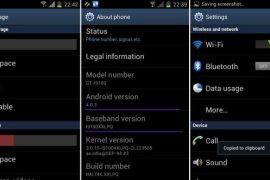
Well, here it comes — the first official Android 4.0 update from Samsung, labeled as XXLPQ. Galaxy S2 users in Baltic, Poland, Hungary and other Nordic countries can use the Samsung’s PC software Kies to update their phone to Android 4.0.
But those of us who are apparently not from that area of earth, but are as much eager as one could be about official Ice Cream Sandwich for Galaxy S2, well, there is the Odin software to install the XXLPQ manually. It’s pretty easy and if you’ve been keeping up with us, you may have already done it countless times — XXKP8, XXLPH, XXLPJ, etc. But this time around, we flash the official Ice Cream Sandwich update for Galaxy S2 — XXLPQ.
Well, there are some features missing from the earlier leaks, XXLPH and XXLPJ, like there is no 3d anim effect in drawer and while swiping home screens, which was present in XXLPH and XXLPJ, but other than that, XXLPQ is cool — no touch lags and it’s pretty fast and fully working rom, with TouchWiz 4 UI of course, hate it or not.
So, let’s see how to upgrade to Ice Cream Sandwich with XXLPQ, the official Android 4.0 firmware via Kies.
Compatibility
This firmware and the guide below is compatible only and only with Galaxy S2, model number i9100. It’s not compatible with any other device, including US variants of S2, the Epic 4G Touch, T-mobile Galaxy S2 and AT&T Galaxy S2 along with Skyrocket. Check your device’s model number in Settings » About phone.
Warning!
The methods and procedures discussed here are considered risky and you should not attempt anything if you don’t know completely what it is. If any damage occurs to you or your device, we won’t be held liable — you only will be responsible, you’ve been warned!
Pre-Installation Requirements/Tips
- This procedure will wipe all your apps, data and settings (but it will NOT touch your SD cards, so don’t worry about those). Backup your Apps and important data — bookmarks, contacts, SMS, APNs (internet settings), etc. This Android backup guide would help you.
- If you have Samsung’s PC software Kies installed, un-install it first because it may interrupt the flashing process.
- Drivers! — it’s important you’ve the proper drivers installed. Download links below.
32 bit (x86) Windows | 64-bit (x64) Windows
How to Install XXLPJ on Galaxy S2 i9100
- Download the XXLPQ Kies firmware from this link → XXLPQ (alternate mediafire links — part 1 and part 2). Filename: I9100XXLPQ_I9100OXALPQ_XEO.zip | Size: 382.43 MB
- Now, extract the downloaded file I9100XXLPQ_I9100OXALPQ_XEO.zip (from step 1) to any folder, you’ll get these 2 files:
- I9100XXLPQ_I9100OXALPQ_I9100XXLPQ_HOME.tar.md5
- SS_DL.dll (simply ignore this one)
- Now, download the Odin software which you’ll need to flash the XXLPQ on your Galaxy S2 i9100. Download Link. Filename: Odin3 v1.83.exe
- Power Off your phone and also disconnect it from PC if it’s connected, and don’t forget to keep phone’s battery above 50%, just to be very very safe. After the screen goes off, wait for vibration to confirm complete switch off.
- Boot Galaxy S2 into Download Mode in order to flash the XXLPQ firmware using Odin. For this, press and hold these keys together:Volume Down + Home + Power, you’ll get a Warning! screen.. press Volume up to continue to enter download mode.
- Open Odin (from step 3) — double-click the Odin3 v1.83.exe.
- Connect your phone to PC now. You should get the message “Added! !” under Odin’s message box in the bottom left. If you don’t get this message, then probably there is a problem with drivers. Make sure you’ve proper drivers installed. See point 3 above under Pre-Installation Requirements.
- Now, in the PDA tab in Odin, select the file you got in step 2.1 — I9100XXLPQ_I9100OXALPQ_I9100XXLPQ_HOME.tar.md5.
- Important! Do not touch any other button or make any other changes in Odin except selecting the required file as given in step 8. Your Odin’s screen should look like this:

- Now, hit the START button to start flashing XXLPQ firmware. When the flashing procedure is finished, your phone will automatically reboot — and when you see the Samsung logo, you can safely unplug the cable. Plus, you’ll get a PASS (with green background) message in the left-most box at the very top of the Odin. Screen would look like this (below) on successful flashing of XXLPQ.
 IMPORTANT Note: If ODIN gets stuck at some stage and doesn’t get you PASS, do this — disconnect the phone from the PC, close ODIN, remove battery, re-insert it, turn phone on in Download mode again, and do the procedure again from Step 6. Same if you get FAIL in Odin.
 - After you’ve got the PASS message, the phone will probably get stuckat S logo. If it reboots fine without getting stuck at the S logo, then okay, you’re done, skip to next step. Otherwise, worry not and do this:
- Boot to recovery mode — for which, first power off phone and after screen goes off, wait for 5-6 seconds, and then press and hold Home + Volume Up + Power keys together. Once you are in recovery mode, use volume keys to move the selection up and down and power or home key to select the option.
- Go to Factory Reset and select it. Select Yes on next screen.
- Now, go to Wipe Cache and select it. Confirm Yes on next screen.
- Now, select reboot system now to boot your Galaxy S2. It will boot up fine. And you’ll have official Android 4.0, Ice Cream Sandwich, firmware on your Galaxy S2 i9100. Go to Settings and scroll down and select About Phone and check the info there.
- Also, if data network (3G, GPRS, etc.) isn’t working for you, you gotta fill in APN Settings meant for your carrier in Mobile and Network settings. Here’s a full list of carriers and their APN settings » Link
- In case you encounter any roadblocks flashing XXLPJ, let us know in comments below and we’ll try to help you out.


Do let us know what you feel about the XXLPQ. Liking the Touchwiz 4 on ICS, or completely hating it?
Update: Root your Galaxy S2 on XXLPQ using CF kernel. Search for “root xxlpq” on our site or click here.
Screenshots of XXLPQ Kies Firmware for Galaxy S2 i9100









943 responses to “XXLPQ — Update Galaxy S2 to Android 4.0 Official Firmware Manually”
Hi.. It’s Faruq again. Now i see in my phone screen in Yellow ! sign in middle with Mobile and computer logo…… Still my phone didn’t turn on….. Pls help…
Hello Faruq, are you still stuck with your Galaxy S2? Let me know if you are I will help you out. It’s easy, btw, I think just flashing the firmware again might fix it. Just make sure you are trying this on right device, the Galaxy S2 model number i9100, and not i9100G.
Also, simply doing the step 11 might also fix it. Do the step 11 first and if doesn’t fixes it, do all the steps above again, including download the firmware again in case the earlier download got corrupted.
I followed the instructions to the letter, and received the PASS message, however the phone stucks on SII galaxy Screen. Holding volume up, home + power doesn’t work, so can’t do factory reset, any other suggestion to bump out my cell phone?? Tks in advance
hi there
i have galaxy s2 I900xxki4
is it possible to update to ice creme sandwitch
Yes, it’s easily possible. just follow the guide above and you’ll be on Android 4.0 Ice Cream Sandwich in no time.
hi there
i have galaxy s2 I900xxki4
is it possible to update to ice creme sandwitch
Yes, it’s easily possible. just follow the guide above and you’ll be on Android 4.0 Ice Cream Sandwich in no time.
I followed the instructions to the letter, and received the PASS message, however the phone stucks on SII galaxy Screen. Holding volume up, home + power doesn’t work, so can’t do factory reset, any other suggestion to bump out my cell phone?? Tks in advance
I followed the instructions to the letter, and received the PASS message, however the phone stucks on SII galaxy Screen. Holding volume up, home + power doesn’t work, so can’t do factory reset, any other suggestion to bump out my cell phone?? Tks in advance
I tried the Android 4.0.3 ICS update in my Samsung Galaxy S2 mobile as described above, it was perfectly done. Thanks Kapil. Ice cream sandwhich is not that much attractive as I expected. But it is not bad. Ginger bread and ICS are having a few changes in the User Interface styles. If somebody is eagered to see ICS User Interface, they may do this update, Otherwise Gingerbread is quite enough. I don’t like ICS more than Gingerbread. Both are attractive.
Waiting for another update from Android.
Kapil, is any updates available from Google for this ICS 4.0.3 ? If any updates availble, how to update it on my phone ?, Is auto update is possible, or manual update is the only way ? How to manually update it ? Can you please tell us ? Thanks.
Yes you are right, there aren’t much differences in Galaxy S2 Android 2.3 and Android 4.0 firmware, because of the Touchwiz UI overlaid on both.
Actually there are some updates from Google after the Android 4.0.3. It’s Android 4.0.4, IMM76D, but even newer is the IMM76I, still on 4.0.4. You don’t have it on S2 as an update from Samsung, but there are various custom roms which get you IMM76I. It’s not much anyway, so you are okay on 4.0.3. No need to bother.
thanks very much..!
Will you please tell us how to do the “Screenshot capture” ..???
in Samsung Galaxy S2 Android 4.0.3
Hold Volume Down and Power key to take a screenie.
what is the pass code for zip file on media fire ????
I tried the Android 4.0.3 ICS update in my Samsung Galaxy S2 mobile as described above, it was perfectly done. Thanks Kapil. Ice cream sandwhich is not that much attractive as I expected. But it is not bad. Ginger bread and ICS are having a few changes in the User Interface styles. If somebody is eagered to see ICS User Interface, they may do this update, Otherwise Gingerbread is quite enough. I don’t like ICS more than Gingerbread. Both are attractive.
Waiting for another update from Android.
Kapil, is any updates available from Google for this ICS 4.0.3 ? If any updates availble, how to update it on my phone ?, Is auto update is possible, or manual update is the only way ? How to manually update it ? Can you please tell us ? Thanks.
Yes you are right, there aren’t much differences in Galaxy S2 Android 2.3 and Android 4.0 firmware, because of the Touchwiz UI overlaid on both.
Actually there are some updates from Google after the Android 4.0.3. It’s Android 4.0.4, IMM76D, but even newer is the IMM76I, still on 4.0.4. You don’t have it on S2 as an update from Samsung, but there are various custom roms which get you IMM76I. It’s not much anyway, so you are okay on 4.0.3. No need to bother.
thanks very much..!
I tried the Android 4.0.3 ICS update in my Samsung Galaxy S2 mobile as described above, it was perfectly done. Thanks Kapil. Ice cream sandwhich is not that much attractive as I expected. But it is not bad. Ginger bread and ICS are having a few changes in the User Interface styles. If somebody is eagered to see ICS User Interface, they may do this update, Otherwise Gingerbread is quite enough. I don’t like ICS more than Gingerbread. Both are attractive.
Waiting for another update from Android.
Kapil, is any updates available from Google for this ICS 4.0.3 ? If any updates availble, how to update it on my phone ?, Is auto update is possible, or manual update is the only way ? How to manually update it ? Can you please tell us ? Thanks.
Yes you are right, there aren’t much differences in Galaxy S2 Android 2.3 and Android 4.0 firmware, because of the Touchwiz UI overlaid on both.
Actually there are some updates from Google after the Android 4.0.3. It’s Android 4.0.4, IMM76D, but even newer is the IMM76I, still on 4.0.4. You don’t have it on S2 as an update from Samsung, but there are various custom roms which get you IMM76I. It’s not much anyway, so you are okay on 4.0.3. No need to bother.
thanks very much..!
Will you please tell us how to do the “Screenshot capture” ..???
in Samsung Galaxy S2 Android 4.0.3
Hold Volume Down and Power key to take a screenie.
Will you please tell us how to do the “Screenshot capture” ..???
in Samsung Galaxy S2 Android 4.0.3
Hold Volume Down and Power key to take a screenie.
what is the pass code for zip file on media fire ????
what is the pass code for zip file on media fire ????
HI.
SInce installing ICS I cant download software from play store. Please advise. Thanks
Is internet working on your phone? Connect to WiFi or fill in APN settings if you plan to use mobile internet (2G/3G).
There is no other reason why it wouldn’t work.Also, make sure you have added one gmail account under settings » Accounts and Sync. Let me know after you’ve done all this.
Hi Kapil, i did all the steps till Step 6, but ODIN is not detecting my phone at all. I downloaded the drivers you provided but still. and i have a GT I9100. Could you please advise
No idea why it won’t detect your phone. Try this: restart both phone and PC. Switch off phone. Remove battery for 4-5 seconds and then place it back. Then, use any other USB plug to connect phone to computer. Don’t use USB 3.0 on Laptop. Also, if you have desktop, use the USB plug in the back side. Do all this and let me know whether it works or not. Also, use the USB cable that came with phone.
HI.
SInce installing ICS I cant download software from play store. Please advise. Thanks
Is internet working on your phone? Connect to WiFi or fill in APN settings if you plan to use mobile internet (2G/3G).
There is no other reason why it wouldn’t work.Also, make sure you have added one gmail account under settings » Accounts and Sync. Let me know after you’ve done all this.
HI.
SInce installing ICS I cant download software from play store. Please advise. Thanks
Is internet working on your phone? Connect to WiFi or fill in APN settings if you plan to use mobile internet (2G/3G).
There is no other reason why it wouldn’t work.Also, make sure you have added one gmail account under settings » Accounts and Sync. Let me know after you’ve done all this.
Hi Kapil, i did all the steps till Step 6, but ODIN is not detecting my phone at all. I downloaded the drivers you provided but still. and i have a GT I9100. Could you please advise
No idea why it won’t detect your phone. Try this: restart both phone and PC. Switch off phone. Remove battery for 4-5 seconds and then place it back. Then, use any other USB plug to connect phone to computer. Don’t use USB 3.0 on Laptop. Also, if you have desktop, use the USB plug in the back side. Do all this and let me know whether it works or not. Also, use the USB cable that came with phone.
Hi Kapil, i did all the steps till Step 6, but ODIN is not detecting my phone at all. I downloaded the drivers you provided but still. and i have a GT I9100. Could you please advise
No idea why it won’t detect your phone. Try this: restart both phone and PC. Switch off phone. Remove battery for 4-5 seconds and then place it back. Then, use any other USB plug to connect phone to computer. Don’t use USB 3.0 on Laptop. Also, if you have desktop, use the USB plug in the back side. Do all this and let me know whether it works or not. Also, use the USB cable that came with phone.
I have done this update via Kies (I’m in Brazil) and I can see many ICS features are not there, namely
Resizable widgets, continuous “open microphone” experience and streaming voice recognition, Redesigned Gallery app with photo editor, Live Effects for transforming video, and Use your voice to command your device.
Does anyone know anything about this? The version here says 4.03.
Thanks!
Those are features of ICS, but not all features of ICS are adopted by the manufacturers, hence some of them are missing on your S2. Nexus has those features because it runs stock ICS, but S2 and other phones have customized versions of ICS and the companies don’t always put it all features.
I have done this update via Kies (I’m in Brazil) and I can see many ICS features are not there, namely
Resizable widgets, continuous “open microphone” experience and streaming voice recognition, Redesigned Gallery app with photo editor, Live Effects for transforming video, and Use your voice to command your device.
Does anyone know anything about this? The version here says 4.03.
Thanks!
Those are features of ICS, but not all features of ICS are adopted by the manufacturers, hence some of them are missing on your S2. Nexus has those features because it runs stock ICS, but S2 and other phones have customized versions of ICS and the companies don’t always put it all features.
I have done this update via Kies (I’m in Brazil) and I can see many ICS features are not there, namely
Resizable widgets, continuous “open microphone” experience and streaming voice recognition, Redesigned Gallery app with photo editor, Live Effects for transforming video, and Use your voice to command your device.
Does anyone know anything about this? The version here says 4.03.
Thanks!
Those are features of ICS, but not all features of ICS are adopted by the manufacturers, hence some of them are missing on your S2. Nexus has those features because it runs stock ICS, but S2 and other phones have customized versions of ICS and the companies don’t always put it all features.
i updated my phone through this update but through my phone now i have so many problems like i have to manual boot each time i switch on my phone! it switches off whenever it wants to, over heats wen it wants to!
ive updated my phone like this but now i have many problems like i have to do a manual boot every time it switches off when it wants to when i switch it on it says
‘logo.jpg’ draw failed anyone have a solution for this please email me at [email protected]
Flash the firmware again. It shouldn’t happen.
i updated my phone through this update but through my phone now i have so many problems like i have to manual boot each time i switch on my phone! it switches off whenever it wants to, over heats wen it wants to!
i updated my phone through this update but through my phone now i have so many problems like i have to manual boot each time i switch on my phone! it switches off whenever it wants to, over heats wen it wants to!
ive updated my phone like this but now i have many problems like i have to do a manual boot every time it switches off when it wants to when i switch it on it says
‘logo.jpg’ draw failed anyone have a solution for this please email me at [email protected]
Flash the firmware again. It shouldn’t happen.
ive updated my phone like this but now i have many problems like i have to do a manual boot every time it switches off when it wants to when i switch it on it says
‘logo.jpg’ draw failed anyone have a solution for this please email me at [email protected]
Flash the firmware again. It shouldn’t happen.
hello i installed ics 4.0 as per u r installation guide its really working good i found the speed has improved and all other apps working fine thanks …. but the only issue i have is the volume quality and strength has gone down if the volume setting is at 7 its almost mute …please help regarding this….
Guys help phone stuck at galaxy sII logo..
Nothing works..
Doesnt start at recovery mode…
Please help!!!
Remove battery for 4-5 seconds and then insert it back. Try to boot into recovery mode now by pressing and holding 3 buttons together: Volume Up+Home+Power. When it boots into recovery mode, do a factory reset. And then reboot it from there. This should boot it fine. And, all of this is for i9100, not for i9100G, so make sure you have the right device.
u want sell ur dad s2 so contect me on 09376220003
hello i installed ics 4.0 as per u r installation guide its really working good i found the speed has improved and all other apps working fine thanks …. but the only issue i have is the volume quality and strength has gone down if the volume setting is at 7 its almost mute …please help regarding this.
hello i installed ics 4.0 as per u r installation guide its really working good i found the speed has improved and all other apps working fine thanks …. but the only issue i have is the volume quality and strength has gone down if the volume setting is at 7 its almost mute …please help regarding this….
hello i installed ics 4.0 as per u r installation guide its really working good i found the speed has improved and all other apps working fine thanks …. but the only issue i have is the volume quality and strength has gone down if the volume setting is at 7 its almost mute …please help regarding this….
Guys help phone stuck at galaxy sII logo..
Nothing works..
Doesnt start at recovery mode…
Please help!!!
Remove battery for 4-5 seconds and then insert it back. Try to boot into recovery mode now by pressing and holding 3 buttons together: Volume Up+Home+Power. When it boots into recovery mode, do a factory reset. And then reboot it from there. This should boot it fine. And, all of this is for i9100, not for i9100G, so make sure you have the right device.
u want sell ur dad s2 so contect me on 09376220003
Guys help phone stuck at galaxy sII logo..
Nothing works..
Doesnt start at recovery mode…
Please help!!!
Remove battery for 4-5 seconds and then insert it back. Try to boot into recovery mode now by pressing and holding 3 buttons together: Volume Up+Home+Power. When it boots into recovery mode, do a factory reset. And then reboot it from there. This should boot it fine. And, all of this is for i9100, not for i9100G, so make sure you have the right device.
u want sell ur dad s2 so contect me on 09376220003
did anyone have the problem as me?the lock screen wont come out..even when i activate the screen lock option,meaning my s2 ont locked the phone.but the os got install,the problem only the screen lock
Yes I m in KSA same problem with me. Lock Screen and all security options not working. Even with all other ICS version also… like XLWPD Official. Any Solutions?
Here is the solution for lock screeen, Enjoy ICS 😉
http://forum.xda-developers.com/showthread.php?t=1648026
hello i installed ics 4.0 as per u r installation guide its really working good i found the speed has improved and all other apps working fine thanks …. but the only issue i have is the volume quality and strength has gone down if the volume setting is at 7 its almost mute …please help regarding this.
hello i installed ics 4.0 as per u r installation guide its really working good i found the speed has improved and all other apps working fine thanks …. but the only issue i have is the volume quality and strength has gone down if the volume setting is at 7 its almost mute …please help regarding this.
did anyone have the problem as me?the lock screen wont come out..even when i activate the screen lock option,meaning my s2 ont locked the phone.but the os got install,the problem only the screen lock
Yes I m in KSA same problem with me. Lock Screen and all security options not working. Even with all other ICS version also… like XLWPD Official. Any Solutions?
Here is the solution for lock screeen, Enjoy ICS 😉
http://forum.xda-developers.com/showthread.php?t=1648026
did anyone have the problem as me?the lock screen wont come out..even when i activate the screen lock option,meaning my s2 ont locked the phone.but the os got install,the problem only the screen lock
Yes I m in KSA same problem with me. Lock Screen and all security options not working. Even with all other ICS version also… like XLWPD Official. Any Solutions?
Here is the solution for lock screeen, Enjoy ICS 😉
http://forum.xda-developers.com/showthread.php?t=1648026
Hi Kapil!
Thanks for this information. I have just flash my GS2 as instructed and all went well… I think… I got the “Android is upgrading…” screen and passed the applications upgrade. Whoever, since 30minutes I am “stopped” at the “Upgrading Contacts database.” with a rotating animated circle on the left handside. Waiting… Is this normal, as it takes time to upgrade my contacts database? How long do you think it is reasonable to wait until concluding that something went wrong? Many thanks in advance! Victor.
It should not take more than 5-10 mins at that little upgrade stage… I think it’s stuck at contacts… anyway, remove battery and then put it back and then reboot. This should fix it.
Hi Kapil! I let the phone upgrading for the night and woke up with the case closed… so it really took some time to go through the upgrade process (I do have a lot of contacts…). Now all is good: works smoothly and all data are in place. Just have to customize back my screen with the app (all are installed and running). Great! I am very happy… thanks to you! Have a great day! Vic.
Nice! Enjoy the ICS!!
Hi Kapil!
Thanks for this information. I have just flash my GS2 as instructed and all went well… I think… I got the “Android is upgrading…” screen and passed the applications upgrade. Whoever, since 30minutes I am “stopped” at the “Upgrading Contacts database.” with a rotating animated circle on the left handside. Waiting… Is this normal, as it takes time to upgrade my contacts database? How long do you think it is reasonable to wait until concluding that something went wrong? Many thanks in advance! Victor.
It should not take more than 5-10 mins at that little upgrade stage… I think it’s stuck at contacts… anyway, remove battery and then put it back and then reboot. This should fix it.
Hi Kapil! I let the phone upgrading for the night and woke up with the case closed… so it really took some time to go through the upgrade process (I do have a lot of contacts…). Now all is good: works smoothly and all data are in place. Just have to customize back my screen with the app (all are installed and running). Great! I am very happy… thanks to you! Have a great day! Vic.
Nice! Enjoy the ICS!!
Hi Kapil!
Thanks for this information. I have just flash my GS2 as instructed and all went well… I think… I got the “Android is upgrading…” screen and passed the applications upgrade. Whoever, since 30minutes I am “stopped” at the “Upgrading Contacts database.” with a rotating animated circle on the left handside. Waiting… Is this normal, as it takes time to upgrade my contacts database? How long do you think it is reasonable to wait until concluding that something went wrong? Many thanks in advance! Victor.
It should not take more than 5-10 mins at that little upgrade stage… I think it’s stuck at contacts… anyway, remove battery and then put it back and then reboot. This should fix it.
Hi Kapil! I let the phone upgrading for the night and woke up with the case closed… so it really took some time to go through the upgrade process (I do have a lot of contacts…). Now all is good: works smoothly and all data are in place. Just have to customize back my screen with the app (all are installed and running). Great! I am very happy… thanks to you! Have a great day! Vic.
Nice! Enjoy the ICS!!
does this works with GT-I9100?
does this works with GT-I9100G?
does this works with GT-I9100?
does this works with GT-I9100?
does this works with GT-I9100G?