

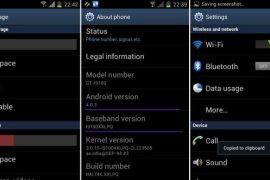
Well, here it comes — the first official Android 4.0 update from Samsung, labeled as XXLPQ. Galaxy S2 users in Baltic, Poland, Hungary and other Nordic countries can use the Samsung’s PC software Kies to update their phone to Android 4.0.
But those of us who are apparently not from that area of earth, but are as much eager as one could be about official Ice Cream Sandwich for Galaxy S2, well, there is the Odin software to install the XXLPQ manually. It’s pretty easy and if you’ve been keeping up with us, you may have already done it countless times — XXKP8, XXLPH, XXLPJ, etc. But this time around, we flash the official Ice Cream Sandwich update for Galaxy S2 — XXLPQ.
Well, there are some features missing from the earlier leaks, XXLPH and XXLPJ, like there is no 3d anim effect in drawer and while swiping home screens, which was present in XXLPH and XXLPJ, but other than that, XXLPQ is cool — no touch lags and it’s pretty fast and fully working rom, with TouchWiz 4 UI of course, hate it or not.
So, let’s see how to upgrade to Ice Cream Sandwich with XXLPQ, the official Android 4.0 firmware via Kies.
Compatibility
This firmware and the guide below is compatible only and only with Galaxy S2, model number i9100. It’s not compatible with any other device, including US variants of S2, the Epic 4G Touch, T-mobile Galaxy S2 and AT&T Galaxy S2 along with Skyrocket. Check your device’s model number in Settings » About phone.
Warning!
The methods and procedures discussed here are considered risky and you should not attempt anything if you don’t know completely what it is. If any damage occurs to you or your device, we won’t be held liable — you only will be responsible, you’ve been warned!
Pre-Installation Requirements/Tips
- This procedure will wipe all your apps, data and settings (but it will NOT touch your SD cards, so don’t worry about those). Backup your Apps and important data — bookmarks, contacts, SMS, APNs (internet settings), etc. This Android backup guide would help you.
- If you have Samsung’s PC software Kies installed, un-install it first because it may interrupt the flashing process.
- Drivers! — it’s important you’ve the proper drivers installed. Download links below.
32 bit (x86) Windows | 64-bit (x64) Windows
How to Install XXLPJ on Galaxy S2 i9100
- Download the XXLPQ Kies firmware from this link → XXLPQ (alternate mediafire links — part 1 and part 2). Filename: I9100XXLPQ_I9100OXALPQ_XEO.zip | Size: 382.43 MB
- Now, extract the downloaded file I9100XXLPQ_I9100OXALPQ_XEO.zip (from step 1) to any folder, you’ll get these 2 files:
- I9100XXLPQ_I9100OXALPQ_I9100XXLPQ_HOME.tar.md5
- SS_DL.dll (simply ignore this one)
- Now, download the Odin software which you’ll need to flash the XXLPQ on your Galaxy S2 i9100. Download Link. Filename: Odin3 v1.83.exe
- Power Off your phone and also disconnect it from PC if it’s connected, and don’t forget to keep phone’s battery above 50%, just to be very very safe. After the screen goes off, wait for vibration to confirm complete switch off.
- Boot Galaxy S2 into Download Mode in order to flash the XXLPQ firmware using Odin. For this, press and hold these keys together:Volume Down + Home + Power, you’ll get a Warning! screen.. press Volume up to continue to enter download mode.
- Open Odin (from step 3) — double-click the Odin3 v1.83.exe.
- Connect your phone to PC now. You should get the message “Added! !” under Odin’s message box in the bottom left. If you don’t get this message, then probably there is a problem with drivers. Make sure you’ve proper drivers installed. See point 3 above under Pre-Installation Requirements.
- Now, in the PDA tab in Odin, select the file you got in step 2.1 — I9100XXLPQ_I9100OXALPQ_I9100XXLPQ_HOME.tar.md5.
- Important! Do not touch any other button or make any other changes in Odin except selecting the required file as given in step 8. Your Odin’s screen should look like this:

- Now, hit the START button to start flashing XXLPQ firmware. When the flashing procedure is finished, your phone will automatically reboot — and when you see the Samsung logo, you can safely unplug the cable. Plus, you’ll get a PASS (with green background) message in the left-most box at the very top of the Odin. Screen would look like this (below) on successful flashing of XXLPQ.
 IMPORTANT Note: If ODIN gets stuck at some stage and doesn’t get you PASS, do this — disconnect the phone from the PC, close ODIN, remove battery, re-insert it, turn phone on in Download mode again, and do the procedure again from Step 6. Same if you get FAIL in Odin.
 - After you’ve got the PASS message, the phone will probably get stuckat S logo. If it reboots fine without getting stuck at the S logo, then okay, you’re done, skip to next step. Otherwise, worry not and do this:
- Boot to recovery mode — for which, first power off phone and after screen goes off, wait for 5-6 seconds, and then press and hold Home + Volume Up + Power keys together. Once you are in recovery mode, use volume keys to move the selection up and down and power or home key to select the option.
- Go to Factory Reset and select it. Select Yes on next screen.
- Now, go to Wipe Cache and select it. Confirm Yes on next screen.
- Now, select reboot system now to boot your Galaxy S2. It will boot up fine. And you’ll have official Android 4.0, Ice Cream Sandwich, firmware on your Galaxy S2 i9100. Go to Settings and scroll down and select About Phone and check the info there.
- Also, if data network (3G, GPRS, etc.) isn’t working for you, you gotta fill in APN Settings meant for your carrier in Mobile and Network settings. Here’s a full list of carriers and their APN settings » Link
- In case you encounter any roadblocks flashing XXLPJ, let us know in comments below and we’ll try to help you out.


Do let us know what you feel about the XXLPQ. Liking the Touchwiz 4 on ICS, or completely hating it?
Update: Root your Galaxy S2 on XXLPQ using CF kernel. Search for “root xxlpq” on our site or click here.
Screenshots of XXLPQ Kies Firmware for Galaxy S2 i9100









943 responses to “XXLPQ — Update Galaxy S2 to Android 4.0 Official Firmware Manually”
Quote from above
“Sure, it’s a bit backwards in the naming scheme (compared to recent leaks XXLPH and XXLPJ)”
How is the official XXLPQ a lower naming convention than the Beta XXLPJ ??
XXLPJ
XXLPQ
Isn’t Q higher than J in the Alphabet, or am just special!
*eek*, missed it man.. let me edit and correct it. Thnx!
*eek*, missed it man.. let me edit and correct it. Thnx!
Had XXLPD in mind, which got released today, too.
No worries keep up the good work, Bob
Hey one thing that i don’t understand. how come these updates aren’t changing the icons and the menu outlay ?
The physical appearance isn’t changing ?
That’s up to Samsung. You can install a custom rom to get full Android 4.0 experience.
Like what rom do I need to get the ICS interface !?!
this TwLauncher interface SUCKS :S
only the youtube and bookmark widgets changed and everything else is da same ………
any rom suggestions ?!
Are there any known bugs with this ROM?
yor awesome mannn….
njoying android 4…..
Quote from above
“Sure, it’s a bit backwards in the naming scheme (compared to recent leaks XXLPH and XXLPJ)”
How is the official XXLPQ a lower naming convention than the Beta XXLPJ ??
XXLPJ
XXLPQ
Isn’t Q higher than J in the Alphabet, or am just special!
*eek*, missed it man.. let me edit and correct it. Thnx!
No worries keep up the good work, Bob
Quote from above
“Sure, it’s a bit backwards in the naming scheme (compared to recent leaks XXLPH and XXLPJ)”
How is the official XXLPQ a lower naming convention than the Beta XXLPJ ??
XXLPJ
XXLPQ
Isn’t Q higher than J in the Alphabet, or am just special!
*eek*, missed it man.. let me edit and correct it. Thnx!
Had XXLPD in mind, which got released today, too.
No worries keep up the good work, Bob
Hey one thing that i don’t understand. how come these updates aren’t changing the icons and the menu outlay ?
The physical appearance isn’t changing ?
That’s up to Samsung. You can install a custom rom to get full Android 4.0 experience.
Like what rom do I need to get the ICS interface !?!
this TwLauncher interface SUCKS :S
only the youtube and bookmark widgets changed and everything else is da same ………
any rom suggestions ?!
Hey one thing that i don’t understand. how come these updates aren’t changing the icons and the menu outlay ?
The physical appearance isn’t changing ?
That’s up to Samsung. You can install a custom rom to get full Android 4.0 experience.
Like what rom do I need to get the ICS interface !?!
this TwLauncher interface SUCKS :S
only the youtube and bookmark widgets changed and everything else is da same ………
any rom suggestions ?!
Are there any known bugs with this ROM?
Are there any known bugs with this ROM?
yor awesome mannn….
njoying android 4…..
yor awesome mannn….
njoying android 4…..
Hey guys, about the contacts app, how do I sync only what’s on “My Contacts” list in google, I have 800+ contacts from the “Not Assinged” group..
OH and BTW… I F_CKING HATE TOUCHWIZ ON ICS!!
Hello
Manichon01, I did my backup by Kies, contacts, pictures, musics, videos. After installing this wonderful ROM I restored my data and is everything exactly how must be. Perfect!
why not install trebuchet launcher or nova? both have an AOSP ICS feel to them
My contacts are there it’s just there are too many, aparently everyone i’ve ever contacted!
hey guys i have a problem i am using windows 8 consumer preview will odin run in this and flash successfully ?
Yes.. I’m using that too… it works.
but kies dosent seem to be able to run on windows 8 u sure? just dont wanna brick my phone 😛 and awesome tutorial btw 😀
I am talking about Odin, not Kies. I never used Kies…!
Odin would work fine on win8. Thnx!
one last thing do i have to turn usb debugging on in settings? i have android 2.3.6
Well.. not strictly required but you can do it anyway.
works ! all apps everything is there thanks a lot! 😀
Amazing! I’m enjoying the newest Android ICS, the touchscreen is perfect, the camera is so fast and the macro is incredible. The whole system is fast and very stable. Perfect, thanx a lot and hugs from Brazil.
Is this really official version,please??
Yes, it’s the official version, available via Samsung’s PC software, Kies, in some Nordic countries. It’s not a leak.
got it, thanks!
Hey guys, about the contacts app, how do I sync only what’s on “My Contacts” list in google, I have 800+ contacts from the “Not Assinged” group..
OH and BTW… I F_CKING HATE TOUCHWIZ ON ICS!!
Hello
Manichon01, I did my backup by Kies, contacts, pictures, musics, videos. After installing this wonderful ROM I restored my data and is everything exactly how must be. Perfect!
My contacts are there it’s just there are too many, aparently everyone i’ve ever contacted!
why not install trebuchet launcher or nova? both have an AOSP ICS feel to them
Hey guys, about the contacts app, how do I sync only what’s on “My Contacts” list in google, I have 800+ contacts from the “Not Assinged” group..
OH and BTW… I F_CKING HATE TOUCHWIZ ON ICS!!
Hello
Manichon01, I did my backup by Kies, contacts, pictures, musics, videos. After installing this wonderful ROM I restored my data and is everything exactly how must be. Perfect!
My contacts are there it’s just there are too many, aparently everyone i’ve ever contacted!
why not install trebuchet launcher or nova? both have an AOSP ICS feel to them
Hi, I m done with the upgrade process but honestly I m very very disappointed with this new version. Apparently there is nothing new.. Anyway my point is; after I finished with this I run the Kies but it says my device dont let me upgrade my phone anymore with Kies!! Am I not going to be able to use Kies anymore?
Will there be any problems if i flash this over a custom rom? Sorry if this is a nobb question
There shouldn’t be any problem.
hey guys i have a problem i am using windows 8 consumer preview will odin run in this and flash successfully ?
Yes.. I’m using that too… it works.
but kies dosent seem to be able to run on windows 8 u sure? just dont wanna brick my phone 😛 and awesome tutorial btw 😀
I am talking about Odin, not Kies. I never used Kies…!
Odin would work fine on win8. Thnx!
one last thing do i have to turn usb debugging on in settings? i have android 2.3.6
Well.. not strictly required but you can do it anyway.
works ! all apps everything is there thanks a lot! 😀
hey guys i have a problem i am using windows 8 consumer preview will odin run in this and flash successfully ?
Yes.. I’m using that too… it works.
but kies dosent seem to be able to run on windows 8 u sure? just dont wanna brick my phone 😛 and awesome tutorial btw 😀
I am talking about Odin, not Kies. I never used Kies…!
Odin would work fine on win8. Thnx!
one last thing do i have to turn usb debugging on in settings? i have android 2.3.6
Well.. not strictly required but you can do it anyway.
works ! all apps everything is there thanks a lot! 😀
Hi, Please help me, after i got the PASS message in Odin, the phone get stuckat
S logo. i have tried to reboots bu same issue stucked in SII logo, i can’t reboot
to recovery mode i do press and hold Home + Volume Up + Power keys together but device is not accepting any.
please what to do.
Remove battery for 5 seconds… then reinsert it and hold the 3 buttons to boot into recovery — hold them until anything shows up on screen.
Hi – I have same problem, when i shut off the phone i see a gray battery with none moving round and it does not wake up nor get to recovery mode. Amos
Amazing! I’m enjoying the newest Android ICS, the touchscreen is perfect, the camera is so fast and the macro is incredible. The whole system is fast and very stable. Perfect, thanx a lot and hugs from Brazil.
Amazing! I’m enjoying the newest Android ICS, the touchscreen is perfect, the camera is so fast and the macro is incredible. The whole system is fast and very stable. Perfect, thanx a lot and hugs from Brazil.
i upgraded bt it doesnt seem original…
I am not able to extract the Zip file. Is that corrupted?
Try with 7-zip software. If it still fails, it’s corrupted, re-download it.
Is this really official version,please??
Yes, it’s the official version, available via Samsung’s PC software, Kies, in some Nordic countries. It’s not a leak.
got it, thanks!
Is this really official version,please??
Yes, it’s the official version, available via Samsung’s PC software, Kies, in some Nordic countries. It’s not a leak.
got it, thanks!
the download is taking way too much time.
and i have 2 Mbps !!
Hi, I m done with the upgrade process but honestly I m very very disappointed with this new version. Apparently there is nothing new.. Anyway my point is; after I finished with this I run the Kies but it says my device dont let me upgrade my phone anymore with Kies!! Am I not going to be able to use Kies anymore?
Hi, I m done with the upgrade process but honestly I m very very disappointed with this new version. Apparently there is nothing new.. Anyway my point is; after I finished with this I run the Kies but it says my device dont let me upgrade my phone anymore with Kies!! Am I not going to be able to use Kies anymore?
Will there be any problems if i flash this over a custom rom? Sorry if this is a nobb question
There shouldn’t be any problem.
Will there be any problems if i flash this over a custom rom? Sorry if this is a nobb question
There shouldn’t be any problem.
Hi, Please help me, after i got the PASS message in Odin, the phone get stuckat
S logo. i have tried to reboots bu same issue stucked in SII logo, i can’t reboot
to recovery mode i do press and hold Home + Volume Up + Power keys together but device is not accepting any.
please what to do.
Remove battery for 5 seconds… then reinsert it and hold the 3 buttons to boot into recovery — hold them until anything shows up on screen.
Hi – I have same problem, when i shut off the phone i see a gray battery with none moving round and it does not wake up nor get to recovery mode. Amos
Hi, Please help me, after i got the PASS message in Odin, the phone get stuckat
S logo. i have tried to reboots bu same issue stucked in SII logo, i can’t reboot
to recovery mode i do press and hold Home + Volume Up + Power keys together but device is not accepting any.
please what to do.
Remove battery for 5 seconds… then reinsert it and hold the 3 buttons to boot into recovery — hold them until anything shows up on screen.
Hi – I have same problem, when i shut off the phone i see a gray battery with none moving round and it does not wake up nor get to recovery mode. Amos
If I install this firmware and then Samsung releases a newer version, will I still be able to recieve updates via kies or OTA? or will I have to do it each time with odin?
Thanks in advance!
i upgraded bt it doesnt seem original…
i upgraded bt it doesnt seem original…
I am not able to extract the Zip file. Is that corrupted?
Try with 7-zip software. If it still fails, it’s corrupted, re-download it.
I am not able to extract the Zip file. Is that corrupted?
Try with 7-zip software. If it still fails, it’s corrupted, re-download it.
the download is taking way too much time.
and i have 2 Mbps !!
the download is taking way too much time.
and i have 2 Mbps !!
Feedback on upgrade process.
Installed OK but it did not reboot and I could not boot into recovery mode. Re-installed and phone rebooted automatically. Then Android system automatically updated all my apps. All my data, contacts, messages, etc. were preserved.Thanks for the update.
Heyy…
I’ve got korean version of Gs2. I cant install the official firmware due to sms is not working in my country with korean firmware so can I install this on my phone…??
Thanks
If I install this firmware and then Samsung releases a newer version, will I still be able to recieve updates via kies or OTA? or will I have to do it each time with odin?
Thanks in advance!
If I install this firmware and then Samsung releases a newer version, will I still be able to recieve updates via kies or OTA? or will I have to do it each time with odin?
Thanks in advance!
wifi not working freeze on turning on plz Help
Turnd My Fone Off On Again Shazam Itz Working =) Thanx
Feedback on upgrade process.
Installed OK but it did not reboot and I could not boot into recovery mode. Re-installed and phone rebooted automatically. Then Android system automatically updated all my apps. All my data, contacts, messages, etc. were preserved.Thanks for the update.
Feedback on upgrade process.
Installed OK but it did not reboot and I could not boot into recovery mode. Re-installed and phone rebooted automatically. Then Android system automatically updated all my apps. All my data, contacts, messages, etc. were preserved.Thanks for the update.