

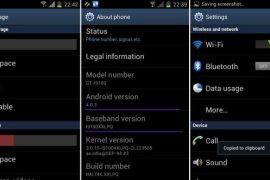
Well, here it comes — the first official Android 4.0 update from Samsung, labeled as XXLPQ. Galaxy S2 users in Baltic, Poland, Hungary and other Nordic countries can use the Samsung’s PC software Kies to update their phone to Android 4.0.
But those of us who are apparently not from that area of earth, but are as much eager as one could be about official Ice Cream Sandwich for Galaxy S2, well, there is the Odin software to install the XXLPQ manually. It’s pretty easy and if you’ve been keeping up with us, you may have already done it countless times — XXKP8, XXLPH, XXLPJ, etc. But this time around, we flash the official Ice Cream Sandwich update for Galaxy S2 — XXLPQ.
Well, there are some features missing from the earlier leaks, XXLPH and XXLPJ, like there is no 3d anim effect in drawer and while swiping home screens, which was present in XXLPH and XXLPJ, but other than that, XXLPQ is cool — no touch lags and it’s pretty fast and fully working rom, with TouchWiz 4 UI of course, hate it or not.
So, let’s see how to upgrade to Ice Cream Sandwich with XXLPQ, the official Android 4.0 firmware via Kies.
Compatibility
This firmware and the guide below is compatible only and only with Galaxy S2, model number i9100. It’s not compatible with any other device, including US variants of S2, the Epic 4G Touch, T-mobile Galaxy S2 and AT&T Galaxy S2 along with Skyrocket. Check your device’s model number in Settings » About phone.
Warning!
The methods and procedures discussed here are considered risky and you should not attempt anything if you don’t know completely what it is. If any damage occurs to you or your device, we won’t be held liable — you only will be responsible, you’ve been warned!
Pre-Installation Requirements/Tips
- This procedure will wipe all your apps, data and settings (but it will NOT touch your SD cards, so don’t worry about those). Backup your Apps and important data — bookmarks, contacts, SMS, APNs (internet settings), etc. This Android backup guide would help you.
- If you have Samsung’s PC software Kies installed, un-install it first because it may interrupt the flashing process.
- Drivers! — it’s important you’ve the proper drivers installed. Download links below.
32 bit (x86) Windows | 64-bit (x64) Windows
How to Install XXLPJ on Galaxy S2 i9100
- Download the XXLPQ Kies firmware from this link → XXLPQ (alternate mediafire links — part 1 and part 2). Filename: I9100XXLPQ_I9100OXALPQ_XEO.zip | Size: 382.43 MB
- Now, extract the downloaded file I9100XXLPQ_I9100OXALPQ_XEO.zip (from step 1) to any folder, you’ll get these 2 files:
- I9100XXLPQ_I9100OXALPQ_I9100XXLPQ_HOME.tar.md5
- SS_DL.dll (simply ignore this one)
- Now, download the Odin software which you’ll need to flash the XXLPQ on your Galaxy S2 i9100. Download Link. Filename: Odin3 v1.83.exe
- Power Off your phone and also disconnect it from PC if it’s connected, and don’t forget to keep phone’s battery above 50%, just to be very very safe. After the screen goes off, wait for vibration to confirm complete switch off.
- Boot Galaxy S2 into Download Mode in order to flash the XXLPQ firmware using Odin. For this, press and hold these keys together:Volume Down + Home + Power, you’ll get a Warning! screen.. press Volume up to continue to enter download mode.
- Open Odin (from step 3) — double-click the Odin3 v1.83.exe.
- Connect your phone to PC now. You should get the message “Added! !” under Odin’s message box in the bottom left. If you don’t get this message, then probably there is a problem with drivers. Make sure you’ve proper drivers installed. See point 3 above under Pre-Installation Requirements.
- Now, in the PDA tab in Odin, select the file you got in step 2.1 — I9100XXLPQ_I9100OXALPQ_I9100XXLPQ_HOME.tar.md5.
- Important! Do not touch any other button or make any other changes in Odin except selecting the required file as given in step 8. Your Odin’s screen should look like this:

- Now, hit the START button to start flashing XXLPQ firmware. When the flashing procedure is finished, your phone will automatically reboot — and when you see the Samsung logo, you can safely unplug the cable. Plus, you’ll get a PASS (with green background) message in the left-most box at the very top of the Odin. Screen would look like this (below) on successful flashing of XXLPQ.
 IMPORTANT Note: If ODIN gets stuck at some stage and doesn’t get you PASS, do this — disconnect the phone from the PC, close ODIN, remove battery, re-insert it, turn phone on in Download mode again, and do the procedure again from Step 6. Same if you get FAIL in Odin.
 - After you’ve got the PASS message, the phone will probably get stuckat S logo. If it reboots fine without getting stuck at the S logo, then okay, you’re done, skip to next step. Otherwise, worry not and do this:
- Boot to recovery mode — for which, first power off phone and after screen goes off, wait for 5-6 seconds, and then press and hold Home + Volume Up + Power keys together. Once you are in recovery mode, use volume keys to move the selection up and down and power or home key to select the option.
- Go to Factory Reset and select it. Select Yes on next screen.
- Now, go to Wipe Cache and select it. Confirm Yes on next screen.
- Now, select reboot system now to boot your Galaxy S2. It will boot up fine. And you’ll have official Android 4.0, Ice Cream Sandwich, firmware on your Galaxy S2 i9100. Go to Settings and scroll down and select About Phone and check the info there.
- Also, if data network (3G, GPRS, etc.) isn’t working for you, you gotta fill in APN Settings meant for your carrier in Mobile and Network settings. Here’s a full list of carriers and their APN settings » Link
- In case you encounter any roadblocks flashing XXLPJ, let us know in comments below and we’ll try to help you out.


Do let us know what you feel about the XXLPQ. Liking the Touchwiz 4 on ICS, or completely hating it?
Update: Root your Galaxy S2 on XXLPQ using CF kernel. Search for “root xxlpq” on our site or click here.
Screenshots of XXLPQ Kies Firmware for Galaxy S2 i9100









943 responses to “XXLPQ — Update Galaxy S2 to Android 4.0 Official Firmware Manually”
Heyy…
I’ve got korean version of Gs2. I cant install the official firmware due to sms is not working in my country with korean firmware so can I install this on my phone…??
Thanks
Heyy…
I’ve got korean version of Gs2. I cant install the official firmware due to sms is not working in my country with korean firmware so can I install this on my phone…??
Thanks
wifi not working freeze on turning on plz Help
Turnd My Fone Off On Again Shazam Itz Working =) Thanx
wifi not working freeze on turning on plz Help
Turnd My Fone Off On Again Shazam Itz Working =) Thanx
FWIW, I got stuck at the “S” logo but managed to make it through with only wiping the cache.
great rom. was reluctant as i have lots of apps and games, but they r all running perfectly even Shadowrun, which required chainfire3d. no prob sofar. very smooth.
I can only think of one downside, and it is the UI. It hasn’t changed much, smoother animation, but same as before.
I with samsung would buy sense or make drastic changes to touchwiz. fingers Xed
FWIW, I got stuck at the “S” logo but managed to make it through with only wiping the cache.
FWIW, I got stuck at the “S” logo but managed to make it through with only wiping the cache.
great rom. was reluctant as i have lots of apps and games, but they r all running perfectly even Shadowrun, which required chainfire3d. no prob sofar. very smooth.
I can only think of one downside, and it is the UI. It hasn’t changed much, smoother animation, but same as before.
I with samsung would buy sense or make drastic changes to touchwiz. fingers Xed
great rom. was reluctant as i have lots of apps and games, but they r all running perfectly even Shadowrun, which required chainfire3d. no prob sofar. very smooth.
I can only think of one downside, and it is the UI. It hasn’t changed much, smoother animation, but same as before.
I with samsung would buy sense or make drastic changes to touchwiz. fingers Xed
the first link isnt working so im downloading part 1(200mb) and part 2(149mb),, wht next?? am i supposed to flash them both seperately via odin on PDA section?
???
No…. download both parts and then extract from the first one using 7-zip software. The file you’ll get from Odin is the the one you gotta flash in Odin.
the first link isnt working so im downloading part 1(200mb) and part 2(149mb),, wht next?? am i supposed to flash them both seperately via odin on PDA section???
why it show “process failed” while registering in software update?
@kapil pls help
the first link isnt working so im downloading part 1(200mb) and part 2(149mb),, wht next?? am i supposed to flash them both seperately via odin on PDA section?
???
No…. download both parts and then extract from the first one using 7-zip software. The file you’ll get from Odin is the the one you gotta flash in Odin.
the first link isnt working so im downloading part 1(200mb) and part 2(149mb),, wht next?? am i supposed to flash them both seperately via odin on PDA section?
???
No…. download both parts and then extract from the first one using 7-zip software. The file you’ll get from Odin is the the one you gotta flash in Odin.
the first link isnt working so im downloading part 1(200mb) and part 2(149mb),, wht next?? am i supposed to flash them both seperately via odin on PDA section???
the first link isnt working so im downloading part 1(200mb) and part 2(149mb),, wht next?? am i supposed to flash them both seperately via odin on PDA section???
why it show “process failed” while registering in software update?
@kapil pls help
why it show “process failed” while registering in software update?
@kapil pls help
while watching video more than 1min there is a red rectangle blink through the corner of screen!! what is it ?how to solve it?
@kapil pls help
Which video you are talking about pls?
after upgrading to ics while we are opening the video in s2 video player and start playing the video after times there is a red color blink like a frame on 4 side of the screen….i mean you got it
Hi, I have just upgraded my S2 using your tutorial. Its Very good.i would like to mention to that
As it everywhere said that it will delete all phone data is not true. All the data including contacts, sms,memo,call log and all applications are remains there and working. I have done only upto step 10.
As mentioned in step 11, my phone got stuck at s screen and i was about goto next step in a minute, my phone screen shown up with a message “Android is Upgrading” then after that it displays, Optimizing applications 1 of 115 and it completed all applications. Twice i received a message ‘Java is stopped’ . I have not done factory reset or wipe cache.Android 4 startup time 31 seconds where as 2.3 is 19 seconds
did the upgrade last night all went smoothly and kept apps , data and personilsed settings to…. running perfectl too
Running perfect except the software update shows “Processing Failed”
same in my s2 also!!
did you have this problem!!
while watching video more than 1min there is a red rectangle blink through the corner of screen!! what is it ?how to solve it?
Did you get the solution for processing failed. please let me know how you solved it
while watching video more than 1min there is a red rectangle blink through the corner of screen!! what is it ?how to solve it?
@kapil pls help
Which video you are talking about pls?
after upgrading to ics while we are opening the video in s2 video player and start playing the video after times there is a red color blink like a frame on 4 side of the screen….i mean you got it
while watching video more than 1min there is a red rectangle blink through the corner of screen!! what is it ?how to solve it?
@kapil pls help
Which video you are talking about pls?
after upgrading to ics while we are opening the video in s2 video player and start playing the video after times there is a red color blink like a frame on 4 side of the screen….i mean you got it
Hi, I have just upgraded my S2 using your tutorial. Its Very good.i would like to mention to that
As it everywhere said that it will delete all phone data is not true. All the data including contacts, sms,memo,call log and all applications are remains there and working. I have done only upto step 10.
As mentioned in step 11, my phone got stuck at s screen and i was about goto next step in a minute, my phone screen shown up with a message “Android is Upgrading” then after that it displays, Optimizing applications 1 of 115 and it completed all applications. Twice i received a message ‘Java is stopped’ . I have not done factory reset or wipe cache.Android 4 startup time 31 seconds where as 2.3 is 19 seconds
did the upgrade last night all went smoothly and kept apps , data and personilsed settings to…. running perfectl too
Hi, I have just upgraded my S2 using your tutorial. Its Very good.i would like to mention to that
As it everywhere said that it will delete all phone data is not true. All the data including contacts, sms,memo,call log and all applications are remains there and working. I have done only upto step 10.
As mentioned in step 11, my phone got stuck at s screen and i was about goto next step in a minute, my phone screen shown up with a message “Android is Upgrading” then after that it displays, Optimizing applications 1 of 115 and it completed all applications. Twice i received a message ‘Java is stopped’ . I have not done factory reset or wipe cache.Android 4 startup time 31 seconds where as 2.3 is 19 seconds
did the upgrade last night all went smoothly and kept apps , data and personilsed settings to…. running perfectl too
Any idea why The SG2’s camera didn’t update to include the features promised such as time lapse, auto focus whilst filming video, live effects, less shutter lag etc? Seems like it’s the stock camera, very disappointed as these were the features i was most looking forward to with ICS
Running perfect except the software update shows “Processing Failed”
same in my s2 also!!
did you have this problem!!
while watching video more than 1min there is a red rectangle blink through the corner of screen!! what is it ?how to solve it?
Did you get the solution for processing failed. please let me know how you solved it
Running perfect except the software update shows “Processing Failed”
same in my s2 also!!
did you have this problem!!
while watching video more than 1min there is a red rectangle blink through the corner of screen!! what is it ?how to solve it?
Did you get the solution for processing failed. please let me know how you solved it
After updating to this rom, the MHL connection doesn’t work anymore, when i connect the hdmi cable to the phone, it crashes. Anyone have this problem?
yes. i get the same. my screen freezes. this update hasn’t done much for me, other than let me use nova launcher…
Any idea why The SG2’s camera didn’t update to include the features promised such as time lapse, auto focus whilst filming video, live effects, less shutter lag etc? Seems like it’s the stock camera, very disappointed as these were the features i was most looking forward to with ICS
Any idea why The SG2’s camera didn’t update to include the features promised such as time lapse, auto focus whilst filming video, live effects, less shutter lag etc? Seems like it’s the stock camera, very disappointed as these were the features i was most looking forward to with ICS
After updating to this rom, the MHL connection doesn’t work anymore, when i connect the hdmi cable to the phone, it crashes. Anyone have this problem?
yes. i get the same. my screen freezes. this update hasn’t done much for me, other than let me use nova launcher…
After updating to this rom, the MHL connection doesn’t work anymore, when i connect the hdmi cable to the phone, it crashes. Anyone have this problem?
yes. i get the same. my screen freezes. this update hasn’t done much for me, other than let me use nova launcher…
Hi There.
I get a pass within a few seconds, and the phone reboots. I get the Samsung text, but no animated “S” logo.
I have run this process several times, and even wiped the phone as per step 11, but phone will not start.
Any ideas?
Hey, you sure you’re trying this on the right device, the Galaxy S2 i9100? If this one isn’t working for you, I would suggest you to try an older firmware first and then the the XXLPQ above again. You cna try this old firmware, XXKP8 — https://nerdschalk.com/galaxy-s2-ice-creams-sandwich-leaked-firmware-xxkp8/
Hey, you sure you’re trying this on the right device, the Galaxy S2 i9100? If this one isn’t working for you, I would suggest you to try an older firmware first and then the the XXLPQ above again. You cna try this old firmware, XXKP8 — https://nerdschalk.com/galaxy-s2-ice-creams-sandwich-leaked-firmware-xxkp8/
hi kapil, i have new version installed all works perfect, i think people with problems have wrong phone model, just one thing how do we know when an updated firmware is available as kies cannot be used now, cheers
To get kies working, install any firmware by Samsung meant for your region. To keep track of ICS updates, subscribe to our email newsletter so you get daily free email of what’s going on on android scene. We cover almost every firmware, so you won’t be left in the dark on this.
thanks, if i wanted to revert back to official samsung gingerbread and then flash via kies where would i get it, my phone is sim free but i use vodafone i note that any firmware number has (vod) after it. Im unlikely to do this though as phone is working perfectly on this ics not a single problem, it is not rooted but i just wondered how i would get back to official status, thanks again
i tried but it got failed with the below message and not going on recovery mode showing connectivity logo .
Firmware update start.. boot.bin Complete(Write) operation failed. All threads completed. (succeed 0 / failed 1)
Please help someone …
Hi Shailendra, you sure your device is the right one, the Galaxy S2 i9100? If yes, I would recommend you to try it again. Let me know after you’ve done that.
yes its Glaxy S2 only i9100 please help me …
Try to install xxkp8 firmware, search here for its download links and instructions.
Hi There.
I get a pass within a few seconds, and the phone reboots. I get the Samsung text, but no animated “S” logo.
I have run this process several times, and even wiped the phone as per step 11, but phone will not start.
Any ideas?
Hey, you sure you’re trying this on the right device, the Galaxy S2 i9100? If this one isn’t working for you, I would suggest you to try an older firmware first and then the the XXLPQ above again. You cna try this old firmware, XXKP8 — https://nerdschalk.com/galaxy-s2-ice-creams-sandwich-leaked-firmware-xxkp8/
hi kapil, i have new version installed all works perfect, i think people with problems have wrong phone model, just one thing how do we know when an updated firmware is available as kies cannot be used now, cheers
To get kies working, install any firmware by Samsung meant for your region. To keep track of ICS updates, subscribe to our email newsletter so you get daily free email of what’s going on on android scene. We cover almost every firmware, so you won’t be left in the dark on this.
thanks, if i wanted to revert back to official samsung gingerbread and then flash via kies where would i get it, my phone is sim free but i use vodafone i note that any firmware number has (vod) after it. Im unlikely to do this though as phone is working perfectly on this ics not a single problem, it is not rooted but i just wondered how i would get back to official status, thanks again
Hi There.
I get a pass within a few seconds, and the phone reboots. I get the Samsung text, but no animated “S” logo.
I have run this process several times, and even wiped the phone as per step 11, but phone will not start.
Any ideas?
Hey, you sure you’re trying this on the right device, the Galaxy S2 i9100? If this one isn’t working for you, I would suggest you to try an older firmware first and then the the XXLPQ above again. You cna try this old firmware, XXKP8 — https://nerdschalk.com/galaxy-s2-ice-creams-sandwich-leaked-firmware-xxkp8/
hi kapil, i have new version installed all works perfect, i think people with problems have wrong phone model, just one thing how do we know when an updated firmware is available as kies cannot be used now, cheers
To get kies working, install any firmware by Samsung meant for your region. To keep track of ICS updates, subscribe to our email newsletter so you get daily free email of what’s going on on android scene. We cover almost every firmware, so you won’t be left in the dark on this.
thanks, if i wanted to revert back to official samsung gingerbread and then flash via kies where would i get it, my phone is sim free but i use vodafone i note that any firmware number has (vod) after it. Im unlikely to do this though as phone is working perfectly on this ics not a single problem, it is not rooted but i just wondered how i would get back to official status, thanks again
i tried but it got failed with the below message and not going on recovery mode showing connectivity logo .
Firmware update start.. boot.bin Complete(Write) operation failed. All threads completed. (succeed 0 / failed 1)
Please help someone …
Hi Shailendra, you sure your device is the right one, the Galaxy S2 i9100? If yes, I would recommend you to try it again. Let me know after you’ve done that.
yes its Glaxy S2 only i9100 please help me …
Try to install xxkp8 firmware, search here for its download links and instructions.
i tried but it got failed with the below message and not going on recovery mode showing connectivity logo .
Firmware update start.. boot.bin Complete(Write) operation failed. All threads completed. (succeed 0 / failed 1)
Please help someone …
Hi Shailendra, you sure your device is the right one, the Galaxy S2 i9100? If yes, I would recommend you to try it again. Let me know after you’ve done that.
yes its Glaxy S2 only i9100 please help me …
Try to install xxkp8 firmware, search here for its download links and instructions.
Camera dosent work at all.After i open the camera application,it shuts down.Why is it?
Upgraded smoothly. I had to update my google plus manually but no problems otherwise. Scrolling in some apps isnt as smooth as I would have liked but I’m satisfied. 🙂
Quadrant scores;2.3.6 gingerbread 3800 – 4.0.3 ICS XXLPQ 4157
How long does it takes from connecting the USB up till the ‘PASS’ message appears? My odin is still showing ‘boot.bin’ for the past 5 mins? Is it okay?
Nah… umm, are you still stuck?
couple of minutes
Camera dosent work at all.After i open the camera application,it shuts down.Why is it?
Camera dosent work at all.After i open the camera application,it shuts down.Why is it?
Upgraded smoothly. I had to update my google plus manually but no problems otherwise. Scrolling in some apps isnt as smooth as I would have liked but I’m satisfied. 🙂
Quadrant scores;2.3.6 gingerbread 3800 – 4.0.3 ICS XXLPQ 4157
Upgraded smoothly. I had to update my google plus manually but no problems otherwise. Scrolling in some apps isnt as smooth as I would have liked but I’m satisfied. 🙂
Quadrant scores;2.3.6 gingerbread 3800 – 4.0.3 ICS XXLPQ 4157
How long does it takes from connecting the USB up till the ‘PASS’ message appears? My odin is still showing ‘boot.bin’ for the past 5 mins? Is it okay?
Nah… umm, are you still stuck?
couple of minutes
How long does it takes from connecting the USB up till the ‘PASS’ message appears? My odin is still showing ‘boot.bin’ for the past 5 mins? Is it okay?
Nah… umm, are you still stuck?
couple of minutes
My camera keeps crashing please help