

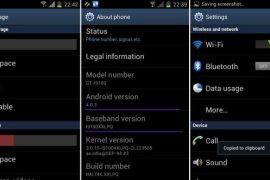
Well, here it comes — the first official Android 4.0 update from Samsung, labeled as XXLPQ. Galaxy S2 users in Baltic, Poland, Hungary and other Nordic countries can use the Samsung’s PC software Kies to update their phone to Android 4.0.
But those of us who are apparently not from that area of earth, but are as much eager as one could be about official Ice Cream Sandwich for Galaxy S2, well, there is the Odin software to install the XXLPQ manually. It’s pretty easy and if you’ve been keeping up with us, you may have already done it countless times — XXKP8, XXLPH, XXLPJ, etc. But this time around, we flash the official Ice Cream Sandwich update for Galaxy S2 — XXLPQ.
Well, there are some features missing from the earlier leaks, XXLPH and XXLPJ, like there is no 3d anim effect in drawer and while swiping home screens, which was present in XXLPH and XXLPJ, but other than that, XXLPQ is cool — no touch lags and it’s pretty fast and fully working rom, with TouchWiz 4 UI of course, hate it or not.
So, let’s see how to upgrade to Ice Cream Sandwich with XXLPQ, the official Android 4.0 firmware via Kies.
Compatibility
This firmware and the guide below is compatible only and only with Galaxy S2, model number i9100. It’s not compatible with any other device, including US variants of S2, the Epic 4G Touch, T-mobile Galaxy S2 and AT&T Galaxy S2 along with Skyrocket. Check your device’s model number in Settings » About phone.
Warning!
The methods and procedures discussed here are considered risky and you should not attempt anything if you don’t know completely what it is. If any damage occurs to you or your device, we won’t be held liable — you only will be responsible, you’ve been warned!
Pre-Installation Requirements/Tips
- This procedure will wipe all your apps, data and settings (but it will NOT touch your SD cards, so don’t worry about those). Backup your Apps and important data — bookmarks, contacts, SMS, APNs (internet settings), etc. This Android backup guide would help you.
- If you have Samsung’s PC software Kies installed, un-install it first because it may interrupt the flashing process.
- Drivers! — it’s important you’ve the proper drivers installed. Download links below.
32 bit (x86) Windows | 64-bit (x64) Windows
How to Install XXLPJ on Galaxy S2 i9100
- Download the XXLPQ Kies firmware from this link → XXLPQ (alternate mediafire links — part 1 and part 2). Filename: I9100XXLPQ_I9100OXALPQ_XEO.zip | Size: 382.43 MB
- Now, extract the downloaded file I9100XXLPQ_I9100OXALPQ_XEO.zip (from step 1) to any folder, you’ll get these 2 files:
- I9100XXLPQ_I9100OXALPQ_I9100XXLPQ_HOME.tar.md5
- SS_DL.dll (simply ignore this one)
- Now, download the Odin software which you’ll need to flash the XXLPQ on your Galaxy S2 i9100. Download Link. Filename: Odin3 v1.83.exe
- Power Off your phone and also disconnect it from PC if it’s connected, and don’t forget to keep phone’s battery above 50%, just to be very very safe. After the screen goes off, wait for vibration to confirm complete switch off.
- Boot Galaxy S2 into Download Mode in order to flash the XXLPQ firmware using Odin. For this, press and hold these keys together:Volume Down + Home + Power, you’ll get a Warning! screen.. press Volume up to continue to enter download mode.
- Open Odin (from step 3) — double-click the Odin3 v1.83.exe.
- Connect your phone to PC now. You should get the message “Added! !” under Odin’s message box in the bottom left. If you don’t get this message, then probably there is a problem with drivers. Make sure you’ve proper drivers installed. See point 3 above under Pre-Installation Requirements.
- Now, in the PDA tab in Odin, select the file you got in step 2.1 — I9100XXLPQ_I9100OXALPQ_I9100XXLPQ_HOME.tar.md5.
- Important! Do not touch any other button or make any other changes in Odin except selecting the required file as given in step 8. Your Odin’s screen should look like this:

- Now, hit the START button to start flashing XXLPQ firmware. When the flashing procedure is finished, your phone will automatically reboot — and when you see the Samsung logo, you can safely unplug the cable. Plus, you’ll get a PASS (with green background) message in the left-most box at the very top of the Odin. Screen would look like this (below) on successful flashing of XXLPQ.
 IMPORTANT Note: If ODIN gets stuck at some stage and doesn’t get you PASS, do this — disconnect the phone from the PC, close ODIN, remove battery, re-insert it, turn phone on in Download mode again, and do the procedure again from Step 6. Same if you get FAIL in Odin.
 - After you’ve got the PASS message, the phone will probably get stuckat S logo. If it reboots fine without getting stuck at the S logo, then okay, you’re done, skip to next step. Otherwise, worry not and do this:
- Boot to recovery mode — for which, first power off phone and after screen goes off, wait for 5-6 seconds, and then press and hold Home + Volume Up + Power keys together. Once you are in recovery mode, use volume keys to move the selection up and down and power or home key to select the option.
- Go to Factory Reset and select it. Select Yes on next screen.
- Now, go to Wipe Cache and select it. Confirm Yes on next screen.
- Now, select reboot system now to boot your Galaxy S2. It will boot up fine. And you’ll have official Android 4.0, Ice Cream Sandwich, firmware on your Galaxy S2 i9100. Go to Settings and scroll down and select About Phone and check the info there.
- Also, if data network (3G, GPRS, etc.) isn’t working for you, you gotta fill in APN Settings meant for your carrier in Mobile and Network settings. Here’s a full list of carriers and their APN settings » Link
- In case you encounter any roadblocks flashing XXLPJ, let us know in comments below and we’ll try to help you out.


Do let us know what you feel about the XXLPQ. Liking the Touchwiz 4 on ICS, or completely hating it?
Update: Root your Galaxy S2 on XXLPQ using CF kernel. Search for “root xxlpq” on our site or click here.
Screenshots of XXLPQ Kies Firmware for Galaxy S2 i9100









943 responses to “XXLPQ — Update Galaxy S2 to Android 4.0 Official Firmware Manually”
Hi team,
i just wanna know can i update this on I9100G ?
i get a big yellow triangle when i start my phone and i doesnt come further than that o.o help me
That’s normal. Don’t worry.
i get a big yellow triangle when i start my phone and i doesnt come further than that o.o help me
That’s normal. Don’t worry.
To whomever it counts. XXLPQ is crap. It lags the phone in applications (i was browsing earlier and as i scrolled down it got stuck for a second then it moved) and battery drains out like hell. I fully charged the phone this morning at 5 am. Went to sleep and when i woke up 6 hours later battery was at 58% (without even using it). There were no extra applications running in the background than i usually had on the 2.3.6 Ginger. I will try the leaked XXLPJ and see if things are getting better.
Please… maybe Your phone is a crap ? In my case XXLPQ has no problem – fast and stable. Flashed no-wipe over KI4.
To whomever it counts. XXLPQ is crap. It lags the phone in applications (i was browsing earlier and as i scrolled down it got stuck for a second then it moved) and battery drains out like hell. I fully charged the phone this morning at 5 am. Went to sleep and when i woke up 6 hours later battery was at 58% (without even using it). There were no extra applications running in the background than i usually had on the 2.3.6 Ginger. I will try the leaked XXLPJ and see if things are getting better.
Please… maybe Your phone is a crap ? In my case XXLPQ has no problem – fast and stable. Flashed no-wipe over KI4.
To whomever it counts. XXLPQ is crap. It lags the phone in applications (i was browsing earlier and as i scrolled down it got stuck for a second then it moved) and battery drains out like hell. I fully charged the phone this morning at 5 am. Went to sleep and when i woke up 6 hours later battery was at 58% (without even using it). There were no extra applications running in the background than i usually had on the 2.3.6 Ginger. I will try the leaked XXLPJ and see if things are getting better.
Please… maybe Your phone is a crap ? In my case XXLPQ has no problem – fast and stable. Flashed no-wipe over KI4.
Updated my SII smoothly with no problems. Thanks for the tutorial. Now, it’s time for testing the new OS 🙂
Updated my SII smoothly with no problems. Thanks for the tutorial. Now, it’s time for testing the new OS 🙂
Updated my SII smoothly with no problems. Thanks for the tutorial. Now, it’s time for testing the new OS 🙂
@kapil – till you didnt inform the reason for “processing fail” while registering to samsung disclaimer?
My Galaxy S2 version is GT-I9100G. I tried updating my phone by going to Settings>Software update..and then updating it. After it updated, it asked me to install and then it rebooted. While rebooting it got stuck in the Galaxy SII logo screen. After this I tried plenty of times rebooting it and taking out the battery and again rebooting it. It is still getting stuck there? Please please tell me what should I do? I live in India and i bought this phone from India itself. Please help me. Thank you!
this is only for GT-i9100 n not GT-i9100G……
Probably via Odin you can install back the firmware which was earlier in your I9100G i.e. XWKJ2. Below is the detailed guideline on how to do that.
http://samsungmobileclub.com/how-to-update-samsung-galaxy-s2-i9100g-with-official-xwkj2-gingerbread-2-3-6-firmware/
Hope this helps.
@kapil – till you didnt inform the reason for “processing fail” while registering to samsung disclaimer?
@kapil – till you didnt inform the reason for “processing fail” while registering to samsung disclaimer?
My Galaxy S2 version is GT-I9100G. I tried updating my phone by going to Settings>Software update..and then updating it. After it updated, it asked me to install and then it rebooted. While rebooting it got stuck in the Galaxy SII logo screen. After this I tried plenty of times rebooting it and taking out the battery and again rebooting it. It is still getting stuck there? Please please tell me what should I do? I live in India and i bought this phone from India itself. Please help me. Thank you!
this is only for GT-i9100 n not GT-i9100G……
Probably via Odin you can install back the firmware which was earlier in your I9100G i.e. XWKJ2. Below is the detailed guideline on how to do that.
http://samsungmobileclub.com/how-to-update-samsung-galaxy-s2-i9100g-with-official-xwkj2-gingerbread-2-3-6-firmware/
Hope this helps.
My Galaxy S2 version is GT-I9100G. I tried updating my phone by going to Settings>Software update..and then updating it. After it updated, it asked me to install and then it rebooted. While rebooting it got stuck in the Galaxy SII logo screen. After this I tried plenty of times rebooting it and taking out the battery and again rebooting it. It is still getting stuck there? Please please tell me what should I do? I live in India and i bought this phone from India itself. Please help me. Thank you!
this is only for GT-i9100 n not GT-i9100G……
Probably via Odin you can install back the firmware which was earlier in your I9100G i.e. XWKJ2. Below is the detailed guideline on how to do that.
http://samsungmobileclub.com/how-to-update-samsung-galaxy-s2-i9100g-with-official-xwkj2-gingerbread-2-3-6-firmware/
Hope this helps.
The update installed fine – thank you. However, now when I send an SMS the recipient receives it twice – please advise.
The update installed fine – thank you. However, now when I send an SMS the recipient receives it twice – please advise.
The update installed fine – thank you. However, now when I send an SMS the recipient receives it twice – please advise.
the battery also drains twice as fast.
I have found the following version of the android ice cream – I9100XWLP3 and am wondering – is this a newer one?
Yep, XWLP3 is a newer one. Do try that.
the battery also drains twice as fast.
I have found the following version of the android ice cream – I9100XWLP3 and am wondering – is this a newer one?
Yep, XWLP3 is a newer one. Do try that.
the battery also drains twice as fast.
I have found the following version of the android ice cream – I9100XWLP3 and am wondering – is this a newer one?
Yep, XWLP3 is a newer one. Do try that.
I feel that the battery is being drained faster also..its heating up. is this normal???
I feel that the battery is being drained faster also..its heating up. is this normal???
I feel that the battery is being drained faster also..its heating up. is this normal???
Can it be used to upgrade 9100T? How 9100T is different from International?
It might work but I’m not sure… you are on your own. Better search it whether i9100 roms work in i9100T or not. I think roms of Galaxy S i9000 worked on i9000T.
I find i9100 and i9100T is exactly the same except the modem, which is what the Vodaphone and Telstra (the T could be Telstra) uses. now where do I get a firmware for this modem? Any ideas?
Can it be used to upgrade 9100T? How 9100T is different from International?
It might work but I’m not sure… you are on your own. Better search it whether i9100 roms work in i9100T or not. I think roms of Galaxy S i9000 worked on i9000T.
I find i9100 and i9100T is exactly the same except the modem, which is what the Vodaphone and Telstra (the T could be Telstra) uses. now where do I get a firmware for this modem? Any ideas?
Can it be used to upgrade 9100T? How 9100T is different from International?
It might work but I’m not sure… you are on your own. Better search it whether i9100 roms work in i9100T or not. I think roms of Galaxy S i9000 worked on i9000T.
I find i9100 and i9100T is exactly the same except the modem, which is what the Vodaphone and Telstra (the T could be Telstra) uses. now where do I get a firmware for this modem? Any ideas?
hi guys thanks for the post, but i have a problem after installing XXLPQ, my camera doesnot show reviews when i take pics. pls help me
Enable that in settings, it should be there.
Hi Kapil,
i have checked like a million times, i cant find the review option on the camera settings but i had it before i upgraded ( all what i have under settings is : Edit shortcuts, self portrait, flash, shooting mode, sceen mode, exposure value, focus mode, timer, effects, resolution, white balance, ISO, metering, outdoor visibility, anti- shake, auto contrast, blink ditection, guidelines, image quality, GPS tag, storage and reset ).
Is there a possibility to downgrade?
Downgrade it easy. Install the XXKH3 firmware. Search here for download links and guide.
hi guys thanks for the post, but i have a problem after installing XXLPQ, my camera doesnot show reviews when i take pics. pls help me
Enable that in settings, it should be there.
Hi Kapil,
i have checked like a million times, i cant find the review option on the camera settings but i had it before i upgraded ( all what i have under settings is : Edit shortcuts, self portrait, flash, shooting mode, sceen mode, exposure value, focus mode, timer, effects, resolution, white balance, ISO, metering, outdoor visibility, anti- shake, auto contrast, blink ditection, guidelines, image quality, GPS tag, storage and reset ).
Is there a possibility to downgrade?
Downgrade it easy. Install the XXKH3 firmware. Search here for download links and guide.
hi guys thanks for the post, but i have a problem after installing XXLPQ, my camera doesnot show reviews when i take pics. pls help me
Enable that in settings, it should be there.
Hi Kapil,
i have checked like a million times, i cant find the review option on the camera settings but i had it before i upgraded ( all what i have under settings is : Edit shortcuts, self portrait, flash, shooting mode, sceen mode, exposure value, focus mode, timer, effects, resolution, white balance, ISO, metering, outdoor visibility, anti- shake, auto contrast, blink ditection, guidelines, image quality, GPS tag, storage and reset ).
Is there a possibility to downgrade?
Downgrade it easy. Install the XXKH3 firmware. Search here for download links and guide.
Thx for all your hard work Kapil. One final question, should Kies pick up any future official updates (it hasnt found anything in the few months ive owned the phone!). Or if I need to do manuall,is there a site which shows when XXLPQ is updated? Cheers.
Well, we keep posting about latest and greatest firmwares from Samsung as and when they become available/launched. So, follow us via an email subscription or on Facebook, or Google Plus, to keep yourself abreast of all firmwares that get released.
Thx for all your hard work Kapil. One final question, should Kies pick up any future official updates (it hasnt found anything in the few months ive owned the phone!). Or if I need to do manuall,is there a site which shows when XXLPQ is updated? Cheers.
Well, we keep posting about latest and greatest firmwares from Samsung as and when they become available/launched. So, follow us via an email subscription or on Facebook, or Google Plus, to keep yourself abreast of all firmwares that get released.
Thx for all your hard work Kapil. One final question, should Kies pick up any future official updates (it hasnt found anything in the few months ive owned the phone!). Or if I need to do manuall,is there a site which shows when XXLPQ is updated? Cheers.
Well, we keep posting about latest and greatest firmwares from Samsung as and when they become available/launched. So, follow us via an email subscription or on Facebook, or Google Plus, to keep yourself abreast of all firmwares that get released.
Do you need to factory reset?
If it doesn’t boot up in 15 mins, then go to recovery mode and then do ‘Factory Reset’.
Hi thanks dude!!! It says it’s installing applications now, everything seems to work fine 🙂 thank you so much!!!
Oh ya and will this work on all i9100 SII? I got mine in South Africa
Yes, it would work on i9100.
Hey, kapil I got my Galaxy Skyrocket from U.S.It is unlocked. Can i update it to Ice cream sandwich?? Please tell me
The above is not for Skyrocket. So, don’t try the above. Search our site for Skyrocket Ice Cream Sandwich post.
Do you need to factory reset?
If it doesn’t boot up in 15 mins, then go to recovery mode and then do ‘Factory Reset’.
Hi thanks dude!!! It says it’s installing applications now, everything seems to work fine 🙂 thank you so much!!!
Do you need to factory reset?
If it doesn’t boot up in 15 mins, then go to recovery mode and then do ‘Factory Reset’.
Hi thanks dude!!! It says it’s installing applications now, everything seems to work fine 🙂 thank you so much!!!
Oh ya and will this work on all i9100 SII? I got mine in South Africa
Yes, it would work on i9100.
Oh ya and will this work on all i9100 SII? I got mine in South Africa
Yes, it would work on i9100.
Hey, kapil I got my Galaxy Skyrocket from U.S.It is unlocked. Can i update it to Ice cream sandwich?? Please tell me
The above is not for Skyrocket. So, don’t try the above. Search our site for Skyrocket Ice Cream Sandwich post.
Hey, kapil I got my Galaxy Skyrocket from U.S.It is unlocked. Can i update it to Ice cream sandwich?? Please tell me
The above is not for Skyrocket. So, don’t try the above. Search our site for Skyrocket Ice Cream Sandwich post.
In odin, it said pass. But my phone stuck at the S logo. But the thing is, after i switch it off, it will automatically reboot back which i have no time to wait 5-6 sec and go into recovery mode to clear the cache. I already tried removed the battery but same thing still occurs. Please help me.
Give it at least 15 mins to boot up.
In odin, it said pass. But my phone stuck at the S logo. But the thing is, after i switch it off, it will automatically reboot back which i have no time to wait 5-6 sec and go into recovery mode to clear the cache. I already tried removed the battery but same thing still occurs. Please help me.
Give it at least 15 mins to boot up.
In odin, it said pass. But my phone stuck at the S logo. But the thing is, after i switch it off, it will automatically reboot back which i have no time to wait 5-6 sec and go into recovery mode to clear the cache. I already tried removed the battery but same thing still occurs. Please help me.
Give it at least 15 mins to boot up.
i cant edit, copy or paste a words…
me too…
the select all, cut, copy, etc. cannot be use
new model galaxy s2 i9100G SUCKS!!
ouh oh… sorry. I think I’ve figured it out.
I can copy and paste again.
theres no problem at all. its perfect
i cant edit, copy or paste a words…