

Required files:
Flashtool — Download link
Firmwares — Download the “.ftf” firmware file for your phone. Below are the links:
Android 2.3.4 [4.0.2.A.0.62]
[warning] The methods and procedures discussed here are considered risky and you should not attempt anything if you don’t know completely what it is. Do this only if you’re capable of getting your phone back right on your own. If any damage occurs to you or your device, we won’t be held liable. You only will be responsible — you’ve been warned. Okay![/warning]
Video instructions:
Instructions:
- Switch off your phone and put it aside.
- Extract the “FlashTool_x.x.x.x.exe” file on your PC (you can just double click on it to extract)
- Few files and folders will be extracted — the two which we’ll be using are the ‘drivers‘ folder and the ‘firmwares‘ folder.
- Inside the ‘drivers‘ folder there’s a file named “ggsetup-2.2.0.10.exe”, double click on this file to install the proper driver on your PC.
- Now copy the “.ftf” firmware file that you downloaded for your phone, and paste it inside the “firmwares” folder.
- Double click the “X10FlashTool.exe” file.
- Once the program opens — click on the “Flash” button.
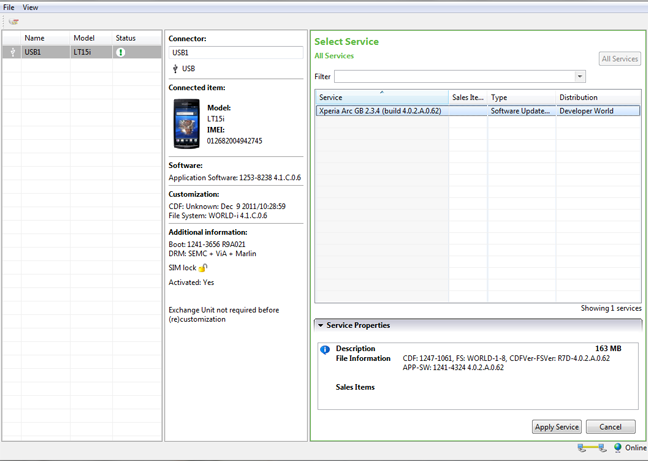
- You’ll see the firmware that you copied in Step 5 loaded on the screen — click “Ok”!
- Now it should ask you to connect your phone to the PC. So first plug the USB cable to PC, then pick up your phone and hold the “Back” key (key at the bottom left on your Arc), and then connect the USB cable to your phone. Remember you’ve to hold the “Back” key while connecting the USB cable to phone.
- Once the phone gets connected — Flashtool will automatically start the flashing process.
- Keep an eye on the Flashtool’s screen.
- And once the process gets finished, disconnect your phone from PC and switch it ON.
- Don’t freak if it takes longer to boot (that’s normal) as the phone has to build the cache again after flashing.
Enjoy!
Many thanks to the XDA Developer community for firmwares.



310 responses to “[TUTORIAL] How To Flash a Firmware Using Flashtool on Xperia Arc”
Shivam, can i know your GTalk…?
Shivam, can i know your GTalk…?
Shivam, can i know your GTalk…?
While flashing the flash tool says Bootloader status : NOT_ROOTABLE followed by WARNING that simlock.ta file is ignored. I have a Sony ericsson arco IS11S tied to AU KDDI Japan. Does it mean the sim lock cant be removed?
While flashing the flash tool says Bootloader status : NOT_ROOTABLE followed by WARNING that simlock.ta file is ignored. I have a Sony ericsson arco IS11S tied to AU KDDI Japan. Does it mean the sim lock cant be removed?
While flashing the flash tool says Bootloader status : NOT_ROOTABLE followed by WARNING that simlock.ta file is ignored. I have a Sony ericsson arco IS11S tied to AU KDDI Japan. Does it mean the sim lock cant be removed?
please re up the file again thanks. can i use this to update to 4.0.4(ICS)?
please re up the file again thanks. can i use this to update to 4.0.4(ICS)?
please re up the file again thanks. can i use this to update to 4.0.4(ICS)?
how to get files required for xperia mini???
how to get files required for xperia mini???
how to get files required for xperia mini???
hi, i cant do the step 8 because the firmware doesn´t apear, what can i do?
hi, i cant do the step 8 because the firmware doesn´t apear, what can i do?
hi, i cant do the step 8 because the firmware doesn´t apear, what can i do?
will this work for my sony xperia arc s as well ? pls reply soon
will this work for my sony xperia arc s as well ? pls reply soon
will this work for my sony xperia arc s as well ? pls reply soon
to flash a .ftf file via flashtool, do i need to have a rooted device?
to flash a .ftf file via flashtool, do i need to have a rooted device?