

Tap Buttons! is a Roblox experience built around a simple tapping loop, and the developer occasionally drops redeemable codes that boost your currency, items, or Luck stat. Codes are the fastest way to get a head start without grinding through the core gameplay loop.
Only one code is confirmed to be redeemable right now.
Release!
Luck Boost (x1)
Because the developer hasn’t detailed exactly what this code unlocks, you’ll want to check your currency, items, and Luck stat right after entering it to see what changed.
You won’t find a dedicated codes menu in Tap Buttons! Instead, redemption happens right inside the Shop.
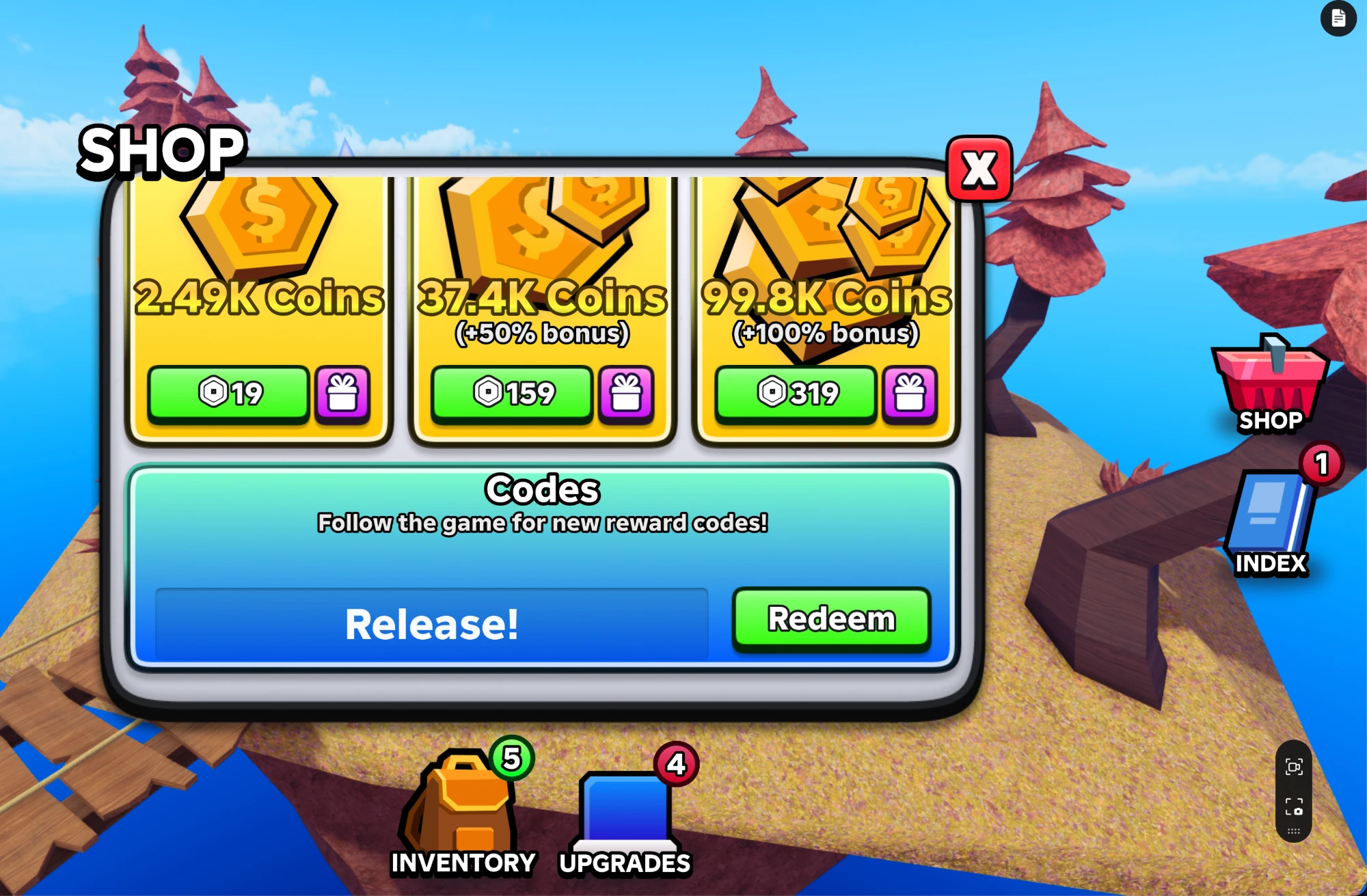
New codes for Tap Buttons! typically show up when the developer wants players to follow the game’s official channels, so keeping an eye on those is your best bet for catching fresh ones. You can jump into the Tap Buttons! Roblox experience directly, and joining the game’s official Roblox community keeps you close to any future announcements.
Tip: Since the Shop’s codes box is labeled to encourage following the game, checking back there after any update is a reliable way to catch a new code as soon as it drops.
Are Tap Buttons! codes free?
Yes. Every code the developer releases is free to redeem through the in-game Shop, and none require a purchase to unlock.
Why didn’t my code work?
Double-check that you typed Release! into the Codes box at the bottom of the Shop window before pressing Redeem.





Leave a Reply