


What to know
- Ace Glider is part of pre-registration milestone rewards in Neverness to Everness.
- You must claim rewards via in-game mail before using it.
- Gliders auto-activate when jumping from elevated areas.
- Equipping the Ace (Whiskers) Glider is required before first use.
Getting your hands on the Ace Glider in Neverness to Everness is straightforward, but only if you know where to look and how the reward system works. Since it’s tied to pre-registration milestone rewards, you don’t earn it through gameplay grinding or exploration. Instead, you unlock it as part of a reward bundle that is delivered directly to your in-game mailbox. Once claimed and equipped, it becomes a seamless part of your traversal experience, activating automatically whenever you leap from heights.
Here is a quick overview of Ace Glider unlock process:
| Aspect | Details |
|---|---|
| Reward Type | Pre-registration milestone reward |
| Glider Name | Whiskers Glider (Ace Glider skin) |
| How to Unlock | Claim from in-game mail |
| Activation | Automatic when falling from heights |
| Manual Equip Required | Yes (once after claiming) |
Pre-registration rewards in Neverness to Everness
When you first log into Neverness to Everness, the game checks whether you qualify for pre-registration milestone rewards. These rewards are distributed through the in-game phone/mail system rather than being instantly added to your inventory. This means you must actively claim them, or they will remain unused.
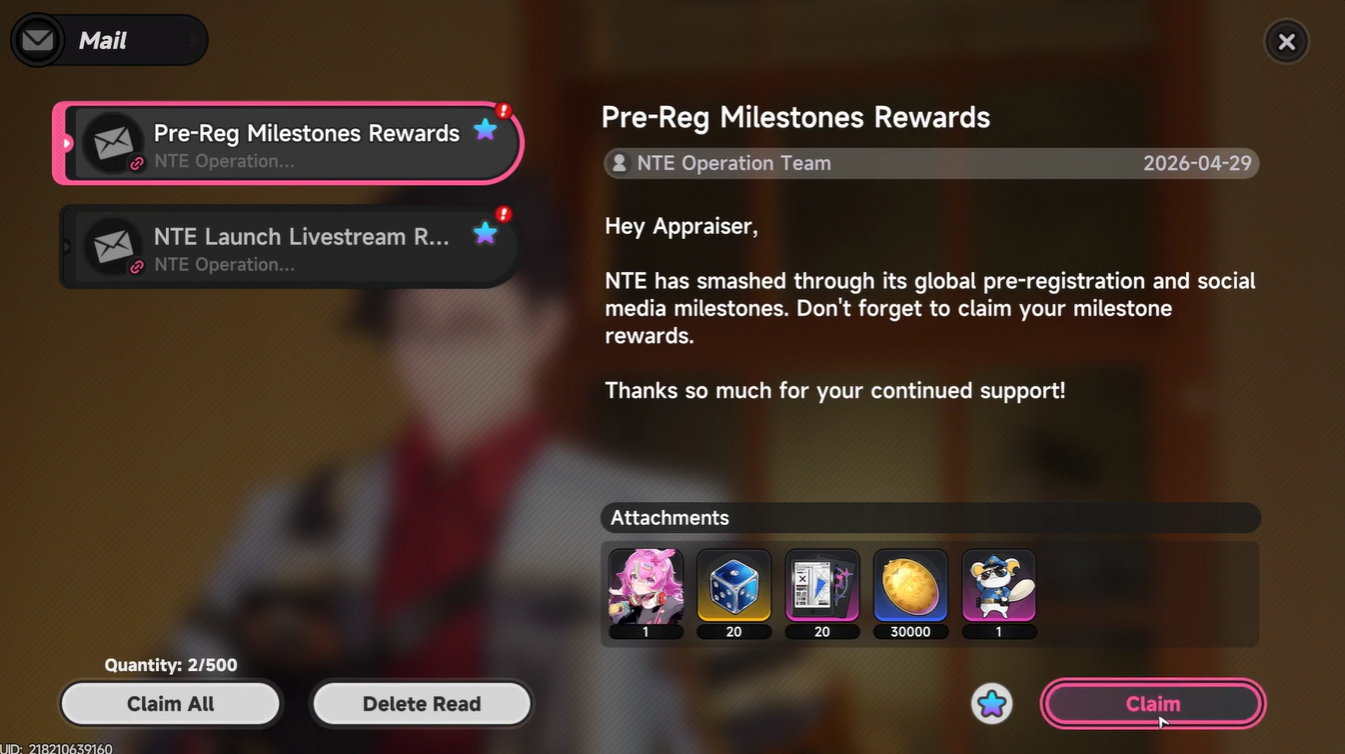
The Ace Glider is bundled with several other valuable items, including an A-Class character (Haniel), Fabricated Dice, Beetle Coins, and upgrade materials. Among these, the Whiskers Glider stands out as the cosmetic Ace Glider skin that enhances your aerial movement visuals.
What makes this system interesting is that the glider is not automatically equipped after claiming, even though it is automatically used during gameplay. This creates a small but important step that many players overlook.
How to claim the Ace Glider from pre-registration rewards in NTE
Step 1
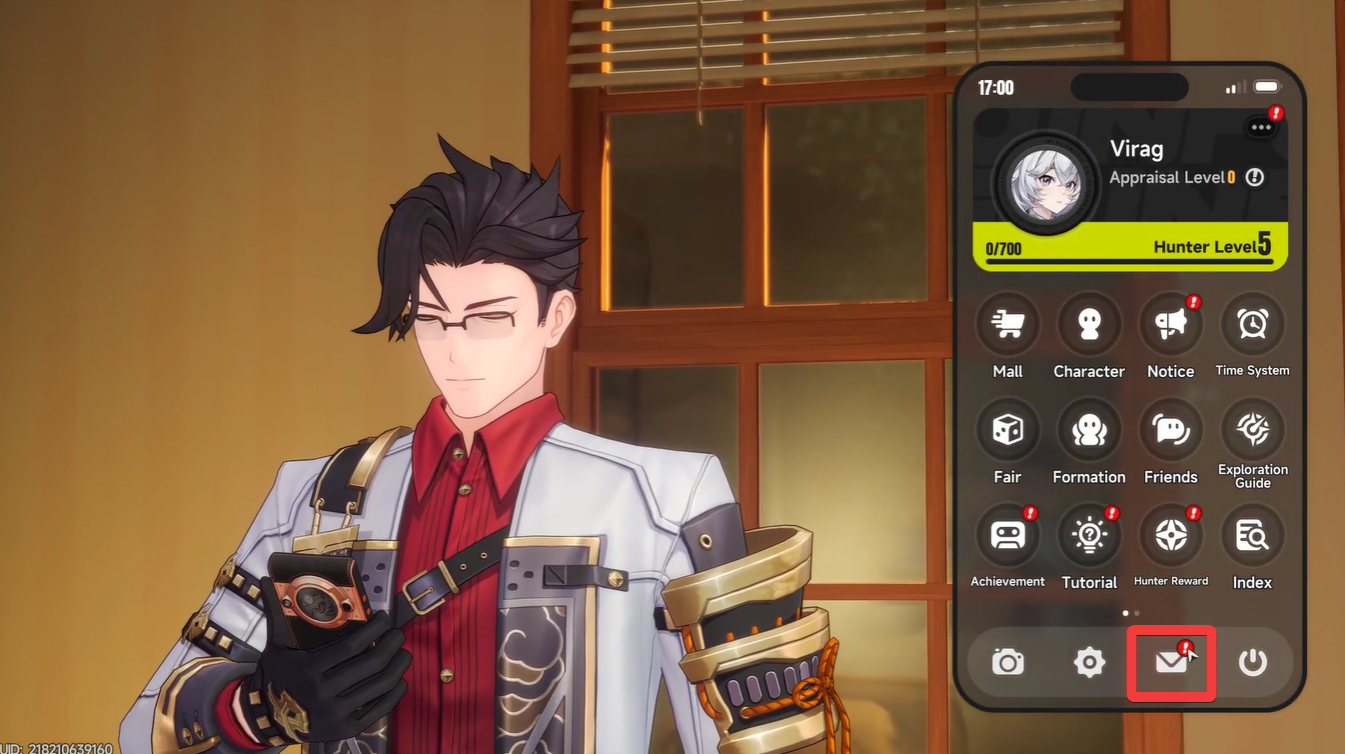
Open your in-game phone interface and check for mail notifications. These usually appear early in your playthrough.
Step 2
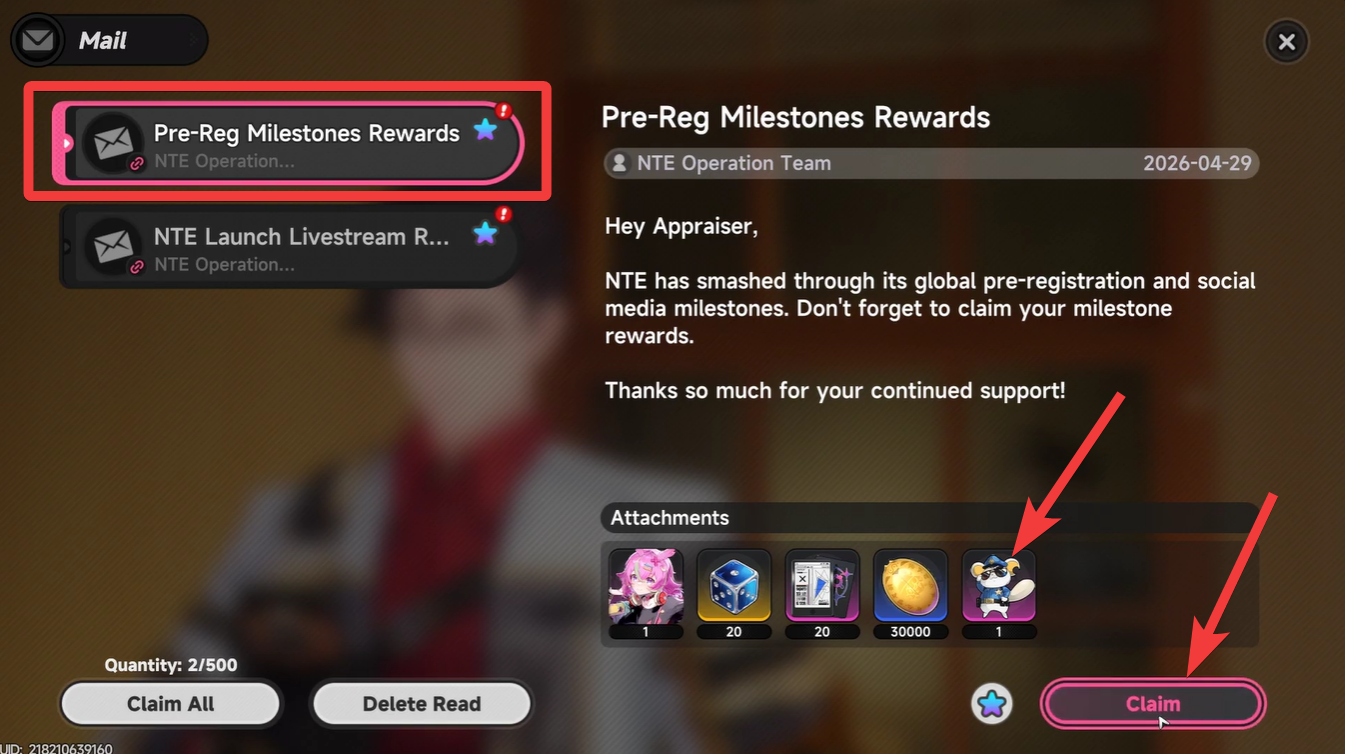
Navigate to the pre-registration rewards message inside your mailbox. This message contains all milestone rewards bundled together.
Step 3
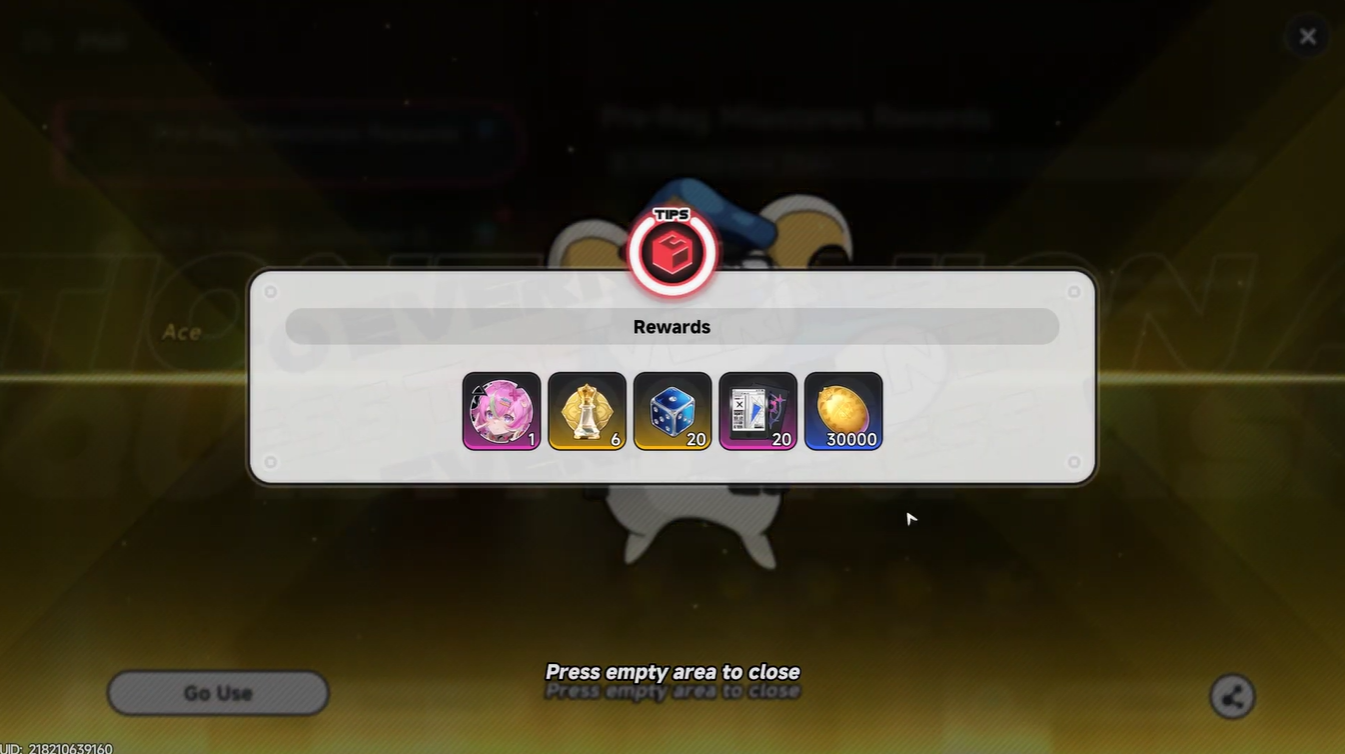
Select “Claim All” to transfer rewards into your inventory. This includes the glider skin. At this point, the Ace Glider is unlocked—but not yet active.
How to equip the Ace Glider properly
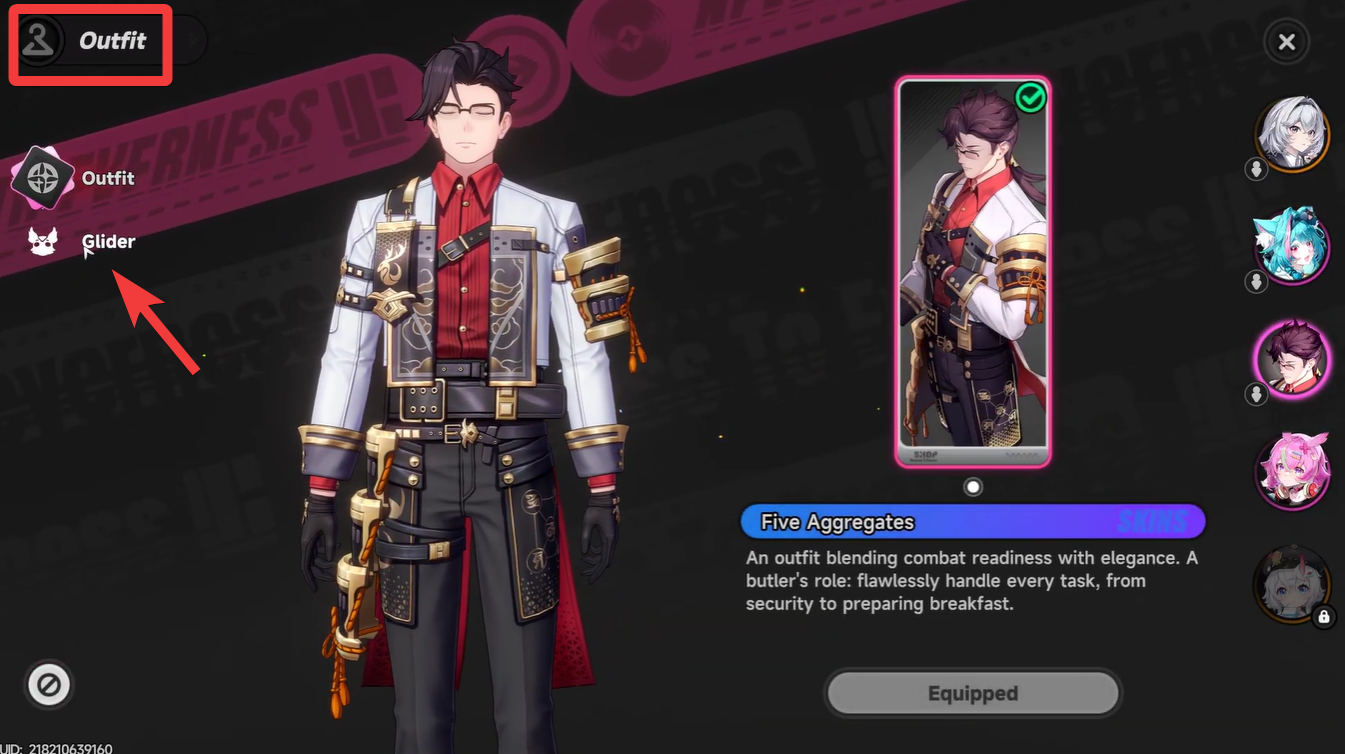
Step 1
Open your inventory > outfits section, depending on how the game categorizes gliders.
Step 2
Locate the Whiskers Glider in your collection.
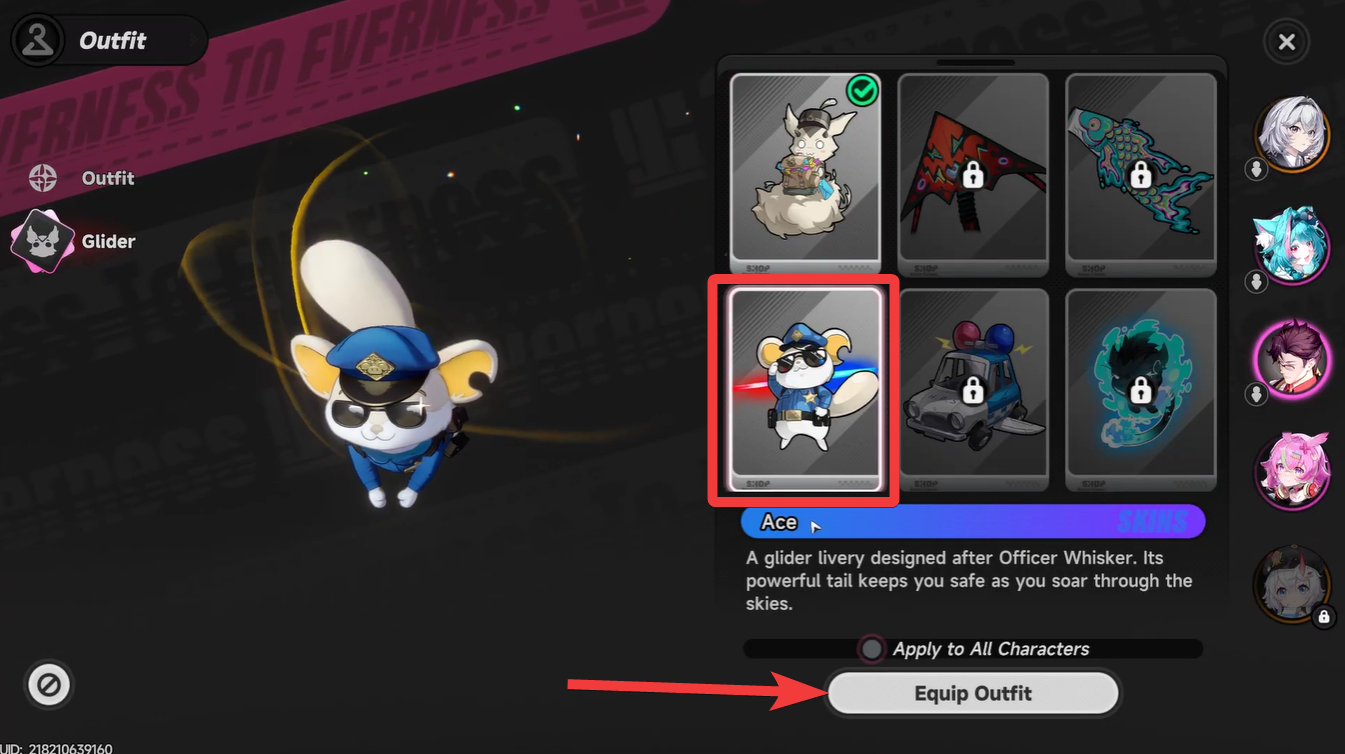
Step 3
Select and equip it as your active glider skin.
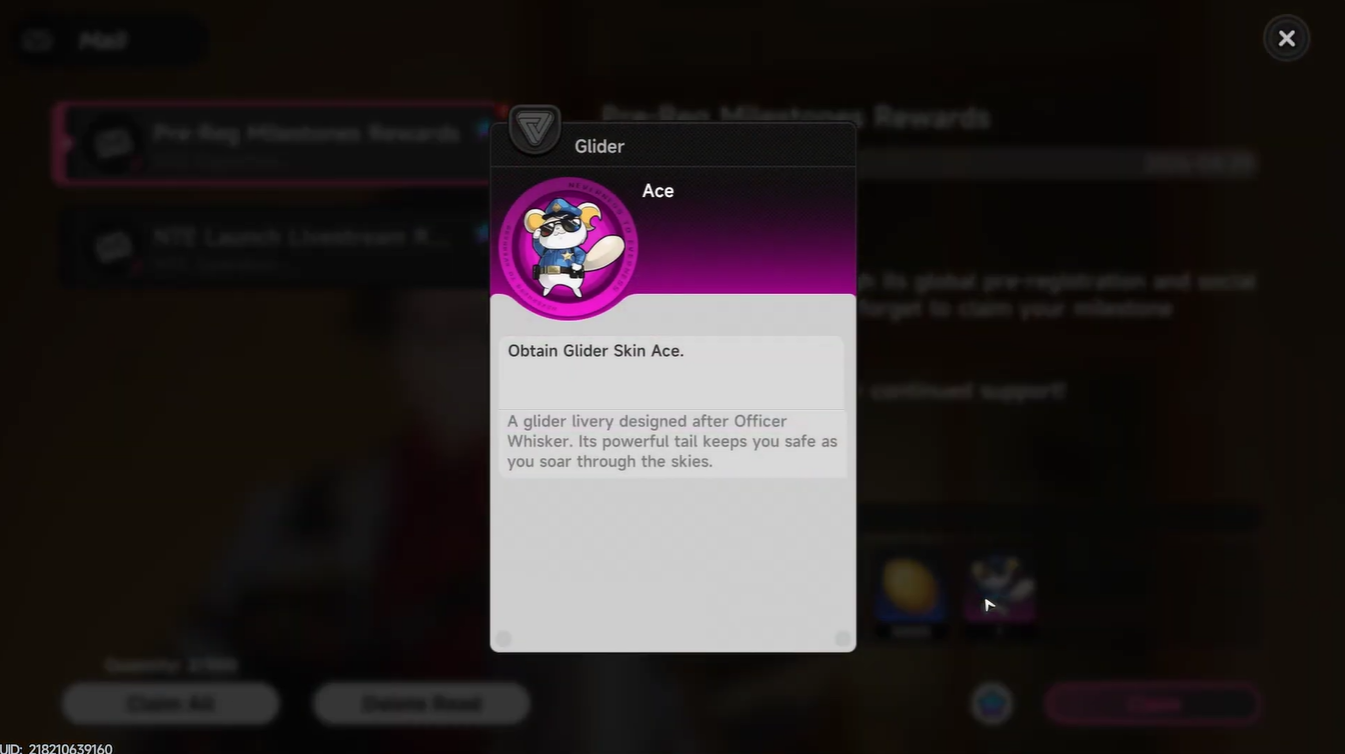
This step ensures that the correct glider appears during traversal. If you skip this, the game may default to another glider or none at all.
How the Ace Glider works during gameplay
Once equipped, the system becomes incredibly intuitive. You don’t need to press any additional buttons to activate the glider. Instead, the game automatically deploys it when you:
- Jump from cliffs
- Drop from buildings
- Fall from elevated terrain
This automatic activation is designed to maintain flow and immersion. You simply move through the world, and the Ace Glider activates at the right moment, giving you smooth aerial control and a visually distinct glide animation.
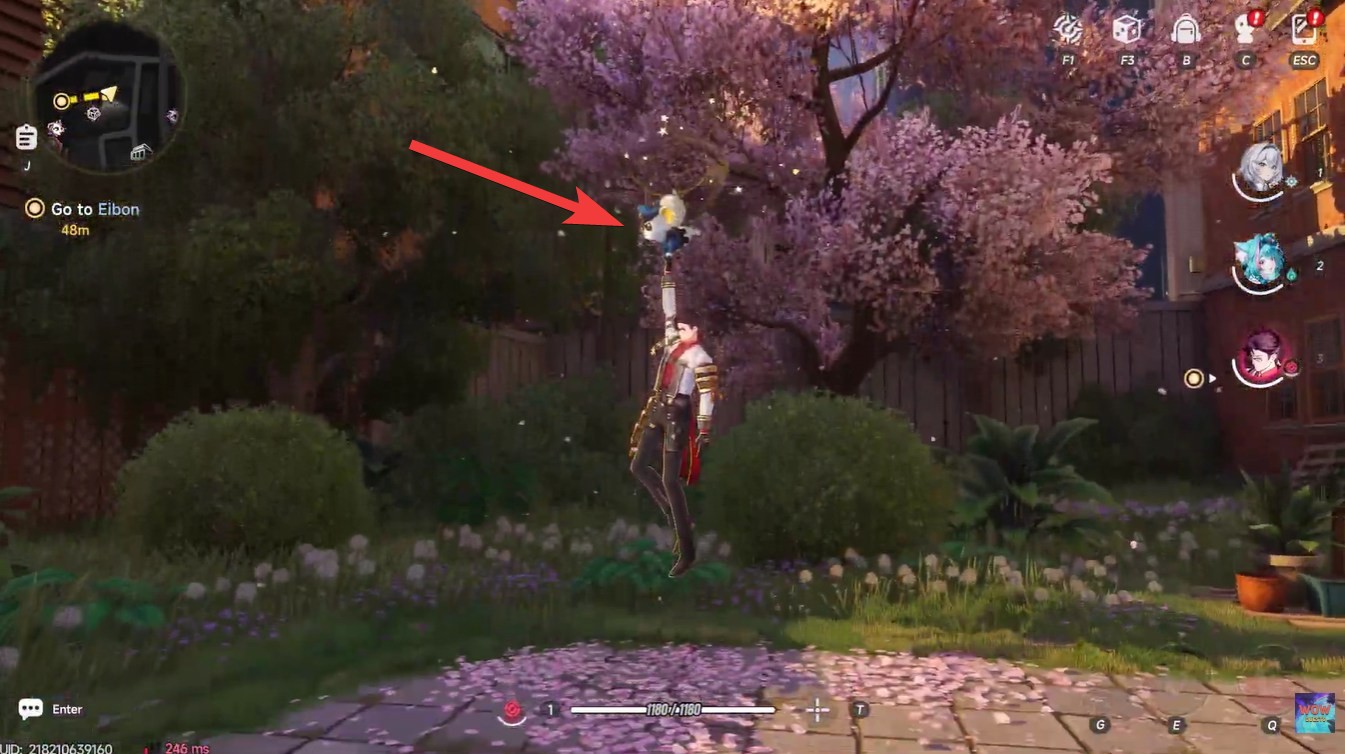
The Whiskers Glider, in particular, stands out due to its unique design, making it a noticeable upgrade over default options. While it doesn’t necessarily change mechanics, it enhances the overall traversal experience through style and clarity.
Rewards included in the pre-registration bundle
| Reward | Type | Purpose |
|---|---|---|
| Haniel | A-Class Character | Combat and team utility |
| Fabricated Dice x20 | Resource | Likely used in progression systems |
| Beetle Coin x30,000 | Currency | Purchases and upgrades |
| Elite Hunter Guide x20 | Upgrade Material | Character or gear enhancement |
| Whiskers Glider | Cosmetic | Ace Glider skin |
Making the most of your glider in exploration
To fully benefit from the Ace Glider, you should actively look for elevated traversal opportunities. Jumping from higher ground not only speeds up movement but also helps you avoid unnecessary encounters or obstacles.
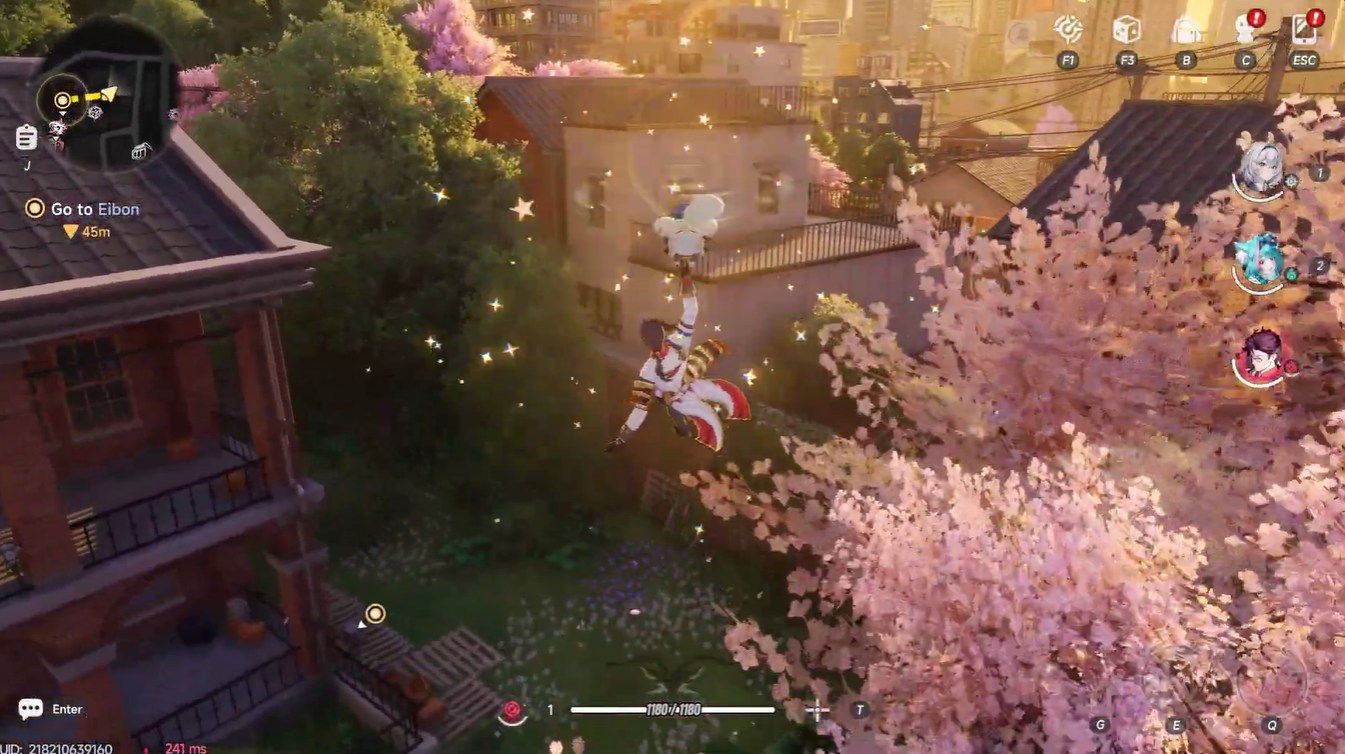
You’ll notice that as you grow more comfortable, gliding becomes second nature, blending seamlessly with running, climbing, and jumping. The Ace Glider supports this flow by ensuring consistent and automatic deployment without interrupting gameplay.
The process to unlock and use the Ace Glider in Neverness to Everness is simple but easy to overlook if you don’t check your in-game mail. By claiming your pre-registration rewards, equipping the Whiskers Glider, and understanding its automatic activation, you ensure a smoother and more stylish traversal experience from the very beginning. It’s a small feature, but one that quickly becomes essential as you explore the game’s vertical world.




Leave a Reply