

What to know
- Gliders are cosmetic gear that automatically activate during jumps
- You can switch gliders anytime from the character menu
- The feature is accessed through the outfits section
- Different gliders can enhance your visual style while exploring
Right after unlocking traversal features in Neverness to Everness, you’ll notice how important gliders are for movement and exploration. While they function automatically when you leap from elevated areas, customizing your glider allows you to personalize your gameplay experience and stand out visually. The process is simple but often overlooked by new players, especially since the game doesn’t explicitly force you to change it early on.
Below is a quick overview before diving deeper.
| Feature | Details |
|---|---|
| Where to change | Character Menu |
| Shortcut key | Press C |
| Section | Outfits → Glider Tab |
| Function | Cosmetic customization |
| Activation | Automatic during jumps |
| Requirement | At least one unlocked glider |
How gliders work in NTE
Gliders in Neverness to Everness are not manually deployed tools but passive traversal mechanics. This means you don’t need to press any extra buttons mid-air to activate them. Once you jump from a sufficient height, the glider automatically deploys and allows you to descend safely.
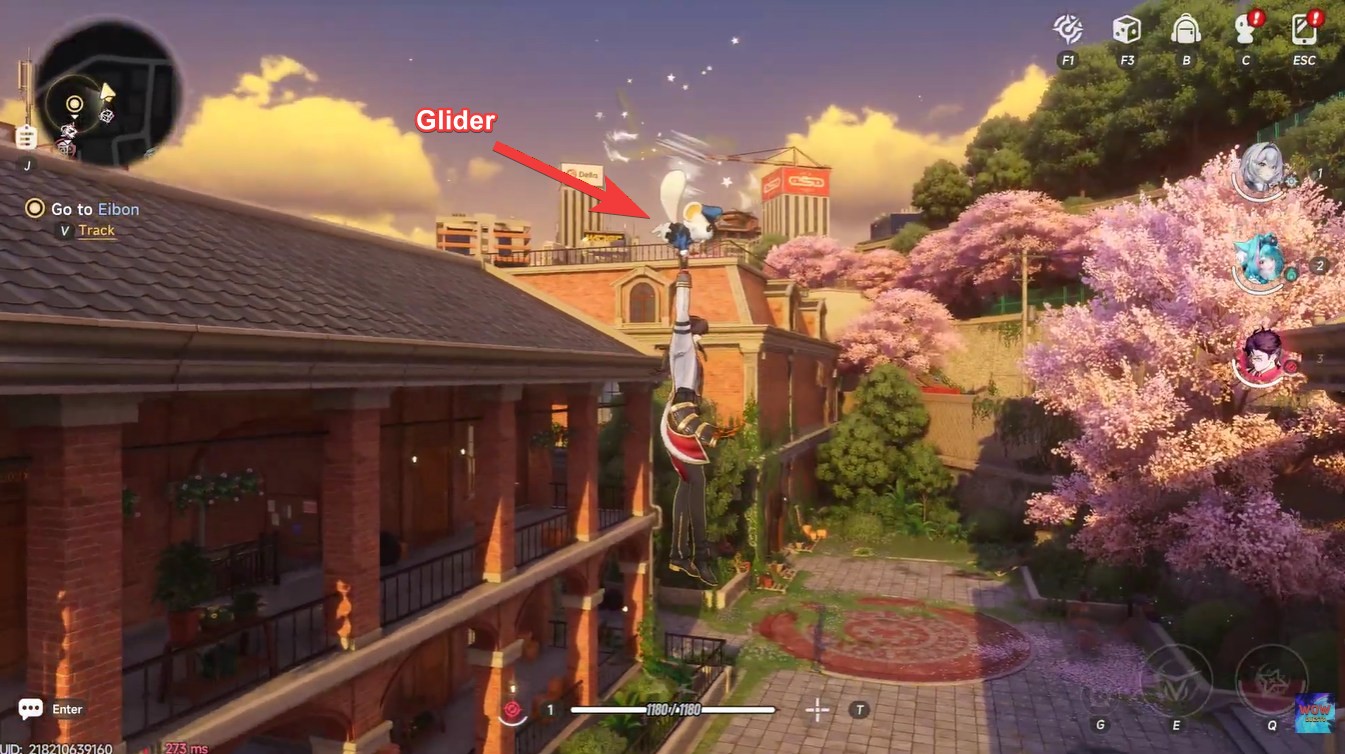
This design keeps movement fluid and fast-paced. However, because of this automation, many players assume gliders cannot be changed or customized. That’s not the case. Each glider acts as a cosmetic skin that alters your appearance mid-air, and some may be tied to rewards, events, or progression milestones.
How to change your glider in Neverness to Everness
If you want to switch to a new glider or simply check what you have unlocked, follow these steps carefully.
Step 1
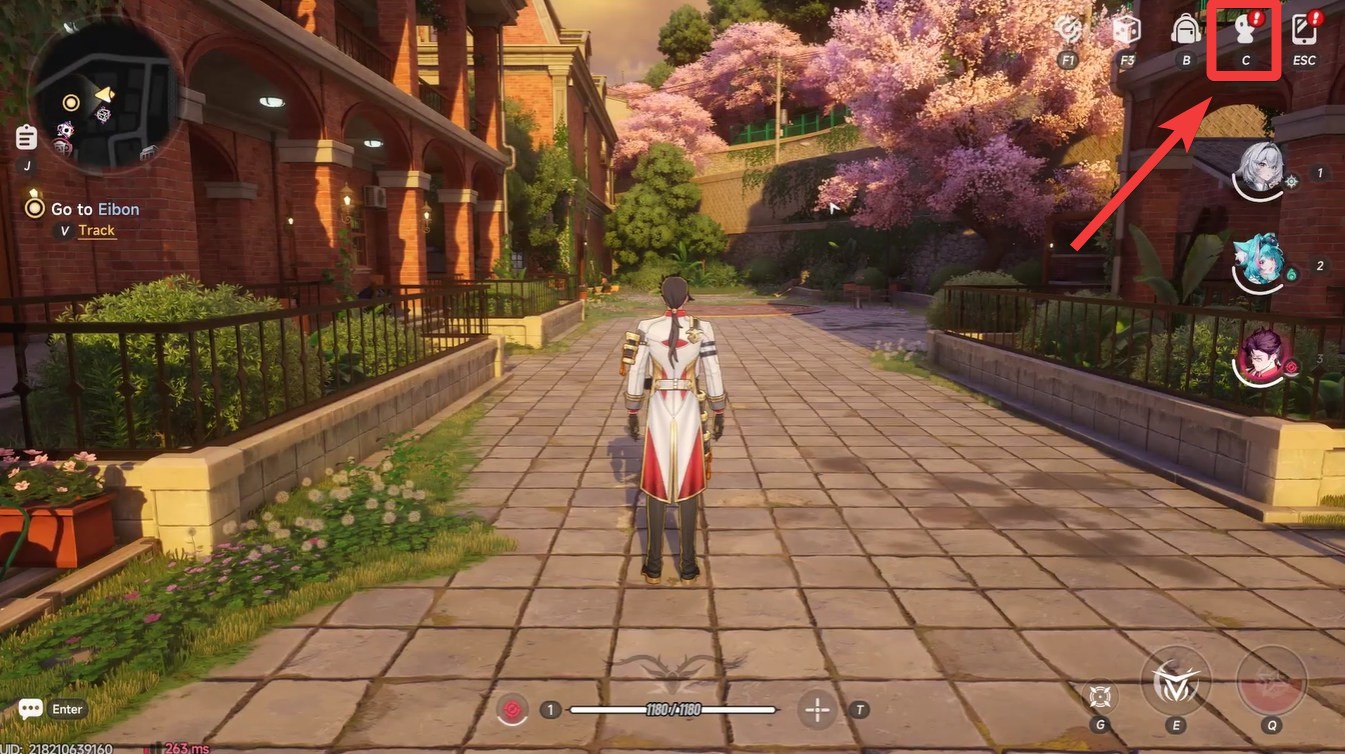
Open your character interface by pressing C on your keyboard while in the game world. This brings up your main customization panel.
Step 2
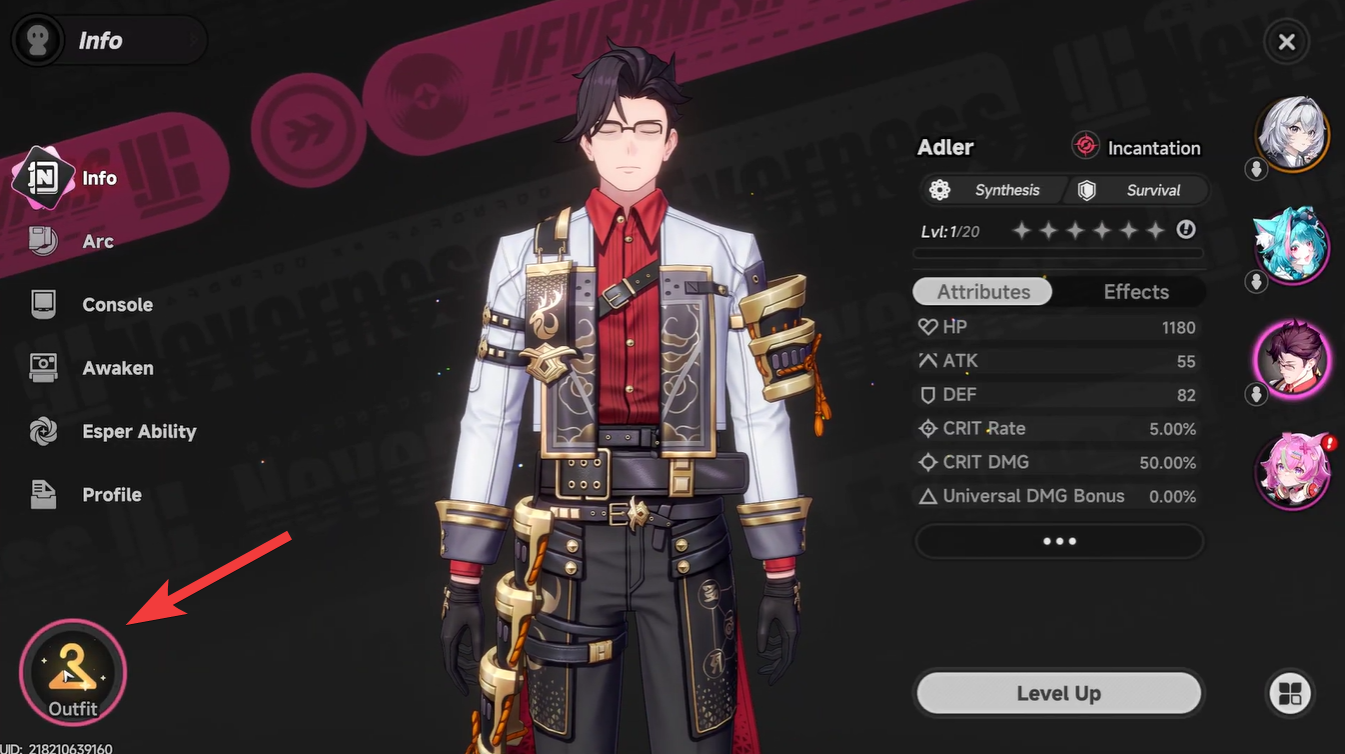
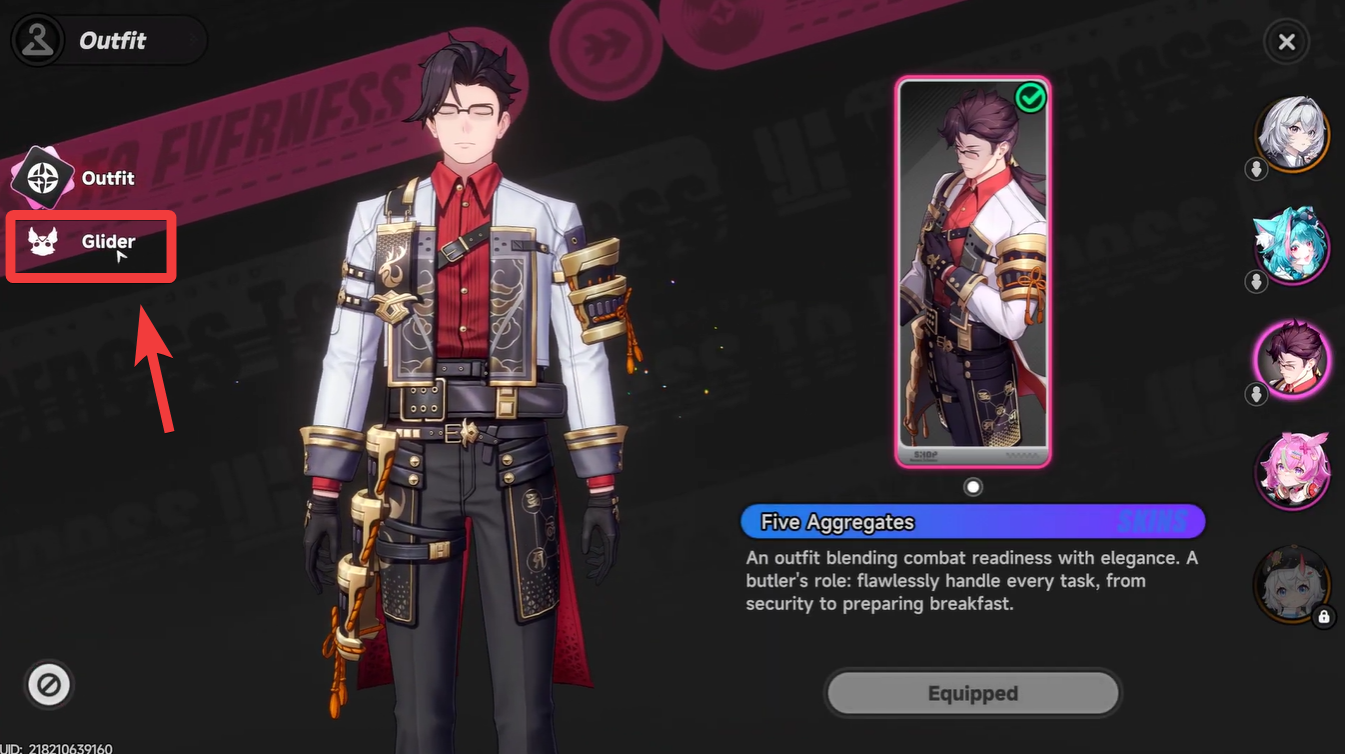
Navigate to the Outfits section inside the character menu. This area contains all visual customization options for your character.
Step 3
Look for the Glider tab within the outfits menu. It is usually grouped alongside other appearance-related categories.
Step 4
Browse through your available gliders and select the one you want to equip. Once selected, confirm your choice to apply it.
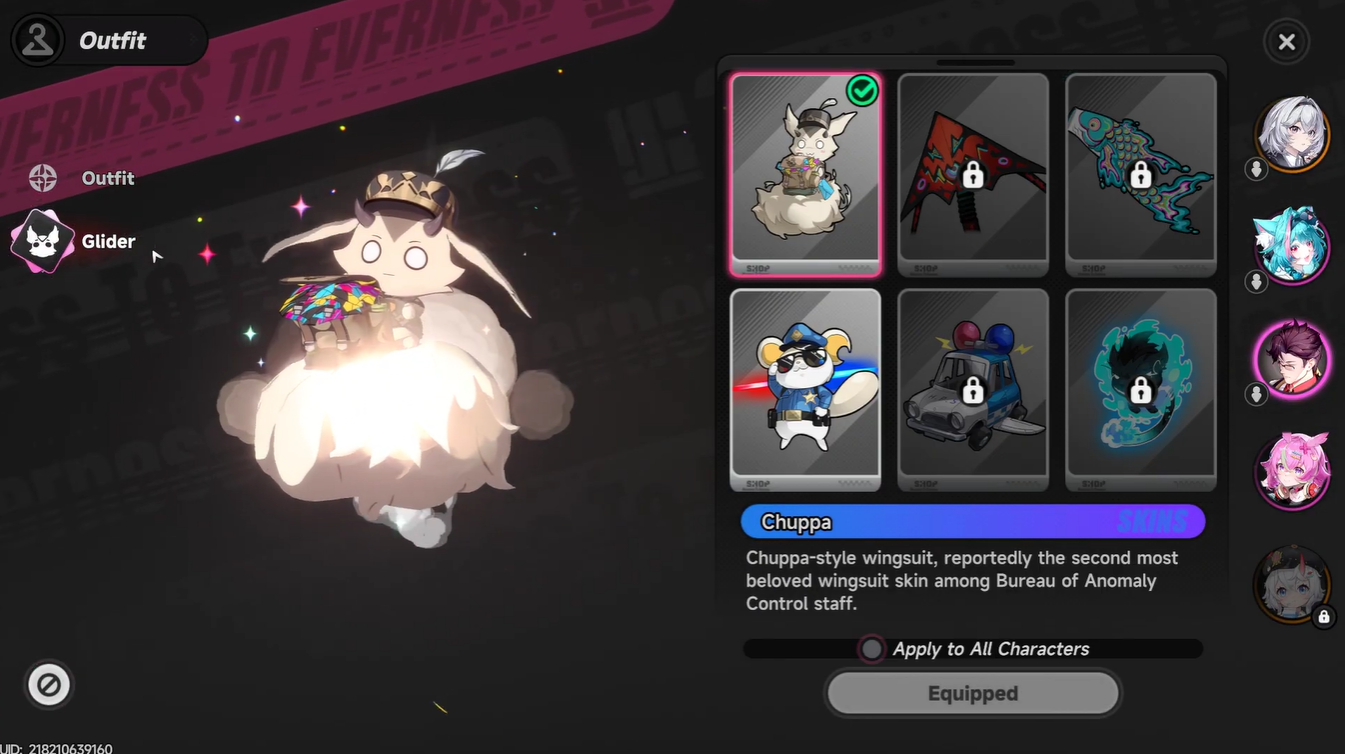
After completing these steps, your newly selected glider will automatically appear the next time you jump from a height.
Where gliders are used in gameplay
Gliders are primarily used during exploration, especially in areas with vertical terrain. Whether you are navigating rooftops, cliffs, or elevated structures, gliders allow you to travel faster and avoid fall damage.
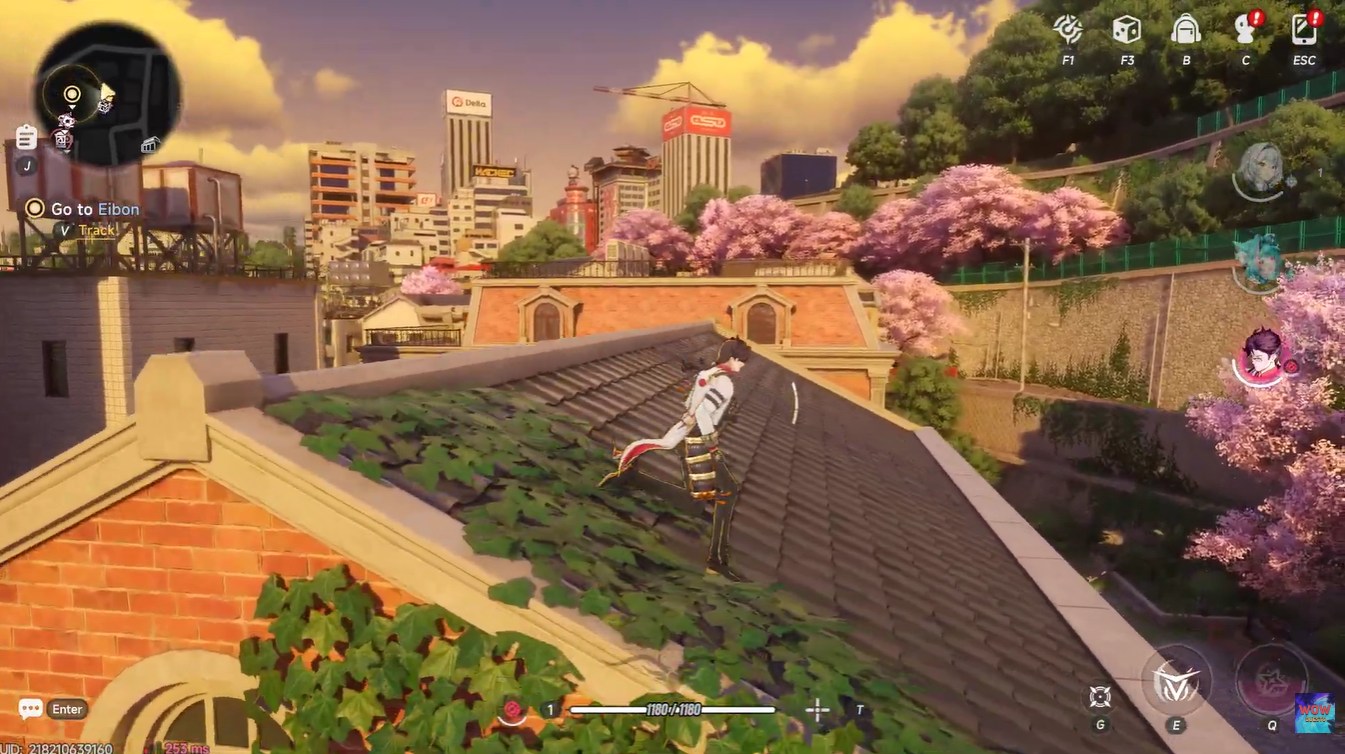
You will frequently rely on them when moving across large zones, completing exploration objectives, or reaching hidden areas. While they don’t directly impact combat stats, their utility in traversal makes them an essential part of your overall gameplay flow.
Unlocking more gliders in the game
As you progress through Neverness to Everness, you can unlock additional gliders through rewards, events, or pre-registration bonuses. These gliders often feature unique designs, animations, or visual effects.
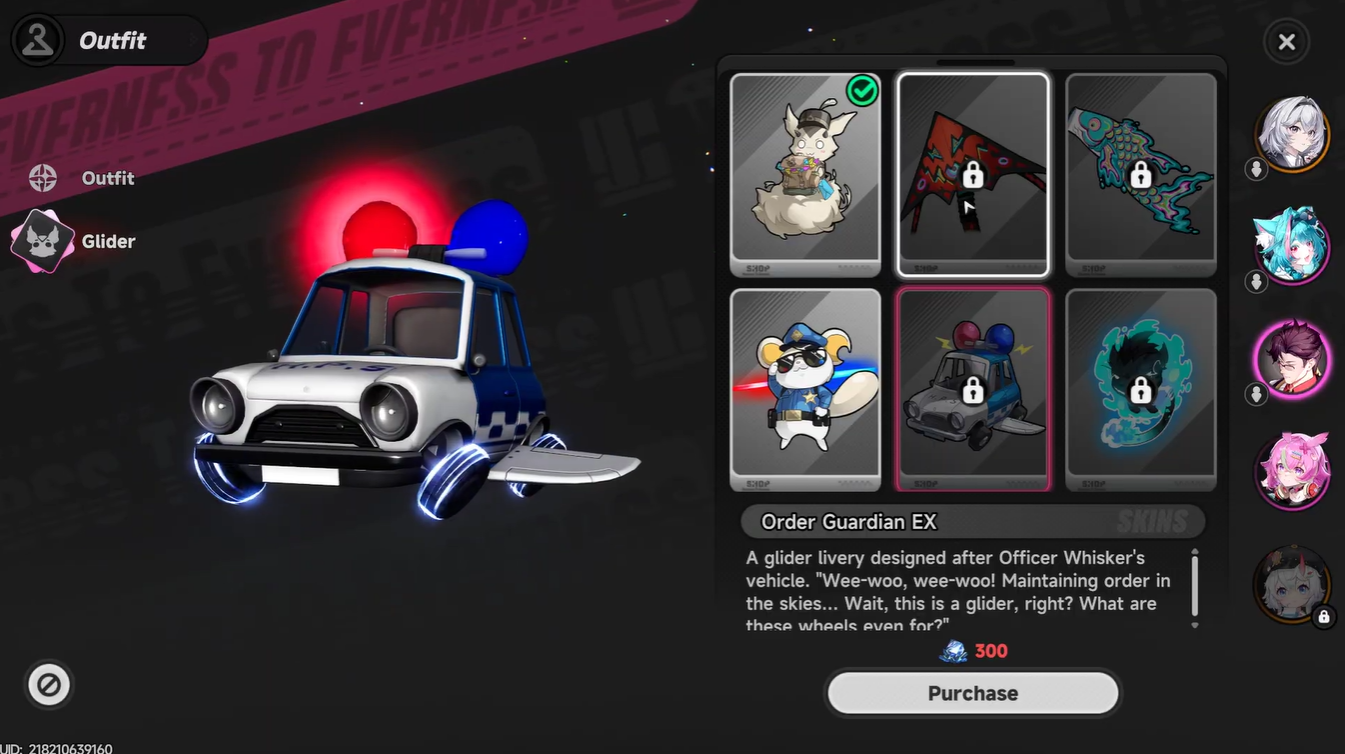
Here’s a simple breakdown of how gliders are typically obtained:
| Source | Description |
|---|---|
| Pre-registration rewards | Early bonuses like exclusive glider skins |
| Events | Limited-time cosmetic unlocks |
| Purchasing | Rewards from quests or milestones |
| In-game mail | Claimed through notifications |
Keeping an eye on your in-game mail and event announcements is key to collecting new gliders.
Common issues players face
Some players report not seeing the glider option immediately. This usually happens because they haven’t unlocked additional gliders yet or haven’t progressed far enough in the game. In such cases, the tab may appear limited or unchanged.
Another common misunderstanding is expecting manual control over gliders. Remember, gliders deploy automatically and cannot be triggered manually, which is part of the game’s streamlined traversal system.
Changing your glider in Neverness to Everness is quick, simple, and entirely menu-driven, but it adds a meaningful layer of personalization to your gameplay. Even though it doesn’t affect performance, it enhances your visual experience every time you explore from above.
As you continue progressing, unlocking more gliders will give you more options to experiment with. Make it a habit to check your outfits tab regularly so you don’t miss out on newly acquired designs.




Leave a Reply