

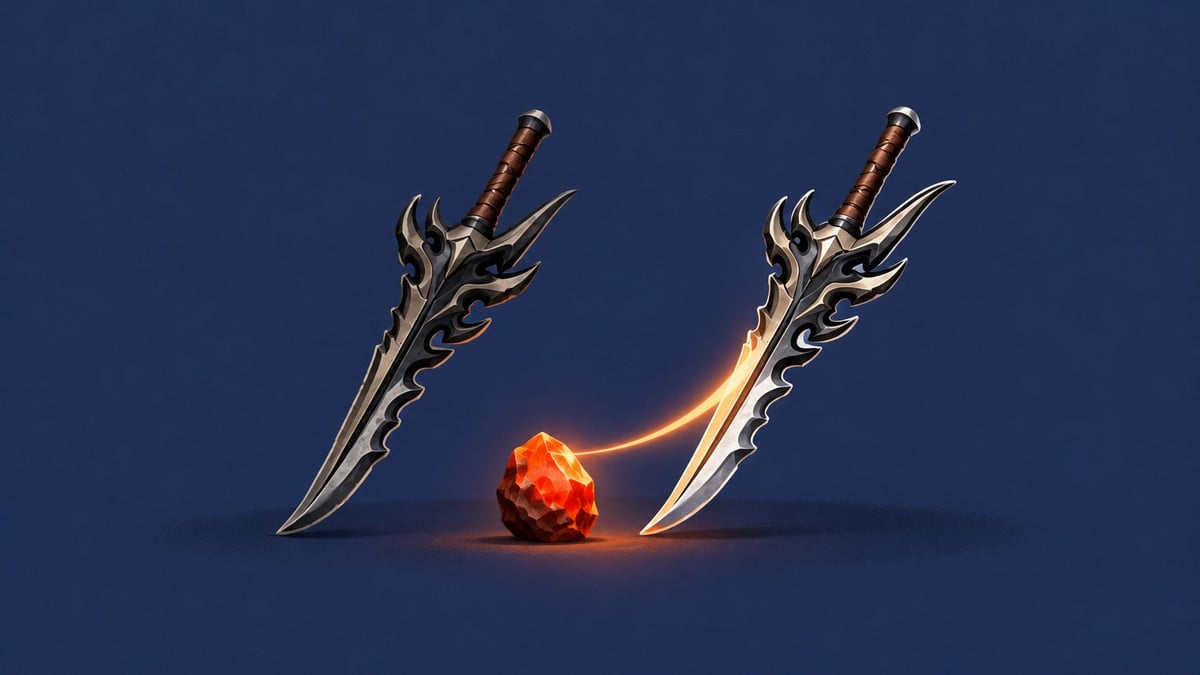
Complete six rebirths to unlock Enhance, then spend Ember Stones and coins at the hub’s Enhance stall to upgrade your weapon.
Enhance is the equipment-upgrade system for weapons and armor in Loot to Forge. You need six rebirths to enhance weapons and armor.
Weapon upgrades combine material costs with a success percentage and a stat preview, giving you the details before you commit. This guide covers the Enhance unlock, upgrading and equipping your weapon, and earning Ember Stones for further enhancements.
How to unlock and use enhancements in Loot to Forge
Unlock the Enhance station first, then upgrade and equip your weapon.
Part 1 – Unlock the Enhance station
Build your levels through training and complete your sixth rebirth.
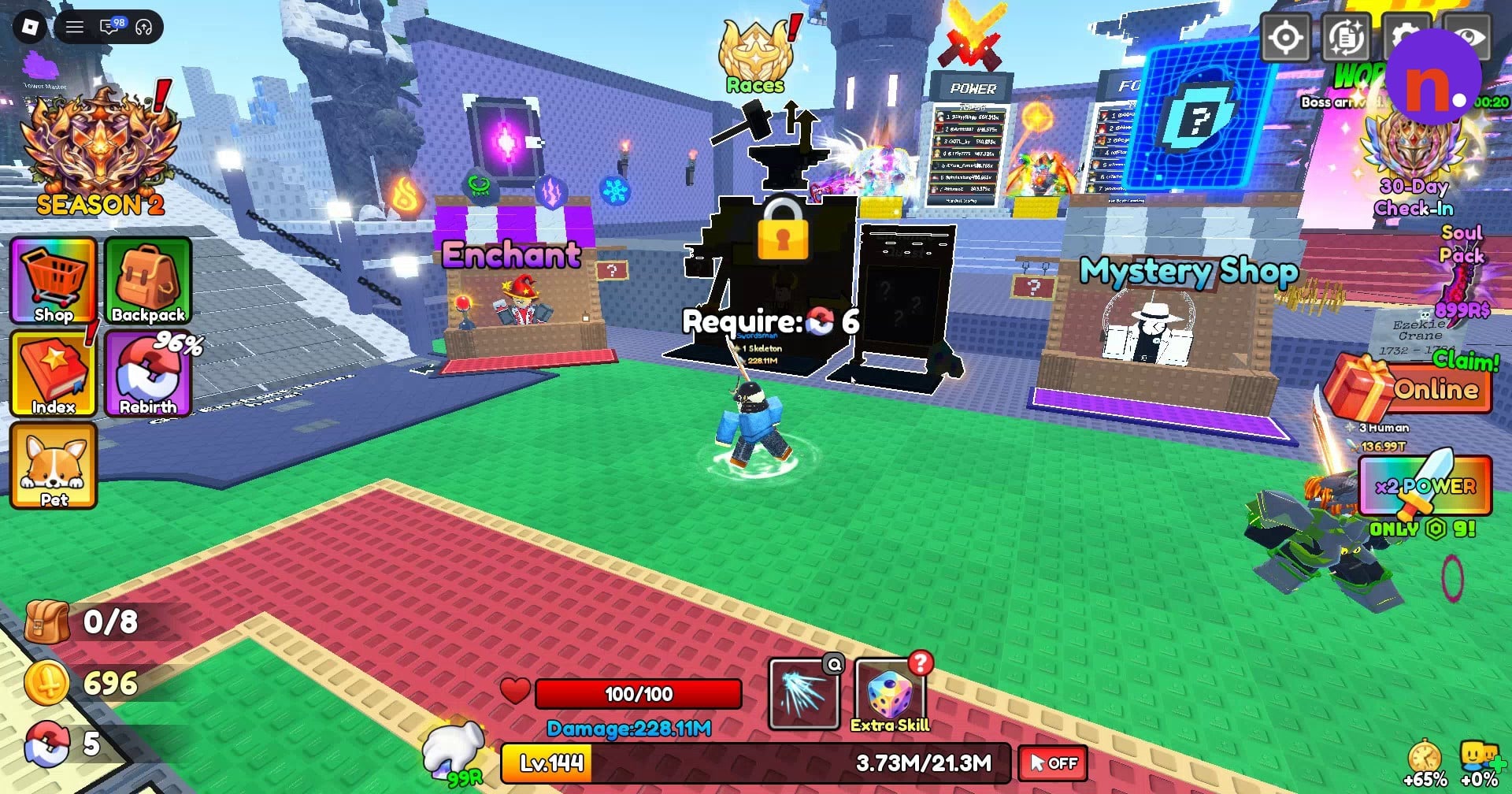
Check the locked stall
Approach Enhance and read its six-rebirth unlock requirement.
Cross the hub
Head across the hub toward the training area.
Choose an available training pad
Stand on an available glowing multiplier pad. The visible labels include x2 Power, x4 Power, x6 Power, x8 Power and x10 Power.
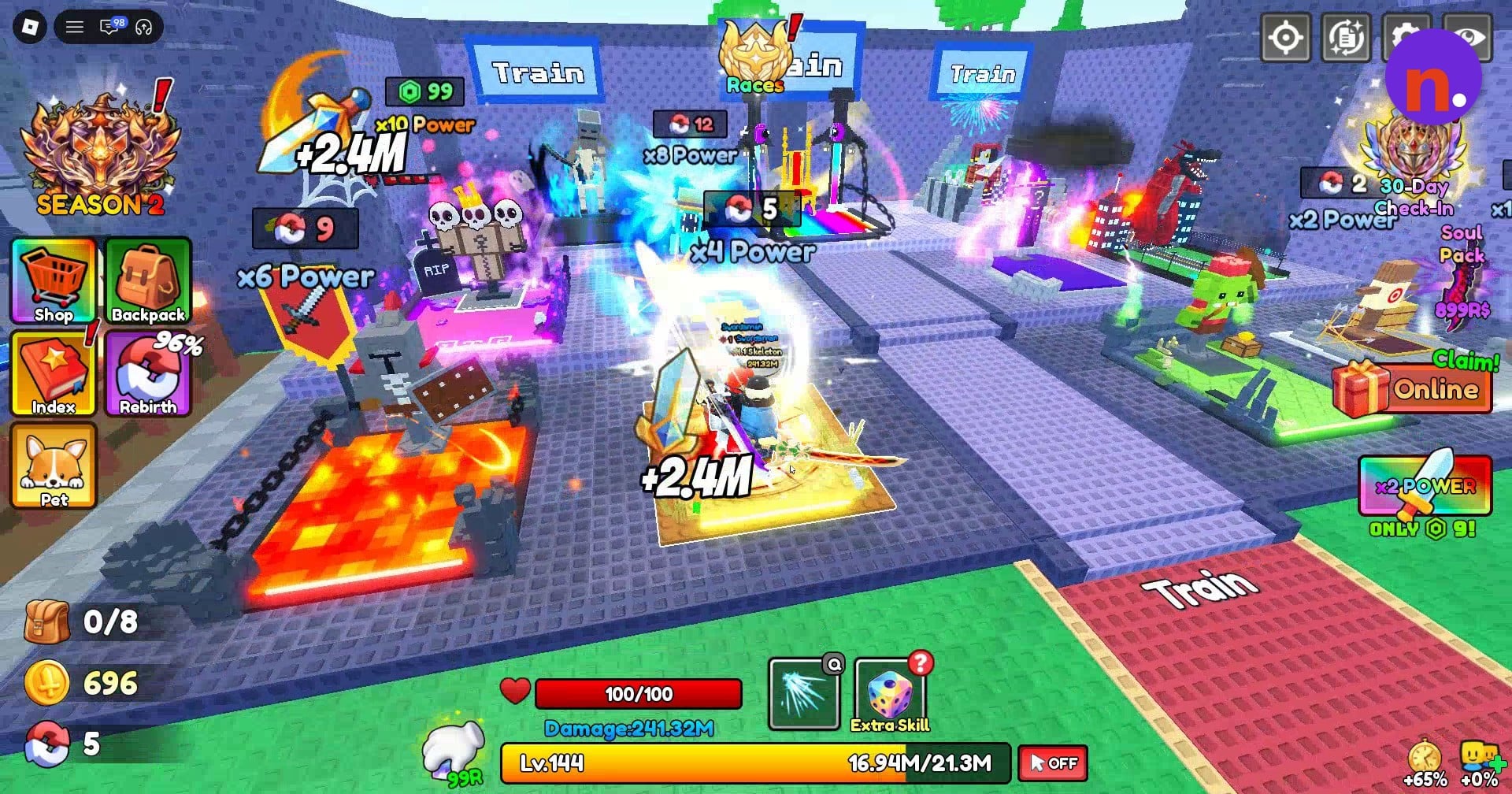
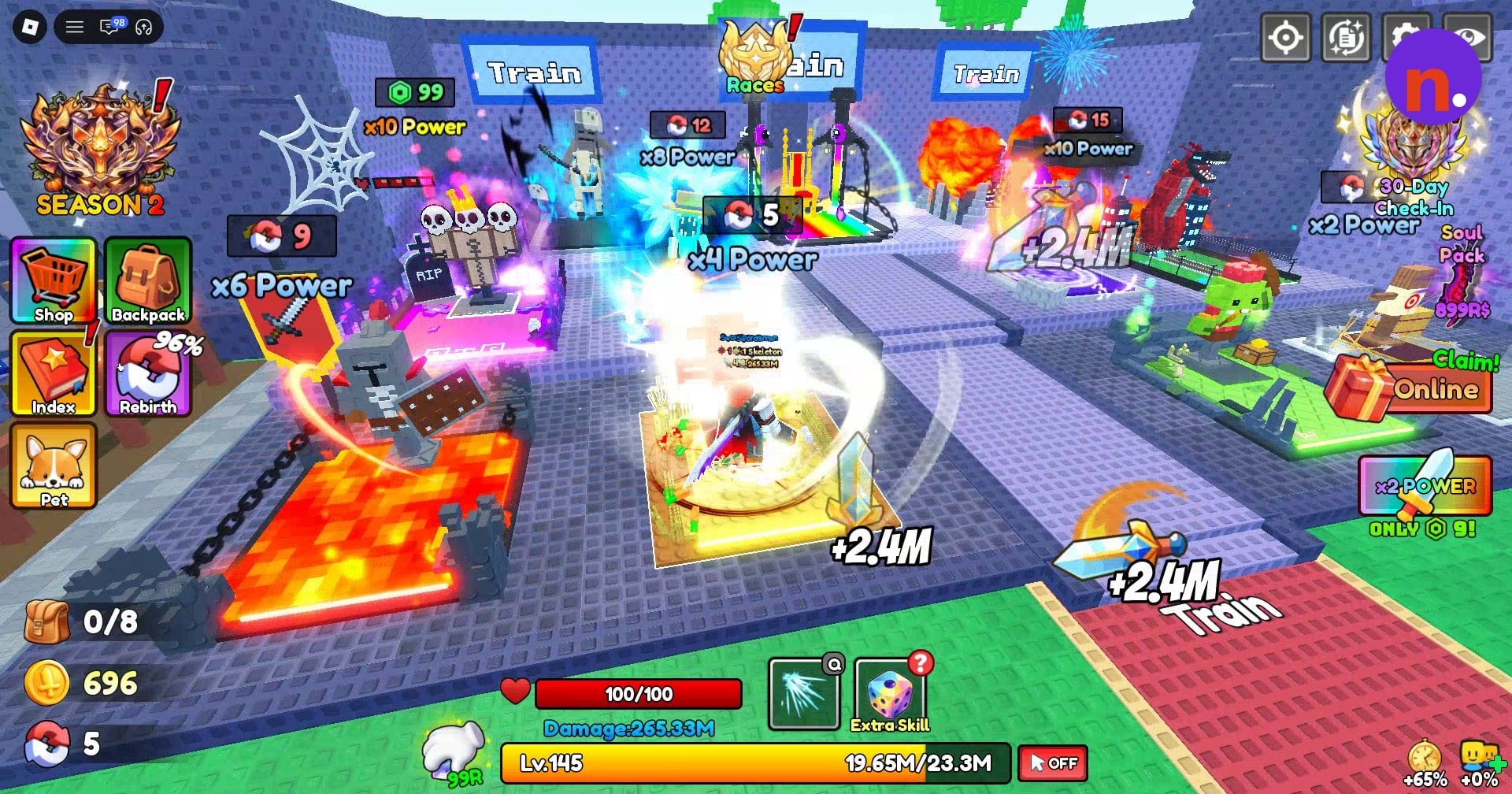
Train your Power
Swing your sword while standing on the pad to gain levels toward your next rebirth, continuing until Level 150 for the sixth.
Monitor your rebirth progress
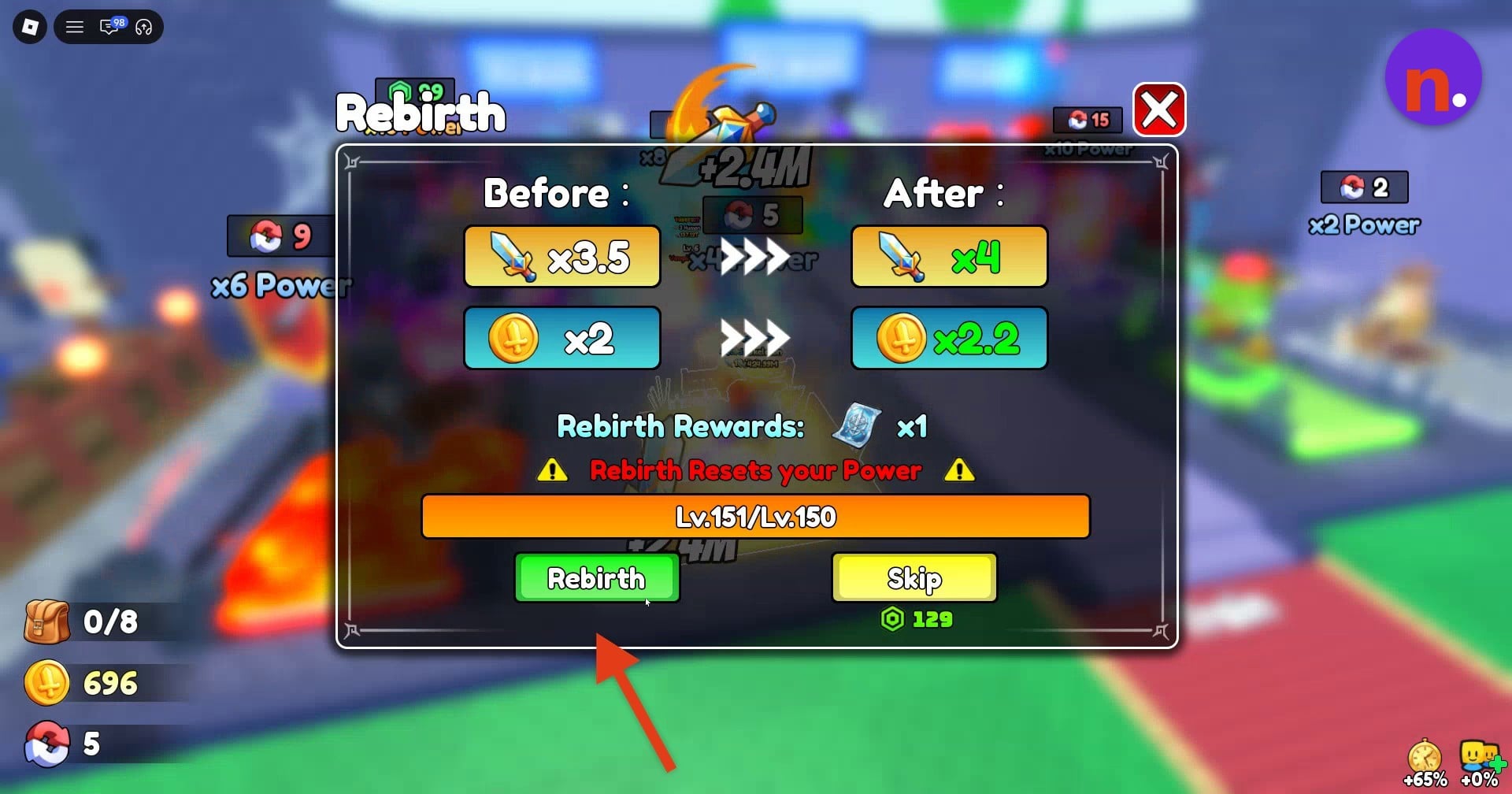
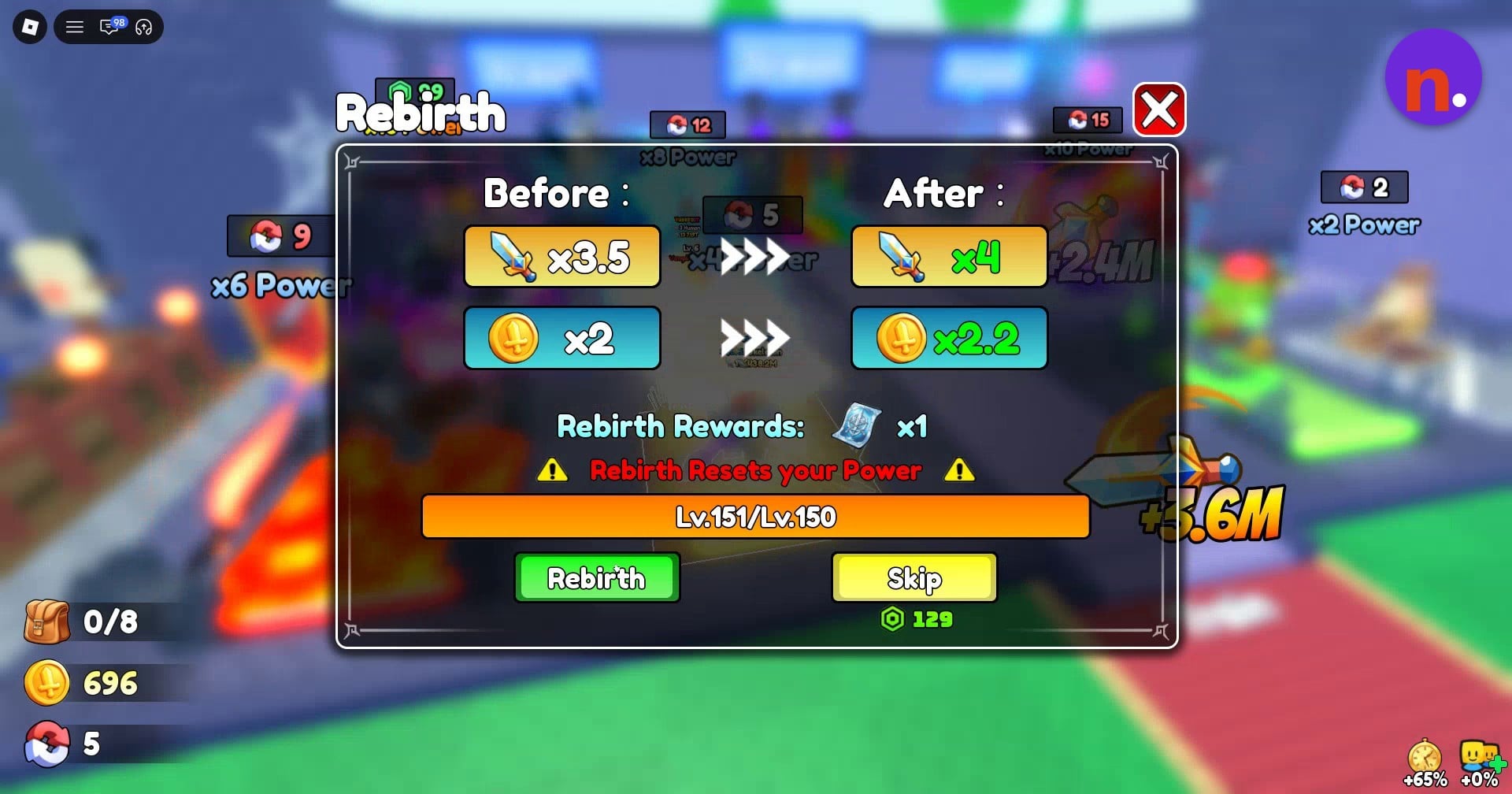
Open Rebirth from the left menu and watch the level progress in its window. The rebirth skip costs 129 Robux, and the sixth-rebirth reward is Tower Ticket x1. Its multiplier previews show x3.5 increasing to x4 and x2 increasing to x2.2 after rebirth.
Complete your sixth rebirth
Once you meet the level requirement, press Rebirth. Rebirthing resets your Power; completing the sixth rebirth brings up You have unlocked the Enhance.
Return to the town hub
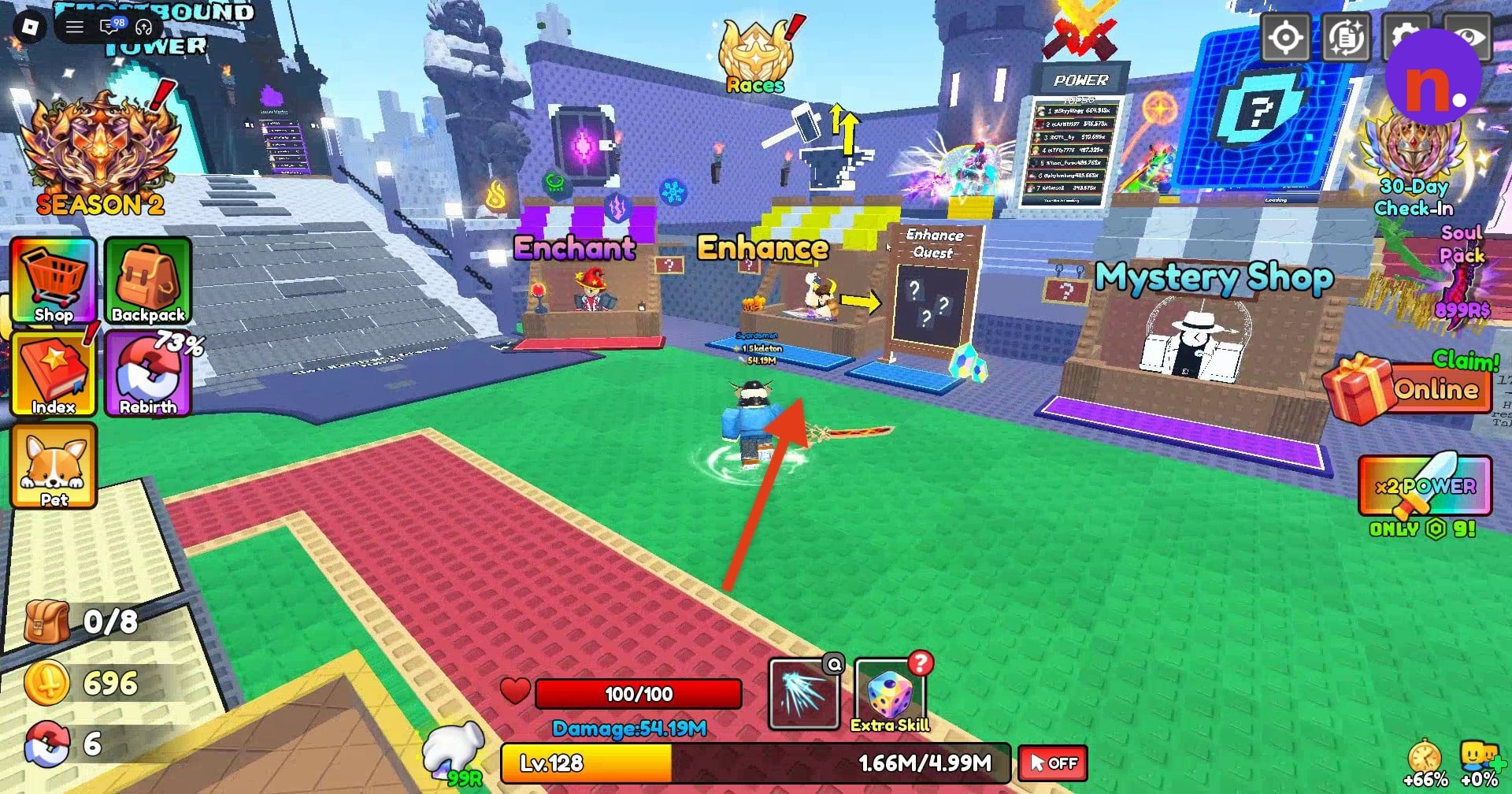
Head back toward Enhance after unlocking it. You can train briefly after rebirthing before returning.
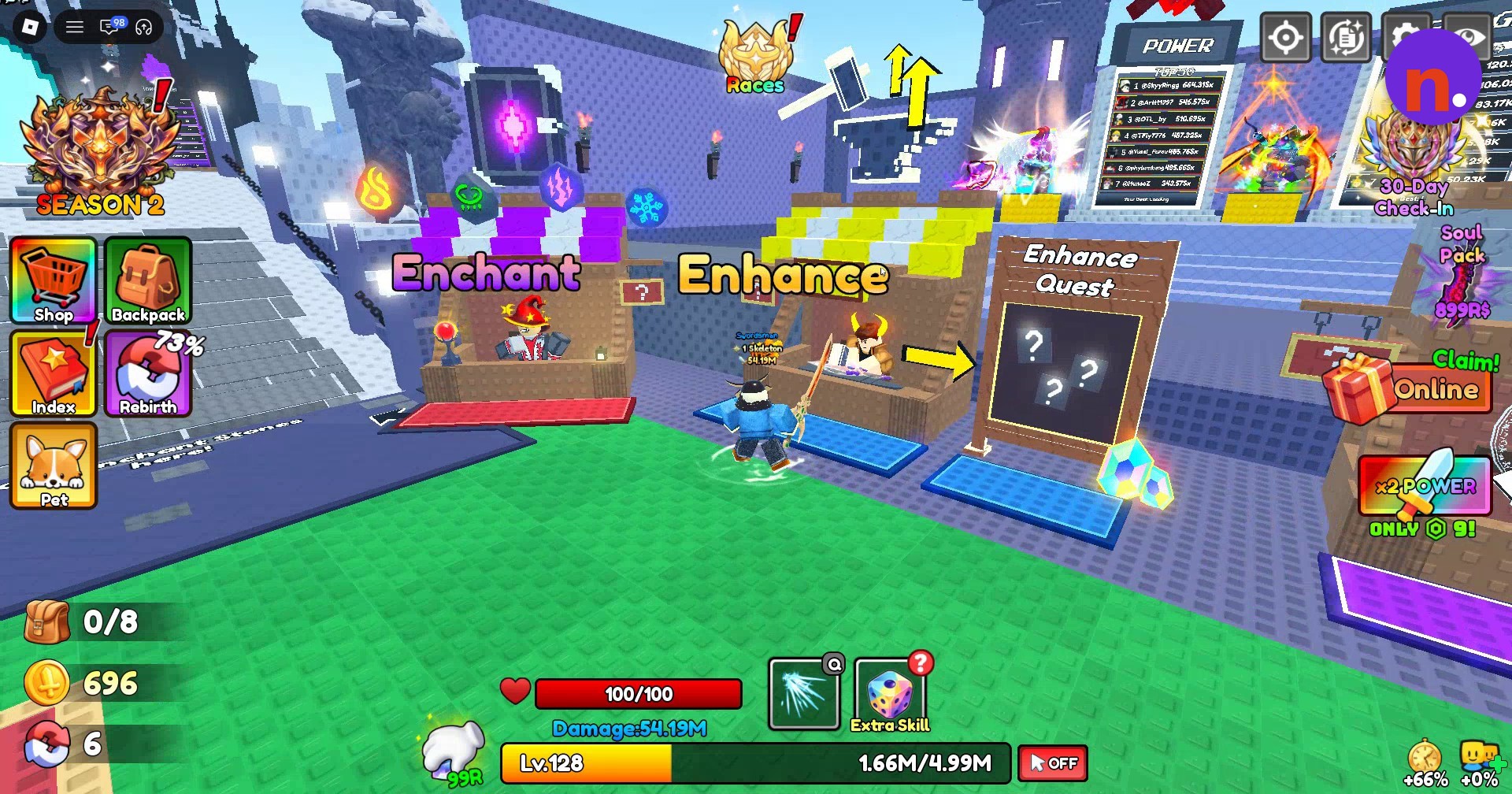
Find the stall beside the quest board
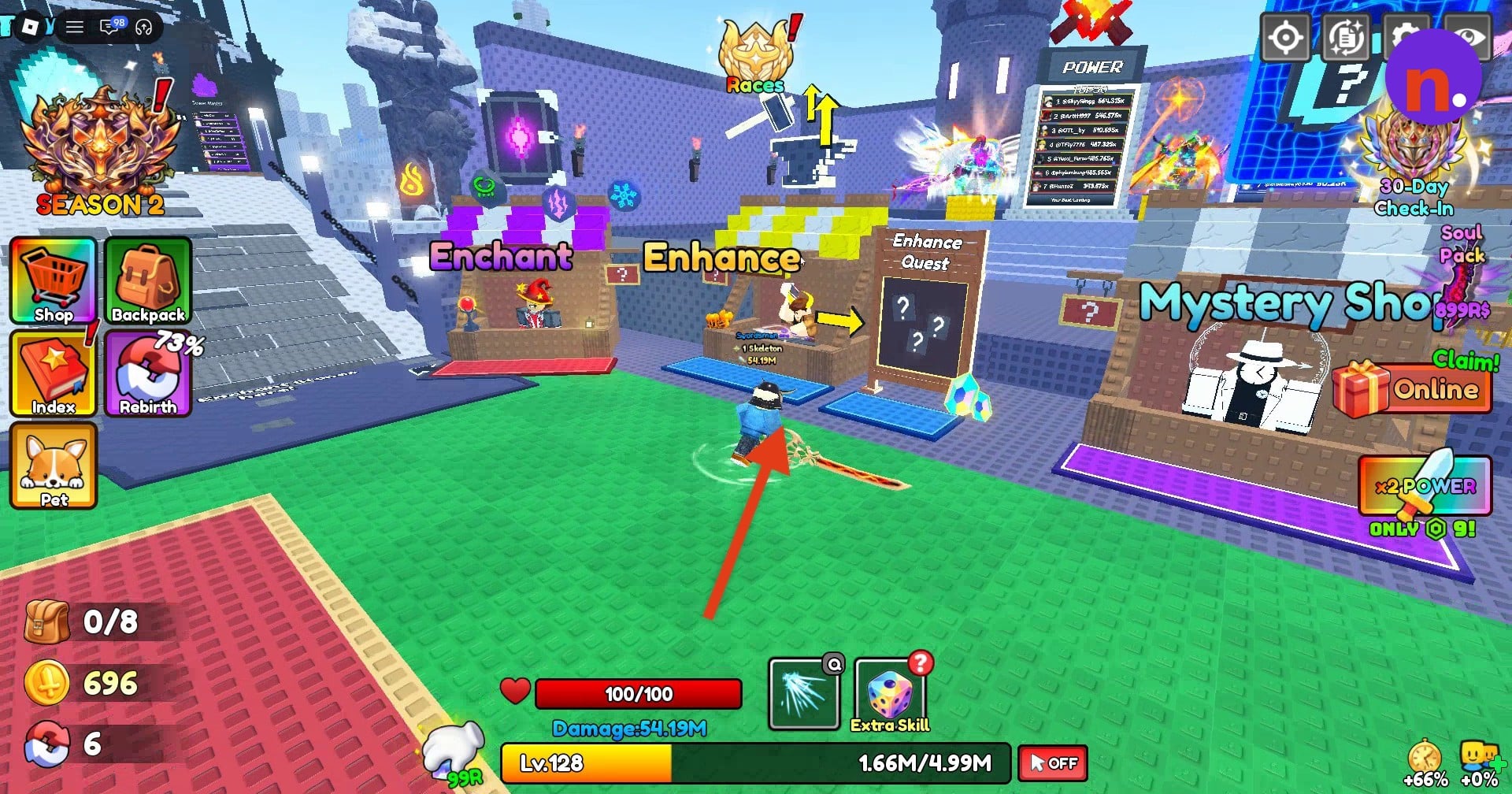
Look for the Enhance stall beside the quest board in the hub.
Part 2 – Upgrade and equip your weapon
Upgrade an eligible weapon, then collect available quest rewards and equip it.
Open Enhancement
Step onto the stall’s mat to open the Enhancement menu.
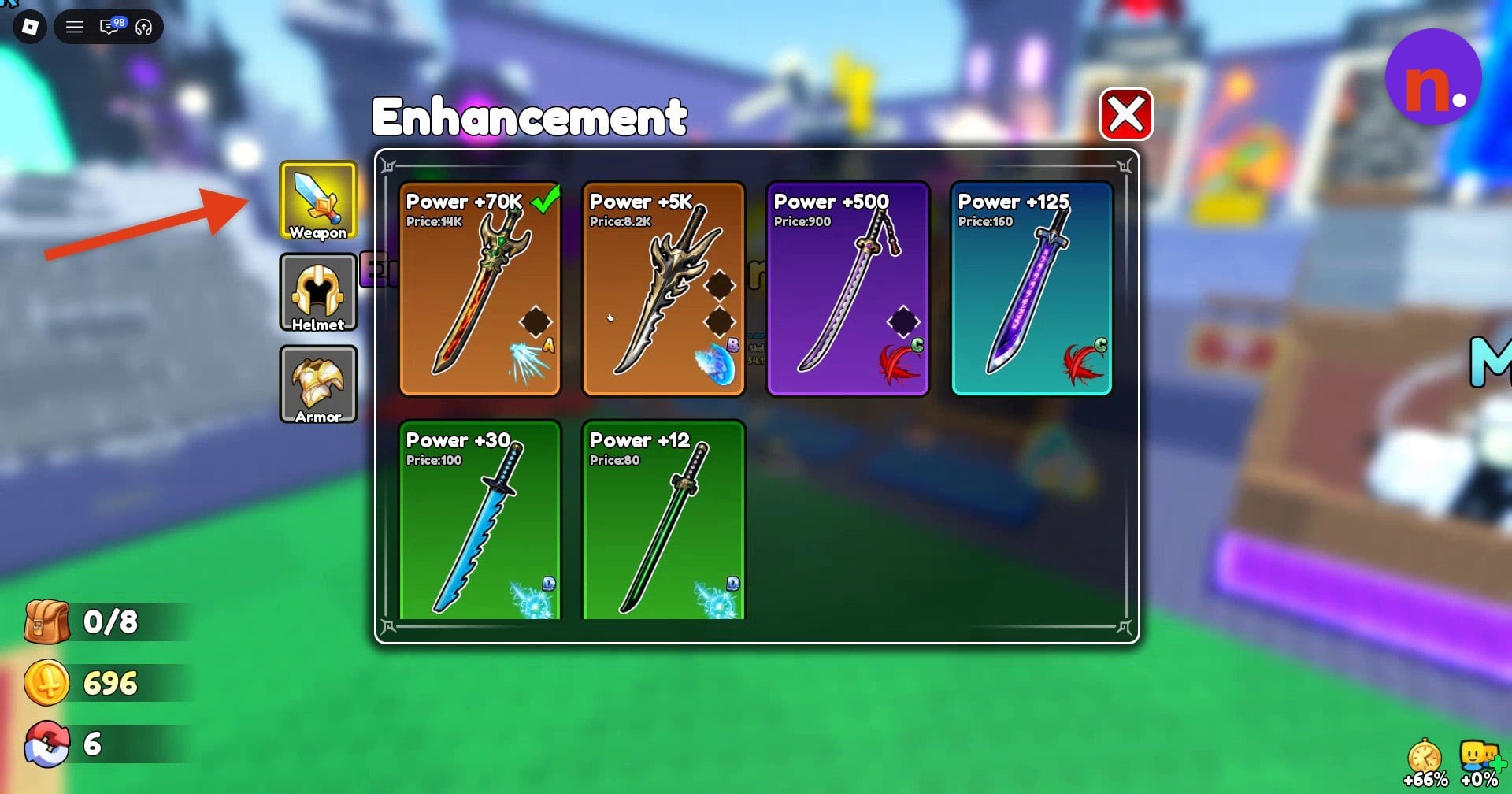
Select an eligible weapon
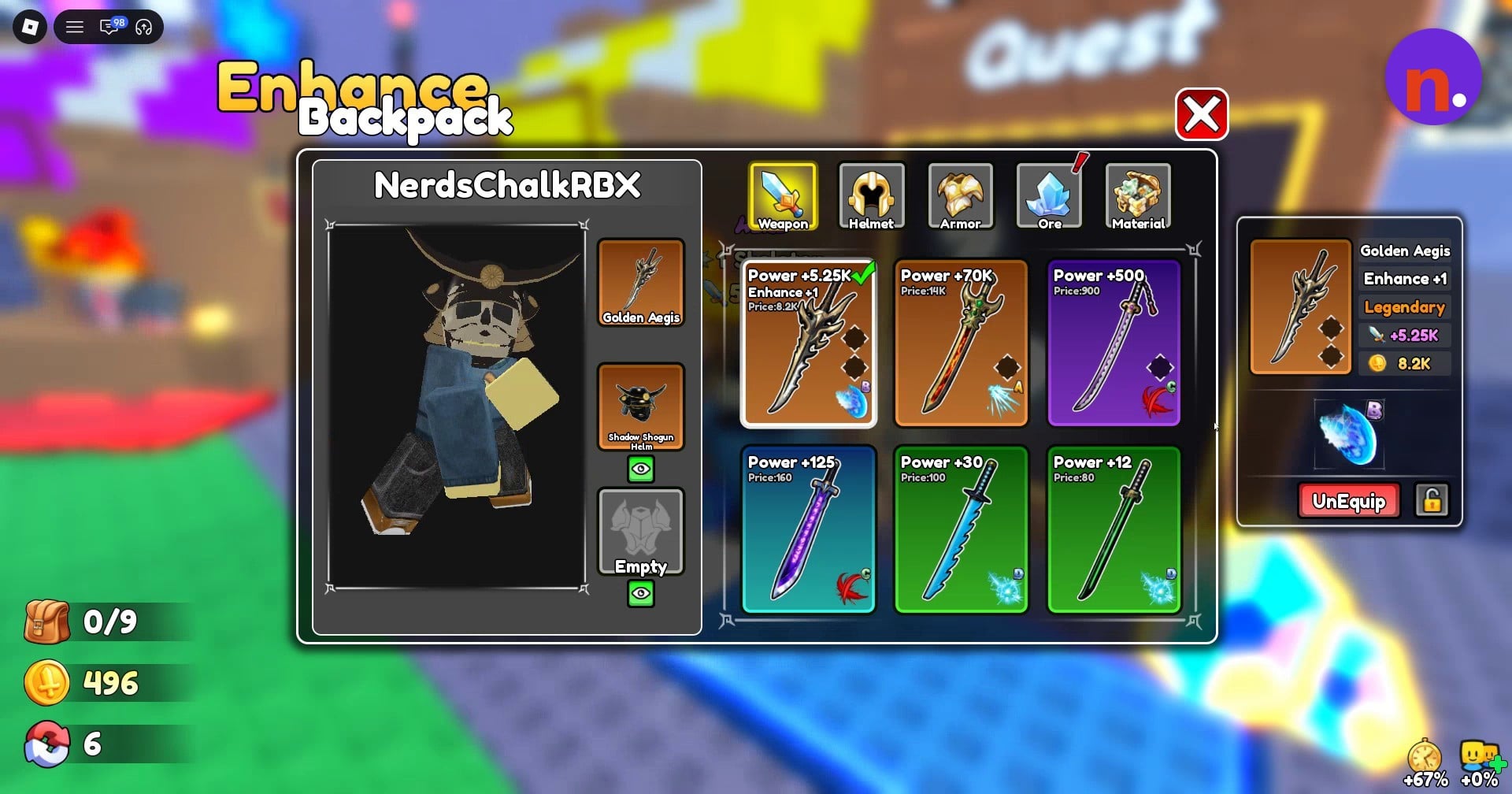
Choose an eligible weapon through the Weapon tab. Legendary Golden Aegis is one example. The menu also has Helmet and Armor tabs.
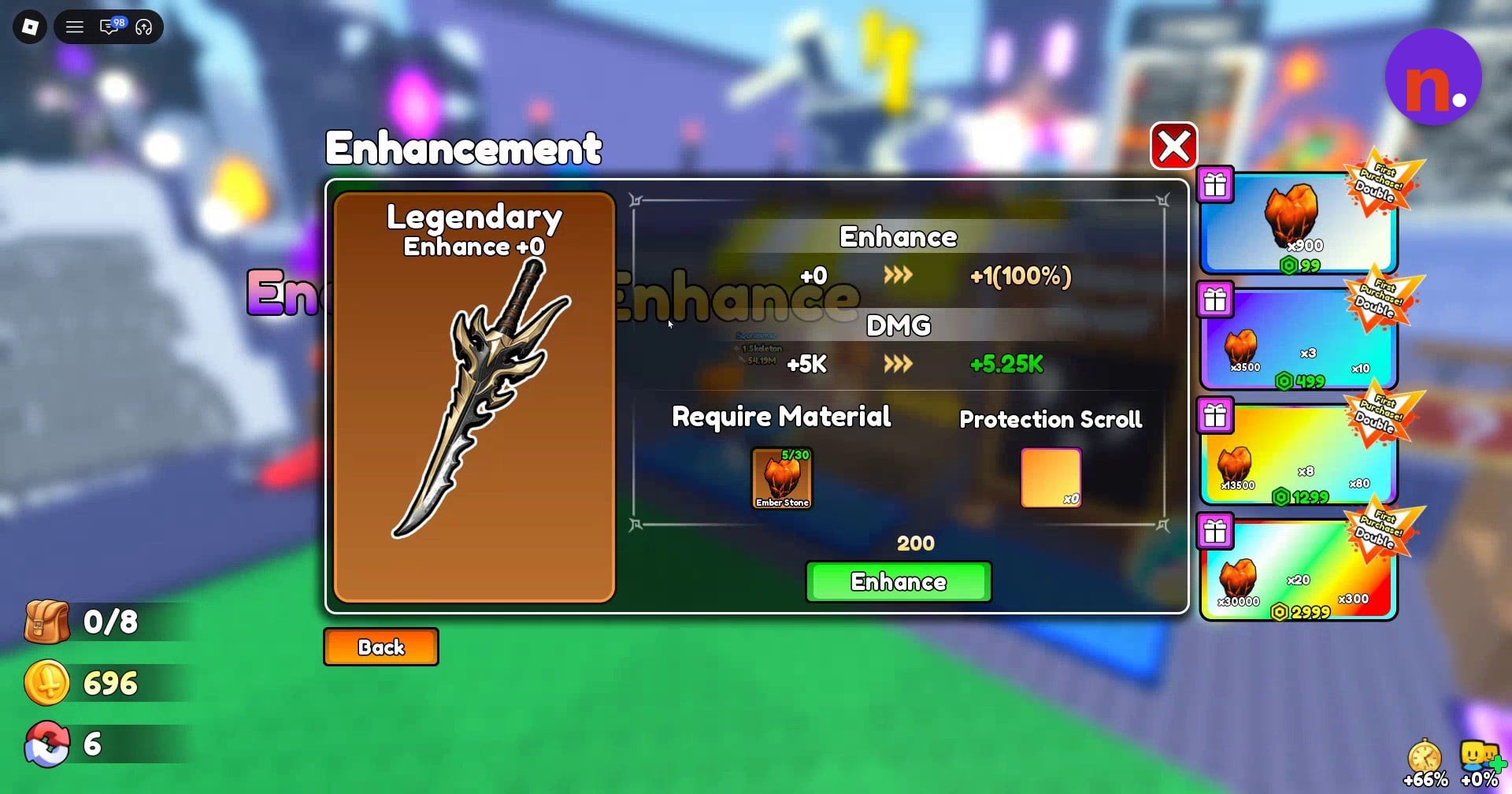
Review the upgrade
Read the Ember Stone requirement, coin amount, success percentage and stat preview before committing. The material section also lists Protection Scroll, with an x0 value appearing after Ember Stone in the panel text.
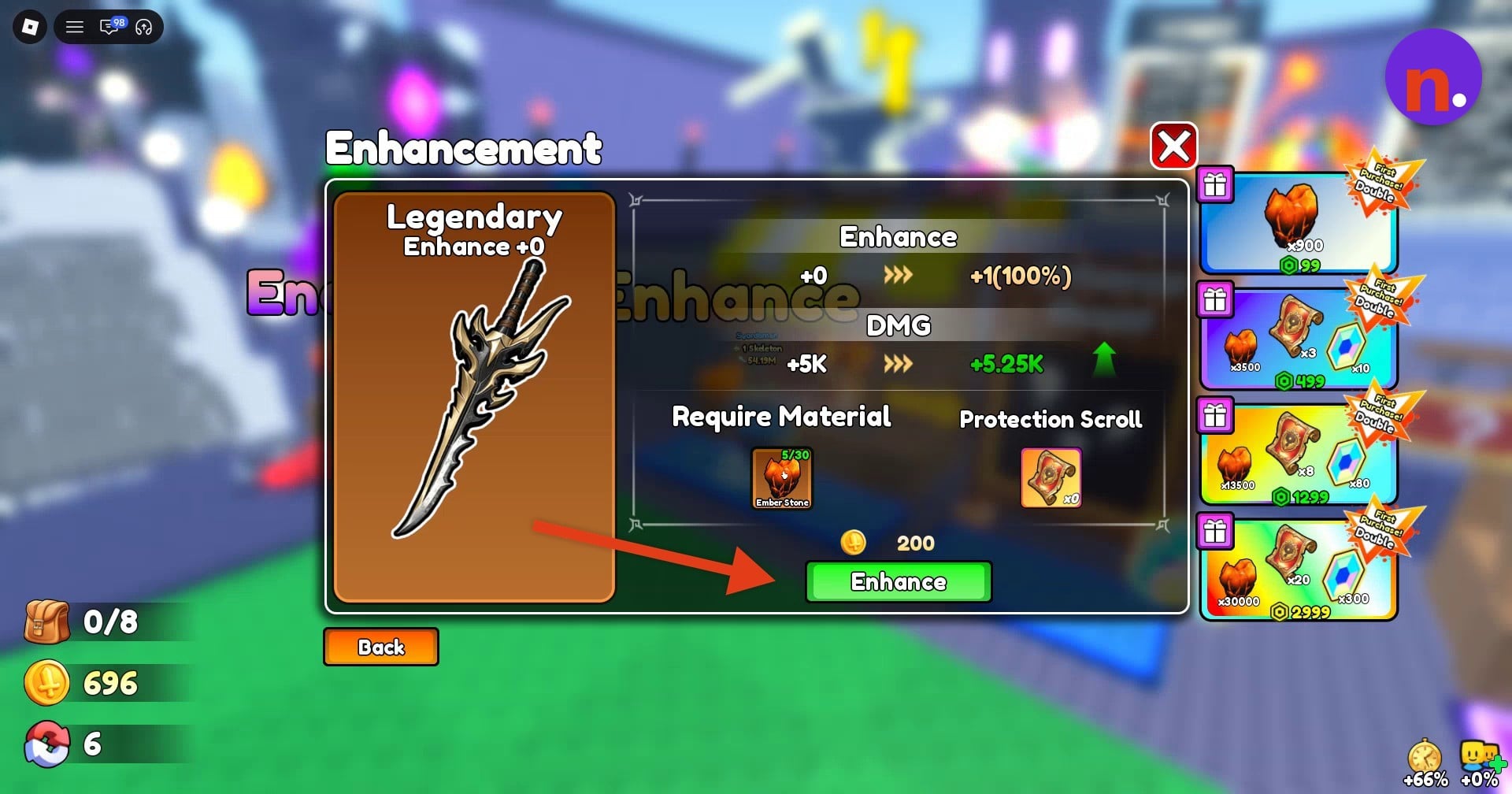
Start the enhancement
Press the green Enhance button to begin the upgrade using the required materials and coins.
Confirm the upgrade
If a warning says you lack a Protection Scroll, you can still confirm Golden Aegis’s displayed +0 to +1 upgrade.
Check the result
Look for Enhancement Success, then reopen Enhancement and find the Enhance +1 tag on Golden Aegis.
Open the enhancement quests
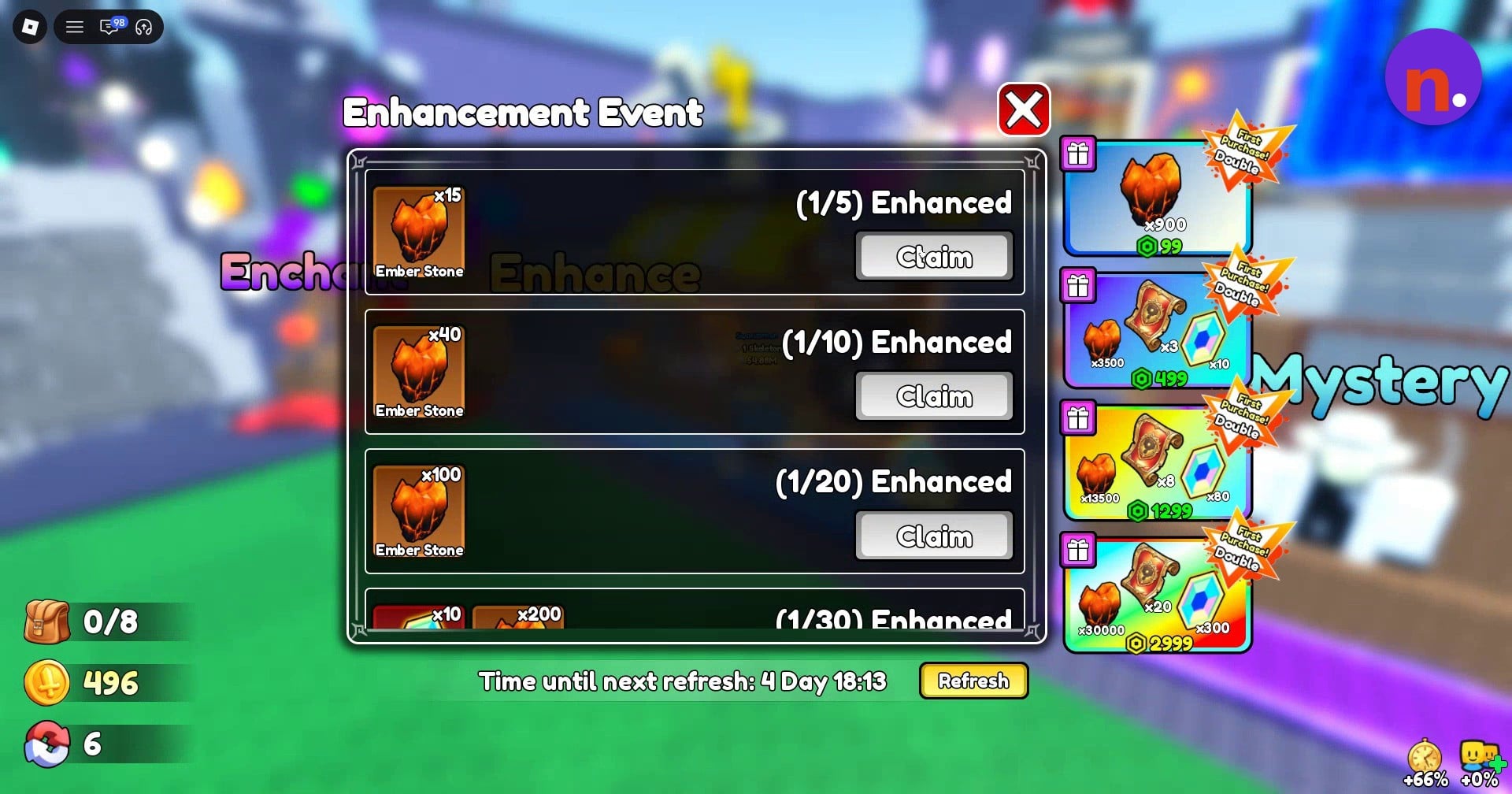
Interact with Enhance Quest to open Enhancement Event. Review its tasks and use Claim when their conditions are met to collect Ember Stones.
Equip the upgraded weapon
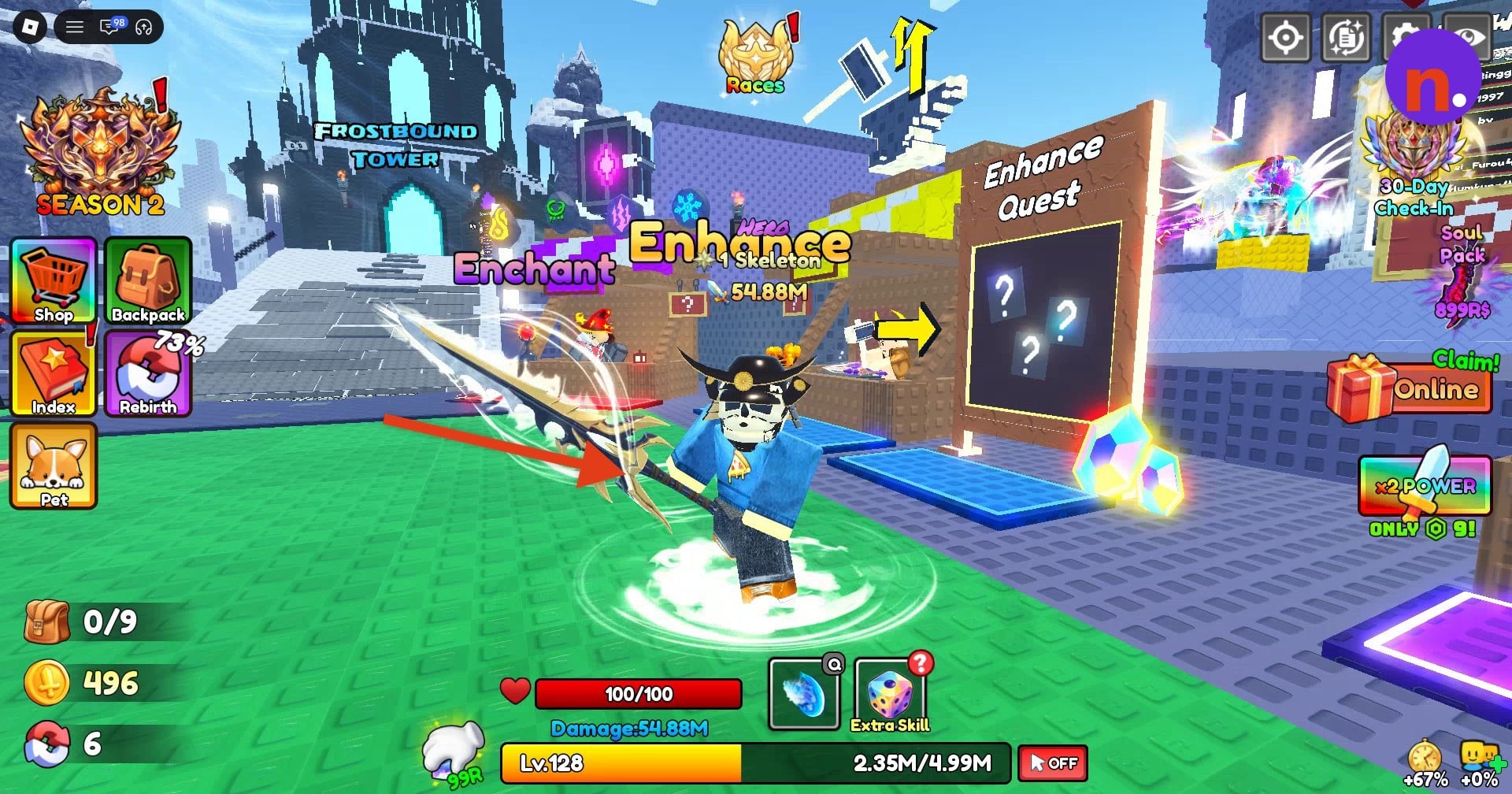
Open Backpack and select Golden Aegis marked Enhance +1. Use Equip to equip it; the Backpack also provides an UnEquip control. Wielding the enhanced weapon displays its animated glowing aura.
What do Golden Aegis enhancements cost and change?
| Upgrade | Ember Stone display | Coin cost |
|---|---|---|
| +0 to +1 | 5/30 | 200 |
| +1 to +2 | 10/25 | 1K |
For Legendary Golden Aegis, the +0 to +1 upgrade displays a 100% success rate. Its preview changes DMG from +5K to +5.25K, while the upgraded Backpack entry labels the resulting stat Power +5.25K.
Review the next tier before spending again: enhancement costs change between these levels.
Where do you get Ember Stones in Loot to Forge?
| Enhancement milestone | Ember Stone reward |
|---|---|
| 5 enhancements | 15 |
| 10 enhancements | 40 |
| 20 enhancements | 100 |
Dungeons supply Ember Stones for weapon enhancement, and enhancement quests provide additional stones as you reach their milestones. These rewards give you another material source alongside dungeon runs.
The event also includes a 30-enhancement milestone. Its interface displays a Time until next refresh countdown, with a displayed remaining time of 4 Day 18:13, and a Refresh control.
Dungeon stones and enhancement milestone rewards feed into further weapon upgrades. Keep coins alongside those materials so you can pay for the next enhancement you choose.
Related Loot to Forge guides

Leave a Reply