

Upgrades in Don’t Splash permanently boost your tools and cost coins at the lobby’s Upgrades stand, with specific categories requiring equipment unlocks first.
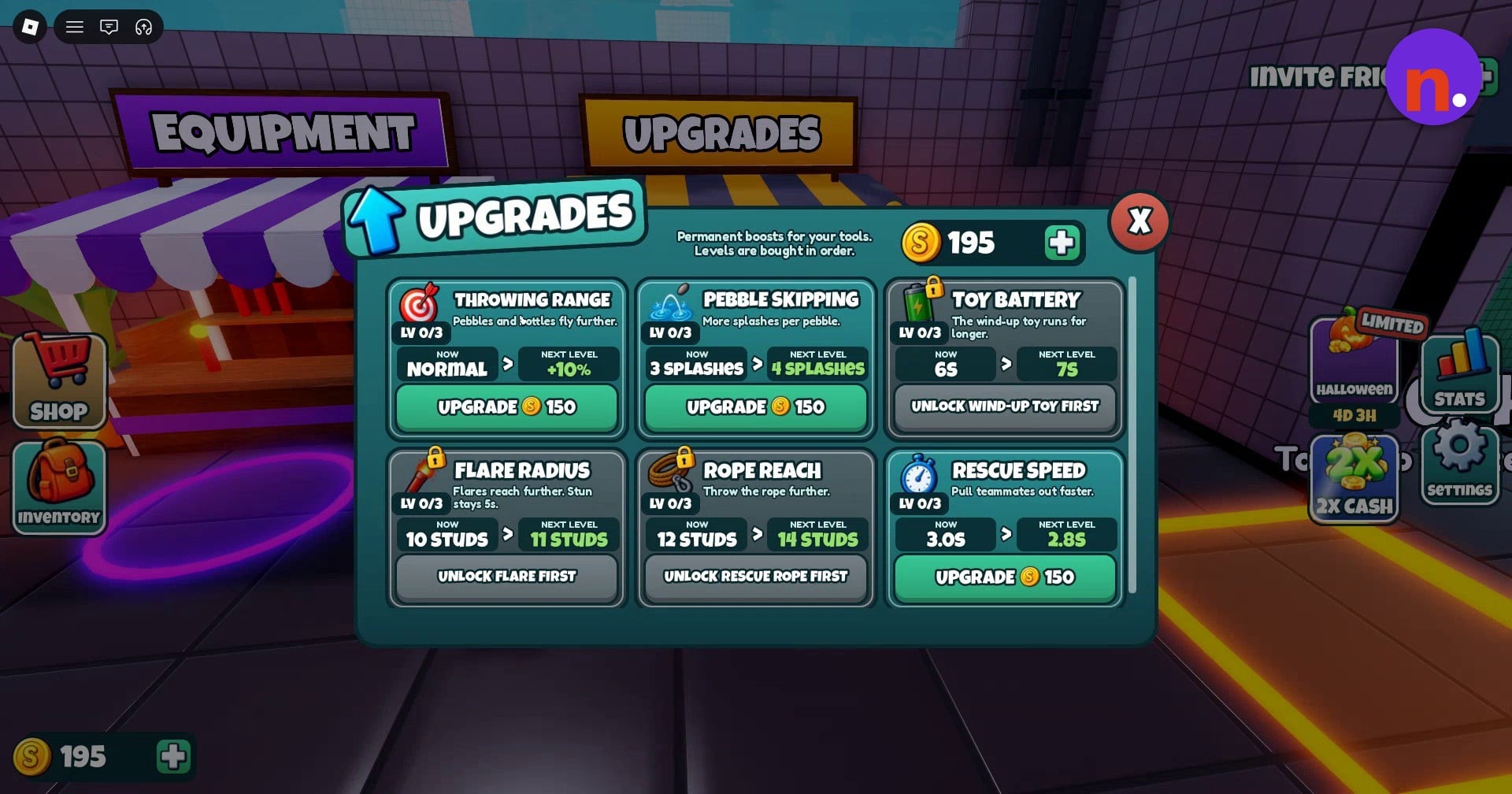
The Upgrades menu contains six upgrade types. Each currently has three levels, giving you several purchases to work toward for each category.
This guide covers the shared purchasing route, each upgrade’s effect and first-level stats, and the equipment required to access locked categories.
How to get all six upgrade types in Don’t Splash
Check your equipment
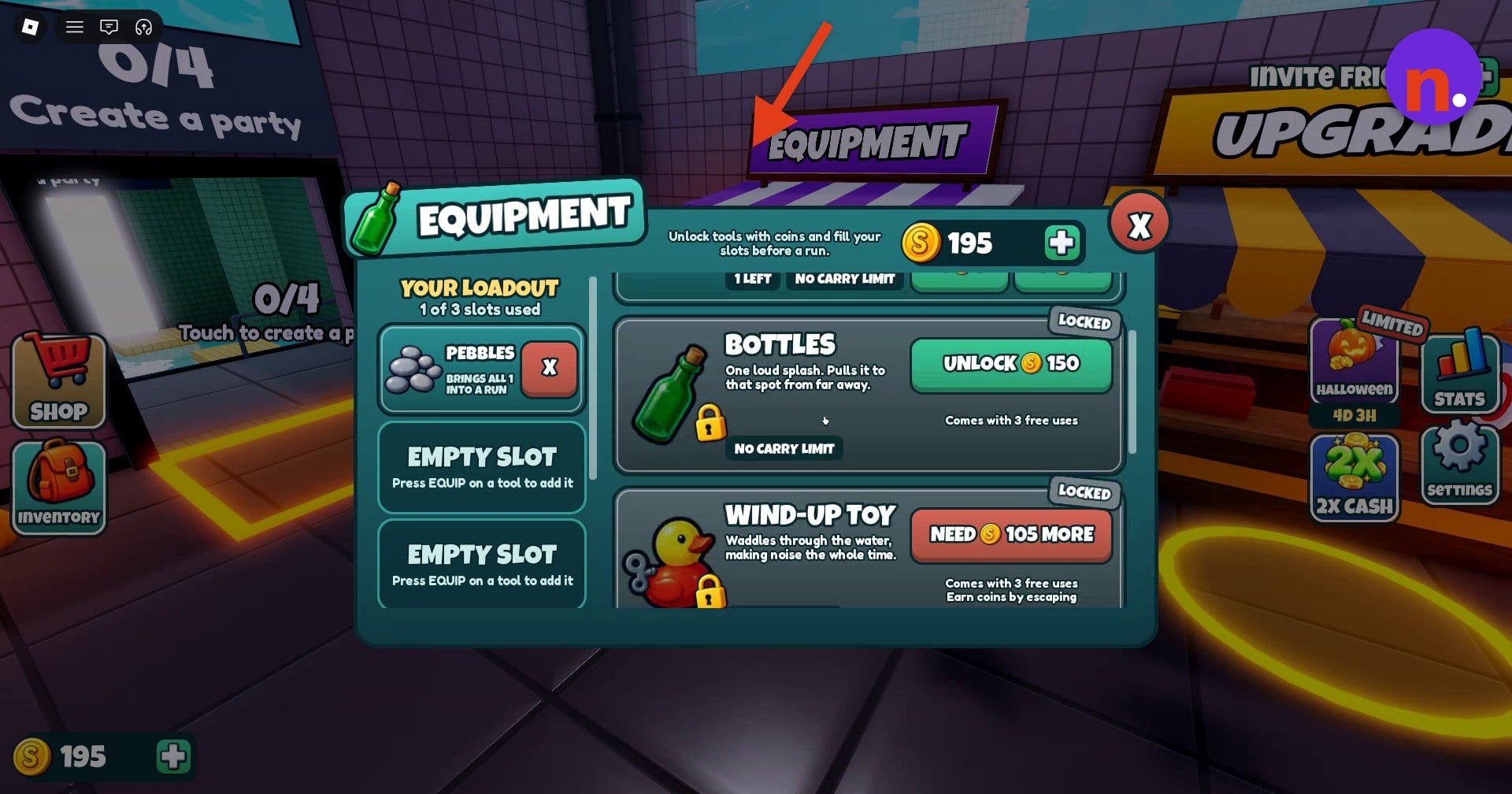
Enter the purple glowing ring at the lobby’s Equipment stall to see your owned and locked tools. Scroll down to find more equipment. Unlocks cost coins; Bottles, for example, have an UNLOCK 150 button. Unlocking Bottles or Wind-up Toy includes three free uses of that tool. A NEED 105 MORE prompt on Wind-up Toy means you’re 105 coins short of its unlock price. The loadout counter shows occupied slots: 1 of 3 slots used means one slot is filled. Press EQUIP on a tool to add it to your loadout, and fill your slots before starting a run.
Open the Upgrades menu
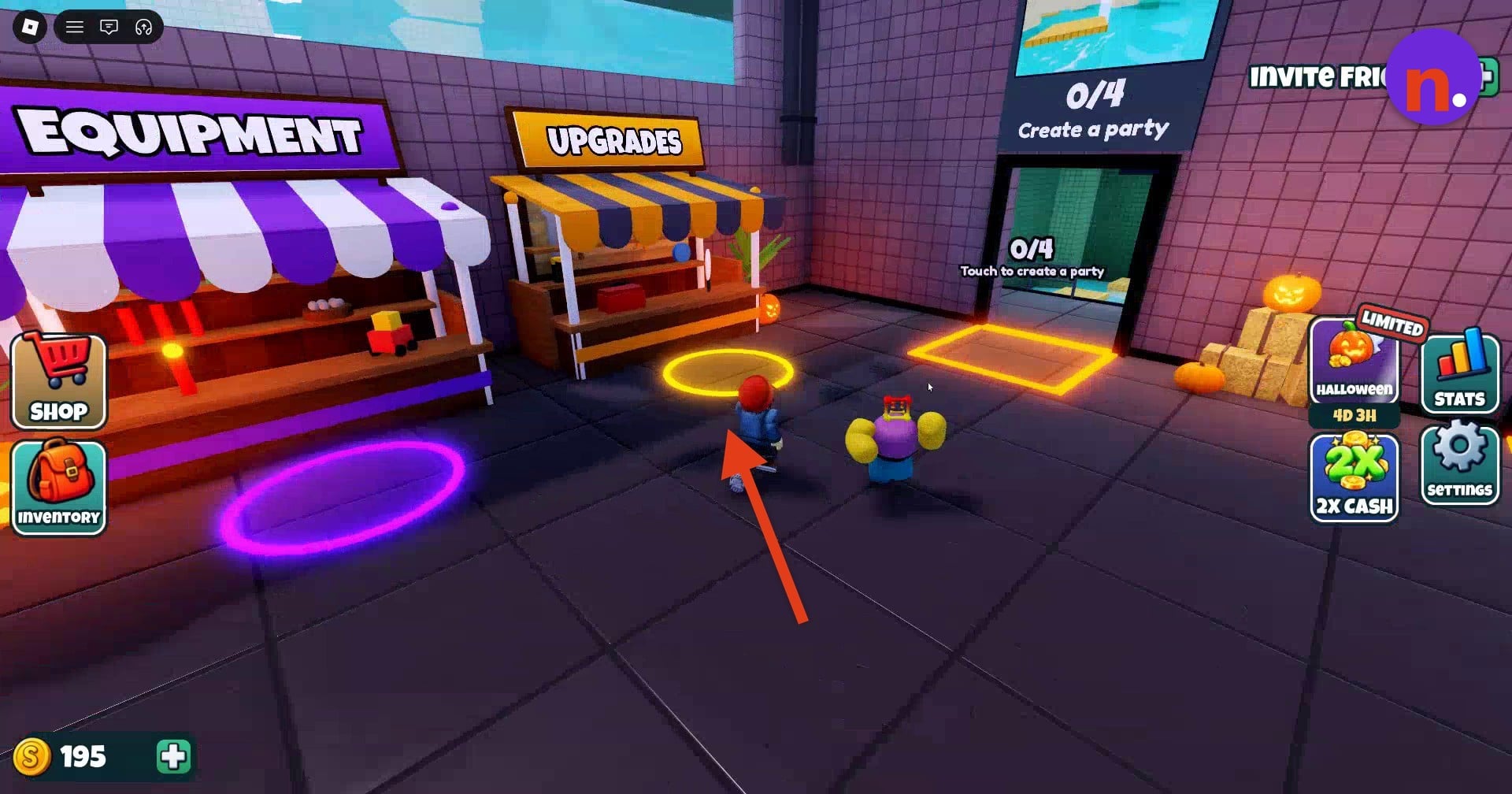
Leave the Equipment menu and enter the yellow glowing circle in front of the lobby’s Upgrades stand.
Review the upgrade categories
Hover over the categories to read their stats and requirements, including any equipment lock on the upgrade you want.
Unlock the required equipment
If a category requires a tool, buy that named item at the Equipment stall before returning to purchase its upgrade. Owning the required equipment makes the category accessible.
Purchase an available upgrade
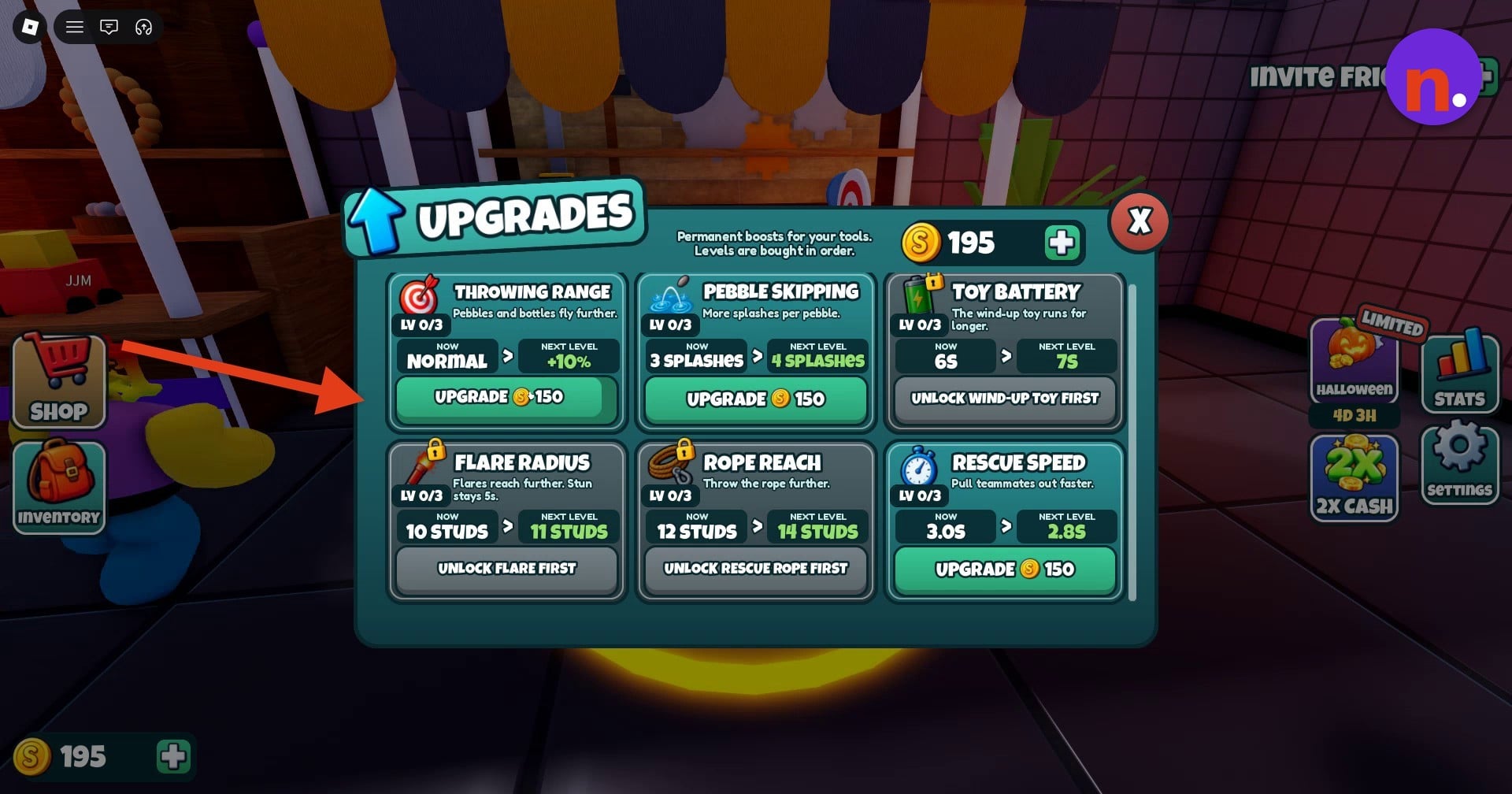
Select an unlocked category’s Upgrade button to buy its boost. On Throwing Range, the purchase control reads UPGRADE 150. If you start with 195 coins, buying its first level leaves you with 45 coins.
Budget for equipment and its upgrade together. Both purchases use coins, so an equipment unlock and a stat boost are separate expenses.
What does each upgrade do in Don’t Splash?
| Upgrade | Effect | Base → level 1 | Level 1 cost | Required equipment unlock |
|---|---|---|---|---|
| Throwing Range | Increases pebble and bottle throwing distance. | Normal → +10% | 150 coins | — |
| Pebble Skipping | Increases splashes per pebble. | 3 → 4 splashes | 150 coins | — |
| Toy Battery | Extends the wind-up toy’s running time. | 6 → 7 seconds | — | Wind-up Toy |
| Flare Radius | Increases flare reach; stun stays at 5 seconds. | 10 → 11 studs | — | Flare |
| Rope Reach | Increases rope throwing distance. | 12 → 14 studs | — | Rescue Rope |
| Rescue Speed | — | — → 2.8 seconds | 150 coins | — |
Each category targets a particular tool stat. The base → level 1 values describe the change from an unupgraded tool to its first upgrade.
Choose upgrades around the tools you’re using.

Leave a Reply