

Don’t Splash has five equipment types: Pebbles, Bottles, Wind-Up Toy, Flare, and Rescue Rope, offering distractions, stunning, and teammate rescue through the lobby’s Equipment menu.
Equipment fills your pre-run loadout in Don’t Splash. Only Pebbles starts unlocked; the other tools require coins.
Buying supplies and equipping tools are separate controls in the Equipment menu. This guide covers equipment unlocks, supply purchases, loadout controls, tool effects, and the upgrade stats available in Inventory.
How to get and equip all equipment in Don’t Splash
| Equipment | Unlock requirement | Included uses or supply price |
|---|---|---|
| Pebbles | Unlocked by default; no unlock cost | +1 for 5 coins; +5 for 25 coins |
| Bottles | 150 coins | 3 free uses on unlock |
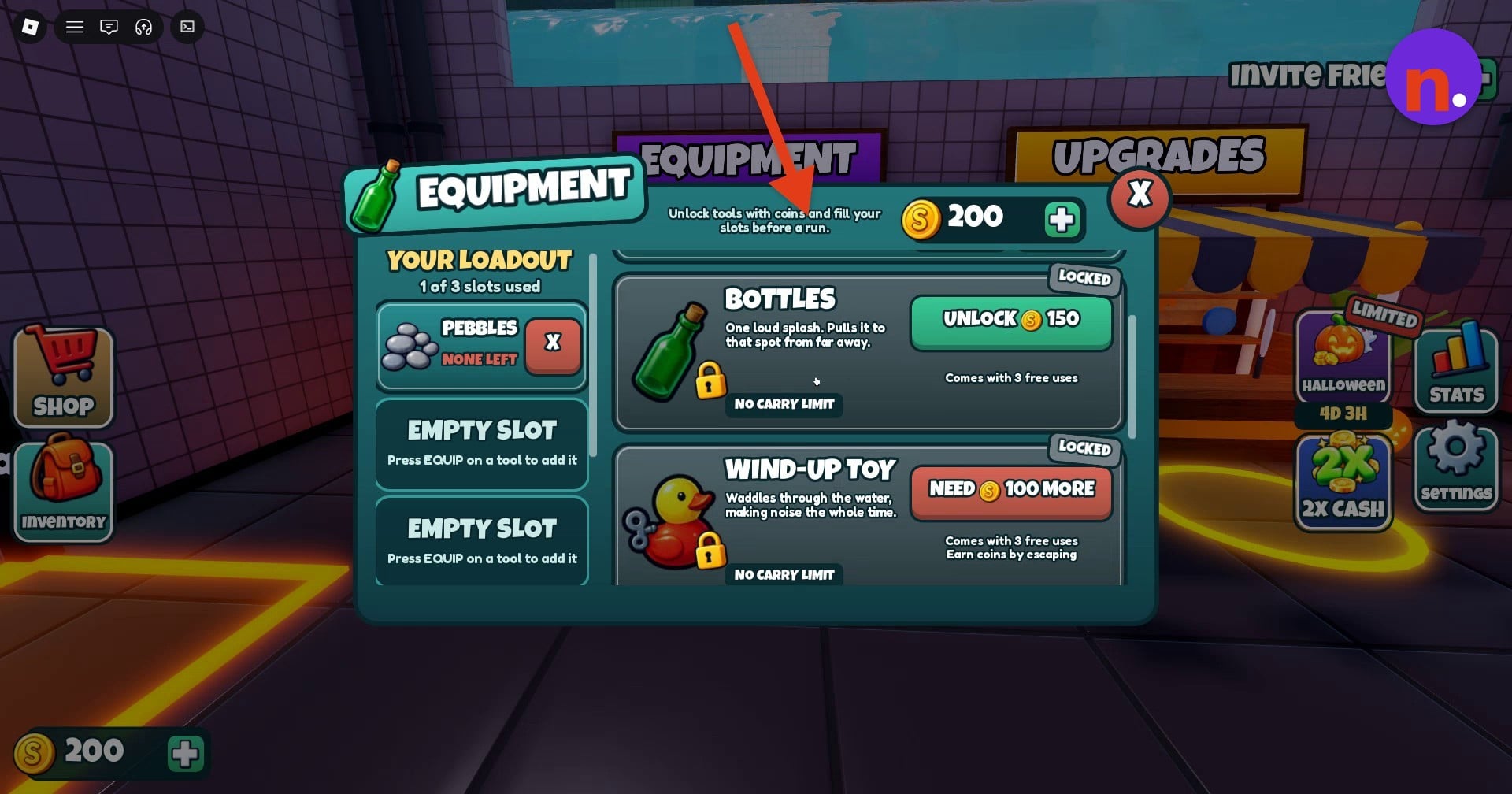
| Wind-Up Toy | 100 MORE coins needed | 3 free uses on unlock |
| Flare | 250 MORE coins needed | 3 free uses on unlock |
| Rescue Rope | 50 MORE coins needed | — |
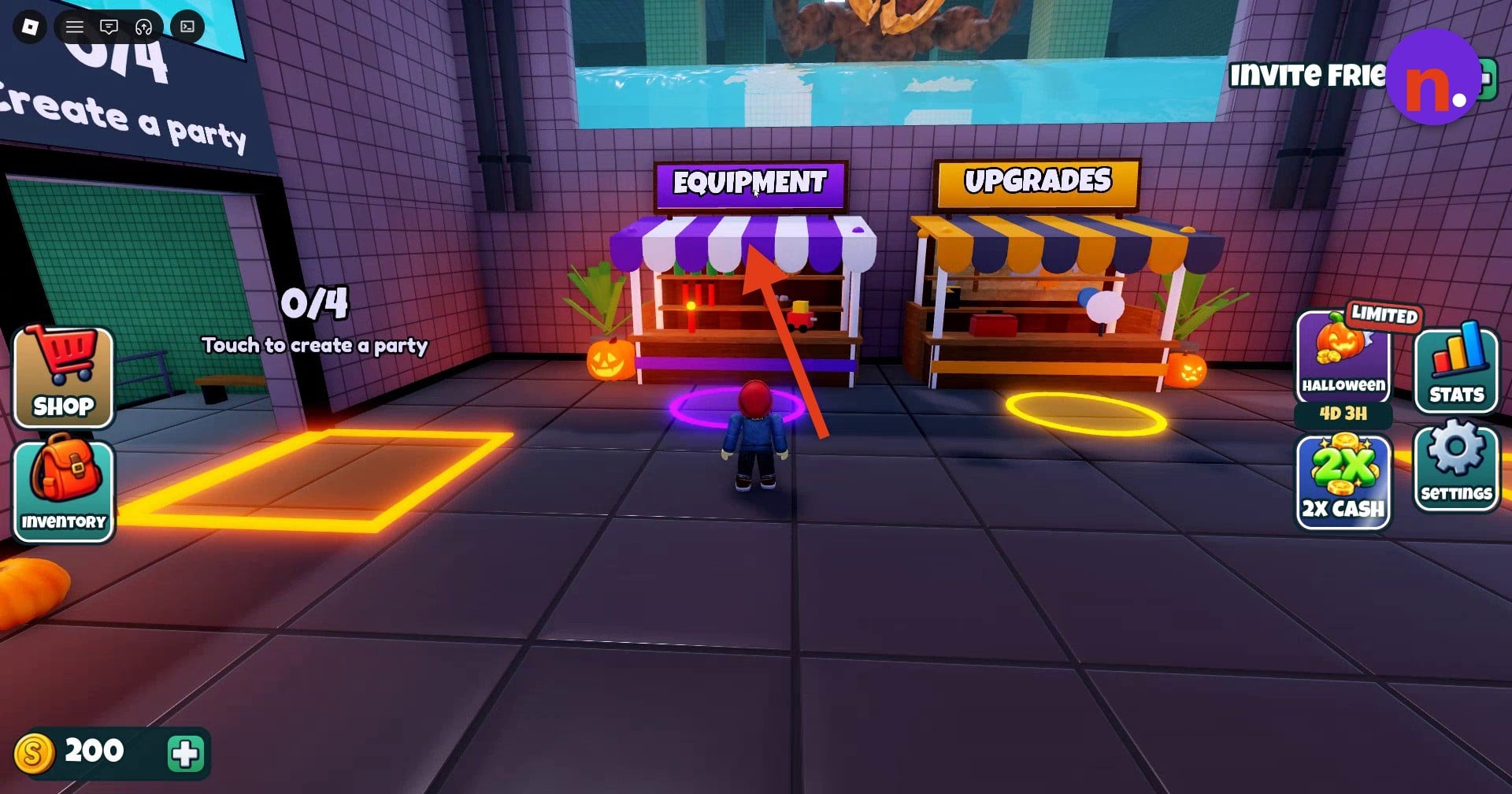
Find the Equipment stall
Approach the purple EQUIPMENT stall in the main lobby, beside UPGRADES.
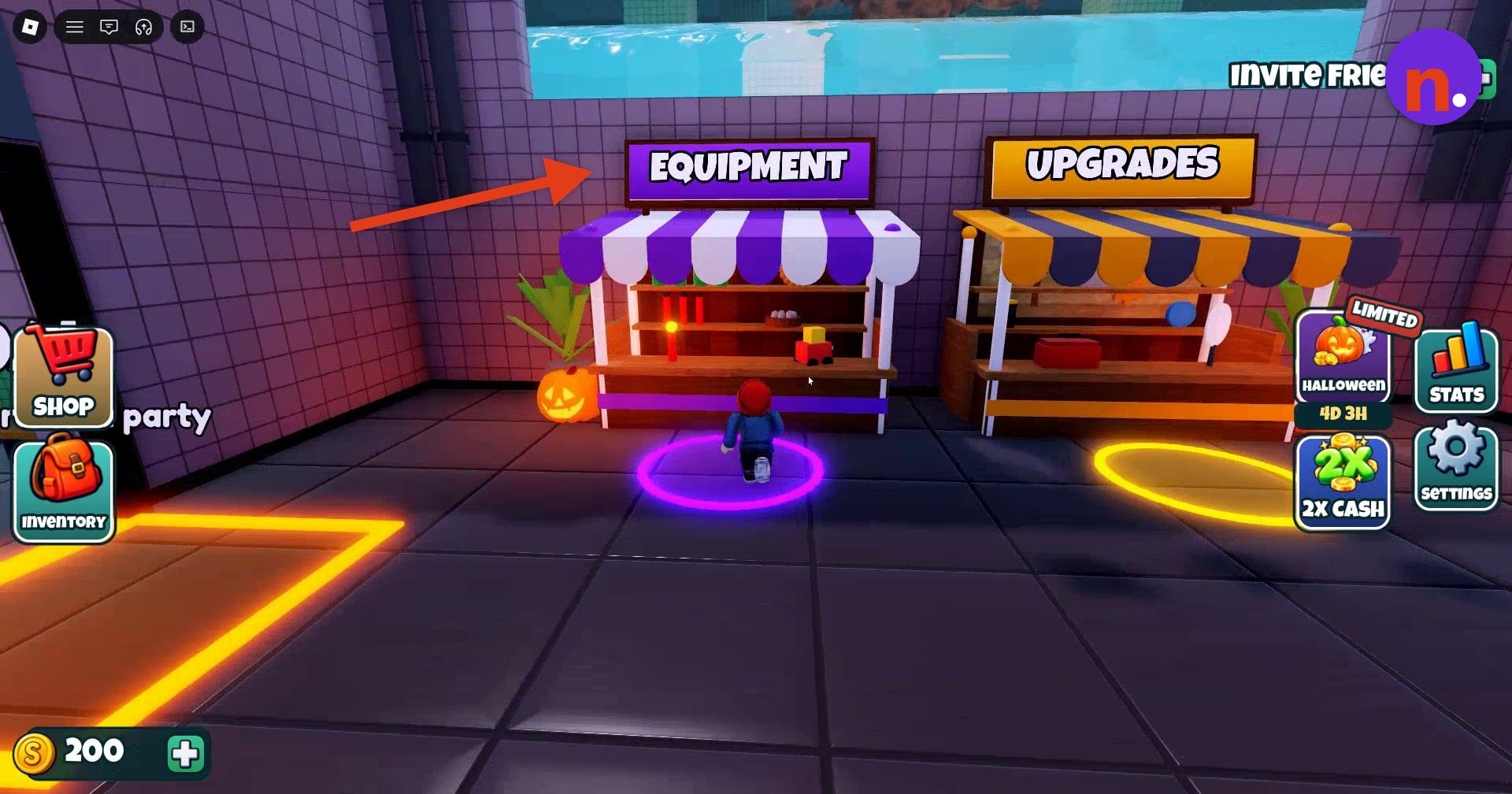
Open the equipment list
Enter the purple circle in front of the booth to open the Equipment menu and browse Pebbles and Bottles.
Find Wind-Up Toy
Scroll down the equipment list to reach Wind-Up Toy.
Browse Flare and Rescue Rope
Continue scrolling farther down to reach Flare and Rescue Rope.
Buy supplies and equip tools
Select +1 under Pebbles to buy one unit. Use EQUIP on an unlocked tool to add it to a loadout slot; equipped Pebbles has a REMOVE control for taking it out.
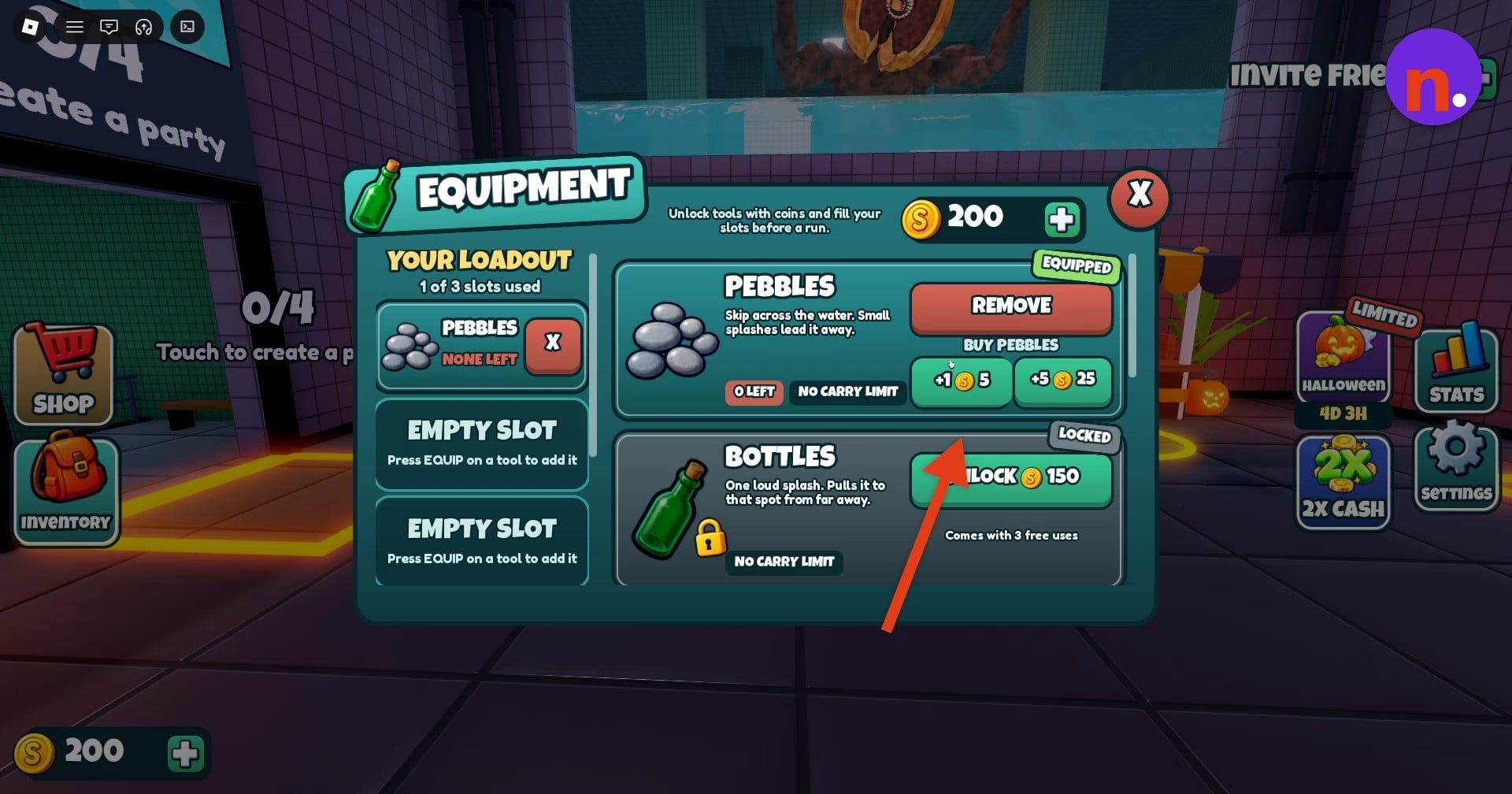
Check your supplies and loadout
Close Equipment and reopen Inventory from the left menu. Review SUPPLIES to see remaining uses and equipped tools. After a single Pebbles purchase, its supply count increases by one; IN LOADOUT identifies it as equipped. Starting with 200 coins, buying that Pebble leaves you with 195 coins.
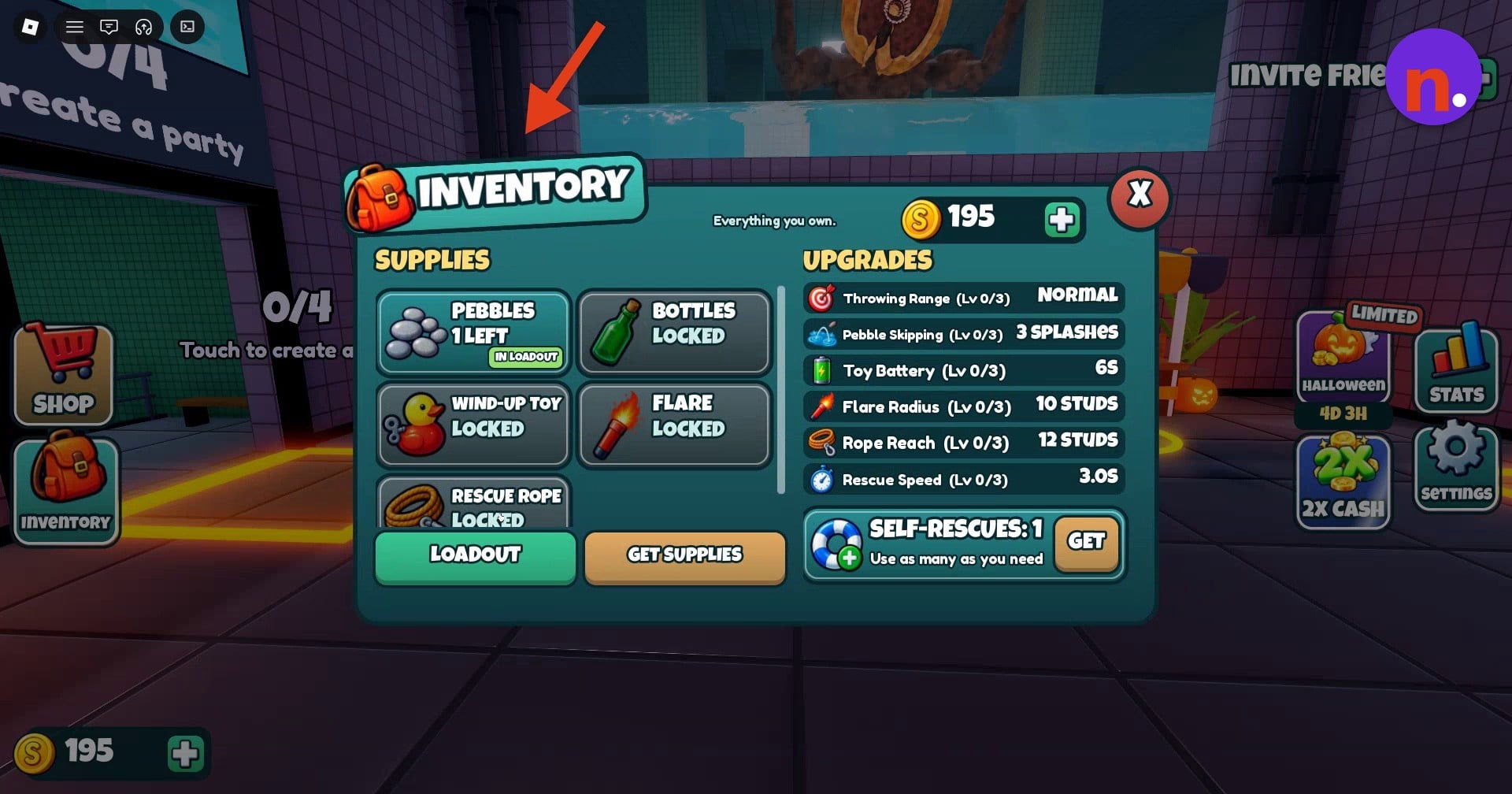
Your loadout has three slots. Fill them before starting a run, as the Equipment menu instructs.
What does each equipment type do in Don’t Splash?
| Equipment | Effect | Carrying or durability rule |
|---|---|---|
| Pebbles | Skips across water, making small splashes that draw the threat away. | No carry limit. |
| Bottles | Makes one loud splash that attracts the threat to that spot from far away. | No carry limit. |
| Wind-Up Toy | Waddles through water, making noise throughout its movement. | No carry limit. |
| Flare | Stuns the threat for 5 seconds. | — |
| Rescue Rope | Pulls a teammate onto a platform from farther away. | Never runs out. |
Flare also puts a restriction on repeat stuns. Account for that timing before trying to stun the threat again.
Rescue Rope has a separate restriction tied to the room. Keep track of whether you’ve already used it there.
What equipment upgrade stats can you check in Inventory?
| Upgrade | Value at Lv 0/3 |
|---|---|
| Throwing Range | Normal |
| Pebble Skipping | 3 splashes |
| Toy Battery | 6 seconds |
| Flare Radius | 10 studs |
| Rope Reach | 12 studs |
| Rescue Speed | 3.0 seconds |
Inventory includes an UPGRADES overview alongside your supplies. These readings belong to the tracks at Lv 0/3, giving you their starting values.
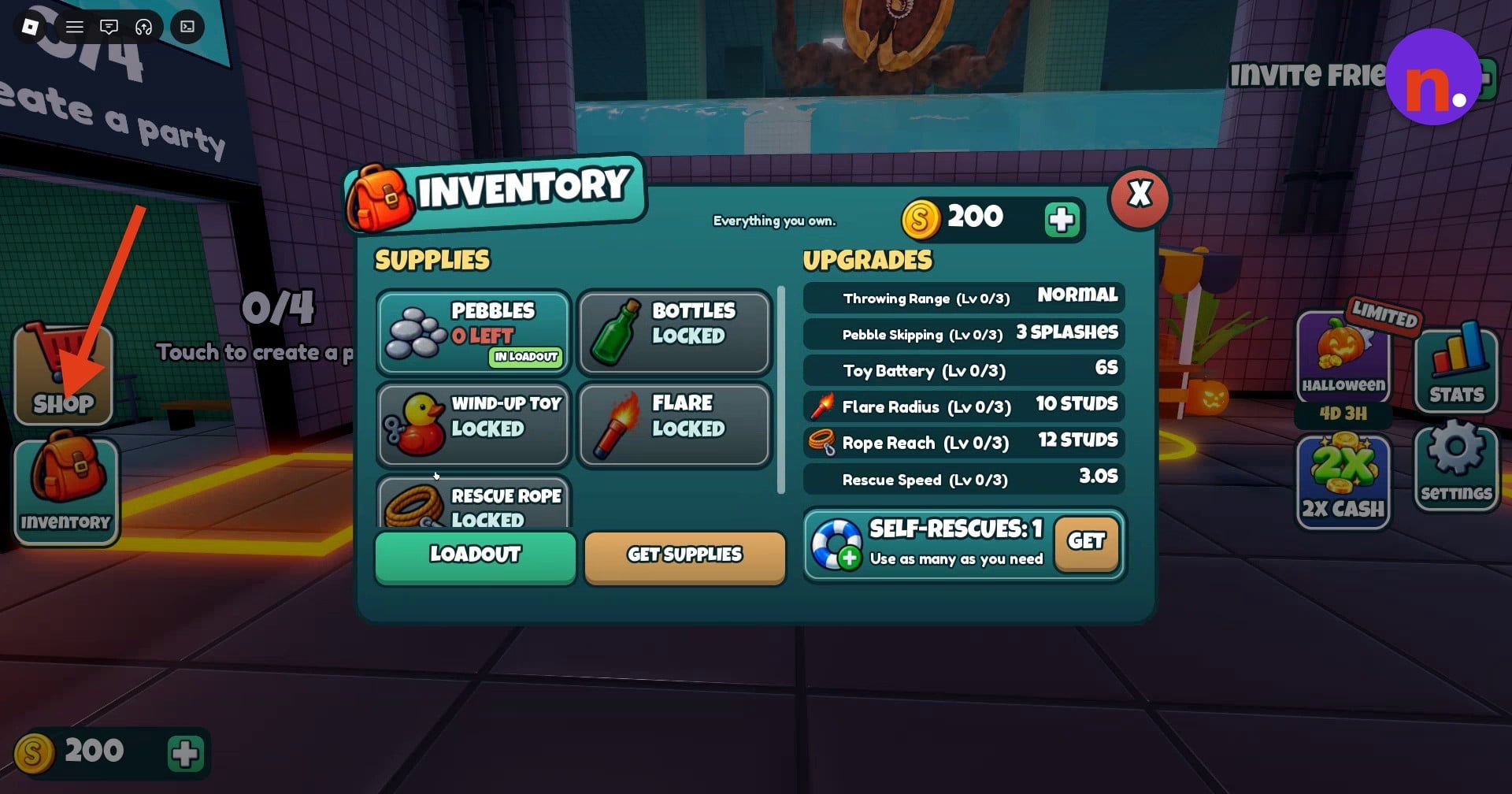
Before a run, bring those details together: your remaining supplies, equipped tools, and current upgrade readings. Inventory keeps that preparation in one place.

Leave a Reply