So, you have decided to unlock bootloader of your OnePlus 2 so that your rooting adventures begin. Or that of installing TWRP recovery, or finally towards installing xposed framework.
Well, you’ve come to right place, and whether you are actually looking for either or all of OnePlus 2 root, TWRP or Xposed installation, all this begins with bootloader unlock. Let’s see how to unlock the bootloader of OnePlus 2 and unleash it to its fullest potential.
Warning: Be notified that warranty of your device may get void if you follow the procedures given on this page. You only are responsible for your device. We won’t be liable if any damage occurs to your device and/or its components.
→ Backup important files stored on your OnePlus 2 before proceeding with the steps below, as unlocking the OnePlus 2 bootloader will completely wipe/delete all files on the device.
Step-by-step Guide
- Go to Settings > Developer options.
- Find the option ‘Enable OEM unlock’ and use its toggle button to enable it.
- Open any folder on PC. Now, left click on empty white space inside the folder.
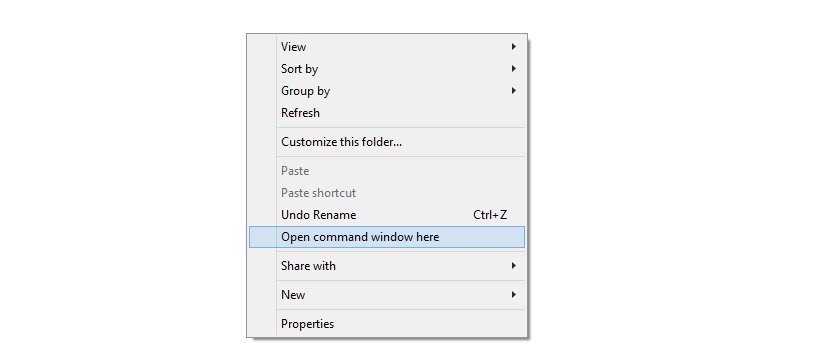
- Now, while holding shift key, right click on empty white space to get a pop-up as shown below.
- Choose Open command window here option from that.
You will see a command window open up, with location directed to unlock-bl folder.
You should get a serial no. with fastboot written after it. If not, you need to reinstall the fastboot drivers from above.
fastboot devices
fastboot oem unlock
That’s it. The device will reboot automatically. To confirm unlock status, reboot into bootloader/fastboot mode and you shall see the text unlocked now.
Need help? Do let us know via comments section below.