So you lost your phone or formatted it by mistake and you think you lost all of your contacts that were save on the device. Don’t sweat it. Google, by default, securely backs up all important information such as phone numbers, e-mail addresses, and contact photos on your behalf for you to access it in case of loss of your data or your primary device.
You should be able to restore lost contacts back onto your phone if you had backed up the same in the past.
RELATED: Set up SMS Back up and Restore on Android
How to restore contacts from Google
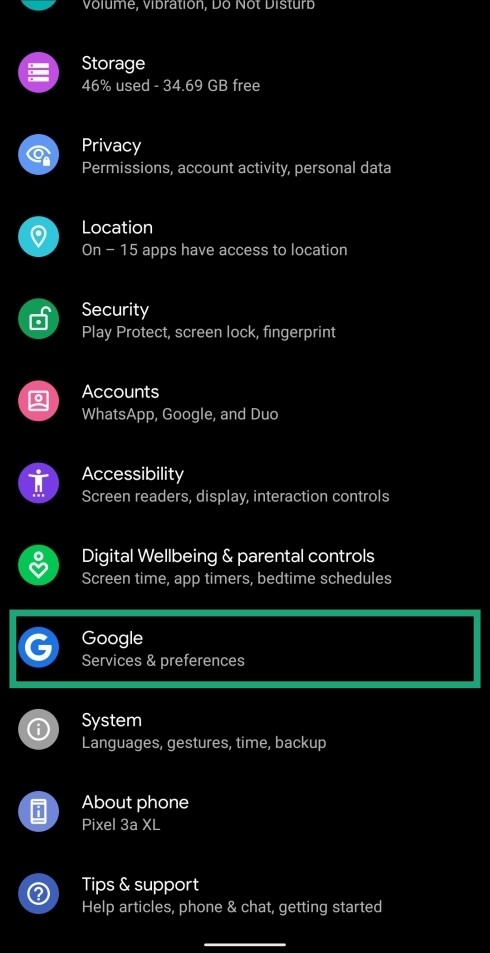


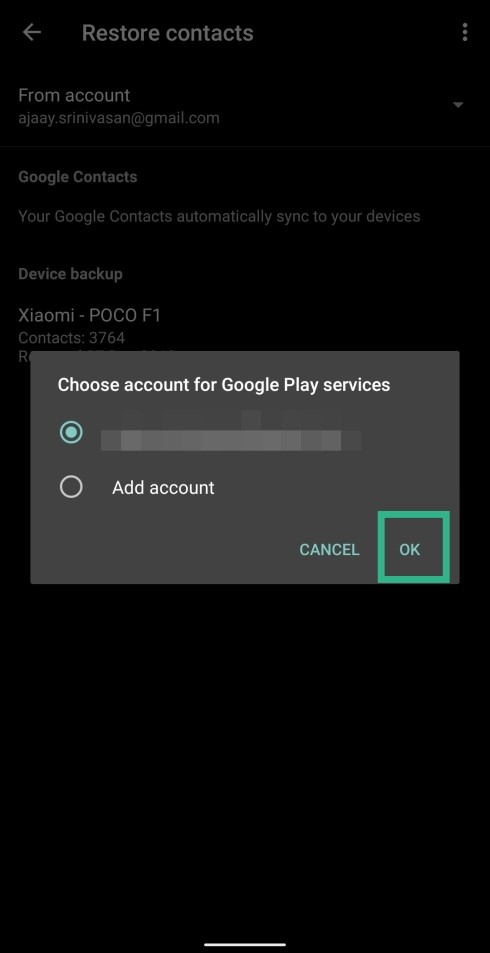
- Select the right account from the list.
- Tap OK.

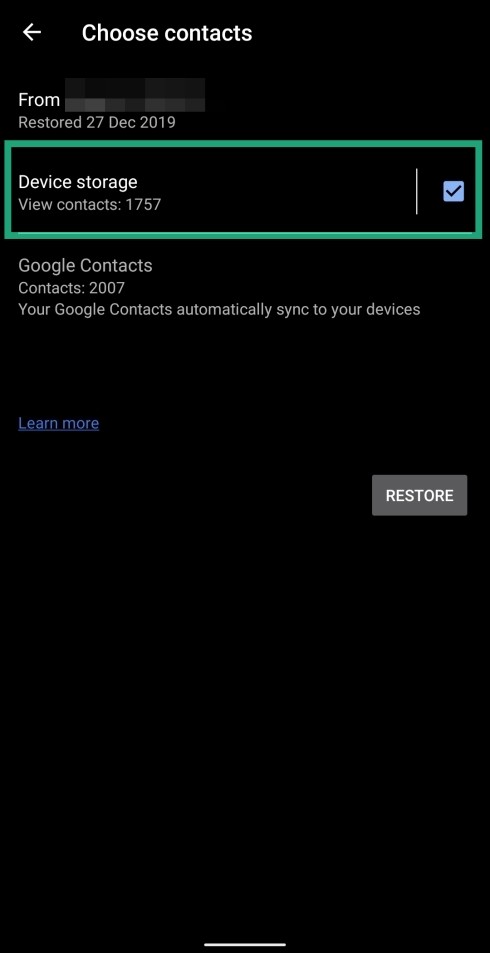

Wait till you are greeted with the message “Contacts restored”. The restored contacts will now be visible on your device.
Warning! The above method will only work for you if you had previously backed up your contact details to your Google account. Even if you didn’t back up this data recently, most of your contacts will be restored based on your last backup, if there’s one.
How to automatically sync contacts to Google
While you can restore your backed-up contacts at any time, this is only possible if you regularly sync contacts to your Google account. If you’re someone who meets and saves contacts of new people on a daily basis, then we suggest you sync contacts to Google on a regular basis. This can be done easily by allowing Google to automatically sync contacts to your account.
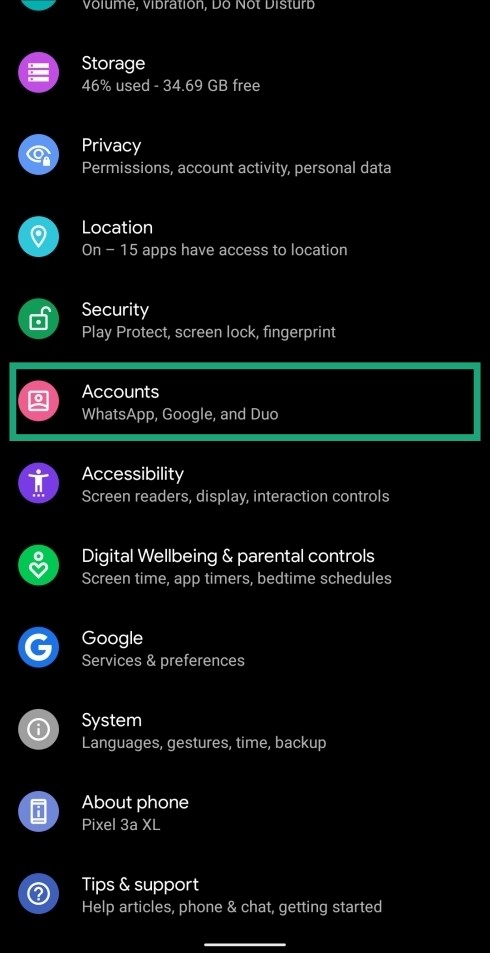
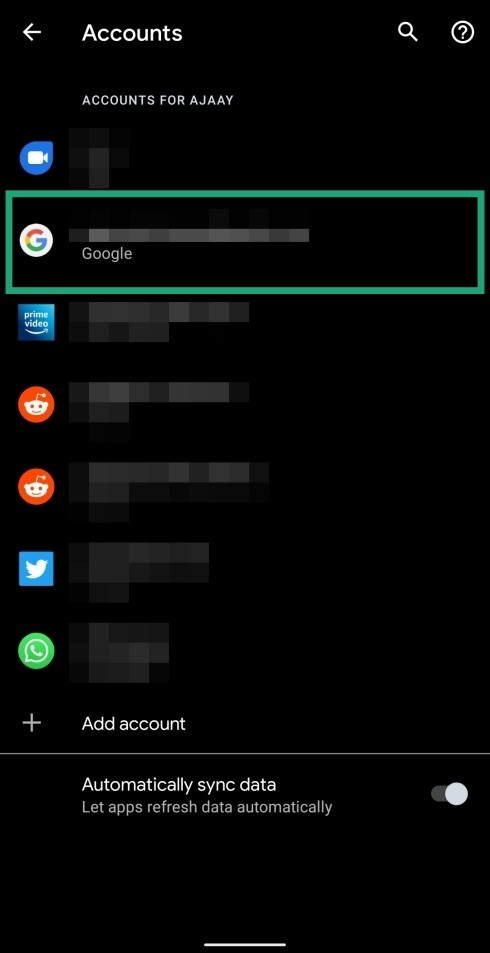


- Tap on the 3-dot icon at the top right.

- Tap on Sync now.

Your contacts and the other information that was selected in the sync page will get backed up to your Google account.
RELATED: